
No, you do not need Game Pass to play Rainbow Six Siege if you own the game.
So, you’re itching to breach and clear in Rainbow Six Siege, but a question keeps popping up: do you need Game Pass to play Rainbow Six Siege? It’s a valid point of confusion, with subscription services now common.
Many games are tied to these memberships, but this isn’t the case with Rainbow Six Siege. You can play just by having purchased the game.
Game Pass offers a library of titles, but Siege stands on its own for now. Enjoy the tactical action!

Do You Need Game Pass to Play Rainbow Six Siege?
Let’s dive deep into the question many aspiring Rainbow Six Siege operators have: Do you need a Game Pass subscription to play this popular tactical shooter? The answer isn’t as simple as a straight “yes” or “no,” and it depends heavily on the platform you’re using and how you want to play the game. We’ll explore all the nitty-gritty details so you can get into the action as quickly and efficiently as possible. Whether you’re on Xbox, PC, or even considering cloud gaming, this guide will clear up any confusion.
The Base Game: What You Need to Know
First and foremost, understand that Rainbow Six Siege is a game you typically need to purchase. This means acquiring a copy of the game on your chosen platform. This purchase provides access to the core game and its initial operators. You’re not going to get access to Rainbow Six Siege just by having a Game Pass subscription alone; you have to own the game in some form.
Different Editions of Rainbow Six Siege
Rainbow Six Siege comes in various editions, each offering different benefits. Here’s a quick rundown of common versions:
- Standard Edition: This usually contains just the base game, providing access to all the original core operators. You may need to earn in-game currency to get the more recent ones.
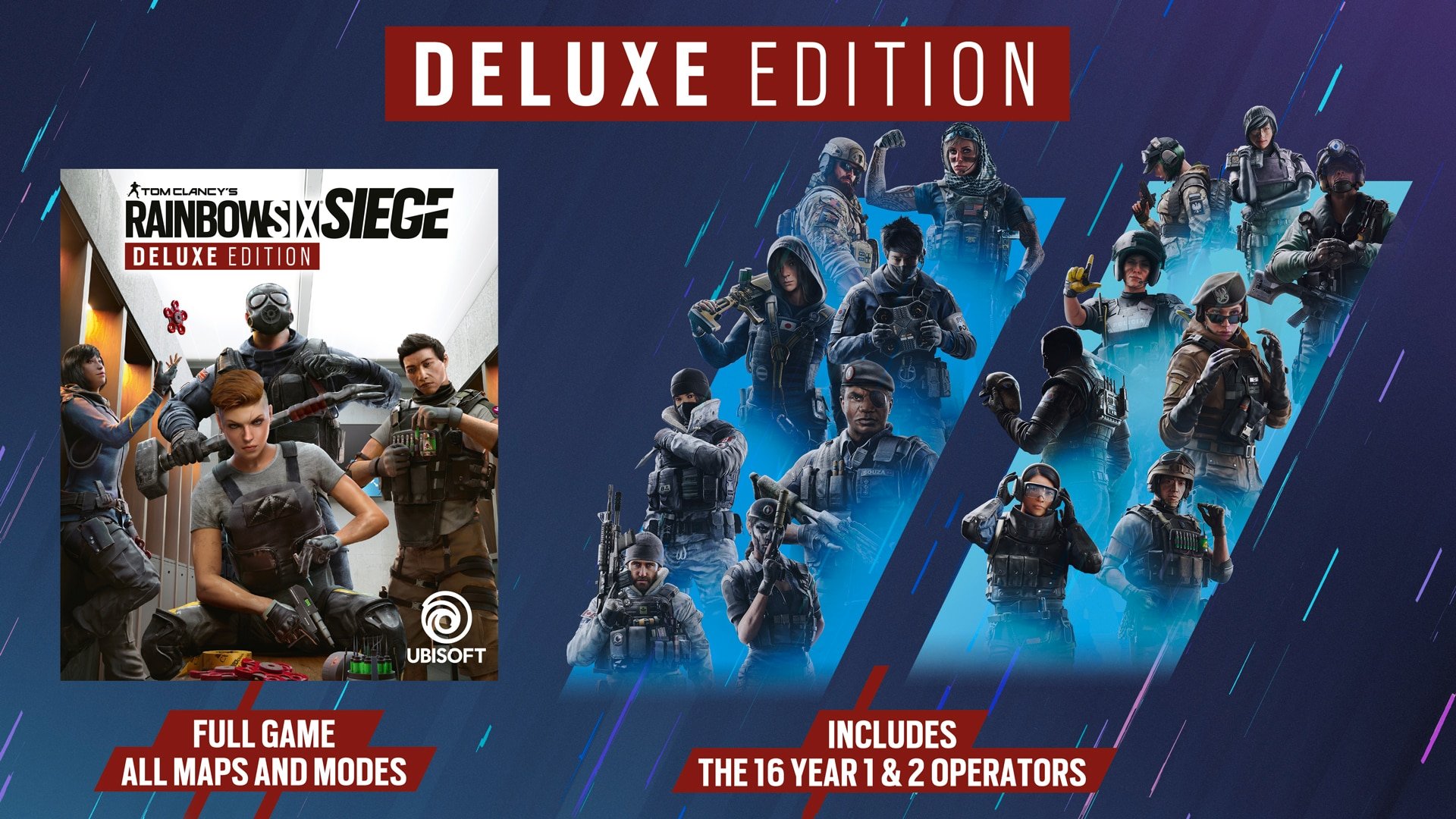
- Deluxe Edition: This version includes the base game and usually a selection of additional operators, potentially some cosmetic items and other perks.
- Operator Editions (like the Ultimate Edition): These are the most feature-rich editions, usually providing all operators, more in-game currency, unique cosmetics and VIP perks for a limited time.
Remember, the specific contents of each edition can vary, so be sure to double-check what you are getting before you buy. Sometimes, sales can make certain editions much more worthwhile than others. Make sure to check for discounts when you’re looking to buy the game. Also, keep an eye out for game keys from authorized sellers that sometimes offer the game for a reduced price compared to platform stores.
Game Pass and Rainbow Six Siege: A Closer Look
Now, let’s talk about how Game Pass fits into the picture. While a standard Game Pass subscription doesn’t automatically grant you Rainbow Six Siege, the relationship between the two is more nuanced than it seems.
Rainbow Six Siege on Xbox Game Pass
Here’s the key piece of the puzzle for Xbox gamers: Rainbow Six Siege is available through Xbox Game Pass. However, this is primarily through Xbox Game Pass for Console and Xbox Game Pass Ultimate, and not the PC specific pass. If you have one of these subscriptions, you can download and play Rainbow Six Siege without buying the game separately.
This means:
- No additional purchase needed: If you have an active Xbox Game Pass for Console or Xbox Game Pass Ultimate subscription, you can download and play Rainbow Six Siege.
- Rotating availability: Games in the Game Pass library can sometimes leave. It’s always a good idea to keep track of which games are coming and going. If Rainbow Six Siege ever leaves, you will have to purchase the game to continue playing.
- Access to the core game: The version available through Game Pass is typically the base edition of the game. You might have to purchase some of the additional operators with in-game currency, or buy an upgrade to get the full experience.
Rainbow Six Siege on PC Game Pass
PC gamers, the situation is a bit different. While Xbox Game Pass and PC Game Pass have some overlap, Rainbow Six Siege’s presence has been somewhat unique in the past, it used to not be available on the standard PC game pass. As of current, it is available on PC Game Pass.
This implies:
- It’s on PC Game Pass Now!: If you have the PC Game Pass or Game Pass Ultimate, you can now enjoy Rainbow Six Siege on PC.
- Same principles apply: Similar to Xbox, your subscription allows access to the core game. Additional content, such as operators, may still need to be acquired separately or be in an upgraded version of the game on the platform.
Xbox Game Pass Ultimate: The All-In-One Solution
Xbox Game Pass Ultimate is the most complete Game Pass option. It includes:
- Xbox Game Pass for Console: Play Rainbow Six Siege on your Xbox console.
- PC Game Pass: Play Rainbow Six Siege on your Windows PC.
- Xbox Cloud Gaming: Stream Rainbow Six Siege on various devices using cloud gaming.
- Xbox Live Gold: Needed to play games online (Including Rainbow Six Siege on console).
If you’re looking to play across multiple platforms, or if you enjoy online multiplayer on Xbox, the Ultimate version is a great option.
Cloud Gaming and Rainbow Six Siege
Game Pass Ultimate offers another interesting option for players: cloud gaming. This technology allows you to stream Rainbow Six Siege to various devices, including phones, tablets, and even older PCs.
Here is what you need to know:
- No need for a powerful device: Cloud gaming lets you play without needing a powerful gaming PC or console, using cloud servers to run the game.
- Internet requirements: A stable, fast internet connection is crucial for a good experience. Lag can impact the gameplay since it’s a shooter.
- Subscription requirement: To use Xbox cloud gaming, you need Xbox Game Pass Ultimate, the most comprehensive plan, as mentioned.
Cloud gaming can be a great option if you don’t have a gaming-grade computer or console, but it also relies on network performance, so you should test the service in your environment before fully committing.
Purchasing Rainbow Six Siege Outside of Game Pass
You always have the option of buying the game separately, regardless of your subscription status. Let’s explore why you might choose to purchase rather than rely on Game Pass.
Reasons to Purchase the Game
- Owning the Game: When you buy Rainbow Six Siege, it’s yours, as long as the platform keeps servers up for it. You don’t have to worry about it being removed from a subscription service.
- Access to different editions: Buying the game lets you choose editions containing additional operators, cosmetics, or other bonus content right away.
- Long-term cost considerations: If you see yourself playing the game extensively for years to come, buying it outright might be more cost-effective than maintaining a subscription.
- Playing Offline (limited): You are able to access some basic elements of the game offline like the training grounds without any connection, which is helpful if you do not have a stable connection at all times.
Where to Buy Rainbow Six Siege
You can purchase Rainbow Six Siege from many locations, these include:
- Digital Storefronts: The official stores for PlayStation, Xbox, and Steam (PC) are typical places to purchase the game.
- Retail Stores: You can find physical copies of the game at some retailers like Walmart, GameStop, Best Buy, and more.
- Online Marketplaces: Websites that sell game keys, like Humble Bundle, Green Man Gaming, or other reputable sites, can be a source of discounted keys.
Before you buy from a marketplace, ensure that the seller has positive reviews and that the game key is valid in your region. Sometimes, keys from a different region will not work.
Cost Comparisons: Game Pass vs. Purchasing
Let’s break down the financial aspect to help you decide what is right for you. To give you a clear picture, here’s a general idea on the costs involved. These prices can change, so make sure to check with official sources.
Xbox Game Pass Costs
Here’s what to expect regarding Game Pass subscriptions:
- Xbox Game Pass for Console: Typically costs around $10 to $11 per month.
- PC Game Pass: Also typically costs around $10 to $11 per month.
- Xbox Game Pass Ultimate: Usually runs around $15 to $17 per month.
Game Pass is a service that grants you access to a library of games. Rainbow Six Siege is just one of the many games available to you with an active Game Pass subscription. Keep in mind that the value of the service really shines when you want to play more than just one game on the service.
Purchasing Rainbow Six Siege Costs
Purchasing the game outright can be a one-time cost. Here’s what to consider:
- Standard Edition: Usually costs around $20 to $30.
- Deluxe Edition: Prices may vary, usually falling around $40 to $50.
- Operator Editions: These versions will usually cost upwards of $60.
These are just general price points and may change at anytime. It really depends on where you are purchasing the game and what special deals may be on at the time. The key difference here is the long term vs short term value of the purchase.
Making the Choice
So, how do you decide between Game Pass and purchasing?
- Short-term gaming: If you just want to play Rainbow Six Siege for a few months, and are on Xbox or PC, Game Pass might be cheaper.
- Long-term commitment: If you want to play Rainbow Six Siege for a long time, purchasing the game may be a better deal overall.
- Variety of games: If you want to play several games on a frequent basis, Game Pass offers access to many games.
Consider how often you play the game and how many titles you plan to play before deciding between the two.
Keeping Up with Updates and Content
Rainbow Six Siege is known for frequent updates, new operators, and seasonal content. How does this affect your experience whether you have Game Pass or a purchased copy?
The Same Experience
Generally, whether you’re playing through Game Pass or a purchased copy, the game updates will be the same. This means all players get the same content updates when they are released.
However, it’s good to note that if you are playing via Game Pass, if it leaves the service for whatever reason, you will no longer have access to the game. If you purchased a copy, you would always be able to access the game as long as the servers are running.
Accessing New Operators
The method for gaining new operators is also the same for all players. Usually you can unlock them by playing the game and saving up in-game currency, or you can spend real money to buy them directly. The game does sometimes offer special bundles that include operators and extra cosmetic items.
Cosmetic Items
Cosmetic items are also accessed the same way for all players, typically through in-game purchases or by completing objectives or events. Usually when a new season launches, there are a bunch of items that are released at the same time. This includes unique weapon skins, uniforms, charms, and more.
The game is consistent with both players that use game pass and purchased copies, so it is all up to personal preference when it comes to choosing between the two.
Troubleshooting Common Game Pass and Rainbow Six Siege Issues
Sometimes things don’t go as planned. Let’s look at some common issues and how to fix them:
Game Pass Isn’t Recognizing Rainbow Six Siege
- Check Your Subscription: Make sure your Game Pass subscription is active and that you are logged into the correct Microsoft account.
- Restart Your Device: Sometimes, a simple restart can solve the issue.
- Reinstall the Game: If the issue persists, uninstall and reinstall the game.
Cloud Gaming Lag
- Check Your Internet Speed: Make sure your internet connection is stable and meets the requirements for cloud gaming.
- Close Background Applications: Close other applications that might be using your network.
- Use an Ethernet Cable: If possible, use a wired Ethernet connection instead of Wi-Fi for better stability.
Game is Crashing or Freezing
- Update Your Drivers: Keep your graphics card drivers up to date.
- Verify Game Files: Use the platform’s tools to verify the game’s integrity.
- Adjust Graphics Settings: Try lowering your game’s graphical settings if your system is not performing well.
If you are having major trouble, it may be best to contact support for your platform or the game itself, to see if you are experiencing a known issue.
Ultimately, the choice between Game Pass and buying Rainbow Six Siege depends on your gaming habits and budget. Game Pass provides flexibility and a library of titles, while purchasing the game gives you long-term ownership. Now equipped with this information, you can make the best decision for your gaming needs and get into the game. Happy Siege-ing!
Do you need Xbox Live to play Rainbow Six Siege 2023?
Final Thoughts
You must purchase Rainbow Six Siege separately to play. Game Pass does not grant access. While Game Pass sometimes includes games, Rainbow Six Siege isn’t part of its regular offerings.
Therefore, do you need game pass to play rainbow six siege? The answer is no. You will need to buy it through the platform’s store.

