
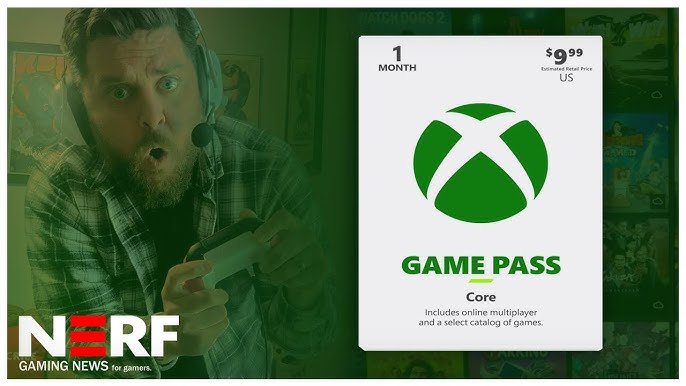
Yes, Game Pass Core allows you to play online multiplayer games.
So, you’re wondering does game pass core let you play online? It’s a common question, since different tiers offer various features. Let’s clear up any confusion around this subscription.
Game Pass Core focuses on providing access to online console multiplayer. You can enjoy playing with friends, without needing Game Pass Ultimate for online access. This feature is a primary benefit for many players.

Does Game Pass Core Let You Play Online?
Let’s dive deep into the world of Xbox and online gaming! You might be wondering, “Does Game Pass Core actually let me play games with my friends online?” The short answer is yes, but there’s more to the story than just that. Game Pass Core is like a special key that opens the door to online multiplayer gaming for Xbox consoles. It’s a bit different from the regular Xbox Game Pass, so let’s explore what makes it special and how it works for playing online.
Understanding Game Pass Core
Game Pass Core is Microsoft’s entry-level subscription service for Xbox. It’s designed to give players access to online multiplayer gaming, along with a selection of games to play. Think of it as a step up from just having a basic Xbox account. Before Game Pass Core, you needed Xbox Live Gold to play online with other people. Game Pass Core has replaced Xbox Live Gold, keeping the online gaming part of the service but also giving a few extra perks.
What You Get with Game Pass Core
With Game Pass Core, you’re not getting access to the vast library of games that you’d find with the regular Game Pass or Game Pass Ultimate. However, you get some pretty useful things:
- Online Multiplayer Access: This is the main part! You can play games online with your friends (and new friends you meet), battling or teaming up in all sorts of multiplayer experiences.
- A Select Catalog of Games: You also get to play a curated collection of games at no additional cost. This library is typically updated a few times a year and contains some really great titles across different genres. This is not the massive library of hundreds of games, but still a very good selection.
- Exclusive Deals and Discounts: Game Pass Core members often get special offers on games and other content in the Xbox store. It’s always good to save some money, right?
In short, Game Pass Core is mostly about playing online, but it doesn’t leave you with nothing to play. It’s a great option if online play is your main priority.
How Game Pass Core Enables Online Play
So, how does it all work? Let’s break down the technical aspects of how Game Pass Core allows you to connect and play online with other gamers.
The Network Infrastructure
When you play a game online, your Xbox console connects to Microsoft’s network infrastructure. This network is like a massive web that connects players from all over the world. This network is the backbone of Xbox’s online services. When you play a game, your Xbox sends data to these servers, which then distribute the information to other players in the game. Game Pass Core gives you the permission to access this network and enjoy all of the online features. Without a subscription to a service like Game Pass Core, Xbox doesn’t allow you to connect to the network for multiplayer gaming.
Matching Players
A critical part of online gaming is how the system finds other players for you. The servers use some smart computer programs to match you with other players who want to play the same game as you. This system also tries to find players who are around the same skill level, so the games are fair and fun for everyone. This matchmaking system works smoothly and efficiently for all Game Pass Core subscribers, making it easy to find games whenever you want.
Ensuring Smooth Gameplay
Another important thing that happens behind the scenes is making sure the gameplay runs smoothly. This includes managing data transfer to reduce lag, keeping the games synchronized for all players involved, and ensuring the network has no issues. Game Pass Core also helps ensure a secure environment where people can focus on having fun instead of worrying about technical issues.
Game Pass Core vs. Other Xbox Game Pass Options
It’s crucial to see how Game Pass Core fits in the Xbox ecosystem. The other options are Game Pass (for consoles or PCs) and Game Pass Ultimate. Let’s see how it differs:
Game Pass (Console)
The standard Game Pass for consoles provides access to a much larger library of games than Game Pass Core. Instead of a limited list, you get to play a huge collection of games, including new releases from Xbox Game Studios. This includes many games that you can download and play at any time as long as you have the subscription. It does not include online play, you need to have a Core subscription on top of this to get the multiplayer access. If you want to explore a wider variety of games and you’re not too much focused on the online play, Game Pass is a great option.
Game Pass (PC)
Just like the Console Game Pass, Game Pass for PC gives access to a vast collection of games, but these are mostly PC titles. Game Pass PC is especially useful for users who want to have a huge collection of PC games. Just like the console version, this version also doesn’t include the online playing, that needs Game Pass Core.
Game Pass Ultimate
Game Pass Ultimate is the top-tier service that gives you all the benefits of the other options, plus more. With Game Pass Ultimate, you get all the games on consoles and PC, access to online multiplayer, and even Cloud Gaming where you can play games on your phone, tablets or even smart TVs. Cloud gaming lets you play many games without needing to install them. It’s the best of both worlds and is a great option if you want everything, including online play, a huge library of games on different devices.
Here’s a simple table to understand the differences:
| Feature | Game Pass Core | Game Pass (Console) | Game Pass (PC) | Game Pass Ultimate |
|---|---|---|---|---|
| Online Multiplayer | Yes | No | No | Yes |
| Select Games Library | Yes | No | No | Yes |
| Large Game Library | No | Yes | Yes | Yes |
| PC Games | No | No | Yes | Yes |
| Cloud Gaming | No | No | No | Yes |
Choosing the Right Game Pass Option for You
Deciding which Game Pass option suits you depends on what you want from your Xbox experience. If playing online with friends is your biggest concern and you also want to access a collection of games, then Game Pass Core is an affordable solution. If you’re interested in playing a large library of games, or exploring new games, and you want to play on different devices, Game Pass Ultimate is the way to go. Game Pass options for just PC or console is a good choice for people who do not care about the online gaming and want to explore the larger library of games.
If You Mainly Play Online
Game Pass Core is perfect for you. It gives you the ability to play online, a small catalog of games, and that will keep you entertained. If you spend most of your gaming time battling with friends online, this is the most economical choice.
If You Love a Wide Variety of Games
If you love to try new games and play many different titles, you should consider the Game Pass or Game Pass Ultimate. These options give you access to a vast game library, along with some brand new titles. This will allow you to explore new games and different styles.
If You Want the Full Xbox Experience
Game Pass Ultimate is the king here. It combines online play, a huge game library, and cloud gaming. This is the ultimate choice for any Xbox player who wants to get the best value and the widest range of features available.
Setting up Game Pass Core for Online Play
Now that you have the information, let’s discuss what you need to do to start playing online with your Game Pass Core subscription.
Subscribing to Game Pass Core
First, you’ll need to get a subscription to Game Pass Core. You can do this through your Xbox console or online through the Microsoft website. You can also buy codes for a subscription from different retailers. After you purchase the subscription, you will need to activate it on your Xbox account. This process is usually quick and easy. Make sure that you are signed in to the Xbox account you want to play online with.
Connecting Your Xbox to the Internet
For online play, you’ll need a stable internet connection for the best gaming experience. The speed and stability of your connection can impact how smoothly the games run. For best result it is recommended that you use a wired connection. The console can be connected with Wi-Fi but can experience connection issues. Check to make sure that your Xbox is connected to your internet network.
Finding and Joining Online Games
Once everything is connected, you can start exploring the online world. Launch your favorite multiplayer game and find the online game option. From here you should be able to find different gaming modes and you can select and join the game that you want. The system will use matchmaking to find you some opponents or allies to play with. You will notice that Game Pass Core makes it easy to get into your favorite multiplayer games.
Troubleshooting Online Play Issues
Sometimes, even with a good subscription and connection, things might go wrong. Here’s a quick look at what you can do if you have issues with online play:
Check Your Internet Connection
First, make sure your internet is working properly. Try restarting your router and check if your other devices are getting good speeds. If your connection is slow or intermittent, this might be the main reason for the issues.
Restart Your Console
Sometimes, a simple restart can solve many issues. Turn your Xbox off completely, wait for a minute, and turn it back on. This can clear some temporary problems that might be affecting your online play.
Verify Your Game Pass Core Subscription
Sometimes, you can have problems with your subscriptions. You can log into the Microsoft Website or use your Xbox to make sure your subscription is active. If your subscription expired it will prevent you from playing online games.
Check Xbox Live Status
The Xbox Live service itself might have issues sometimes. Check the official Xbox Live status page to see if there are any outages or problems that might be affecting you. This is something that can sometimes be a reason for your online game issues.
Contact Support
If the problem still continues, you can contact Microsoft Support. They can help you with more complicated issues that you can’t fix yourself. They have all the tools and expertise to help solve the gaming problems.
Benefits of Playing Online with Game Pass Core
Playing online with Game Pass Core is not just about the games themselves. There are a lot of great advantages:
Connect With Friends
Online gaming is a great way to connect with friends and family who might not be in the same room as you. You can work together in co-op games, or compete with them in multiplayer matches. This is a great way to keep in touch while having fun. This is a good way to create new and memorable moments with friends. With Game Pass Core, all this is possible.
Meet New People
Online gaming opens up a world of opportunities to meet new people. You can meet people with similar interests from all over the world, building friendships. Many lasting relationships have started from a gaming session. Gaming community is great and everyone can be a part of this community. Game Pass Core is your ticket into this world.
Competitive and Collaborative Play
Whether you prefer competitive gaming or team-based play, there’s something for everyone. You can battle against others to test your skills, or work together as a team to achieve a common goal. Game Pass Core gives you access to all the styles of games that you might like. This flexibility can always be rewarding.
Expanding Your Gaming Experience
By playing online, you get to experience games in a way that you can’t experience playing offline. You can always test yourself by playing against some very skilled gamers, and learn new strategies, and tricks from them. Online gaming also forces you to adapt and change your strategy. With Game Pass Core, you have a great way to enjoy a different kind of gaming experiences.
Game Pass Core provides a really great platform for online gaming on Xbox. The most important aspect is that it allows you to play online with friends and family. It is an affordable way to enjoy gaming and have a lot of fun. With some great games on the list, Game Pass Core is a great service for people who love online gaming.
Can I Play Online With Xbox Game Pass Core?
Final Thoughts
Game Pass Core provides access to a select library of games. It includes the essential ability to play online multiplayer. This is a key feature of the subscription.
With Game Pass Core, you gain access to console online multiplayer. Therefore, the answer to ‘does game pass core let you play online’ is definitively yes. This plan lets you enjoy many games with friends.

