
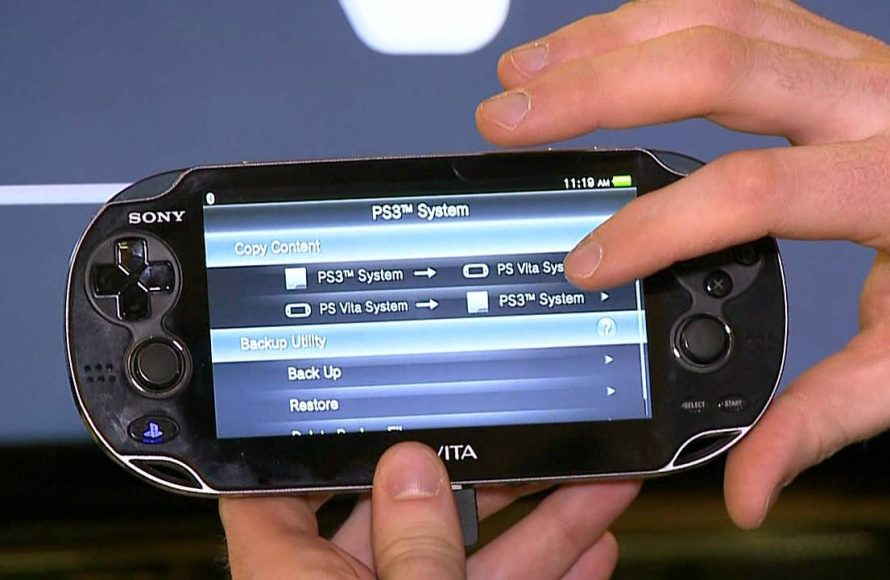
Yes, the PlayStation Vita can play a wide selection of PSP games purchased from the PlayStation Store.
Wondering if you can relive your favorite PSP adventures on the Vita? It’s a common question many have, “does vita play psp games?” Fortunately, the answer is yes, but it’s not quite as simple as inserting a UMD. You can download a considerable number of PSP titles from the PlayStation Store and enjoy them directly on your Vita.
This backward compatibility offers a great library to explore. You get to experience the older games on modern hardware, making them feel fresh. Many classics from the PSP library are waiting for you on the Vita!

Does Vita Play PSP Games? Exploring Compatibility
Let’s dive into the world of handheld gaming and tackle a question many gamers have: can the PlayStation Vita play games made for the PlayStation Portable (PSP)? The short answer is, yes! But it’s not quite as simple as popping in a PSP game disc. The Vita doesn’t use the same discs that the PSP did. Instead, it has a different way of playing PSP games. Let’s explore how this works.
How Vita Plays PSP Games: Digital Downloads
The PlayStation Vita uses a digital system for playing PSP games. This means you can’t use your old UMD discs (the small discs that PSP games used) on the Vita. Instead, you need to buy and download PSP games from the PlayStation Store. Think of it like getting a game from an app store on your phone, but for your Vita. It’s a very convenient way to get your old favorites.
What is the PlayStation Store?
The PlayStation Store is an online shop where you can buy and download games, movies, and other digital content for your PlayStation consoles. It’s available on the Vita, PS3, PS4, and PS5. For playing PSP games on Vita, you need to go to the PlayStation Store on your Vita and look for the PSP games section. You will see a variety of PSP games that are available for purchase. After buying the game, it will be downloaded to your Vita’s memory.
Purchasing and Downloading
To purchase a PSP game on your Vita, you need to have an account for the PlayStation Network (PSN). This is the same account you might use on other PlayStation consoles. You’ll also need a way to add funds to your PSN wallet, like a credit card or gift card. Once you have funds in your wallet, you can browse the PlayStation Store, find the PSP game you want, and click “buy”. The game will then download to your memory card. Make sure you have enough space on the memory card for the games you are downloading.
The Advantages of Digital PSP Games on Vita
Playing PSP games on your Vita digitally has many great advantages.
- No More Discs: You do not need to worry about the small UMD discs anymore. No need to carry them around or worry about them getting scratched.
- Easy Access: All your games are in one place, available to play at any time, whenever you want them.
- Quicker Loading: Many people say that digital games tend to load faster than the games on the discs.
- More Portable: The Vita is already a great handheld device, and having all the games inside the system makes it even more portable.
Are All PSP Games Available on Vita?
While many great PSP games are available to play on the Vita, unfortunately, not every single one is available. It’s essential to check the PlayStation Store to see if your desired games are available. Sometimes, some older titles might not be available. This is sometimes due to licensing or other issues. But you will mostly find your favorite PSP game there.
Compatibility Factors
The PlayStation store does not have all the PSP games available, because some PSP games are not compatible with Vita. Although the PSP and Vita belong to the same family, some technical reasons keep them from working. This is not always clear why some games are compatible and others are not, but the good news is most of the popular games are available.
PSP Games Not Available on PlayStation Store
A few PSP games are not available for purchase on the PlayStation store, these might be very rare, and a little hard to find. Usually, they might be obscure titles. You may come across them, but don’t get your hopes up too much. The main way to play them is with your old PSP device and UMDs. Here are some points as to why a PSP title is unavailable in the store:
- Licensing Issues: Sometimes, the rights to sell a game may have expired or are not available for digital sale.
- Technical Difficulties: Some games may have technical problems running on the Vita system, or may have very specific issues with Vita’s emulator and the game itself.
- Lack of Demand: The game might not be popular enough for Sony to invest in making it available.
- Rarity: Sometimes a game is obscure, which makes them unavailable in the store.
PSP Emulation on Vita
The PlayStation Vita does not actually play PSP games directly. Instead, it uses a kind of software called an emulator. Think of an emulator like a translator. It helps the Vita understand the PSP game’s language and allows it to run. This emulation software is built into the Vita’s system, and it works pretty well. However, sometimes it can cause small issues in the games.
How the Emulator Works
The emulator translates the code of PSP games so that the Vita’s processor can run the games. Because the Vita uses different hardware, the emulator is vital to make it all work. It’s like using a special program to help the Vita act like a PSP for playing these older games. The emulator attempts to keep everything running like it would on an actual PSP console. But it’s not a perfect 1:1 recreation, and there may be some slight variations or issues.
Potential Emulation Issues
While the emulation is generally smooth and effective, you might sometimes encounter minor issues. These may include:
- Audio Glitches: Some games can have minor audio problems like small clicks, static or skipping.
- Graphical Problems: A few games can have very small visual glitches, like a slight glitch in the background of the game.
- Compatibility Issues: Very rarely, some games may not run perfectly, or even crash.
PSP Games: Enhancements on Vita
Even with a few potential minor issues, playing PSP games on the Vita is often a better experience than playing on the PSP itself. The Vita has a much better screen, which makes the games look more colorful and clear. Some PSP games look very great on the Vita with its sharper and brighter screen. Here are some ways that the Vita can enhance a PSP game:
The Vita’s Superior Screen
One of the biggest advantages of playing PSP games on the Vita is the screen. The Vita’s OLED screen is much sharper, brighter, and has better color. This can greatly improve the experience of playing PSP games, making them look more vibrant and enjoyable. The difference between the two screens is noticeable, as the Vita enhances color, clarity, and brightness.
Better Controls
Many gamers find the Vita’s controls more comfortable than the PSP. The Vita has better analog sticks, which can make controlling the characters in the games easier and more comfortable, especially for fast-paced games. This makes playing PSP games feel very smooth and natural. The improved feel of Vita makes for a more enjoyable experience than playing on an actual PSP.
Play on a Bigger Screen: PS TV
You can even play your PSP games on your TV using the PlayStation TV. The PlayStation TV is a small console that connects to your TV. You can play some of the Vita games on the TV through this device, and also PSP games that are on your account. This is a great way to enjoy your PSP games on a bigger screen at home.
Managing PSP Games on Vita
Managing your PSP games on the Vita is straightforward. Once you’ve downloaded the games, they appear on the Vita’s home screen alongside your other Vita games. You can organize them, move them into folders, and delete them if you no longer want them. Here is how you can easily manage your PSP games:
Organizing Your Games
You can organize your game icons on your Vita’s home screen into folders. This way you can have separate folders for PSP games and Vita games, or organize them by genre, or your own personal way. Organizing your games makes it easier to find the games you are looking for, instead of scrolling through a massive list of games.
Deleting Unwanted Games
If you want to free up space on your memory card, you can delete games you are not playing. Deleting is very easy. Just hold on the icon of the game you want to delete and you can press the delete button. You can always re-download the game later if you change your mind. Deleting the game only frees space in your memory, the game will always be available in your library.
What to Consider Before Playing PSP Games on Vita
Before diving into playing PSP games on your Vita, there are a few things you might want to consider:
Memory Card Space
PSP games can take up space, just like Vita games. Make sure you have enough space on your Vita’s memory card before downloading many games. You can buy bigger memory cards to store more games, or delete the games you do not play anymore. This is one of the most important factors to consider if you want to play multiple PSP titles on the Vita.
PSN Account
You will need a PSN account to purchase and download PSP games from the PlayStation Store. This is the same account you use on other PlayStation consoles, so if you already have one, you are good to go. If you don’t, you will need to create one, and that’s very easy to do, you just have to follow a few steps.
Game Availability
Remember that not all PSP games are available on the PlayStation Store. Before getting excited about playing a specific game, check to see if it’s available. You can check on the PS store before hand if your games are available, before making a purchase.
Overall Experience of PSP Games on Vita
Overall, playing PSP games on the Vita is a great experience. The enhanced screen, better controls, and convenience of digital downloads make it very enjoyable. While there may be some minor issues with emulation, they are usually not serious enough to make the experience bad. The Vita allows you to experience the games that you loved in the past, in a new and enhanced way.
In conclusion, the PlayStation Vita provides a convenient and enjoyable way to play many classic PSP games. While not every title is available, the vast majority are, and they benefit from the Vita’s improved screen and controls. So if you’re eager to relive your PSP gaming memories, your Vita is the perfect device.
Does PS Vita Play PSP Games? 🎮 #psvita #retrogaming
Final Thoughts
Yes, the Vita plays many PSP games. You can access these games through the PlayStation Store. It is important to note that some PSP titles are not compatible.
The Vita’s emulation allows you to enjoy the must-have PSP classics. The experience is generally smooth and enjoyable.
So, the answer is definitively yes, ‘does vita play psp games’. You have access to a good selection of PSP titles through your Vita.

