
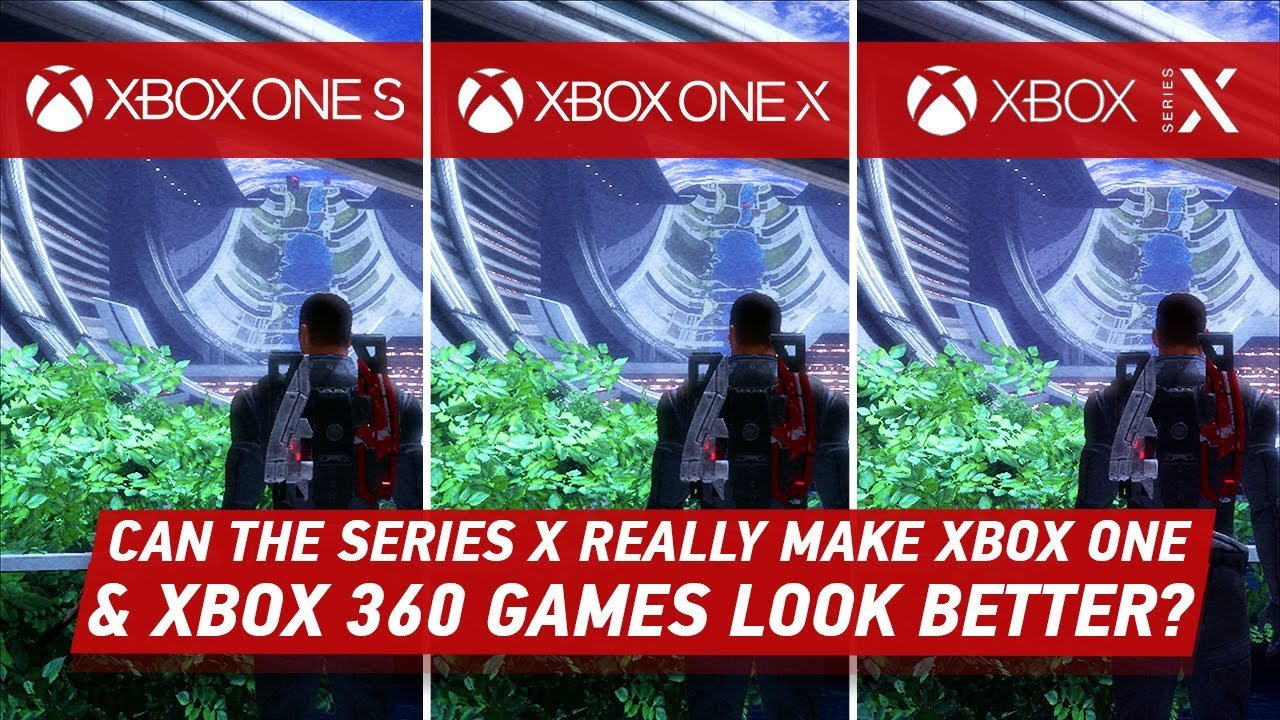
Yes, generally the Xbox One runs 360 games better due to its enhanced hardware and emulator.
Do you ever wonder if your old Xbox 360 games might perform better on newer hardware? Many gamers ponder this question: does xbox one run 360 games better? It is a valid inquiry given the improved technology.
The Xbox One employs emulation which allows it to play many older 360 titles. This emulation often leads to improvements in frame rates, and reduced loading times.
These small enhancements can provide a slightly more enjoyable and smoother experience than playing on original hardware. It can give a fresh perspective on beloved classics.

Does Xbox One Run 360 Games Better?
Okay, let’s dive into something super cool! You know how the Xbox One lets you play some of your old Xbox 360 games? That’s called backward compatibility, and it’s pretty neat. But a big question many gamers have is: does the Xbox One actually make those older games better? It’s not as simple as a ‘yes’ or ‘no,’ so let’s explore everything!
Understanding Backward Compatibility
Before we talk about improvements, let’s understand how this magic happens. The Xbox One isn’t just magically running Xbox 360 games. It uses a special program, kind of like a super-powered emulator. Think of it as a translator, taking the 360’s game language and making it understandable to the Xbox One. This special program also lets the Xbox One tweak some things in the game.
The Role of the Emulator
The emulator is the key! It doesn’t just copy how the game runs, it recreates the 360’s environment. This means the game thinks it’s still on a 360, but it’s really on your Xbox One. This allows for lots of clever things that can improve the experience. It’s not like simply plugging an old cartridge into a new console.
Performance Boosts on Xbox One
Now for the exciting part – how does the Xbox One actually improve the games? Well, there are a few cool things that happen.
Increased Resolution
One of the most noticeable upgrades is often the resolution. Think of resolution like the sharpness of a picture. Xbox 360 games were usually made for older TVs, so they didn’t have a lot of the detail modern TVs can show. On the Xbox One, many games have higher resolution. This means the picture is clearer, sharper, and everything looks much better. You get to see more details that you might have missed before.
For instance, imagine playing a game with lots of trees and leaves. On the 360, they might look a little blurry and pixelated. On the Xbox One, those leaves can be much sharper and more defined. This makes the game feel more immersive, like you are really there.
Improved Frame Rate
Another big advantage is a more steady frame rate. Frame rate is how many pictures the game shows each second, measured in frames per second (FPS). The higher the FPS, the smoother the game looks and feels. Some 360 games had some frame rate hiccups on the 360 itself. The Xbox One is more powerful and can often provide a much steadier frame rate. This is really helpful for games that are fast paced or have a lot going on, like action games or racing games. A smooth frame rate makes the game more enjoyable because there’s less stuttering and it responds better to your actions.
Faster Load Times
Waiting for games to load can sometimes be frustrating. Luckily, the Xbox One often loads games much faster than the Xbox 360. The Xbox One uses a faster hard drive than the older console and better technology in general. This helps to get you into the game faster, which means you get to spend more time playing instead of staring at a loading screen. This benefit might not seem huge, but it adds up quickly if you are switching between different games.
Specific Enhancements
The improvements aren’t always the same for every game. Some games see bigger improvements than others. Let’s break down what we might see and also how these benefits are applied differently depending on the game title.
Auto HDR
Many older games often lack something called HDR (High Dynamic Range) which makes colors look more vivid and realistic. The Xbox One (especially the One X and Series consoles) can add HDR to many 360 games through a clever system called Auto HDR. This is basically like giving the game’s colors a boost. The colors look richer and more vibrant, and scenes with bright and dark areas will have more contrast. This can add a new layer of visual depth to older titles.
Filtering and Anti-Aliasing
Another thing Xbox One’s emulator does is improve how textures and lines look. Older games sometimes had “jagged” edges on objects or characters. The Xbox One’s emulator can add special filtering and anti-aliasing techniques to make edges look smoother, not jagged and more clean. This results in a better visual experience. This is another detail that improves the quality of the image.
Exceptions and Limitations
Now, it’s important to remember that not all 360 games get the same treatment on the Xbox One. Some games might not see as many upgrades or might even have some small problems when they are emulated. Let’s discuss some of the common exceptions and limitations with these backward compatible games.
Not All Games Are Compatible
The first important thing to remember is that not all Xbox 360 games can be played on the Xbox One. Microsoft had to work hard to make each game compatible, so they focused on popular or well-liked titles. This means some of your favorite, more obscure games might not be available for backward compatibility. There are a limited number of 360 games in the backward compatible catalog, so it’s always a good idea to check if your favorites can be played.
Some Games Run Better Than Others
As we said before, some games see bigger performance gains than others. Games that already ran well on the 360 might not show a huge jump in performance on the Xbox One. Also, some games that used special features of the 360 hardware might not translate perfectly to the emulator. The result is that, not every game is perfect and has the same level of improvement.
Occasional Bugs or Glitches
Because of the emulation involved, occasionally, you might see some minor bugs or glitches in games. These are rare, but it’s something to be aware of. It’s usually just a small visual error, or a short problem. They’re usually not game breaking and do not affect the gameplay, and Microsoft is constantly updating the emulator to fix these things.
The Power of Xbox One X and Series X|S
If you are using an Xbox One X or a newer Series X or Series S, you’ll see even better performance for these games. These consoles are much more powerful, so they can handle emulation even better.
Enhanced Resolution and Frame Rate
On the Xbox One X, many backward compatible games are rendered at a higher resolution again. They can even go up to 4K, which is extremely sharp. This means a clear and detailed visual. The Series X/S are also capable of adding resolution and smoother frame rates, making those games look even better than they ever did on the 360. This is a huge improvement.
Auto HDR Benefits
All the Xbox One family of consoles and the Series X/S consoles have Auto HDR. But the Series X/S do have the ability to make the colors more vibrant and really pop the colors to make the game look much more vivid.
Reduced Loading Times
Loading times are also improved on the One X and Series consoles. This is due to the faster storage drives in those systems. This is particularly important for games with frequent load screens. This benefit is felt on every game.
How To Check If A Game Is Enhanced
Sometimes it’s hard to know if a game will be enhanced on your Xbox One. Here are a few ways to check:
- Online Search: A simple internet search of the game name and “Xbox One enhancements” will often provide details.
- Microsoft Store: The Microsoft Store description for each backwards compatible game will state if it has been enhanced or not.
- Gaming Forums: Online forums and social media groups dedicated to gaming often discuss these enhancements.
Practical Examples
Let’s look at a few examples of games that benefit from the improved performance on Xbox One and above.
Red Dead Redemption
The original Red Dead Redemption is a great example of a game that sees significant improvements on Xbox One. The game was not known for having the smoothest frame rate on the 360. On the Xbox One, the frame rate is steadier and the game looks much smoother. On the One X and above consoles, the resolution can reach 4K, which makes the game look really sharp.
Mass Effect Trilogy
The Mass Effect trilogy is another series that gains from the backward compatibility. While the first Mass Effect had some performance issues on the Xbox 360, the Xbox One greatly improves it. The frame rate and resolution increases makes this a much better experience. And again on the enhanced consoles, the experience is even further improved.
Fallout 3 and New Vegas
Bethesda games such as Fallout 3 and Fallout New Vegas also see improvements. They run smoother, with better frame rates. On the enhanced consoles, again the resolution is greatly improved.
Benefits of Backwards Compatibility
Backward compatibility is good for several reasons, and not just because it makes older games look better. These include:
- Preserving Games: It helps keep older games alive. Games from previous generations can still be played on newer hardware, meaning these older titles don’t get forgotten.
- Accessing Library: Gamers can still play their old favorites without needing multiple consoles. This is important if they are fond of the older games.
- Newer Audience: Younger gamers or those who missed out can experience older classic games for the first time on newer hardware.
Is It Worth It?
So, does the Xbox One run 360 games better? Absolutely! With the higher resolution, smoother frame rates, and improved loading times, many Xbox 360 games are much more enjoyable to play on the newer consoles. While not every game is the same, the majority of the games see positive improvements. And if you play on the One X or Series X|S, the experience will be even better.
Ultimately, backward compatibility is an important and useful feature. It allows you to experience old favorites, and to sometimes experience them in a better light. It’s a great way to experience classic games on new hardware. It’s more than just letting you play your older games – it improves the experience!
So if you have some old 360 games gathering dust, it’s time to fire up your Xbox One, Xbox One X or Xbox Series X|S and see the difference for yourself. You might be very impressed with the results!
How to transfer Xbox 360 games to Xbox One
Final Thoughts
In short, the Xbox One doesn’t universally enhance 360 games. While some titles might see slight improvements in load times, most run with similar performance to their original consoles. Compatibility makes playing older games possible, which is a must benefit.
Essentially, the question of ‘does xbox one run 360 games better’ has no simple yes or no answer. It mainly provides an alternate method to play 360 games. Any performance advantage is minimal across the board.

