
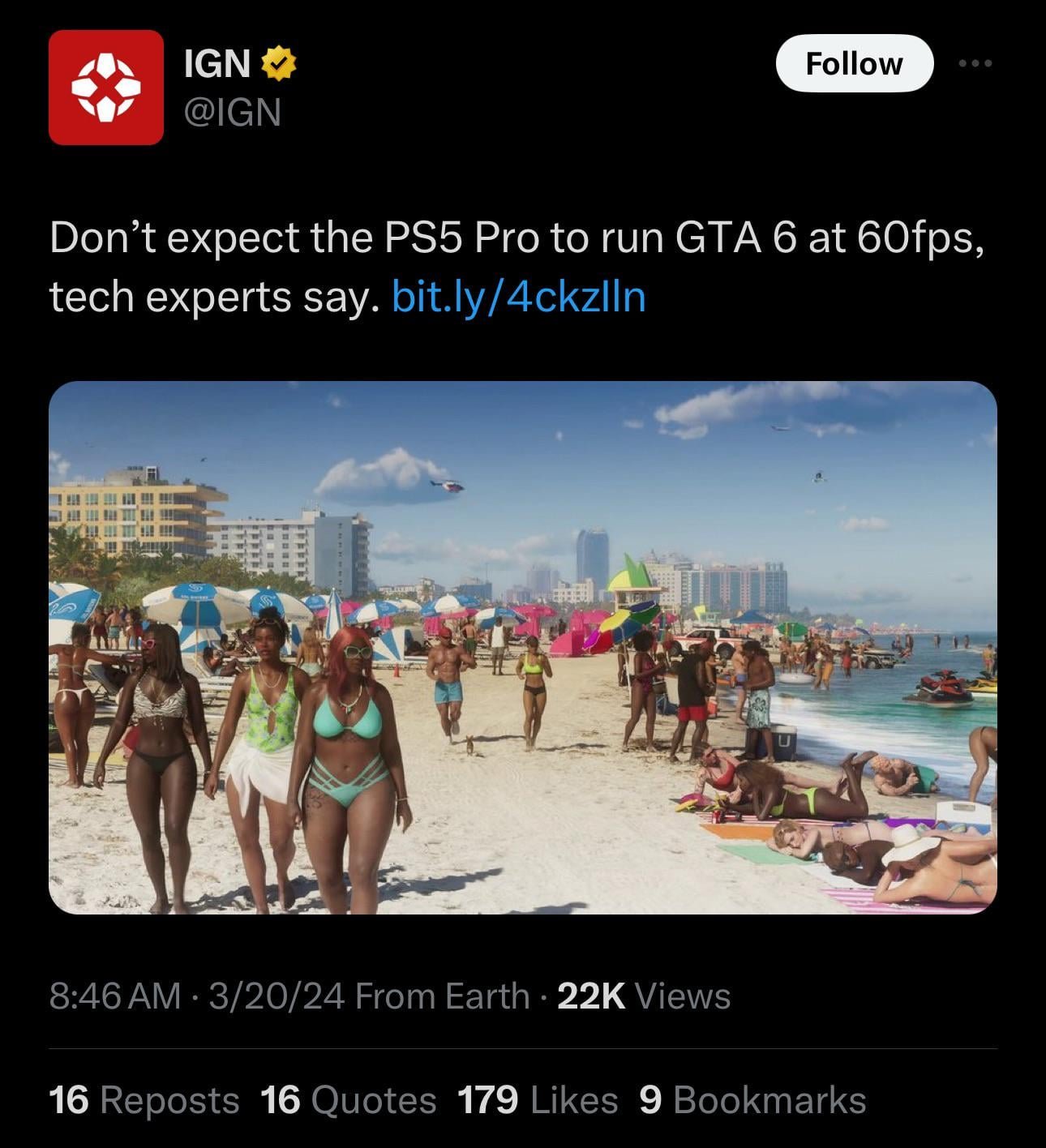
The expected GTA 6 frame rate on consoles is targeted at 30fps, with potential for higher frame rates on PC depending on the hardware.
The gaming community buzzes with anticipation about GTA 6. Everyone wants to know what to expect, especially regarding performance. Speculation swirls around graphical fidelity and how smoothly the game will run, which leads us directly to the discussion of GTA 6 Frame Rate Details.
We understand that maintaining a consistent frame rate is essential for an enjoyable experience. This information becomes crucial as players prepare for the game’s release, planning their setups. Performance on various platforms will be a significant factor.

GTA 6 Frame Rate Details
Alright, everyone! Let’s dive deep into something that’s super important for enjoying games, especially a big game like GTA 6: frame rates! You might be wondering, “What even is a frame rate?” Well, imagine a flipbook. Each page is like a frame, and when you flip through them quickly, it looks like the characters are moving. A frame rate is just how many of those “pages” your game shows every second. The more frames per second (or FPS), the smoother the game looks. Less FPS can make the game seem jerky and less fun. For a game like GTA 6, which is expected to be full of action and fast cars, a smooth frame rate is key!
Understanding Frame Rate
So, why does frame rate matter? Think about trying to watch a movie where the images jump and skip. It wouldn’t be enjoyable, right? The same thing happens in games with low frame rates. A good frame rate makes the game feel responsive and fluid. When you press a button, you want the action to happen right away, not a moment later. That’s where high FPS comes in. It allows you to react quickly, aim better, and feel more immersed in the game’s world. It’s not just about making it pretty; it makes the gameplay work better.
What is a Good Frame Rate?
The question on everyone’s mind: what’s considered a good frame rate for a game like GTA 6? Generally, we can divide frame rates into a few categories:
- 30 FPS: This is often considered the minimum acceptable frame rate for a playable experience, especially on consoles. While playable, it might not be as smooth as most people prefer. You might notice a bit of lag or choppiness, particularly in fast-paced action scenes.
- 60 FPS: Many consider 60 FPS the sweet spot for smooth and responsive gameplay. You’ll find that the movement feels much better, aiming is easier, and the overall experience is significantly improved. A target of 60 FPS is often desired by many gamers, especially on PC.
- 120 FPS and Above: This is where gaming can feel super smooth and almost hyper-realistic. These high frame rates are typically enjoyed by players using high-end gaming PCs and monitors with high refresh rates. It’s especially beneficial for competitive gaming where every millisecond counts.
Factors Affecting Frame Rate
Several factors can affect how many frames per second your game runs at. Here are some of the main culprits:
- Game Settings: The graphical settings you use in the game can make a big difference. Higher settings like detailed shadows, advanced textures, and complex effects require more processing power, which can reduce the frame rate.
- Hardware: Your gaming device’s components play a huge role. The graphics card (GPU) and central processing unit (CPU) are two of the most important ones. If they’re not powerful enough, the game won’t run smoothly, no matter how much you turn down the settings. The amount of RAM and the storage speed are also important parts.
- Resolution: The resolution you play the game at also has a direct impact. Higher resolutions, like 4K, require more power than lower resolutions like 1080p. This can impact how many frames per second your system is capable of rendering.
- Background Apps: Running other apps in the background while gaming can take away processing power needed for the game, and it can cause a drop in your frame rate. So make sure to close apps you’re not using.
- Game Optimization: Sometimes, the game itself isn’t well-made and can cause bad frame rates even if your computer is strong. Game developers try to fix these problems with updates.
GTA 6 Frame Rate Expectations on Different Platforms
Now, let’s focus on what we can expect from GTA 6 when it comes to frame rates across different gaming platforms. It is important to note that all of these are purely speculative based on past trends, and nothing is official from Rockstar games.
PlayStation 5 and Xbox Series X/S
Consoles are often targeted to run at specific frame rates, and for the new generation of consoles, we can expect the following:
- Targeting 60 FPS: We anticipate that the PlayStation 5 and Xbox Series X will aim for a target of 60 frames per second at 1080p or 1440p resolution. This might involve using dynamic resolution scaling to maintain the 60 FPS target in intensive moments of gameplay.
- 30 FPS Mode Option: To maintain visual fidelity on the newest consoles, we also anticipate the inclusion of a 30 FPS mode, that may deliver more detailed graphics and ray tracing enhancements. This mode may favor visual quality over frame rates for gamers who prefer a more cinematic visual experience.
- Xbox Series S Considerations: Given the Xbox Series S is less powerful, the console may see a locked 30fps at a lower resolution to maintain stability. Although this might depend on the optimizations made by Rockstar games. It’s still likely that it will target 60fps in some scenarios with scaled down graphics.
PC
On the PC, things are much more flexible, but frame rate performance will heavily depend on your hardware.
- High-End PCs: Powerful PCs can easily handle 60+ FPS at 1440p or 4K resolution with high graphical settings. Those with very high-end systems may be able to aim for even higher frame rates, exceeding 120 FPS, if they have a monitor that supports a high refresh rate.
- Mid-Range PCs: Mid-range PC owners will likely be targeting 60 FPS at 1080p or 1440p resolution with medium or high settings. They might need to adjust certain graphics options to achieve the desired performance.
- Lower-End PCs: Lower-end PCs may struggle to reach 60 FPS and might have to settle for a frame rate between 30 and 45 FPS at 720p or 1080p resolutions with low settings. However, it is still important that the game is playable on various types of hardware.
Importance of Game Optimization
Regardless of your platform, good optimization is super important. That’s what game developers do to make sure their game runs well on different devices. A game that is optimized well will run smoother with better frame rates on the same hardware, than a game that is not. It is likely that Rockstar games will put in the effort to make sure the game is optimized well. It will also be interesting to see if they add features like DLSS or FSR, which make a game run better.
Tips to Improve Frame Rate in GTA 6
Okay, so let’s say you get your hands on GTA 6 and it’s not running as smoothly as you’d hoped. Don’t worry! There are steps you can take to try and boost your frame rate:
Adjusting Game Settings
- Lower Graphics Settings: The first thing to try is to reduce graphics settings. Start by turning down shadows, texture quality, and antialiasing. You may have to experiment to find the right balance between visuals and performance.
- Reduce Resolution: Lowering the resolution of the game can give you a big performance increase. Try dropping from 1440p to 1080p or 1080p to 720p to see if you get a smoother game.
- Turn Off Unnecessary Effects: Things like motion blur, depth of field, and advanced reflections can eat up processing power. Experiment with turning these off or lowering their settings to improve your frame rate.
Hardware Upgrades
- Graphics Card Upgrade: If you’re playing on PC, a better graphics card can be the single biggest way to increase performance and frame rates. Do some research and make sure the card meets the game’s requirements.
- Upgrade CPU: If your CPU is outdated, this could also be causing performance issues. Upgrading your CPU can help improve your system’s overall performance.
- Add More RAM: If you don’t have enough system RAM, this can cause the game to run poorly. Adding some more will help the game run smoother.
Software and System Optimization
- Update Graphics Drivers: Make sure your graphics card drivers are up to date. New drivers can include optimizations for new games, including GTA 6.
- Close Background Applications: Shut down any unnecessary programs running in the background while you are playing the game. This frees up resources that the game needs.
- Adjust Power Settings: On PC, make sure your power settings are set to “high performance” to ensure your hardware is not being limited.
- Operating System Updates: Keep your operating system updated with the latest security and bug fixes that may improve the gaming performance.
Why Frame Rate Matters for GTA 6
Now, you might be thinking “Why are we talking about frame rate so much with GTA 6?” It’s because this game is likely to be huge, with a massive open world, detailed cities, and lots of action happening at once. Low frame rates can ruin that experience. Imagine driving a fast car through a busy city with your game constantly lagging, it’s not going to be fun, right? So, stable frame rates are super important for enjoying everything that GTA 6 is likely to offer.
Smooth Experience
A good frame rate means smooth and responsive gameplay. This makes navigating the world, completing missions, and getting into high-speed chases a lot more enjoyable. With all the fast action and driving expected in GTA 6, good frame rates are necessary to have the best experience.
Better Aiming
If you’ve ever had a game lag on you, you’ll know how hard it can make aiming. A higher frame rate allows you to aim more precisely and react quickly in action moments, which is vital for success in any GTA game. This would lead to a much better and more fun gaming experience for players.
Immersive Gameplay
When a game runs smoothly, you can become more immersed in the game’s world. You get to fully enjoy the sights and sounds, and it’s like being part of the game yourself. With a high frame rate, GTA 6 is able to look and feel its best, resulting in a more fun and enjoyable experience for the player.
The Future of GTA 6 Frame Rate Expectations
As we look ahead, it’s likely that game developers will be focusing more and more on delivering stable and high frame rates. It is clear that players are focusing on the technical aspects of the game more so than ever, and developers are looking to meet those demands. With technology improving in the future, we will see new features that make games run better than ever, regardless of the platform. Hopefully, this means games like GTA 6 will run smoothly on a wide variety of different systems.
In conclusion, understanding frame rates and how they affect your gaming experience is really important, especially for a highly anticipated game like GTA 6. By knowing the factors that impact frame rate, and by making adjustments to your game settings or even hardware, you can make sure you are getting the most enjoyable experience possible. Whether you prefer the fluidity of 60 FPS or the visual fidelity of 30 FPS, the key is finding the right balance for your setup, and getting the most fun out of the game.
GTA 6 is ONLY 60 FPS!?
Final Thoughts
Ultimately, the anticipated frame rate for GTA 6 is a significant point of discussion. Early indications suggest targeting 30fps on consoles, although achieving a stable 60fps remains the hope for many players. PC performance will, of course, vary greatly.
The exact performance will depend on hardware capabilities. We should expect more definitive GTA 6 Frame Rate Details as we get closer to the release date. Further testing will reveal the true performance.

