
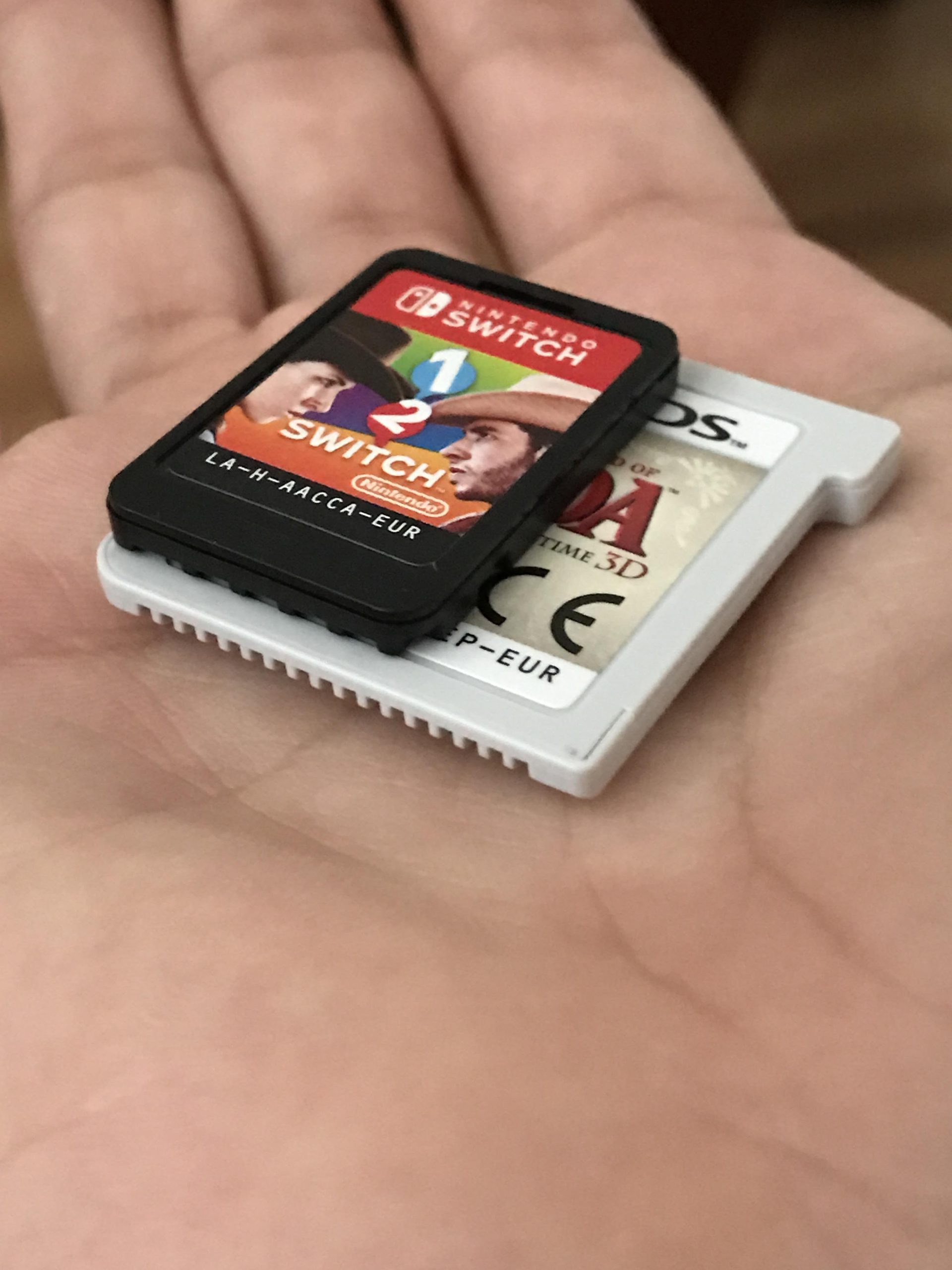
Nintendo Switch game sizes vary widely, ranging from a few megabytes for small indie titles to over 20 gigabytes for large, graphically intensive games.
Ever wondered just how much space those awesome Nintendo Switch games take up? It’s a common question, and it’s understandable when you’re managing storage on your console. The question, “how big are the nintendo switch games”, has a pretty varied answer.
Game sizes fluctuate considerably depending on content and complexity. Smaller, retro-inspired indie games usually take up very little space.
However, expansive, graphically impressive AAA titles can require significant storage. It’s good to be aware of this when planning your digital library.

How Big Are Nintendo Switch Games?
Figuring out how much space Nintendo Switch games take up can be a little tricky. Unlike games on your phone or computer, Switch games don’t just sit in one place. They can be on little game cards or downloaded onto your system’s memory. The space they use matters because it affects how many games you can keep at once and how quickly you can start playing. Let’s take a good look at what makes game sizes vary, and how you can manage your storage.
Understanding Game File Sizes
First, it’s important to know that game sizes aren’t all the same. Some games are small, like a simple puzzle game, while others are huge, like a sprawling adventure with lots of characters and places to explore. Think of it like books – a little picture book is much smaller than a big, thick novel. It’s the same with video games. But what actually makes a game big? Well, several things contribute to the size of a game file:
Factors Affecting Game Size
- Graphics and Visuals: Games with super detailed graphics, lots of colors, and intricate character designs take up more space. These detailed images require more data to be stored. For example, games with highly realistic characters, and detailed background will generally be larger in size.
- Game Length and Content: Games with large open worlds, lots of levels, and long storylines are usually bigger. Imagine a game with a single, small level, now compare that to an enormous game with hundreds of levels. The bigger the world and the more to do, the bigger the file size will be.
- Audio: High-quality music, sound effects, and voice acting all add to the size of a game. A game with lots of different songs and characters talking will have a larger file size.
- In-Game Videos: Cinematic cutscenes and other video content take up a good amount of space. Think of the animated sequences you might see in the game. These add to the file size of a game, particularly if the video resolution is high.
- Multiplayer Content: Games that support many players online often need extra data for online interactions. If a game can let you play with other players across the world this data will add to game’s file size.
- Software Updates and Patches: Games can get bigger after you purchase them, because creators make updates to add more features or fix issues. When a game gets updated, it might need more space.
How Game Size Impacts Your Switch
The amount of storage space on your Nintendo Switch can become a concern. Nintendo Switch comes with limited internal storage, so knowing how big your games are matters a lot. There are three main versions of the Switch, each with different starting storage capacities:
- Original Nintendo Switch: Typically comes with 32GB of internal storage.
- Nintendo Switch Lite: Also comes with 32GB of internal storage.
- Nintendo Switch OLED Model: Comes with 64GB of internal storage.
It’s important to remember that some of that space is taken up by the Switch’s operating system, which means that the actual usable space for your games is always a bit less than the total listed. This is true for all devices, including smartphones, tablets, and computers. When that space is filled, you’ll have to make a decision about what to do next.
Managing Storage Space
So what do you do when your Switch starts running out of room? There are a few helpful things you can do to manage storage space:
- Deleting games: You can always delete a game you aren’t playing to free up space. Don’t worry; you won’t lose your game progress or saved data. You can always download a game again if you want to play it, provided you own the game.
- Archiving games: You can also ‘archive’ games. This keeps your game data and saves, but deletes the actual game file. When you want to play it again, you download the game file. This can save a lot of space while keeping your game progress.
- Using a microSD card: You can add extra storage to your Switch by using a microSD card. This is a small memory card that you insert into the console. This is a great way to avoid deleting your games all the time. A microSD card is relatively inexpensive and can make a huge difference for how much space you have to work with.
Adding a microSD card to your Switch is highly recommended if you intend to buy many digital games, or if you simply want to save your progress on multiple games without having to delete them each time.
Typical Game Sizes on the Nintendo Switch
Okay, so we know what makes game sizes vary and how to manage space, but how big are some typical Switch games? Here’s a look at some general ranges and examples:
Small Games
These are often smaller, simpler games. They may also be older retro titles, puzzle games, or indies. They tend to be less graphically demanding and lack the huge scope or content of larger titles. These games usually take up less than 1 GB of space.
- Classic arcade games
- Simple puzzle titles
- Small Indie Games (some)
Medium-Sized Games
These games often have better graphics, a longer story, or multiplayer features. This category might include some action platformers or sports games. They typically fall between 1 GB and 5 GB.
- Action platformers
- Arcade-style racing games
- Sports games (some)
- Some indie games
Large Games
These are the big AAA titles and complex adventure games. These usually involve expansive open worlds, advanced graphics, and a large amount of content. These games are often 5 GB and up, and sometimes much higher.
- Open-world adventure games
- Large RPGs
- First-party Nintendo titles (e.g., Zelda, Mario)
Examples of Game Sizes
Let’s look at some specific games and their sizes:
- The Legend of Zelda: Breath of the Wild: Around 14.4 GB
- Super Mario Odyssey: Around 5.7 GB
- Animal Crossing: New Horizons: Around 6.2 GB
- Mario Kart 8 Deluxe: Around 7.0 GB
- Stardew Valley: Around 1 GB
- Hollow Knight: Around 5 GB
- Minecraft: Around 1.4 GB
- Cuphead: Around 3.4 GB
Please note, these sizes can slightly vary based on updates to the game.
Physical vs. Digital Games
You have two ways of getting Nintendo Switch games: physical game cards or digital downloads. This makes a big difference in how they take up space.
Physical Game Cards
Physical game cards are a great way to own Nintendo Switch games without filling up your console’s storage. When you buy a game on a physical card, the main data for that game is on the card itself, not on your Switch’s internal memory. This is useful for saving space if you plan to buy a lot of games. However, even with a physical game card, you will need a small amount of space on the Switch for game saves, updates, and any downloadable content. In that case, you will also need to have some storage space for your games.
- Storage space required: Minimal, mainly for save data and updates.
- Convenience: Requires changing cards, but no waiting to download.
- Best for: People who want to collect games physically or don’t want to use their system’s storage.
Digital Download Games
Digital games are downloaded directly to your Switch’s storage. This is very convenient, as you can switch between games quickly without changing cards. However, if you purchase many digital games, you will quickly start using your Switch’s internal storage and run out of room to save more games. This means you have to delete some games or add extra memory with an SD card.
- Storage space required: Game file size (can be large).
- Convenience: No need to change cards, very fast switching.
- Best for: People who want to keep all games in one place and quickly accessible.
Checking Game Sizes
Want to know how big a game is before you buy it? Here are a couple of ways to find out:
On the Nintendo eShop
The Nintendo eShop is your go-to place to download games on the Switch. Here’s how you can check sizes:
- Go to the Nintendo eShop.
- Search for the game you’re interested in.
- Go to the game’s page.
- Look for the “file size” information which is often stated below the purchase button.
On Game Packaging
For physical games, the size is sometimes listed on the back of the game box. The game size is not usually printed on the cover, but it can be easily found on the reverse side. Keep in mind this size may not always be up-to-date, especially if there have been updates for the game.
- Look at the back of the physical game case.
- Check for file size information, usually in small print.
Tips for Managing Game Storage
Here are some additional helpful tips to make sure you get the most out of your Switch’s storage:
- Start with a good microSD card: If you plan to buy a lot of digital games, a microSD card is essential. A 128 GB or 256 GB card is a great start and they are reasonably priced.
- Prioritize games: Think about the games you play most often. Keep those downloaded and archive the ones you are playing less frequently.
- Be aware of game updates: Remember that game updates can add to file sizes.
- Check game sizes before downloading: Before buying a new digital game, make sure you have space and/or get a microSD card if you plan to download a lot of games.
- Regularly organize: Take some time now and then to delete demos, old save data of games you no longer play, and to make sure you have enough space for new games.
By keeping these points in mind, you can make sure you have enough space for the games you love to play.
Understanding game sizes on the Nintendo Switch helps you get the most out of your system. Whether you prefer physical game cards or digital downloads, knowing how much space games take up is important for managing your storage. Using microSD cards and choosing what to keep and what to archive or delete can help you keep all of your games within reach. So, go ahead and enjoy all of the amazing games the Switch has to offer while managing your storage effectively.
BIG Nintendo Switch 2 Confirmed LEAK & Games Update…
Final Thoughts
Nintendo Switch game sizes vary greatly. Digital downloads can range from small indie titles under 1GB to large AAA experiences exceeding 15GB. Physical cartridges, while convenient, still require space for game updates.
The storage size definitely matters for digital-only buyers; microSD cards are a must. Considering ‘how big are the nintendo switch games’ is essential for managing storage. Plan accordingly for your desired games.

