
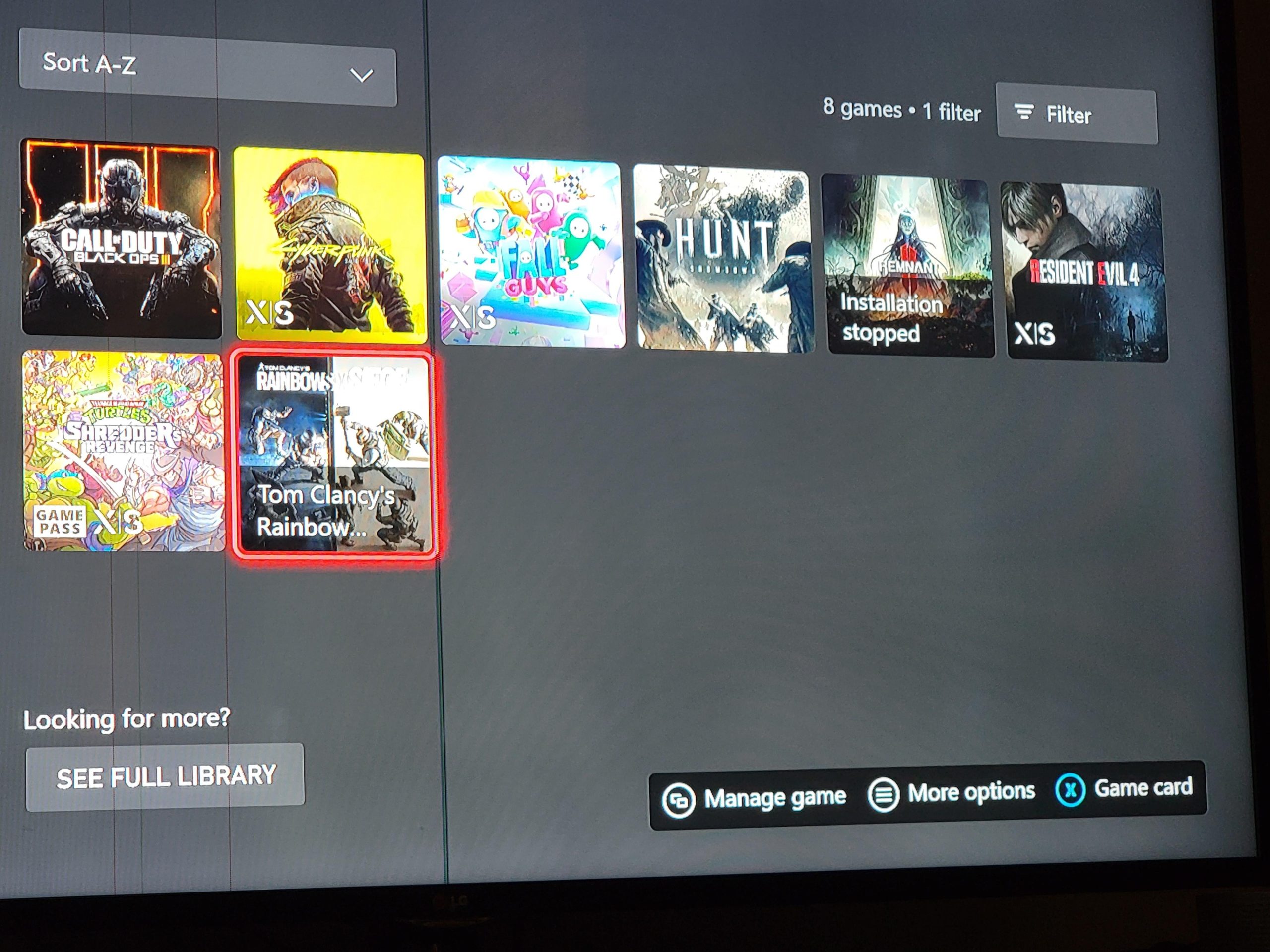
The Xbox Series S can hold roughly 5 to 15 games, depending on their size.
Thinking about adding the Xbox Series S to your gaming setup? A common question people ask is: “how many games can the xbox series s hold?” It’s a valid concern, as storage space matters when you have a collection of games you want to readily access.
The answer is not always clear-cut. Game sizes vary, so your storage capacity is dependent on how large the installed games are. It means you might squeeze in more titles if you play a lot of indie games.

How Many Games Can the Xbox Series S Hold?
Okay, let’s talk about how many games you can actually fit on your Xbox Series S. It’s a super popular question because, let’s be honest, nobody wants to run out of space for all those awesome adventures. The Xbox Series S is designed to be small and affordable, which is great! But this also means it has less storage than its big brother, the Xbox Series X. So, understanding how much room you have for games is really important. Don’t worry; we’re going to break down everything you need to know.
Understanding the Xbox Series S Storage
The Xbox Series S comes with a 512GB Solid State Drive (SSD). Now, it’s important to note that 512GB isn’t the actual usable space for games. Some of that space is used by the console’s operating system and other essential files. Think of it like your phone – some of the storage is already taken up by the phone’s software. So, what you actually get is around 364GB of usable space for your games, apps, and saved data. It can be a little confusing to see 512GB written on the box but find a bit less when you use it, but that’s just how it works.
Why a Solid State Drive (SSD)?
Before we dive deeper into game storage, let’s quickly talk about why the Xbox Series S uses an SSD and why it’s so important. SSDs are much faster than traditional hard drives (HDDs). This means that games load much quicker, and you spend less time staring at loading screens. It’s like having a super-fast elevator instead of a slow, old staircase. This speed difference is one of the big reasons the Xbox Series S feels so snappy and responsive. While the storage space may not be massive, the speed of the SSD makes it a great experience.
Game Sizes: A Big Factor
The size of games can vary wildly, and this is the biggest factor in how many games your Xbox Series S can hold. Some games are small and only take up a few gigabytes (GB) of space, while others, especially the bigger, more detailed titles, can easily gobble up 50GB, 80GB or even 100GB or more! Think about comparing a simple, fun puzzle game to an open-world epic like Starfield or Assassin’s Creed Valhalla. The difference in file size is significant.
Examples of Game Sizes
Let’s look at some examples of typical game sizes to give you a better idea:
Smaller Indie Games: 5GB – 15GB (e.g., Stardew Valley, Hollow Knight)
Mid-Sized Games: 20GB – 40GB (e.g., Ori and the Will of the Wisps, It Takes Two)
Large AAA Games: 50GB – 100GB+ (e.g., Call of Duty, Red Dead Redemption 2, Cyberpunk 2077, Starfield)
Keep in mind, these sizes can change over time. Games often receive updates, which might increase their file size, and new games tend to get bigger as technology progresses.
Calculating How Many Games You Can Store
So, with roughly 364GB of usable space and varying game sizes, how many games can you expect to have on your Xbox Series S at one time? It’s not an exact science, but we can make some estimates.
Conservative Estimate
If we assume that most of the games you play are in the medium to large category (around 40GB to 70GB), you’ll likely fit around 5 to 8 games on your Xbox Series S at any given time. This assumes a mix of different game sizes. If you only play the largest, most complex titles, the number could be even less.
Optimistic Estimate
If you tend to play more indie titles or smaller games, you could potentially fit around 15-20 games on your console. This also includes being mindful about deleting games you have finished to make more room for new ones.
A More Realistic Approach
A more realistic approach is a mix. You’ll likely have a few larger games and a bunch of smaller ones. This would typically mean you can hold a mix of 10-12 games on your Xbox Series S at any given time. Remember, these numbers are just estimates and can vary greatly based on the types of games you prefer.
The Impact of Game Pass
Xbox Game Pass has changed the way we approach gaming. With a subscription, you have access to a huge library of games, and many people find themselves playing various titles from Game Pass. This means you are likely to install and uninstall more frequently than if you bought every game individually, making the amount of storage more of a rotating library. Because the number of games you install from Game Pass depends entirely on your preferences, estimating the amount of games you can hold is even more difficult.
Tips For Managing Game Pass Games
Install as you Play: Don’t download every game you think you might like. Only download the ones you are actively playing.
Be Open to Deleting: Don’t be afraid to uninstall games you have finished. You can always re-download them later if you want to play them again.
Use Quick Resume: The quick resume feature lets you switch between several games instantly, so you can have multiple games going at the same time without having them all installed at the same time.
External Storage Options
Here’s the good news! You don’t have to be limited by the Xbox Series S’s internal storage. You can easily expand your storage capacity by using external hard drives.
External Storage Devices
You can connect an external USB hard drive or an SSD to your Xbox Series S to store more games. Here’s the breakdown of what you can use:
USB Hard Drives (HDDs): These are typically more affordable and offer larger storage capacities (1TB, 2TB, 4TB or more). However, the games on these drives won’t load as quickly as from the internal SSD, meaning that you can only play Xbox One, Xbox 360, and original Xbox games from these drives.
USB Solid State Drives (SSDs): These are faster than traditional HDDs, meaning they load your games faster. However, they can be more expensive, especially for larger sizes. Xbox Series X/S optimized games can be stored on these drives, but they need to be transferred to the internal drive for gameplay.
Xbox Storage Expansion Card: This is a special storage card designed by Xbox specifically for the Series S and X consoles. It plugs into the dedicated expansion port on the back of the console and provides the same speed as the internal SSD. These cards can be expensive, but they offer the best performance for expanding your storage. It’s the most seamless and fastest way to expand your console storage.
How to Choose the Right External Storage
Budget: If you’re on a budget, a USB HDD will give you the most storage for your money.
Speed: If you want the fastest possible load times, consider a USB SSD or the official Xbox storage expansion card.
Storage Capacity: Decide how much additional storage you need. If you have a large library of games, you will need to consider this carefully.
Game Type: Remember that you can play backward compatible titles from a USB HDD without any performance issues. However, playing modern Xbox Series X/S optimized titles from a HDD is not recommended, but as said before they can be stored on USB HDDs.
Tips for Maximizing Storage
Even with external storage, it’s helpful to be smart about how you use your available space. Here are a few tips:
Regularly Check Storage: Go to your storage settings on your Xbox often to see what games are taking up the most room and delete the ones you are not actively playing.
Manage Your Downloads: Only download games you’re ready to play. Don’t install a bunch at once and let them sit idle.
Use Cloud Saves: Make sure that you have cloud saves enabled. This allows you to easily move your data from one console to another, or to another storage drive.
Utilize the Quick Resume Feature: If you are quickly switching between games, using Quick Resume allows you to have multiple games going without having them all installed at the same time.
Future Proofing and Storage Needs
Keep in mind that game sizes tend to increase as technology advances. New games will continue to become larger and more detailed. As you plan for the future, it’s worthwhile considering an expansion of your storage. Think about how you use your console now and how your needs might change in a year or two.
For example, if you have a 1 TB hard drive, this will give you more space for games you are not playing, and allow you to have more games installed on the console when you want to play them. If you prefer to play a variety of games often, getting an external storage solution is a good idea.
Ultimately, while the Xbox Series S has a limited internal storage, this can be easily overcome with external storage, while still enjoying the benefits of its speedy SSD, and quick resume feature. This means that you will never be without games to play.
In conclusion, the exact number of games the Xbox Series S can hold really depends on game sizes and how you play your games. While the 364 GB of usable internal storage isn’t massive, it’s sufficient for a good number of games, especially when combined with the use of external drives. By being smart about your storage, you can enjoy all the amazing gaming experiences the Xbox Series S has to offer without running out of space. Remember, it is not a sprint, it is a marathon, and there will be many games to play for many years to come, so do not worry about the amount of space, and focus on the gaming experience.
How Many Games Fit on an Xbox Series S?
Final Thoughts
The Xbox Series S typically holds around 5-10 games, this number varies significantly. Game size impacts the storage space; larger titles occupy more room, naturally decreasing the number installable games. You can expand storage with an external hard drive, offering more space for downloads.
Ultimately, how many games can the xbox series s hold depends on your particular game library. A mix of smaller and larger games directly affects overall capacity. Plan your installs and storage to manage your preferred gaming experience.

