
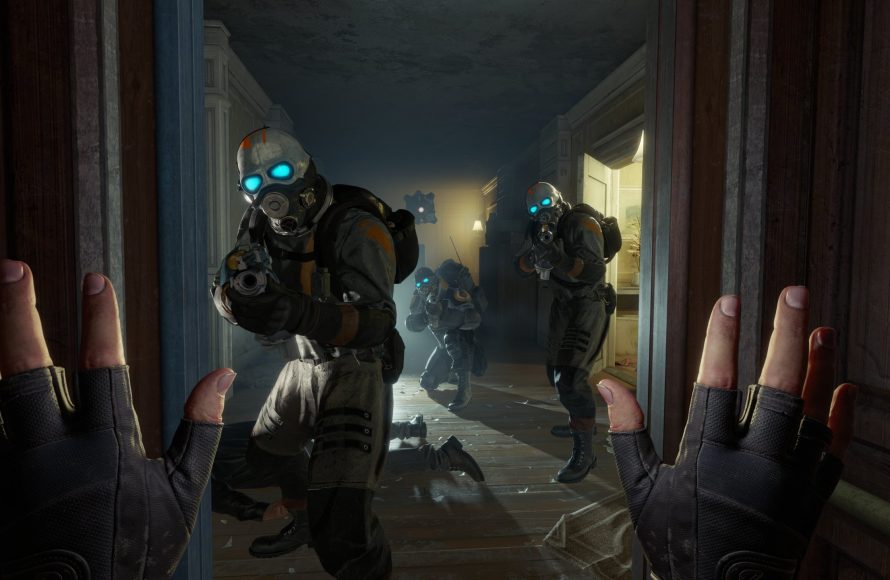
Building a 3D game world like Half-Life requires a level editor, skilled level design, careful use of textures and lighting, and a focus on player experience through interconnected environments.
Ever wondered about crafting iconic, immersive spaces? How to build a 3D game world like Half-Life has been a burning question for many aspiring developers and dedicated fans. The sense of presence and realistic flow in Half-Life’s environments continues to inspire game creation today.
Achieving that unique feel involves various techniques and an understanding of level design principles. We’ll explore some key steps that go into crafting this kind of environment in the following sections. We will guide you on creating immersive and engaging experiences.

How to Build a 3D Game World Like Half-Life
Ever played Half-Life and just been blown away by its world? The way City 17 feels so real and lived-in, the creepy industrial vibe of Black Mesa – it’s all part of what makes the game so special. Want to try building something like that? It’s a big task, but let’s break it down. We’re not talking about making a whole game exactly like Half-Life – that would take a whole team and a lot of time. Instead, we’re going to look at the key elements that make those environments so memorable, and how you can start creating your own similar 3D world.
Understanding the Core Elements of Half-Life’s World Design
Before we jump into the how-to, let’s look at what makes Half-Life’s world design so effective. It’s not just pretty graphics; it’s how those graphics are used to create a specific atmosphere and guide the player. Here are a few things to think about:
- Detailed Architecture: Half-Life’s environments aren’t just empty rooms. They use things like pipes, wires, vents, and machinery to create a believable place. Think about the purpose of each area and how it would look in real life.
- Consistent Art Style: Whether it’s the sterile labs of Black Mesa or the grimy streets of City 17, each area has its own distinct look, but all feel like they belong in the same universe. Think about the overall “feeling” you want your world to have.
- Purposeful Level Design: The levels aren’t just a series of hallways. They use things like elevation changes, obstacles, and landmarks to guide players through the area.
- Environmental Storytelling: Rather than telling you every detail through dialogue, Half-Life shows you things like blood stains on the floor, graffiti on the walls, and broken equipment to tell a story about what happened in that place.
- Lighting and Shadows: The way light and shadow are used in Half-Life makes a big difference in how we perceive each environment. Dark areas make players feel uneasy, while well-lit areas might be places where characters feel safe.
Choosing Your Game Engine
A game engine is the software that you will use to build and run your game. It handles things like the graphics, sound, physics, and game logic. Here are a couple of popular choices:
Unity
Unity is a super popular engine used by many big and small game developers. It’s easy to learn for beginners, but has powerful tools for creating complex games.
- Pros: Large community, tons of free learning resources, good for 2D and 3D games.
- Cons: Can be more complex for beginners to understand at first.
- Best for: Beginners and intermediate developers, rapid prototyping, and cross-platform game development.
Unreal Engine
Unreal Engine is another very powerful engine known for its great graphics. It’s used to make lots of AAA games.
- Pros: Top-tier graphics, powerful tools, free to use up to certain revenue.
- Cons: Steeper learning curve, can be heavy on system resources.
- Best for: People who have some experience, and want to make high quality graphics.
Don’t worry too much about which one is “best.” Both are powerful and can do the job. Start with one you’re comfortable with and go from there.
Planning Your Game World
Before you start building, you should have an idea of what you want your world to look like. Take some time for planning.
Sketching Out Your World
Grab a piece of paper and start drawing out some maps or floor plans. This doesn’t need to be perfect; it’s just a way to get your ideas down. Think about:
- The overall layout of the area (e.g., a city street, an underground bunker, a space station).
- Key areas and rooms (e.g., a control room, a storage area, a main street).
- How these areas connect to each other.
Thinking About the Story
Even if you’re not making a whole game, it helps to have an idea of what happened in your world. Did an alien attack happen here? Was there a secret experiment? This will help you decide how to design your areas.
- What is the purpose of this place?
- What events might have happened here in the past?
- What kind of feeling do you want the player to have when they are in this place?
Building Your 3D World
Now that you’ve planned it out, it’s time to actually start building! The following section discusses the process of creating your 3d world, step by step:
Using 3D Modeling Software
You will need 3D modeling software to make the basic shapes of your world’s buildings, props, and other elements. There are several options that you can consider:
- Blender: Free and very powerful, and great for both modeling and animation.
- SketchUp: Easy to learn and good for making architecture.
- Autodesk Maya/3ds Max: Industry standards and they have many advanced features (These ones often require paid subscription).
Start with simple shapes like cubes, spheres, and cylinders, and then combine them to build more complex objects. This part takes practice, so don’t be afraid to experiment.
Creating Simple Walls and Floors
Start by creating the basic structure of your world. This includes the walls, floors, and ceilings. In your chosen 3D modeling software, create simple cubes and stretch them out to make walls and floor sections.
Adding Architectural Details
Now, start making things look more interesting. Add details like:
- Pipes and vents
- Doorways and windows
- Stairs and railings
- Support beams and pillars
You can build these things from scratch in your 3D modeling software, or you can use free 3D models from online resources to speed up the process. There are several resources which you can get some free models.
Creating Props
Props are the things that make your environment look real and lived-in. Think about these things when you create props:
- Tables, chairs, and computers for office spaces.
- Crates, barrels, and tools for industrial areas.
- Broken equipment and debris for environments that have been damaged.
Place these in different locations to make your world feel more dynamic and less uniform.
Importing Your Assets into Your Game Engine
Once you’ve modeled your assets, import them into your chosen game engine. This process will be different depending on the engine that you’re using.
Level Design
Level design is all about creating the paths that players will follow through your world. Think about the following things:
- Flow: How do you want the player to move from one area to another?
- Navigation: How do you use pathways, obstacles, and landmarks to direct the player?
- Pacing: What kind of spaces do you want to create, such as wide open areas or tight hallways?
Remember, the levels in Half-Life are not just a series of rooms. They are designed to keep the player engaged and to tell a story through the environment.
Texturing and Materials
Texturing is the process of adding images to the surfaces of your 3D models. This can be the look of brick, concrete, metal or many other things. This makes your world look more real.
Choosing Textures
You can find free textures online, or you can create your own using image editing software like Photoshop or GIMP. Think about the following things when choosing textures:
- What material is this object supposed to be? (e.g. metal, wood, concrete)
- What is the surface condition (e.g. new, old, dirty)?
- Does the texture match with the overall look that you are trying to achieve?
Applying Textures
Once you have your textures, you can apply them to your 3D models. In your game engine you’ll be able to drag and drop images onto the surfaces, and adjust parameters like size, tiling, and color.
Materials
Materials define how light interacts with surfaces. This includes the following things:
- Reflectivity: How much light is reflected by an object?
- Glossiness: How shiny is the surface?
- Roughness: How smooth is the surface?
Experiment with material properties to make things look more realistic.
Lighting and Atmosphere
The way that you light your world affects how it feels and how the player perceives it.
Placing Lights
Place lights in different locations to make your world look more interesting. Think about the following things:
- Directional Lights: These lights act like the sun, and they cast a general light over your whole scene.
- Point Lights: These lights shine in all directions from a single point, which makes them useful for simulating things like light bulbs.
- Spot Lights: These are like focused beams of light that can be used to highlight specific things.
Using Shadows
Make sure to enable shadows in your game engine. Shadows add depth and make the scene look more realistic.
Adding Fog and Atmospheric Effects
You can use fog, dust, or other atmospheric effects to make your world look more moody or to help improve the environment.
- Use fog for eerie, mysterious areas.
- Use dust for industrial locations.
- Use haze for outdoor spaces.
Testing and Iteration
The process of game development is not linear. It involves continually testing, adjusting, and repeating. After every step, take time to do the following:
- Playtest your world as you build it. Walk around and see how it feels.
- Check the lighting and make sure you can see everything clearly.
- Look for areas that feel too confusing, and make them easier to navigate.
Be willing to change or improve your design based on feedback and what you learn during testing.
Key Takeaways
Building a 3D game world like Half-Life is a challenging but rewarding process. It takes time and effort, but with some planning and effort you can build something great.
- Study what makes the Half-Life games great. Pay attention to their world design and try to emulate that.
- Choose a game engine that is comfortable for you to use.
- Plan your world before you start building.
- Use 3D modeling software to create your assets.
- Don’t forget lighting, shadows, and atmospheric effects.
- Test your work and iterate often to make it better.
With these steps you can create your very own 3D game world that is inspired by the iconic Half-Life series. Happy building!
#Creare.How to create game.3D #halflife #residentevil
Final Thoughts
To build a 3d game world like half life, start with level design principles focused on interconnected spaces. Use a powerful game engine. You must carefully consider lighting and environmental storytelling.
Pay close attention to details. This approach will lead to an immersive and engaging experience for players.
Remember to test and iterate your level design frequently. This will allow you to refine your game world, shaping your desired atmosphere.

