
To buy a PS4 game online, you typically browse a retailer’s website, add the game to your cart, and complete the purchase by entering your payment information.
Ready to jump into your next PlayStation adventure? Figuring out how to buy a PS4 game online can feel a bit confusing at first, with so many options available. Don’t worry!
It’s actually a straightforward process, and this quick guide will walk you through the typical steps. You will find it easy to navigate through the various online stores that sell the game you’re looking for.
We’ll make sure you know exactly how to buy a PS4 game online without any stress, so you can get back to gaming in no time.

How to Buy a PS4 Game Online
So, you’re ready to dive into a new adventure on your PlayStation 4, huh? That’s awesome! Buying games online is super convenient, and it opens up a whole world of titles you might not find at your local store. But with so many options, it can feel a little overwhelming at first. Don’t worry, though; it’s actually quite easy once you get the hang of it. This guide will walk you through everything you need to know to find and purchase your next favorite PS4 game from the comfort of your couch.
Understanding Digital vs. Physical Games
Before we jump into the buying process, let’s talk about the two main ways you can get a PS4 game: digitally and physically. Both have their own perks, so understanding the difference is important.
Digital Games
Think of digital games like e-books for your PlayStation. You buy them online, download them straight to your console’s hard drive, and boom! You’re ready to play. Here’s what makes them special:
- Instant Access: No need to wait for shipping! Once the download is done, you can start playing immediately.
- No Physical Discs: No need to worry about scratching or losing your game discs. All your digital games are safely stored on your console.
- Convenience: You can buy new games anytime, anywhere you have an internet connection.
- Pre-Loading: Some games allow you to download them a few days before release so you can play them the second they officially come out.
However, keep in mind that digital games do take up space on your console’s storage. Make sure you have enough free space before you purchase a large game.
Physical Games
Physical games are the ones that come on a disc inside a case. These are the traditional way to purchase games and are still very popular. Here’s why some people prefer them:
- Resale Value: You can resell or trade your physical games if you’re done playing them. This can save you money in the long run.
- Collectors Items: Some physical editions come with cool extras, like art books, posters, or collectible figures, making them nice for collectors.
- No Internet Needed to Install: While you might need to download updates, you do not need to download the game’s main file as it’s available on the disc
- Less storage space used on the console: After installing the game, it will not take up as much space as a digital game.
The downside is that you have to wait for shipping if you buy online, and there’s always the risk of losing or damaging the disc.
Where to Buy PS4 Games Online
Now that you know the difference, let’s talk about where to find those awesome PS4 games online! There are several great options.
PlayStation Store
The PlayStation Store is the official digital marketplace for PlayStation games. It’s accessible right from your PS4 console, and it’s also available through a web browser or the PlayStation app on your phone. Here’s why it’s a great starting point:
- Direct Purchase: You buy directly from Sony, which means you’re always sure that your purchase is legit.
- Exclusive Deals: The store often has special sales and deals just for PlayStation users.
- Easy Download: Downloads are simple and start right from your console.
- Pre-Orders: You can pre-order upcoming games and often get bonus content for doing so.
To access the PlayStation Store on your console, simply navigate to the PlayStation Store icon on the main menu.
Online Retailers
Besides the PlayStation Store, lots of online retailers also sell PS4 games (both physical and digital). Here are some popular choices:
- Amazon: A giant online marketplace with a wide selection of physical and digital PS4 games, often with competitive prices.
- Best Buy: Another large retailer that offers physical PS4 games as well as digital download codes that you can redeem on the PlayStation Store.
- GameStop: A store that focuses on video games, both new and pre-owned. They are popular for physical versions and sometimes offer good deals.
- Walmart: This is a well-known retailer that offers both physical and digital games, often with discounts.
- Target: Similar to Walmart, it provides options for both types of games, and you might find exclusive versions.
These retailers offer the convenience of shopping from home and often have customer reviews to help you decide.
Third-Party Resellers (Caution Advised)
Some websites offer games through third-party sellers, but you need to be careful when using them. These sites are often selling game codes at a discount, however, there’s a risk that the codes might be invalid, already used, or be from a different region than your account. Stick with the PlayStation Store or reputable retailers for peace of mind.
How to Buy a Digital PS4 Game from the PlayStation Store
Let’s walk through the step-by-step process of buying a digital game directly from the PlayStation Store on your PS4 console:
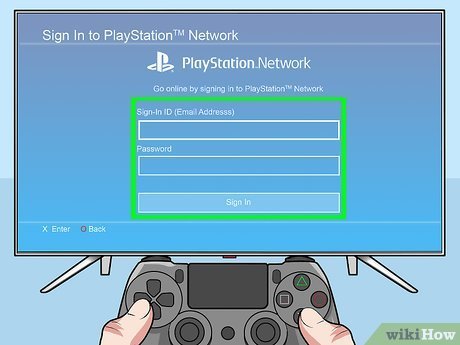
- Turn on your PS4: Make sure your console is connected to the internet.
- Navigate to the PlayStation Store: You’ll find it on the main menu. It looks like a blue shopping bag icon.
- Browse or Search for a Game: You can browse by category or use the search bar at the top to find a specific game title.
- Select the Game: Click on the game you want to buy to go to its details page.
- Review the Game Information: Check the price, read game description, and look at screenshots and videos. Make sure this is the game you want.
- Add to Cart: If you’re ready to buy, click the “Add to Cart” button.
- Go to Checkout: In the top right corner of the screen, you’ll see a shopping cart icon. Click that to go to the checkout.
- Select Payment Method: You can use a credit card, debit card, PayPal, or PlayStation Store gift cards. Choose your preferred method.
- Enter Payment Details: If it is not already entered, enter the necessary payment information. This includes the card number, expiry date, and the CVV/CVC code.
- Review Your Order: Before finalizing your purchase, double-check the price and the selected games.
- Confirm the Purchase: Click “Confirm Purchase” to complete the transaction.
- Start Downloading: The game will start to download automatically. You can see the progress in the “Notifications” menu.
Once the download is complete, you will be able to start playing!
How to Buy a Physical PS4 Game Online
Buying a physical copy of a PS4 game is a little different. It involves the typical online shopping process of choosing a retailer and adding the item to your cart. Here’s the step-by-step guide:
- Choose an Online Retailer: Pick your favorite retailer like Amazon, Best Buy, GameStop, or any other online store you prefer.
- Visit the Website: Go to the retailer’s website in your web browser.
- Search for the Game: Use the site’s search function to find the PS4 game you are looking for.
- Select the Game: Click on the game you want to purchase.
- Review Product Details: Make sure it is for the PS4 console, the price is correct, and read the customer reviews if available.
- Add to Cart: Click the “Add to Cart” or similar button.
- Go to Cart: Once you are ready to buy, click on your cart to view it.
- Review Your Cart: Double check that the correct game is in your cart.
- Proceed to Checkout: Click on the “Checkout” or similar button.
- Provide Shipping Address: Enter your full shipping address.
- Choose Shipping Option: Choose your preferred shipping speed and price.
- Select Payment Method: Choose your payment method and enter the required details.
- Review Order: Review your order one last time before confirming it.
- Confirm the Purchase: Click the final button to confirm your order.
- Wait for Shipping: The retailer will ship the game to you. Be patient for it to arrive.
Once the game arrives, put the disc into your console and begin the installation.
Important Tips for Buying PS4 Games Online
Here are some additional things to keep in mind to make your online game shopping experience as smooth as possible:
Check Game Ratings
Before purchasing any game, make sure to check its rating. This will help you ensure the game is appropriate for you, or for any player it is for. Ratings are usually on the back of the game case, on the game’s store page, or any online retailer’s website page.
Read Reviews
Customer reviews are a great way to get an idea about the quality and playability of a game. Take some time to read them before making a purchase. Look for details like play time, gameplay experience, and how well it runs on the console.
Compare Prices
Don’t settle for the first price you see. Take the time to shop around a bit and find the best deal. Online retailers often have sales and deals that can save you a lot of money.
Be Aware of Region Locks
PS4 games usually do not have region locks, so a game bought in one region will most likely work on the console in a different region. However, the DLCs (Downloadable Content) may not work if they are from a different region than the game’s region.
Keep Track of Your Purchases
Keep your receipts and confirmation emails in case you need to return the game or have any other issues. Especially, when buying digital games, the confirmation email helps you get the download if anything goes wrong.
Use Secure Payment Methods
Always use a secure payment method when buying online to protect your financial information. When possible, use trusted payment platforms such as Paypal.
Check Your Storage Space
Before purchasing a digital game, ensure that you have enough storage space available on your console. Digital games can take up significant space, and you wouldn’t want to run out of room mid-download!
Be Careful with Third-Party Sellers
As we mentioned before, be very careful when buying games through third-party sellers, particularly those that are not well-known, and avoid websites that are not considered safe.
Take Advantage of Sales
The PlayStation Store and other retailers often run sales throughout the year. Keep an eye out for these, such as during the holidays or special gaming events, to snag some games for a fraction of their normal price.
Join Gaming Communities
Consider joining online gaming forums and communities. These can be great places to ask for game recommendations, learn about the best deals, and get advice from other gamers.
Buying PS4 games online doesn’t have to be complicated. By following the simple steps and tips outlined in this guide, you can confidently add new adventures to your PlayStation 4 library. Whether you choose digital convenience or the physical game experience, there are many great ways to acquire games online. Happy gaming!
How To Buy A Game On The PS4
Final Thoughts
Buying a PS4 game online is straightforward. Visit your preferred retailer’s website, like Amazon or the PlayStation Store. Search for your desired title and add it to your cart.
Complete the purchase by proceeding to checkout. Choose your payment method and provide necessary details. They will either send you a digital code or ship a physical copy.
The steps for ‘how to buy a ps4 game online’ are quite simple. Remember to check for deals and reviews before making a final choice. This makes online purchases a convenient way to game.

