
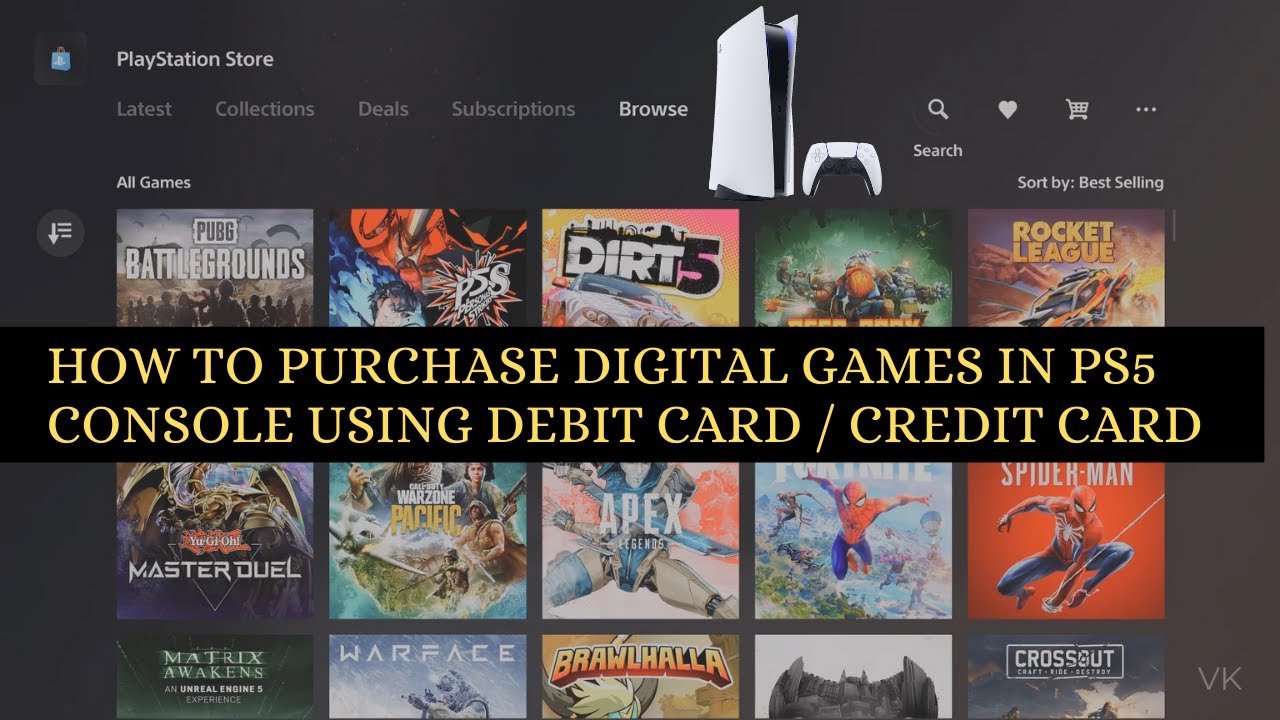
To buy games on PS5, you can purchase digital titles from the PlayStation Store directly on your console or through the PlayStation app, or buy physical copies from retailers.
Ready to dive into the exciting world of PlayStation 5 gaming? Many are eager to jump in, but a common question arises: how to buy games on PS5? Let’s explore the simple process.
You have options; digital downloads from the PlayStation Store offer instant access, while physical discs provide that classic feel and are available from numerous stores. Either way, getting new games is straightforward.

How to Buy Games on PS5: A Complete Guide
Getting new games for your PlayStation 5 is super exciting! Whether you want to play the latest action-packed adventure or a relaxing puzzle game, there are many ways to get your hands on new titles. This guide will walk you through all the different ways you can buy games on your PS5, making sure you don’t miss out on any fun.
Digital vs. Physical: Choosing Your Game Format
Before you start shopping, you need to decide if you want a digital game or a physical disc. Both have their perks!
Digital Games
Digital games are downloaded directly to your PS5. You don’t need to go to a store to buy them. Here’s what makes them cool:
- Convenience: You can buy games anytime, anywhere, from your couch.
- No Discs: No need to worry about losing or scratching discs.
- Pre-loading: You can download a game before it’s released, so you can start playing right away.
- Game Library: All your digital games are stored on your console, making them easy to access.
However, remember that digital games take up storage space on your console’s hard drive. If you have many, you may need to buy additional storage.
Physical Games
Physical games come on a disc that you put into your PS5. Here’s what makes them great:
- Collectibility: Many people like to collect game cases.
- Trading/Selling: You can trade or sell your games after you finish playing them.
- No Internet Dependency: You don’t need a strong internet connection to play after the initial installation.
- Used Games: You can often find used games at lower prices.
The downside to physical games is that you need to physically have the disc to play, and discs can get damaged or lost. The digital version of the PS5, the PS5 Digital Edition, does not support physical games, so keep that in mind when deciding which console is right for you.
Buying Games Directly from the PlayStation Store
The easiest way to buy digital games is through the PlayStation Store. This store is built right into your PS5. Here’s how to do it:
- Turn on your PS5: Make sure it’s connected to the internet.
- Go to the PlayStation Store: Find the shopping bag icon on your PS5’s home screen. Press the “X” button on your controller to open it.
- Browse or Search: You can scroll through the store to see the newest games, or use the search bar to find a specific title.
- Select a Game: Once you find a game you like, click on it to view its details, like price, rating and a description.
- Add to Cart: If you want to buy the game, click on “Add to Cart”. If you just want to buy that one game, you can select “Buy Now” instead.
- Proceed to Checkout: Go to your cart and confirm the games you want to buy. Then click “Checkout”.
- Payment Method: Choose a payment method. You can use credit/debit cards, PayPal, or PlayStation Store gift cards.
- Complete the Purchase: Follow the instructions to finalize your purchase.
- Download the Game: After your purchase is complete, the game will start downloading automatically. You can check the progress of the download in the “Downloads/Uploads” section under “Notifications”.
You’ll need a PlayStation Network account to use the PlayStation Store. If you don’t have one, you can create one for free when you start using the PS5 for the first time.
Using PlayStation Store Gift Cards
PlayStation Store gift cards are a great way to buy games without using a credit card. Here’s how to use them:
- Purchase a Gift Card: You can buy these gift cards from many retailers, like grocery stores, electronics stores, or online.
- Redeem the Code: On your PS5, go to the PlayStation Store, scroll down to the bottom of the left menu bar, and choose “Redeem Codes”. Enter the 12-digit code on the back of the gift card and click “Redeem”.
- Start Shopping: The amount on the gift card will be added to your PlayStation Store wallet. Now you can use it to purchase any digital games you want.
Buying Physical Games
If you like physical copies of games, here’s where to buy them:
Retail Stores
You can buy physical games at stores that sell video games like Walmart, Target, GameStop and Best Buy, among others. Sometimes they have sales, and you can see the games in person before you buy them.
Online Retailers
Many websites sell physical games. Here are some popular places:
- Amazon: This website has a huge selection of new and used games.
- GameStop: You can buy both new and used games online.
- Best Buy: They usually have a wide variety of the latest titles.
When buying online, always check the seller’s ratings to make sure you are dealing with a trustworthy shop. And keep an eye on shipping times so you know when your game will arrive.
Used Game Stores
If you are looking to save money, consider buying used games at local game stores or online marketplaces like eBay. You can often find games for a cheaper price than buying them new. Just be sure to check that the disc is in good condition before purchasing.
PlayStation Plus: Getting Games Through Subscriptions
PlayStation Plus is a subscription service that gives you access to many extra features, including free games every month. Here’s how it works:
- PlayStation Plus Essential: You get monthly free games to download and play, online multiplayer access, and exclusive discounts on the PlayStation Store.
- PlayStation Plus Extra: It gives you all the benefits of Essential, plus access to a large catalog of games that you can play as part of your subscription.
- PlayStation Plus Premium: It gives you all the benefits of Essential and Extra, as well as access to classic PlayStation games from previous generations, cloud streaming, and exclusive trials for certain new games.
To sign up for PlayStation Plus, follow these steps:
- Go to the PlayStation Store: Start by finding the shopping bag icon from your home screen.
- Find PlayStation Plus: Click on the “PlayStation Plus” tab in the Store menu.
- Choose a Tier: Pick a plan that works for you and click “Join PlayStation Plus”.
- Subscription: If you don’t have a PlayStation Plus subscription, select “Join Now” to subscribe.
- Payment: If you do have a PS Plus subscription, this is where you can manage the subscription settings, make changes, or check your membership renewal date.
- Complete the Purchase: Choose a payment method and confirm the subscription. You can now enjoy all the benefits of PS Plus, including free games every month.
With a PlayStation Plus subscription, you are not just getting access to free games; it also allows you to play games with friends online, and gives you better deals in the store. This could make buying games easier if you don’t have that big game budget.
Pre-Ordering Games
Want to play a game as soon as it comes out? Pre-ordering is a great option!
Digital Pre-Orders
You can pre-order digital games through the PlayStation Store. Here’s how:
- Go to the PlayStation Store: Open the store on your PS5.
- Search for the Game: Find the game you want to pre-order. Usually, games that are coming soon will have a “pre-order” tag.
- Select the Game: Click on the game and check the release date.
- Click Pre-order: Select pre-order and confirm your purchase. The game will start to download automatically to your console when it’s available.
- Pre-load Game: Many games allow you to pre-load a game before it releases, so you can play it as soon as it’s available.
Physical Pre-Orders
You can pre-order physical games at many retailers or online stores. This allows you to get your copy delivered on release day, or pick it up on release day at your local store.
- Find a Retailer: Go to your favorite retailer’s website or store.
- Pre-Order the Game: Find the game you want, and select the “Pre-order” option.
- Payment: Confirm payment. You might need to pay now, or when the game ships.
- Release Day: Get the game on release day. Sometimes you need to go to the store to pick it up.
Pre-ordering can sometimes come with special bonuses, like in-game items or early access to content. Keep this in mind when you decide to pre-order.
Managing Your Game Library
Once you have bought games, it’s important to keep your game library organized.
Finding Your Games
All your digital games will show up in your game library. On your PS5’s home screen, scroll to the right and find the “Game Library” icon. From there, you can view all the games you own.
Organizing Your Library
If you have a lot of games, you can organize them into folders. To do this, follow these steps:
- Go to your Game Library: Navigate to the “Game Library” section.
- Create Folders: Find the “Your Collection” option, then select “Create Folder”.
- Name the Folder: Give your folder a name, like “Action Games” or “Family Fun”.
- Add Games: Select the games you want to move into the folder.
Folders help to keep your game library easy to navigate and make it simpler to find the games that you want to play.
Tips for Saving Money on PS5 Games
Buying games can sometimes be expensive, but there are ways to save money. Here are some tips:
Look for Sales
The PlayStation Store and other retailers often have sales. Keep an eye out for discounts, and sales events like Black Friday, to get great prices.
PlayStation Plus Discounts
If you have a PlayStation Plus subscription, you get special discounts on certain games. It’s another way to save some cash.
Used Games
Consider buying used physical games from retail stores, or online stores. You can save a lot of money. Just make sure the game disc is in good condition.
Game Rental Services
You can also try renting games. Services like GameFly allow you to rent games by mail. This is a good way to try a game before you buy it.
Wait for Price Drops
New games can be expensive, but prices usually go down over time. Be patient and wait for a while, and you may find the game you want at a much cheaper price.
Troubleshooting Common Issues
Sometimes things don’t go as planned when buying games. Here are some common issues and how to fix them:
Download Issues
If a game is downloading slowly, check your internet connection, make sure that you don’t have other heavy downloads running, and make sure your Wi-Fi connection is strong. You can also try pausing and restarting the download.
Payment Issues
If you’re having trouble with payment, check that your credit card details are correct, or try using a different payment method or a gift card.
Game Won’t Start
If a game won’t start, make sure your PS5 software is up to date. You can find this option in your PS5’s settings. You can also try restarting the console.
Refunds
If you made a purchase by mistake, the PlayStation Store has a refund policy that allows for game refunds under certain situations. You’ll want to reach out to PlayStation Support as quickly as possible if you need to get a refund.
By using all these tips, tricks and steps, you will have no problem buying and enjoying all the fantastic games on your PlayStation 5.
How to buy Digital Games in PS5 for Beginners
Final Thoughts
Buying digital games on your PS5 is simple: access the PlayStation Store directly from your console. Browse the available titles or use the search function to find specific games.
Physical copies can be purchased from various retailers, both online and in-store. Ensure that the disc is compatible with your PS5 model before purchase.
Ultimately, how to buy games on PS5 comes down to your preference: digital for convenience or physical for collecting. Both methods offer access to a wide variety of games.

