
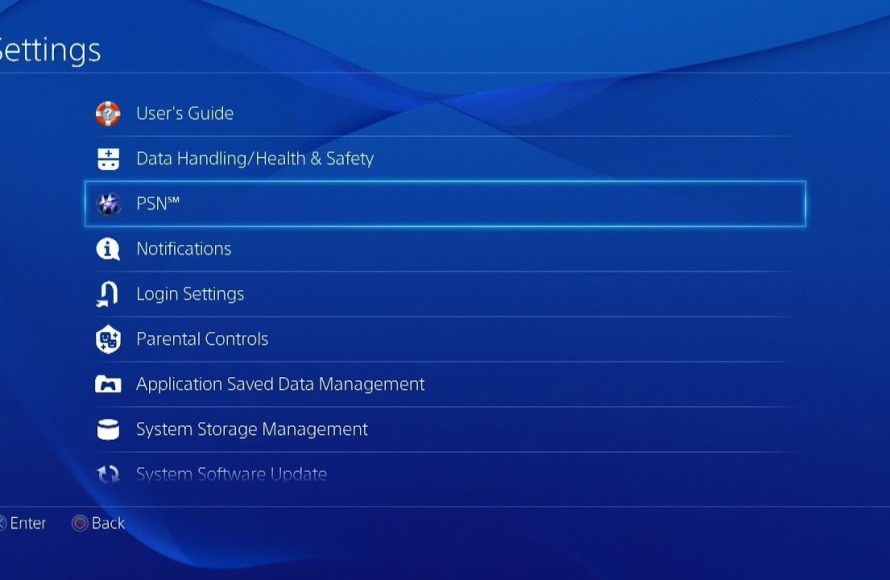
To buy games on the PS4, you can access the PlayStation Store directly from your console, browse available titles, and purchase them using a linked payment method.
Ready to dive into new adventures on your PlayStation 4? Figuring out how to buy games on the PS4 is straightforward, and it opens the door to a massive library of entertainment. You have a couple of easy paths to choose from, either digital downloads or physical copies.
The digital option offers instant access through the PlayStation Store. It’s also convenient for grabbing new games right from the comfort of your sofa. Alternatively, physical copies are easily found at your local retailers.

How to Buy Games on the PS4
So, you’re ready to jump into a new adventure on your PlayStation 4! That’s awesome! Getting new games for your PS4 is easier than ever, whether you like physical discs or prefer to download them straight to your console. There are many different ways to do it, and this guide will walk you through each one, making sure you get your hands on your next favorite game quickly and without any trouble.
Buying Physical Games (Discs)
First up, let’s talk about the classic way: buying games on discs. This is great if you love having the case on your shelf or if you want to share games with friends easily. It’s also a good option if your internet isn’t super fast, since you don’t have to download anything.
Where to Buy Physical PS4 Games
You can find physical PS4 games in several places, making it convenient to find just what you are looking for:
- Game Stores: Places like GameStop or your local game store are great for finding new and used games. They also sometimes have special editions and trade-in deals.
- Big Retail Stores: Stores like Walmart, Target, and Best Buy sell games along with other electronics and items. They usually have a good selection and can be a good place to get a newly released game.
- Online Retailers: Amazon, for example, is a popular place to buy games. They often have competitive prices and fast shipping. Also, websites for used products like eBay can also be a great option, just be sure to read the reviews before buying!
Things to Consider When Buying Physical Games
Before you rush out or click that “Buy Now” button, consider a few key things:
- Price Comparison: Shop around! Prices can vary from store to store, so it’s always good to check a couple of places before buying.
- New vs. Used: Used games are typically cheaper, but make sure the disc isn’t scratched. Check its condition carefully or if buying online, see the reviews to find if you are buying from a trust-worthy seller.
- Game Region: PS4 games are usually region-free, but it’s always good to double-check this to make sure it will work in your console.
- Special Editions: If you are a big fan of a specific game, check if a special edition exists and if it includes any extra stuff that you might like, such as exclusive items and so on.
Buying Digital Games (Downloads)
Now, let’s move on to digital games. These are purchased and downloaded straight to your PS4, meaning no trips to the store. This method is super convenient for many gamers, and the games are readily available right when you buy them!
The PlayStation Store: Your Digital Gateway
The main place to buy digital PS4 games is the PlayStation Store. It’s a digital shop built right into your console. You can get there by going to the main menu and selecting “PlayStation Store.”
- Browsing the Store: Once inside, you can browse different categories like “New Releases,” “Top Sellers,” “Deals,” and many more. You can also search for specific games using the search bar.
- Game Pages: Clicking on a game will take you to its page where you can see screenshots, trailers, reviews, and the price.
- Adding to Cart and Payment: When you’re ready to buy, you can add the game to your cart and go through the payment process.
Payment Methods on the PlayStation Store
The PlayStation Store has many ways to pay, to make it easy for all kinds of users:
- Credit/Debit Cards: You can use your credit or debit cards to directly pay for your games.
- PlayStation Store Gift Cards: You can buy these gift cards at many stores and use the code to add funds to your PlayStation account.
- PayPal: A popular online payment service that many people already use.
- Prepaid cards: Some prepaid cards work to add funds to your account. Make sure to check the compatibility before buying them
Advantages of Digital Games
Buying digital games has many benefits, making it a popular choice for many users:
- Convenience: You don’t have to leave your home to get a new game.
- Pre-Loading: For some games, you can pre-load them before release, so you can play right away on release day.
- No Disc Swapping: You can switch between all your games without having to switch discs, which makes jumping between games very easy.
- Less Risk of Damage: There are no physical discs to be lost or damaged, keeping your games safe.
Downloading Digital Games
After buying a digital game, it will start downloading to your PS4. The speed of the download will depend on your internet connection. You can see the download progress in the “Notifications” area. You can still use your PS4 as it downloads in the background, but it may slow down your internet while you do so. Some games might take longer to download than others, based on the file size. You will also need space on your PS4 hard drive to install the game, so make sure that you have enough space available before starting the download.
PlayStation Plus and Free Games
Let’s talk about PlayStation Plus. This is a subscription service that gives you some cool perks, including the chance to play some games for free each month.
What is PlayStation Plus?
PlayStation Plus is a paid subscription that allows you to play games online with your friends. It also gives you free games each month, which you can then download and play. It often also gives you exclusive discounts on other games.
How to Get the Free Monthly Games
If you’re a PlayStation Plus member, you can find the free monthly games in the PlayStation Store. They usually appear in a special section labeled “PlayStation Plus” or “Monthly Games.” Just add them to your library and you can play them whenever you want while your subscription is active.
PlayStation Plus Benefits
- Online Multiplayer: Play with friends and other players online.
- Free Games: Get new games every month.
- Exclusive Discounts: Save money on various games and add-ons.
- Cloud Storage: Save your game progress to the cloud and access it from any PS4.
Deals and Discounts on PS4 Games
Everyone loves a good deal! Here’s where you can find discounts on games:
PlayStation Store Sales
The PlayStation Store regularly holds sales events, offering discounts on many games. Keep an eye out for these sales, which often happen around holidays or special events. Some sales will be available for all users, and others will be exclusive for Playstation Plus users.
Retail Store Sales
Physical game retailers also have sales. Look out for “Black Friday,” “Cyber Monday,” and other promotional sales. They will sometimes have better prices than the PlayStation store, so make sure that you compare prices. Many times, you can also find good deals on used games.
Following Game News
To be sure you don’t miss the latest sales, you can follow PlayStation on their social media, subscribe to their newsletter, and visit the PlayStation Blog regularly. This will make you aware of upcoming sales, and you will be able to secure your favorite games at lower prices!
Using Gift Cards and Codes
Another great way to get games on your PS4 is by using gift cards or promotional codes. Here’s how:
Where to Get Gift Cards
You can buy PlayStation Store gift cards at many retailers, including:
- Game Stores
- Big Retail Stores
- Online Retailers
How to Redeem Gift Cards and Codes
To redeem a gift card or code, go to the PlayStation Store, scroll down to the bottom and select “Redeem Codes.” Enter the code carefully, and the funds will be added to your account, or the game will be added to your game library.
Managing Your Games
Once you have bought some games, it’s good to know how to manage them. Let’s talk about it:
Downloading and Installing
Digital games will automatically download and install once you buy them. You can see the progress in the “Notifications” section. If for some reason the game doesn’t download, you can manually start the download from your library.
Game Library
Your game library is the place where all the games you have bought are stored. To go there, find the “Library” section from your PS4’s main menu. From there, you can download or launch your favorite games. You will see different tabs for different types of games, like PS4 and PS5 games, depending on what console you are using.
Deleting Games
If you need to free up space on your console, you can delete games you are no longer playing. Go to the game you want to delete, press the “Options” button on your controller, and select “Delete.” Don’t worry, you can download them again from the library anytime if you have bought them digitally. If you delete a physical disc game, you will need to reinstall it using the disc if you want to play again.
Game Updates
Games often have updates and patches to fix bugs or add new features. These updates will be downloaded and installed automatically, but sometimes you might have to start the download yourself. Just keep your console connected to the internet and it should take care of the updates for you.
Pre-ordering Games
If you’re very excited about a game coming soon, you might consider pre-ordering it. Here’s how:
Benefits of Pre-ordering
- Play on Day One: You’ll get the game as soon as it’s released.
- Pre-order Bonuses: Often, you’ll get special in-game items or extras for pre-ordering.
- Download in Advance: For digital pre-orders, you can often download the game early, meaning that you can start playing as soon as it is released.
How to Pre-order
You can pre-order games on the PlayStation Store and at many game retailers. Just look for the game you want, and if it’s available for pre-order, you’ll see an option to do so. With digital versions, the pre-order games will become available to download a couple of days before the release date. With physical games, you will need to wait until release day to be able to receive them from the store you pre-ordered them from.
Sharing Games with Friends
You can share physical games with your friends easily, but what about digital games? Here’s how it works:
Sharing Physical Games
This one is easy. Just lend your physical game disc to a friend! They can then play on their own PS4. Just remember that only one person can play at the same time using the same disc!
Sharing Digital Games (Account Sharing)
You can “share” your digital games with friends through account sharing, though you need to be careful with this method because it can get you into trouble if you don’t do it correctly. Here’s how:
Primary Console: You can set your friend’s console as your “Primary Console.” This means they can play all the games that you have purchased digitally. You will still be able to play these games on your own console by logging in, but make sure to only have one active Primary Console.
Important Note: This method means your friend also has access to your account. Never share your account info with someone you don’t completely trust, and be very careful when doing so, because if any game is banned, your account might get banned as well!
Playing Simultaneously: You can play the game simultaneously, but you will have to use different accounts in each console. This method can get quite complicated, so it’s only advisable if you are fully aware of all the rules. Always play it safe and follow all the rules to avoid problems with the PlayStation Network.
Troubleshooting Common Issues
Sometimes you might face some problems while buying or downloading games. Here are some solutions to common problems:
Download Problems
If a game won’t download, try these steps:
- Check Internet Connection: Make sure your PS4 is connected to the internet.
- Pause/Resume: Try pausing and resuming the download.
- Restart PS4: Sometimes a simple restart can fix issues.
- Check Storage: Make sure you have enough space available.
Payment Problems
If your payment doesn’t go through, check these:
- Card Details: Make sure your card information is correct.
- Sufficient Funds: Check if you have enough money in your account.
- Try Different Method: If one payment method fails, try using another one.
- Contact Support: If the problem persists, contact PlayStation support or your bank.
Error Codes
If you encounter any error codes, write it down, and search for it on the Playstation support page, so that you can understand what is causing the issue, and how to fix it. You can also contact PlayStation support, where they can help you to solve the issue.
Making Informed Choices
Before you buy a game, consider these tips:
Game Reviews
Read and watch game reviews online to help you decide if a game is right for you. Check out gameplay videos and commentary so you can know what to expect before purchasing the game.
Game Ratings
Pay attention to game ratings like the ESRB ratings to know if the game is suitable for you or other people that are going to play. Many games are not appropriate for all age groups, so always make sure to check the rating beforehand!
Try Demos
Many games offer free demos, which allows you to try the game out before committing to buy it. This is a great way to make sure that the game is what you were expecting, and if it is worth the purchase.
Consider Your Budget
Always consider your budget when buying new games, because gaming can quickly turn out to be an expensive hobby! There are always many games out there to play, and you don’t have to buy them all right away. Make sure that you buy the ones that you will enjoy the most, and that are within your price range.
Buying games for your PlayStation 4 is very easy and fun. Whether you want to get a physical game or you prefer to buy it online, there are many ways to get the games that you want. By following this guide, you should be ready to start your new adventures! Remember to compare prices, take a look at all available discounts, and choose the best option for your needs.
How To Buy A Game On The PS4
Final Thoughts
Buying games on the PS4 is simple. You can purchase digital titles directly from the PlayStation Store using your console. Navigate to the store, find your game, and complete the purchase.
Alternatively, you can buy physical copies at retail stores or online retailers. Once you have the disc, insert it into your PS4. Knowing ‘how to buy games on the ps4’ gives you several easy options to grow your gaming collection.

