
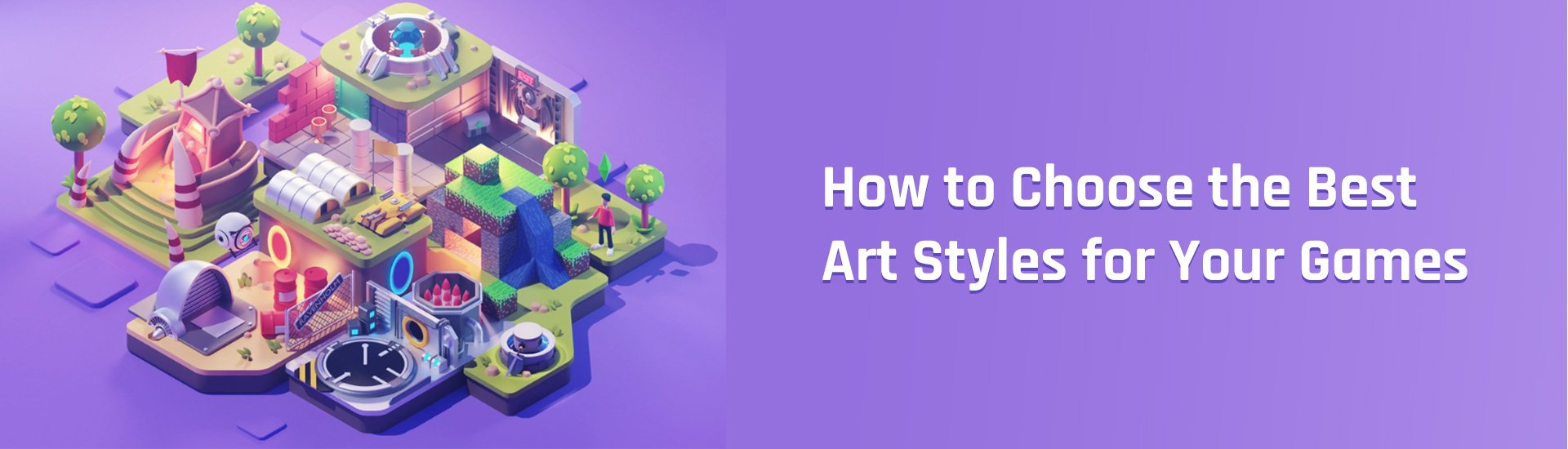
Choosing an artstyle for your game requires considering your game’s genre, target audience, technical capabilities, and overall desired feeling.
Ever wondered how some games just visually click? You see that pixelated platformer, that painterly adventure, and it just feels right? A game’s visuals deeply impact how players experience it. It’s not simply about pretty pictures; it’s about creating a cohesive, engaging world.
Figuring out how to choose an artstyle for your game can seem daunting. However, it is a fundamental step in development. Your chosen style defines the mood, the identity, and ultimately, the player’s perception of your creation.

How to Choose an Art Style for Your Game
Picking the right art style for your game is like choosing the perfect outfit for a party. It needs to fit the mood, make a statement, and most importantly, feel right. It’s not just about what looks pretty; it’s about creating a visual language that speaks to your players and brings your game world to life. This part of the game development process is very important for making a successful game that captures the hearts of players. But, with so many amazing possibilities, how do you choose the one that fits your game just right?
Understanding the Impact of Art Style
Before diving into the details, it’s important to understand why art style matters so much. The visuals of your game are often the first thing players see, and they can instantly form an opinion based on it. It can also communicate the type of experience the player should expect. A cartoony style might suggest a lighthearted, fun adventure, while a realistic style might imply a serious, story-driven experience. Here’s how your art style can shape your game:
- First Impressions: A compelling art style grabs attention and can be the reason someone decides to check out your game. Think of it as your game’s “cover art.”
- Setting the Mood: The art style helps create the atmosphere. A dark, gritty style will feel very different than a bright, colorful one, even if the gameplay is similar.
- Player Engagement: An art style that clicks with your target audience can make them more invested in your game. Players might find themselves drawn in by the specific characters or world you’ve designed.
- Brand Identity: Your art style can become part of your game’s identity. Think of iconic games with distinct art styles – they’re instantly recognizable.
Analyzing Your Game’s Core Elements
The best art style is one that compliments your game’s core elements. Before you start doodling, think about what your game is really about. What are you trying to achieve with it? What kind of experience do you want to provide to the player? Here’s how to think about it:
Genre and Tone
Your game’s genre plays a big role in the art style. A fantasy RPG might use a grand, painterly style, while a puzzle game might go for a clean, minimalist look. Consider these points:
- Action Games: Often benefit from clear, dynamic visuals that are easy to read during fast-paced gameplay.
- Puzzle Games: Typically lean towards clean, simple designs for easy identification and understanding of the game elements.
- Horror Games: Might use dark colors, distorted visuals, and realistic or stylized designs to create a sense of fear.
- Simulation Games: May prefer realistic or slightly stylized looks depending on their focus (farming, city building, etc.).
- Platformer Games: Can be really flexible, but usually go for styles that are expressive and allow for a lot of character animation.
- RPG Games: Can range from realistic to cartoonish depending on the tone of the story they want to tell, but a lot of detail is typical.
The tone is the feeling that you want the game to have, like scary, funny, sad, or exciting. Make sure your art style matches the tone. A game about friendship and adventure should feel different than a game about surviving a zombie apocalypse.
Gameplay Mechanics
Gameplay is how the player actually plays your game. This is a really important point! The way your game is played will affect how the visuals appear. For example:
- Simple Mechanics: Might work well with a simpler, cleaner art style to keep things easy to understand.
- Complex Mechanics: May need a clearer, more distinct art style so that everything is easily visible and understandable.
- Isometric View: Games viewed from an angle might use a perspective-friendly style.
- Side-Scrolling: Games with this view might use expressive character designs with clear silhouettes.
Target Audience
Who are you making this game for? Is it for little kids, teenagers, or adults? The age, tastes, and preferences of your target audience matter quite a bit. Consider these points:
- Kids: Younger audiences might be attracted to bright colors, cute characters, and simple visuals.
- Teens: This group often enjoys more stylish or edgy art styles.
- Adults: May appreciate a variety of styles, depending on genre and personal preference. Can range from sophisticated to retro.
Think about what kind of games they enjoy and what kind of artwork they usually like.
Exploring Different Art Styles
Now that you have a better idea of what your game needs, let’s dive into some popular art styles to get a sense of the variety available:
Pixel Art
Pixel art is a style that uses low-resolution, blocky graphics that are really easy to notice. It is popular for its retro look and can be really useful when you want to make a game fast without needing lots of high-powered hardware.
- Pros: Nostalgic appeal, easy to produce, often very charming.
- Cons: Can be limiting in terms of detail, may not appeal to everyone.
- Good for: Retro-style games, indie games, platformers, RPGs with a classic feel.
Low Poly
Low poly art uses simple geometric shapes to create 3D models. This style is great for games that want to look modern, but still be relatively easy to make.
- Pros: Can be very stylish, performance friendly, versatile for various game types.
- Cons: Might lack realism, can look basic if not done well.
- Good for: Indie games, simulation games, puzzle games, stylized adventures.
Cartoonish
Cartoonish styles are fun and exaggerated with lots of bright colours, that look like they came from a cartoon. This is a really popular choice for games that want to be lighthearted and accessible for a wide range of players.
- Pros: Expressive characters, family-friendly, highly accessible.
- Cons: May not be taken seriously by some, can sometimes look generic.
- Good for: Platformers, adventure games, games targeting a younger audience.
Realistic
Realistic art styles strive to create a lifelike representation of the world. They focus on detailed textures, realistic lighting, and accurate portrayals of the human body and objects. It’s best for games that want to make a deep connection with the player.
- Pros: Immersive experience, can create a strong sense of believability.
- Cons: Demanding on resources, can be challenging and time-consuming to produce.
- Good for: Action games, simulation games, narrative-driven games, racing games.
Stylized
Stylized art styles bend reality but still feel connected to the real world. They might exaggerate some features or use a specific color palette. This is a good choice for game developers that want a unique look that still feels natural.
- Pros: Unique visual identity, can be very expressive and beautiful.
- Cons: Can be challenging to make consistent, needs a good style guide.
- Good for: Games with a strong narrative, adventure games, games that want to stand out.
Hand-Painted
Hand-painted styles have a beautiful, almost painterly appearance. They might use brushes and digital painting techniques to create textures and details. This style is for those who want a traditional, artistic look.
- Pros: Can be very beautiful and detailed, often creates a handcrafted feel.
- Cons: Demanding and time-consuming to create, can be difficult to animate.
- Good for: Narrative-driven games, adventure games, puzzle games, fantasy games.
Vector Art
Vector art uses mathematical equations to create graphics, which allows you to scale graphics up without losing quality. This makes them really good for animation and for making sure that art always looks sharp and clean.
- Pros: Clean lines, very flexible, easy to change and animate.
- Cons: Can sometimes lack the organic look of raster images.
- Good for: Mobile games, 2D platformers, UI design, puzzle games, and other games that prioritize clear visuals.
Considering Practical Factors
Choosing an art style is not just about taste. You also have to think about what your team can handle. Here’s what to think about:
Team Skills and Resources
What are the skills of your art team? Can they produce realistic textures, or are they better at stylized illustration? You should pick a style that your team can do well and efficiently. Also, consider the tools and software you have available. Do they support the style you’re thinking about? It’s a good idea to choose a style that you can make without having to learn a bunch of new skills or buy expensive tools that you can’t afford.
- Budget: Is this a small team making an indie game or are you working on a big budget project? This will affect how complex you can go.
- Time: Some styles like realistic 3D take much more time to develop than others like pixel art or 2D cartoony styles.
- Skill Set: Be honest about the abilities of your team and pick an art style that they are good at. It will always look best that way.
Game Performance
Think about how your game needs to run. 3D games with lots of details and effects might require more powerful hardware. If you want your game to run on lots of different systems, you might need to choose a style that doesn’t require a lot of processing power. Pixel art or low poly art can be good choices for this. Make sure the visual style doesn’t cause performance problems, which can make the game less fun to play.
- Platform: Mobile games are often more simple visually to increase performance.
- Optimization: Some styles make it easier to optimize the game to run smoothly.
Consistency and Style Guides
Once you’ve decided on a style, you need to stick with it! Make sure all the art, from character designs to backgrounds, looks like they belong in the same game. A style guide is a document that tells artists all about the game’s visual style, color palettes, character design details, and other important things so that all the art is consistent and matches well. This document is very helpful for everyone working on the game to keep everything on the same track.
- Color Palettes: Stick to a set of colors that fit the style.
- Character Design Rules: Decide on clear rules on character looks.
- Environmental Design: The backgrounds and environments have to match the style of the characters.
The iterative approach: Trying out ideas
It’s completely normal to change your mind, so it’s okay to start with some small ideas and see how they look in your game. Here’s how to make sure you end up with the best style for your game:
Creating mockups
Before you fully make a lot of art, it’s a good idea to try some of your ideas out! Making a few mockups is a good way to get a feel for a new art style. Make some test screens with different styles and see which ones feel best for your game. This is like making a quick sketch or draft to test the water before making a big commitment. It’s easier to change a mockup than it is to change a finished level or character!
Getting feedback
Don’t be afraid to ask others what they think about your art style tests. Show the mockups to players and get their thoughts. Sometimes, other people can see things you might have missed. Listen to what they say and use that to improve your style. Remember, you’re making this game for the players, so what they think is important.
Making changes
Be willing to try different things and don’t settle for the first thing you try. Be ready to make changes to your style as you go. It’s totally okay for your art style to change during development as you learn more about what works best for your game and your audience. The goal is to make sure the style works well for your game, and if something isn’t working, it’s important to change it.
Selecting your art style should be a fun and creative part of the game-making process. Don’t be afraid to try new things and find the one that really shows off the best parts of your game!
Choosing your Indie Game Artstyle
Final Thoughts
Consider your game’s genre and mood first. Target audience also plays a crucial role. Budget and development time are key limitations.
Experimentation with different styles is must to find a good fit. Evaluate each style’s impact on gameplay and user experience. This helps make informed decisions.
Ultimately, how to choose an artstyle for your game involves balancing creativity with practicality. Choose the art style that best communicates your game’s unique identity.

