
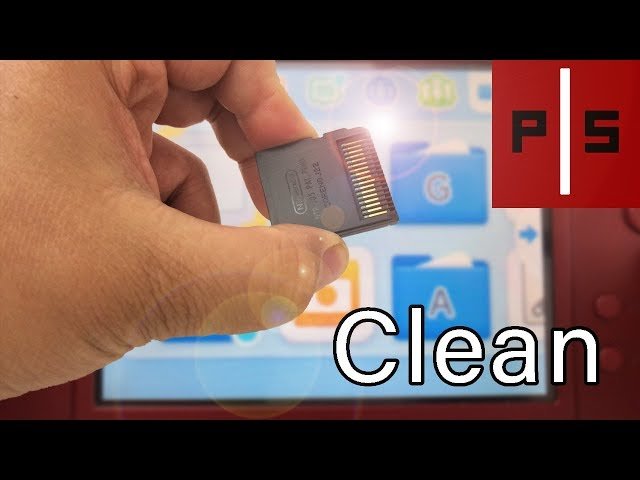
Cleaning a DS game card typically involves gently wiping the gold contacts with a clean, dry cotton swab or microfiber cloth. Avoid using liquids.
Dust, grime, and the occasional sticky fingerprint can make our favorite Nintendo DS games unplayable. Frustrating, right? You might be asking yourself, “how to clean ds game card?”
Don’t worry, it’s a common problem and the fix is straightforward. We’ll show you a simple technique that will get your cartridges working again quickly.

How to Clean a DS Game Card: A Step-by-Step Guide
Dust, dirt, and even fingerprints can make your favorite Nintendo DS games stop working. It’s frustrating when you’re all set for an adventure and the game just won’t load! But don’t worry, you don’t need to throw away your beloved game cards. Usually, a little cleaning is all they need to be brought back to life. This guide will show you everything you need to know about cleaning your DS game cards properly and safely.
Why Clean Your DS Game Card?
Before we jump into how to clean your game card, let’s talk about why they need cleaning in the first place. DS game cards, like many electronics, have small metal connectors (sometimes called “pins”) on the bottom. These connectors need to make good contact with your DS console so that the console can read the game. If these connectors get dirty, dusty, or have residue on them, the connection becomes weak, and the game may not start or may freeze in the middle of playing. Here are some reasons your game card might need cleaning:
- Dust and Dirt: These particles can settle on the connector pins, blocking the connection.
- Fingerprints and Oils: The natural oils from your fingers can leave a film on the connectors, which can also stop the game from working.
- Liquid Spills: Accidents happen! If your game card has been exposed to any liquid, it can leave behind residue that needs to be cleaned.
- Corrosion: In very rare cases, over time, moisture can cause minor corrosion on the pins, which needs special care to remove.
Keeping your game cards clean ensures they work correctly and prolongs their life. Now, let’s see how to clean them!
Gather Your Cleaning Supplies
Before you begin, it’s essential to collect all the right tools. This will make the cleaning process smoother and keep your game cards safe. You don’t need anything fancy – you probably already have most of these items at home! Here’s what you’ll need:
- Microfiber Cloth: This is the best kind of cloth to use because it’s very soft and won’t scratch the game card. It’s great for removing dust and fingerprints. You can find these cloths in most stores that sell eyeglasses or electronics.
- Isopropyl Alcohol (90% or Higher): This is a special kind of alcohol that evaporates quickly. It’s perfect for cleaning electronics because it doesn’t leave behind any residue. You can find this at most pharmacies or stores that sell first-aid supplies. Don’t use regular rubbing alcohol, as it has water that can damage the card.
- Cotton Swabs: These are helpful for cleaning hard-to-reach areas, like the connector pins.
- Distilled Water (Optional): If the card has a sticky residue, you might need a tiny amount of distilled water. Distilled water does not have minerals and won’t leave mineral residue.
- Compressed Air (Optional): This can be useful for blowing away loose dust. You can use the type meant for cleaning keyboards.
- A Clean, Flat Surface: You’ll need a clean and clutter-free surface to work on, like a desk or table.
Make sure you have all of these ready before you start.
The Cleaning Process: Step-by-Step
Now that you have your supplies ready, let’s start the cleaning process. Always take your time and be gentle with your game cards. Remember, even if it seems stubborn, avoid using too much force. Patience is key to a good cleaning job.
Step 1: Visual Inspection
Start by taking a close look at your game card. Examine the connector pins at the bottom. Can you see any dust, dirt, fingerprints, or any sticky residue? If you do, this will help you decide how thorough of cleaning will be needed.
Step 2: Remove Loose Dust
Using your microfiber cloth, gently wipe the entire game card. This helps remove any loose dust or dirt. If you have compressed air, you can use short bursts of air to blow away any additional dust from the connector pins.
Step 3: Apply Isopropyl Alcohol
Dampen a cotton swab with a very small amount of isopropyl alcohol. Remember, the cotton swab should be moist, not soaking wet. You don’t want the alcohol to drip onto the game card. It’s always better to start with less and add a little bit more if needed.
Step 4: Gently Clean the Connector Pins
Using the slightly dampened cotton swab, gently wipe the connector pins. Use a back-and-forth motion, and try not to push down too hard. You want to be careful not to damage the pins. If you see any visible dirt or residue on the cotton swab, change to a new one. Continue this process until the connector pins are clean.
Step 5: Dry the Game Card
After cleaning with alcohol, you should allow the card to air dry for a few minutes. Since isopropyl alcohol evaporates quickly, this won’t take too long. Make sure the card is completely dry before you put it back into your DS console.
Step 6: Test the Game Card
Once the game card is dry, put it back into your Nintendo DS console. Turn on your console and check if the game starts. If the game still doesn’t work, repeat the cleaning steps, paying close attention to the connector pins. If the game still doesn’t work after two attempts, you might need to try one of the advanced cleaning tips below or consider if the game card has been damaged.
Dealing With Stubborn Residue
Sometimes, simple cleaning might not be enough. If you find that your game card has a sticky residue, you may need to try a slightly different approach. Here’s how to deal with stubborn residue:
Step 1: Use Distilled Water
If alcohol alone doesn’t work, dampen a cotton swab with a tiny amount of distilled water. Gently wipe the sticky area. Be very careful not to get the game card too wet. You only need a tiny amount of water to help loosen the residue.
Step 2: Dry Thoroughly
After using the water, immediately use a dry microfiber cloth or cotton swab to absorb any extra water. Allow the game card to air dry completely for at least 10 minutes before trying to play it again. Any remaining water can cause damage, so be sure it’s completely dry.
Step 3: Follow Up with Alcohol
Once dry, clean the area again with the isopropyl alcohol as described above. This helps to remove any residue left behind from the water. Then, allow to dry completely before testing.
Advanced Cleaning Tips
If the above cleaning process isn’t doing the trick, or if you think there is some corrosion on the pins, here are some advanced cleaning tips that you can try. These should be used as a last option, as they have a very small risk of damage to your game card if not performed with extreme caution. If your game card is very old, these methods are not recommended as old plastics may be brittle. Proceed carefully and cautiously.
Using a Pencil Eraser (Very Carefully!)
If there seems to be corrosion on the pins, you can very gently use the edge of a clean pencil eraser to lightly rub the pins. Be extremely careful, applying very little pressure. Clean the pins immediately after using an eraser with a cotton swab dampened with isopropyl alcohol. Don’t use any heavy pressure, and stop using an eraser if you see any damage on the pins.
- Choose the Right Eraser: Use a clean, white eraser – the pink ones might have bits that could get stuck.
- Light Strokes: Don’t rub too hard. Use very light back-and-forth strokes on the pins.
Using a Special Electronic Contact Cleaner
You can find contact cleaner sprays at many electronic or hardware stores. These are made for cleaning electrical contacts and are generally safe to use on electronics. However, make sure the product you buy is safe for plastics. Apply the cleaner to a cotton swab and gently clean the pins. Follow with a cleaning using isopropyl alcohol and a dry cotton swab and allow the card to fully dry before using it again. Follow all of the directions on the cleaner before starting this cleaning method.
- Read the Instructions: Always follow the instructions on the cleaner spray. Some sprays might need a specific drying time, so read the directions carefully.
- Small Amount: Never spray directly on the game card! Instead, spray some onto a cotton swab or cloth and then apply it to the pins.
Things to Avoid When Cleaning a DS Game Card
While cleaning your game card, it is equally important to know what NOT to do. Avoid the following to prevent any further damage:
- Do not Use Too Much Force: Always be gentle. Don’t press too hard on the connector pins while cleaning. Excessive pressure can damage them.
- Do not Use Water Directly: Never submerge your game card in water. If the game card has any water damage, you need to remove the water as quickly as possible and do your best to ensure there isn’t any damage.
- Do not Use Household Cleaners: Avoid using household cleaners such as dish soap or window cleaner, because they often have chemicals that can harm the game card or leave unwanted residue behind.
- Do not Use Paper Towels: Paper towels can be too rough and can scratch the plastic or leave behind lint. Always use a soft microfiber cloth.
- Do not Use Abrasive Materials: Avoid using anything abrasive like steel wool or sandpaper, as it will damage the card and it will not function.
- Do not Blow Directly on the Game Card: Avoid blowing on the pins directly with your mouth because your breath contains moisture. Moisture is your game cards worst enemy.
- Do not Use Regular Rubbing Alcohol: Rubbing alcohol that you buy at the grocery store often contains water, which can corrode your pins, therefore never use this type of alcohol to clean your games.
Preventative Measures
After successfully cleaning your game card, you want to keep it clean so that it works correctly. Here are some tips for keeping your game cards in good condition:
- Store Properly: Keep your game cards in their cases when not in use. This will protect them from dust and scratches. If you don’t have a case, store them in a clean, dry place.
- Handle with Clean Hands: Always wash your hands before handling your game cards. This prevents oil and dirt from getting on the connector pins.
- Avoid Spills: Keep drinks away from your game cards and consoles. Liquid spills can cause serious problems with your electronics.
- Store in a Cool, Dry Place: Keep your game cards away from moisture and extreme heat.
By following these tips and cleaning your game cards when needed, you can enjoy your games without any problems.
How to Clean/Fix A Nintendo Ds/3ds Cartridge
Final Thoughts
To effectively clean your ds game card, gently wipe the contacts with a soft, dry cloth. Avoid using any liquids or abrasive materials that can cause damage. If the dirt persists, use a cotton swab slightly dampened with isopropyl alcohol. Allow the card to dry completely before reinserting it into your device.
These simple steps will help you maintain your games and ensure they function properly. Following these instructions on how to clean ds game card will keep them in good working order for longer.

