
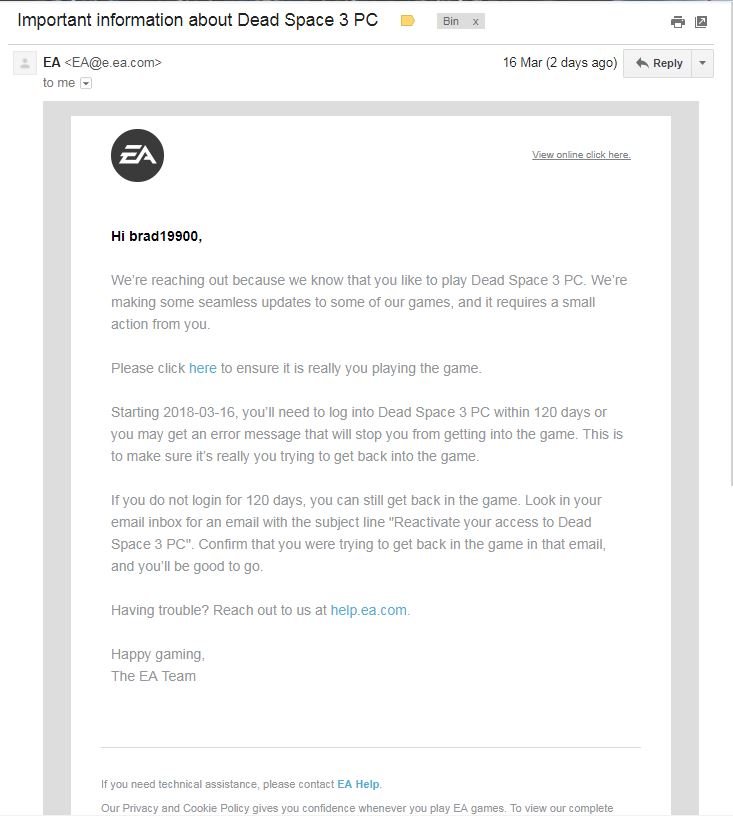
To email EA Games, visit their help website, locate the support page for your game or issue, and find the contact options which usually includes email, though live chat or help forums may be more readily available.
Dealing with game issues can be frustrating, and sometimes you just need to reach out directly. That’s why knowing how to email EA Games is important. While they offer various support channels, finding the correct email option can be tricky. Let’s explore the best way to get in touch.
This article explains the steps to contact them, focusing on finding the right path when you want to email EA games. We’ll guide you through their help pages, so you can hopefully get your problem resolved.

How to Email EA Games: A Complete Guide
Okay, so you’re having an issue with your favorite EA game, or maybe you have a great idea you want to share. Figuring out how to get in touch with EA Games can sometimes feel like a level in a video game all its own! But don’t worry, it’s not as hard as battling a final boss. This guide will walk you through the best ways to email EA Games and get the help or information you need.
Why Email EA Games?
Before we jump into the how, let’s talk about why you might want to email EA Games. There are lots of reasons! Here are some of the most common:
- Account Problems: Maybe you can’t log in, your account got hacked, or you need to change your email address.
- Game Issues: Perhaps a game isn’t working right, you found a bug, or you are having trouble downloading something.
- Billing Questions: Did you get charged the wrong amount? Do you need a refund? These are good reasons to email.
- Feedback and Suggestions: You might have a cool idea for a new game feature or want to tell them how much you like (or dislike!) a particular game.
- Technical Support: You are facing any technical issue related to EA account or game.
- Reporting Abuse: if someone is not respecting your privacy or any such thing happening to you.
- Privacy Concerns: If you have questions about how EA handles your information.
Finding the Right Email Address
EA doesn’t have just one general email address for everything. Instead, they have different ways of getting in touch, often through their help website. It’s better to use these specific channels, but sometimes email is necessary. This is where things can get a bit tricky. You generally won’t find a direct email listed on the website for general inquiries. Instead, EA pushes people towards using their help portal.
EA Help Website: Your First Stop
The very best place to start when you need help from EA is their official help website: help.ea.com. This site is packed with articles, guides, and troubleshooting steps that can answer many common questions. It also allows you to contact support directly by choosing the relevant game or product, then selecting a support method (like a chat session or, less commonly, an email contact form).
Why Not Just a Direct Email?
Why doesn’t EA just give out a single email address? Well, they deal with a huge number of players every day. Having separate support channels helps them get you the help you need faster and makes it easier to keep track of requests. It also helps make sure your message goes to the right team.
Using the EA Help Portal
Here’s how to use the EA Help website to find the right support channel and potentially trigger an email contact (or its equivalent):
- Go to the EA Help website: Type help.ea.com into your web browser and press enter.
- Select your game or product: You’ll see a search bar and a list of popular games. Type in the name of the game or product you have a problem with, or choose it from the list.
- Choose a topic: On the next page, you’ll see a list of topics related to your game or product. Select the category that best describes your problem.
- Look for solutions: The site will offer articles and troubleshooting steps that might solve your issue directly. Take a look; maybe the answer you need is already there!
- Contact Support: If you haven’t found your solution, look for a button or link that says “Contact Us”, “Get Help”, or something similar. This usually appears at the bottom of an article, or after following a path in the support flow.
- Choose your contact method: You may be presented with a few options, such as chat, callback, or an email contact form. If an email form is available, you’ve found your email entry point.
Understanding the Contact Options
EA is always improving how people get help, so here’s a breakdown of what you might see when you try to contact them:
- Live Chat: This is like instant messaging with a support person. It’s often the quickest way to get help.
- Callback: You can request a phone call from an EA support agent. They’ll call you back when they’re available, so you don’t need to sit on hold.
- Email Form: Some issues might require a more detailed explanation. In these cases, the website may offer a contact form. This is probably the closest you’ll get to emailing EA directly. The form will ask you for the details of your problem.
When an Email is Necessary (or When You Might Try It)
Sometimes the regular help channels don’t cover what you need, and an email feels like the only answer. Here are the scenarios where you might need to rely on an email:
Privacy and Data Issues
If you have concerns about how EA is using your personal information, or you want to request access to your data, you might need to email their privacy department. This is sometimes done via a specific contact form they provide.
Legal and Copyright Issues
If you’re facing an issue relating to intellectual property or legal matters, a dedicated email address might be available. This kind of communication should always be clearly written and specify exactly why you need to contact them.
Business Inquiries
If you’re a company or organization looking to contact EA for partnership, marketing, or similar business purposes, a separate channel might be available and found by exploring their business pages.
Finding the Elusive Email Address
The biggest challenge is that EA does not make email addresses publicly accessible or easy to locate. But there are some areas on their website and online where specific email addresses might be mentioned.
- Privacy Policy: Look carefully through the EA privacy policy on their website. You may find a contact email for privacy-related concerns. This email is usually for data requests and issues related to your personal information.
- Legal Pages: Similar to the privacy policy, check the legal pages of the EA website for a legal department email.
- Investor Relations: If you are contacting them as an investor, there will often be a specific email for those types of inquiries.
- Searching Online: Be very cautious! There may be other email addresses mentioned on other websites or forums, but be extra careful to ensure that they are valid and legitimate.
Remember that if you do find an email address, it is likely for a very specific type of request, so you should only use it if your inquiry matches that type.
How to Write an Effective Email (or Use a Contact Form)
Whether you are using an email or contact form, it’s important to write it well. This will help make sure that your request gets dealt with quickly.
Be Clear and Concise
Keep your email short and to the point. Don’t add extra details that are not important. Start with the main point and then include all other information. EA support teams deal with lots of emails. Make yours as easy to understand as possible.
Include Key Details
- Game/Product Name: Clearly state the name of the game, application, or product you are talking about.
- Platform: Is it on PC, PlayStation, Xbox, or Mobile? Tell them!
- Account Details: Include your username or ID. Do not share your password.
- Issue Description: Explain your problem with as many details as possible. What did you expect to happen? What actually happened? When did it start? Provide any error messages.
- Screenshots or Videos: If you are having technical difficulties, it can often be very helpful to provide screenshots or even a short video of the problem.
Be Polite
Even if you are frustrated, always write with a polite tone. Remember there’s a real person on the other end. A polite and well-mannered tone will help encourage them to help you.
Use Proper Grammar and Spelling
Always double check your spelling, punctuation, and grammar. This helps make your email clearer and easier for the support team to read.
Use a Clear Subject Line
Make sure the subject line of your email is very clear and accurate, this will help the support team prioritize and filter your emails efficiently.
Example Email Subject Lines
- Account Login Issue – [Game Name]
- Billing Question – [Order Number]
- Game Bug Report – [Game Name], [Platform]
- Technical Issue – [Game Name]
Follow-Up
After you send your email, you might have to wait a day or two for a response, as EA support teams deal with lots of requests. If you don’t hear back within a reasonable time, you can try contacting them through another method, like the live chat option, or submit another email.
What to Do if You Don’t Get a Response
Sometimes it can be frustrating if you don’t get a reply from EA. Here are a few things you can try:
- Check your email spam or junk folder: Maybe the reply got filtered into spam.
- Double check the method you used: Did you use the correct contact form? Or contact the correct email?
- Try again: You could try resending the email or contact them through a different method if it is not urgent.
- Use Social Media: You can also reach out through their social media accounts such as X (formerly twitter), sometimes support team responses via social media faster.
Be patient, but if you feel you have waited a very long time without a response, then it is perfectly acceptable to try the other contact methods or reaching out through their social media.
Reaching out to EA Games may not always feel straightforward, as there is no direct or single email for all types of inquiries. However, by using the help website and following these guidelines you will greatly improve your chance of getting the right help. Remember to be clear, polite, and patient, and you’ll get the assistance you need.
How to Contact EA Sports LIVE CHAT Support 2024 (Updated)
Final Thoughts
To email EA Games, use their help website. Find the specific game or product you have a problem with. You must select a category, then you will find the contact form.
Be clear and detailed about your issue. Include any relevant screenshots or information that will aid them. Be patient when waiting for a reply, the support team handles many emails.
Following these steps will increase your chances of getting help. Therefore, how to email ea games is quite straightforward.

