
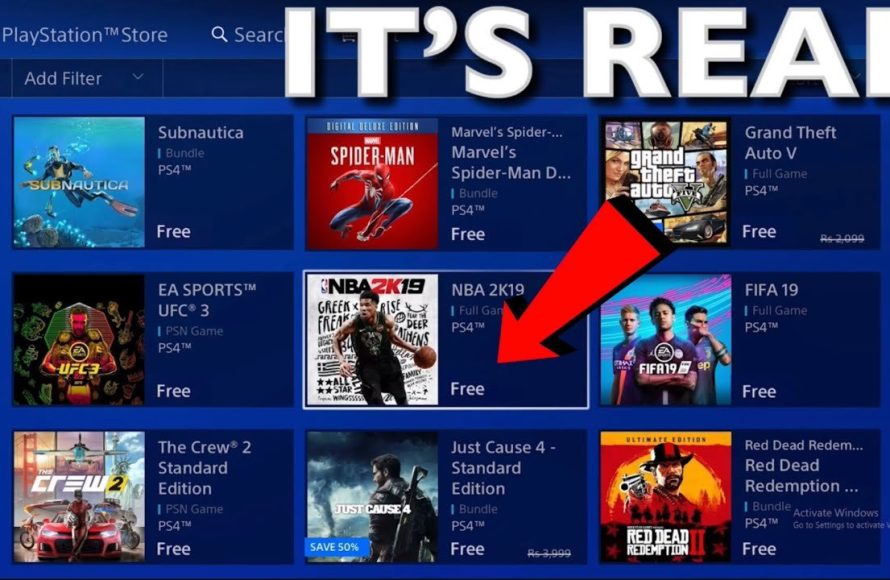
‘To get a game for free on PS4, you can explore PlayStation Plus monthly offerings, utilize free-to-play titles, and check for promotional events or demos.’
Want to expand your PS4 library without spending a dime? Many gamers wonder how to get a game for free on ps4, and it’s definitely possible with a bit of know-how. You don’t always need to pay full price for entertainment, there are different avenues to achieve this.
PlayStation regularly provides free games to subscribers. These monthly benefits are a great way to expand your library. Free-to-play games also offer a large selection of content without any upfront costs.
Keep an eye on PSN store for promotions and free demos. This will give you the chance to enjoy new games. Occasionally, developers release free content as well.

How to Get a Game for Free on PS4
Getting free games on your PlayStation 4 might seem like a dream, but it’s totally possible! You don’t always have to spend a lot of money to play fantastic games. There are several clever ways to find free games, and we’re going to explore them all. This guide will show you where to look and what to do to enjoy some awesome titles without spending a dime.
PlayStation Plus Free Games
One of the easiest and most popular ways to get free games on your PS4 is through PlayStation Plus. If you have a PlayStation Plus subscription, Sony gives you a couple of free games each month. It’s like a mini-gift every month! Think of it as a special perk for being a PlayStation Plus member. Here’s how it works:
- Subscribe to PlayStation Plus: You need to have an active PlayStation Plus membership. There are different subscription plans (monthly, quarterly, or yearly). Choose the one that fits your budget and how often you play.
- Visit the PlayStation Store: Every month, Sony announces the free games available for PlayStation Plus members. You can find these games in the PlayStation Store on your PS4 or through your web browser.
- Add the Games to Your Library: Once you’ve located the free games, add them to your library. Even if you don’t want to play them immediately, add them! Once they are in your library, you can download and play them whenever your membership is active. It’s like putting them on a shelf, you own them as long as you are subscribed!
- Download and Play: After adding them to your library, you can start downloading and playing the games. Be sure to have enough storage space on your PS4.
PlayStation Plus games change each month, so it’s always a good idea to check what is available! Usually, the games are available to download for a limited time – generally one month. After this period, the games will be removed. If you claimed the games already you are not affected by their removal, they remain in your library! It’s similar to a free movie rental, if you have claimed it within the rental period, you can watch it for the whole rental period.
How to Maximize PlayStation Plus Free Games
To really take advantage of PlayStation Plus free games, do these simple things:
- Check the PS Plus Line-Up Monthly: Always keep an eye on the PlayStation Blog or the PlayStation Store to know what free games are being offered each month.
- Add All Games Even if Uninterested: Add every single free game to your library, even if you don’t plan to play it right away. You might want to play them later!
- Renew Subscription Promptly: Make sure you renew your PlayStation Plus membership before it expires to keep access to your claimed games.
Free-to-Play Games on the PlayStation Store
The PlayStation Store is full of free-to-play games. These are games that you can download and play without any upfront cost. Many times, they make money through in-game purchases (items, skins, etc), but the core game is free to experience. Think of it like free samples at a store; you get to try before you decide to buy anything extra.
- Browse the Free-to-Play Section: Go to the PlayStation Store and look for the “Free-to-Play” section. There are often special collections or categories making them easy to locate.
- Download and Play: Once you’ve found a game you like, download it to your PS4. Free-to-play games can include a wide range of types (shooters, racing, puzzles, and so on).
- Be Aware of Optional Purchases: Many free-to-play games offer optional in-game purchases, such as skins, items, characters, or other cosmetic items. You do not have to buy anything to play the game.
Popular Free-to-Play Titles
You can find a variety of games that are free. Here are a few popular examples:
- Fortnite
- Call of Duty: Warzone
- Apex Legends
- Rocket League
- Genshin Impact
The list of free games is always changing, so be sure to keep browsing the PlayStation Store. These are usually well known titles, and also some smaller unknown ones, so you will always find something new and interesting.
Free Trials and Demos
Another great way to play games for free is to look for free trials and demos. Many game developers offer these to let you try their games before you buy them. It’s like getting a free test drive before purchasing a car. You can experience a part of the game to see if you want the full experience.
- Check the PlayStation Store: Look for free trials and demos in the PlayStation Store. They are often placed in a specific area, but can also be located in their specific games page.
- Download and Play: Download the trial or demo and enjoy it for the allowed period. The allowed time can vary. Some demo is limited to a certain in-game area or only a certain amount of game time, and a trial can be for several hours.
- Decide if you want to Buy: After playing the demo or trial, you can decide if you want to buy the full game. You will also know if the game suits your liking, and if it is not, you didn’t spent a penny.
Finding Free Demos and Trials
These are some ways you can find trials and demos:
- Game Store Pages: Check the individual pages of games in the PlayStation Store. If a demo or free trial is available, you will usually see it listed there, together with a price.
- New Releases Category: Look at the new releases category in the PlayStation Store. Demos and trials are often released with new games.
- PlayStation Blog Announcements: Keep an eye on the PlayStation Blog for announcements of new demos and trials.
Participating in Giveaways and Contests
Sometimes, game developers and websites host giveaways or contests where you can win free games. It’s like entering a raffle, and you might be lucky enough to win! Although this way is not guaranteed, it doesn’t cost anything, so why not try?
- Follow Game Developers and Publishers on Social Media: Many developers and publishers announce giveaways on their social media channels. Facebook, X, Instagram are some that you can follow.
- Watch Gaming Websites and Blogs: Look for contests on gaming websites or blogs.
- Enter Giveaways and Contests: Take the time to enter all of the giveaways or contests that look interesting. The more you enter, the more chances you have to win.
Tips for Finding Giveaways and Contests
These are some ways you can find game giveaways:
- Use Social Media Search: Search on social media for terms like “PS4 game giveaway” or “free PS4 game contest.” You will see different posts where companies are giving out games for free.
- Join Gaming Communities: Join online gaming communities, forums or Discord servers to learn about any giveaways happening in the group.
- Be Patient: Giveaways can be rare, so stay patient. Also, there are some companies who want to promote their product through a giveaway, meaning they might be more frequent around a certain timeframe.
Game Sharing with Friends and Family
Game sharing is another way to enjoy games without paying. If you have friends or family members who own a PS4, you might be able to share games. It’s like borrowing a book from a friend! This way you do not own the game, but you can play the full game. There are some rules that need to be followed, and you should always agree with the other person on the terms of sharing.
- Understand Account Sharing: When you share games, you are actually sharing accounts. This means that both accounts need to be set up correctly.
- Set Up Game Sharing Properly: You need to set up primary PS4 access on the other person’s console. They will also need to do the same on your PS4. Follow instructions that Sony has posted, you can find them online.
- Be Aware of Limitations: Game sharing might have limitations, for example, you cannot play the same digital game at the same time. Always ask the other person and agree on terms before sharing the account.
How to Share Games
Follow these general steps to share the games, but consult the official PlayStation documentation to get the exact steps:
- Activate the PS4 as primary console: On the other PS4 you want to share the game with, log in with your account and make the other PS4 your primary.
- Deactivate the PS4 as primary console: If the other account is already primary, deactivate it first. Remember to deactivate it, as otherwise you will experience problems.
- Share games: You will be able to access the digital library of your friend account on your PS4, and they will have access to your games.
Special Promotions and Bundles
Sometimes, Sony or other retailers offer special promotions or bundles that include free games. These are often limited-time offers, so be sure to look out for them. Think of it as finding a hidden treasure; they can offer great value!
- Follow PlayStation on social media: Keep an eye on the official social media pages for any upcoming offers.
- Check Retailer Websites: Check major retailer websites for announcements or advertisements.
- Look for Special Editions: Look for console or game bundles that include free games, especially around the holidays or special events.
Types of Promotions and Bundles
Examples of promotions and bundles:
- Console Bundles: Sometimes when you buy a PS4 console, it comes with one or more games.
- Holiday Promotions: Around holidays like Christmas or Black Friday, there are often special offers on games.
- Limited-Time Offers: Retailers sometimes have special promotions for a very short time that include free games.
Using PSN Cards Strategically
While this option isn’t strictly “free”, it can help you get games without spending additional money from your own pocket. By using PlayStation Network cards (PSN cards) strategically you can leverage a discount or get them as a gift.
- Search for Discounted PSN Cards: Sometimes you can find PSN cards on discount, either on web pages or in physical shops.
- Receive PSN Cards as Gifts: You can also receive a PSN card as a gift, and you can then spend that money on a game on the PlayStation store.
Tips for Using PSN Cards
- Use them with a Discount: If you manage to get one with a discount, you will have more money to buy a game.
- Purchase a Game you Like: You will be able to choose any game on the PlayStation Store, and not be limited to the monthly free games from PlayStation Plus or the free to play ones.
Getting free games on your PS4 is very achievable, if you are patient and aware. You can use the methods discussed, such as PlayStation Plus, free-to-play games, trials, demos, game sharing, contests, or even promotional bundles. With these strategies, you can play many awesome games without spending a fortune. Happy gaming!
How to get 1000+ PS4 games for FREE in 30 seconds!
Final Thoughts
Free PS4 games are available through PlayStation Plus, offering monthly titles. You should also monitor the PlayStation Store for occasional free promotional games.
Participating in online events and contests can sometimes reward you with games. Always ensure sources are legitimate to avoid any scams.
To summarize, how to get a game for free on ps4 involves checking PS Plus, the PlayStation store and entering contests. This should help increase your game collection.

