
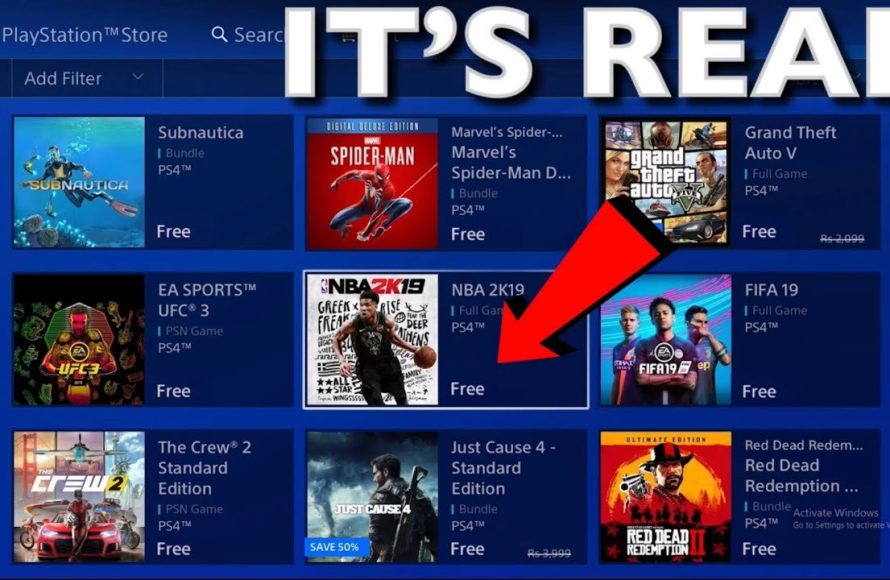
Unfortunately, there is no legitimate way to get a game on PS4 for free that doesn’t involve a trial, a subscription service, or promotional offer.
The question of how to get a game on ps4 for free is a common one, and understandably so! Who wouldn’t want to experience the latest titles without spending extra money? It’s appealing to think there’s a secret method out there.
Many people search for quick fixes, but the reality is that these often lead to disappointing results. Be careful of suspicious links or downloads. Stick to official channels for a safe gaming experience.

How to Get a Game on PS4 for Free
Okay, so you’re itching to play some awesome games on your PlayStation 4, but your wallet is feeling a bit light? We totally get it! Buying games can be expensive, and sometimes you just want to try something new without spending a dime. The good news is, there are ways you can actually get games for your PS4 without paying anything. It might not be as simple as snapping your fingers, but with a little patience and some know-how, you can expand your game library for free. Let’s dive into the different methods, so you can start playing!
Free PlayStation Plus Games
Probably the most well-known way to get free games is through a PlayStation Plus subscription. Now, technically, you do pay for the subscription service. However, it’s worth thinking of it as an investment that gives you access to multiple benefits, including monthly free games. Here’s how it works:
How PlayStation Plus Free Games Work
If you’re a PlayStation Plus member, each month, Sony gives away two or more games for you to add to your library. These aren’t just any random games; often, they include fantastic titles that you might have been thinking about purchasing. It’s like a little surprise gift each month. You can download them and play them as long as your PlayStation Plus subscription stays active.
It’s important to note, however, that these games aren’t permanently yours. Once your PlayStation Plus subscription ends, you’ll no longer have access to the free games you claimed during your subscription. If you decide to re-subscribe later, you will then regain access to the free games you previously claimed.
How to Claim Your Free Games
It’s super easy to claim your free games! You can do it through your PlayStation console or through the PlayStation website or app. Here’s a quick step-by-step:
- On Your Console: Go to the PlayStation Store icon on the main menu of your PS4. Look for the PlayStation Plus section, where you’ll find the available free games. Select the game, and you’ll see an option to ‘add to library’ or ‘purchase’. If it’s a free game for you, it should be “add to library”. Click on this. You will then have to download and install the game, and then you can start playing it.
- On the Website/App: Go to the PlayStation website on your computer or use the PlayStation app on your phone. Sign in to your PlayStation account, then go to the store and look for PlayStation Plus. Similar to on the console, find the free games and “add to library”. When you turn on your PS4 later, the games will be ready to download.
Make sure to claim the free games each month, even if you’re not planning to play them immediately. This way they’ll be there in your library when you want them!
Free-to-Play Games
Besides the free PlayStation Plus titles, there’s a huge world of games that are designed to be free to play! You can download and play these games without paying anything upfront. The developers usually make money by offering in-game purchases, like character skins or special items. But if you just want to play the basic game, it won’t cost you a single penny. These titles offer a good range of genres, from action and sports to puzzles and adventure, so you should be able to find something fun.
Where to Find Free-to-Play Games
The PlayStation Store on your PS4 is where you can find the free-to-play games. Go to the store’s main page. You will see an option on the left-hand side of the screen, under ‘Games’, called “Free to Play”. All the free-to-play titles are located here. Or you can browse on the store for games, and in the price range filter select “Free”. This way the store will only show you titles that are free. You can also find free games by searching for a specific title. For example if you want to play Fortnite for free, just search for it on the store and add to your library.
Examples of Great Free-to-Play Games
There’s a lot to choose from, so here are a few great examples to get you started:
- Fortnite: A super popular battle royale game where you fight against other players to be the last one standing. It includes building, fighting and exploring.
- Apex Legends: A fast-paced battle royale shooter that features special hero characters, each with different abilities.
- Warframe: A sci-fi action game where you play as a space ninja using cool weapons and powers.
- Genshin Impact: A beautiful open-world adventure game with a big story, characters and unique combat system.
- Rocket League: If you like cars and soccer, this game combines them! You will be playing soccer with cars, and that’s so much fun.
These are just a few examples. There are many other free-to-play games you can try, so make sure to browse the PlayStation Store and see what interests you.
PlayStation Now (New PlayStation Plus Premium)
With the new tiered system of PlayStation Plus, known as Essential, Extra and Premium, the old “PlayStation Now” service is now incorporated into the top tier called Premium. The PlayStation Plus Premium provides a game catalog of hundreds of different PS4, PS3, PS2 and even PS1 games. This is a great way to play many games, but it’s not exactly “free”. You pay the premium subscription and then have access to this huge library of games. However, you might find it more value than purchasing individual games one by one. Let’s see how this works:
How does PlayStation Plus Premium work?
If you get the Premium tier of PlayStation Plus, you’ll be able to download and play many games. The catalog includes classic titles, hidden gems and the latest ones too. Sony keeps adding new games to this library, so you always have more choices for games to play. You can stream the older generation games or download the PS4 games to your console. Just like the PlayStation Plus free games, you will only have access as long as your subscription is active.
Is it worth it?
This is something you have to think about for yourself. If you love to play a lot of different games or have never had the opportunity to play any of the older games in the PlayStation catalog, it can be a very good value for the price. You should check the game catalog and see the available games to make sure this premium subscription is worth it for you, based on your gaming preferences.
Free Game Trials
Many developers offer game trials that let you play a full game for a limited time. This is a great way to see if you really like a game before buying it. It’s not a full game for free permanently, but you get to enjoy it for a limited time, which is pretty great.
Finding Game Trials
You’ll usually find the game trials in the PlayStation Store. Instead of the option to buy the full game, you might see an option to “try demo” or “download trial”. Often, trials are for the main games in the PlayStation Store, but on some occasions you might see demos for smaller titles too. Try to search different game titles and see if a trial version is available, as this can be a great way to play before buying. You may also want to keep an eye on PlayStation Blog and social media where they may announce new game trials that may be coming.
Time-Limited Access
Usually the game trials come with a limited playing time, like a few hours or a couple of days. Keep an eye on the trial details to know how long you have to play. The progress you make in the game demo will typically be saved, in case you purchase the game later. This means you don’t have to start over when you buy the full game!
Special Events and Promotions
Keep an eye out for special events or promotions that might give away free games. Sometimes, game companies celebrate big moments or holidays by giving out free copies of their games. These are usually short, and you need to be on the lookout for those type of events.
How to Stay Updated
To not miss any such occasions, you can do a few things:
- Follow PlayStation on Social Media: Follow the official PlayStation accounts on Twitter, Facebook, Instagram and other social media channels. Often, big announcements are made here.
- Check the PlayStation Blog: The PlayStation Blog is a great place for news, and they’ll often announce any promotions or free games here.
- Gaming News Websites: Check gaming news websites regularly. They will write about when companies offer free game promotions.
Types of Promotions
There are a few types of promotions that could give you a free game:
- Holiday Giveaways: Around the holiday season, sometimes the companies decide to be very generous and offer a free game to the users.
- Anniversary Celebrations: When a company or a game reaches a special anniversary, they might give a free game as part of their celebration.
- Special Promotions: These can happen at any time! Companies sometimes collaborate to give free game promotions to users.
Trading/Borrowing Games with Friends
This is a classic method that many people forget! If you have friends who also own a PS4, you can ask if you could borrow their games. You can also trade with them. You lend them a game, and they lend you one. This way you both can play games that you have not tried before, without spending any money at all.
Setting up Trades
Talk to your friends and see what games they have that you would want to play. Maybe you have some games that they haven’t tried yet. Set up a time to meet, and exchange games.
Making it Fair
It can be fair if you keep track of who is borrowing which game, or you can trade games for the same length of time. You can make an agreement with your friend that makes it a fun and easy process.
Contests and Giveaways
Sometimes, gaming communities and online websites might host contests or giveaways where you can win free PS4 games. This might be more about luck than skill, but you could still win something amazing!
How to Find Contests
To find these types of contests or giveaways you can follow some steps:
- Gaming Forums: Visit different gaming forums, and see if they have any contests or giveaways that you can participate in.
- Social Media: There are lots of gamers on social media. Follow them and check if they have any contests or giveaways that you could participate in.
- Streaming Platforms: If you enjoy watching live streams on platforms like Twitch, many streamers host regular contests or giveaways. You might be able to win a free game by participating.
How to Participate
Make sure to read the instructions carefully. Some contests might ask you to follow a specific account, share something on social media or do some other task. Make sure you follow all the rules to be eligible for a chance to win a free game!
Used Games (if on a Budget)
While not technically “free,” you can save a lot of money on used physical games. You can visit game stores that sell used games or check online marketplaces for used games at a much lower cost than brand new ones. This is a great option if you don’t have much to spend but don’t want to rely only on the free options.
Where to Buy Used Games
You can find used games in a variety of locations:
- Game Stores: Many stores that sell new games also have a section for used games. This can be a good place to start.
- Online Marketplaces: Check websites like eBay, Craigslist or other online marketplace where people sell used items, including video games.
- Local Game Shops: Your local game shop might have a selection of used titles. Often you can find good deals at these local stores.
Things to Consider When Buying Used
Before you buy a used game, think about these few things:
- Condition of the Disc: Always check the game disc for scratches or damage. If the disc is heavily scratched, it might not play correctly.
- Packaging and Manual: Check if the original case and manual are included. While this doesn’t affect gameplay, it’s nice to have the full package.
- Return Policy: See if the store or seller has a return policy, just in case the game does not work as expected.
Buying used games is good for the wallet, but be careful and check everything before you pay for the game.
Getting free games on your PS4 might take a little effort, but there are several options out there. You can get games through your PlayStation Plus subscription, play free-to-play games, enjoy game trials, look out for special promotions, trade with friends, participate in contests, or buy used games on a budget. You don’t need to spend a lot of money to have fun and play a lot of games on your PlayStation 4. So try these methods, and you’ll have a bigger and better library for free in no time. Happy gaming!
How To Download Free Games On PS4 – Full Guide
Final Thoughts
Claiming free games on PlayStation Plus and participating in promotions provide chances to get games without payment. Additionally, checking for free-to-play titles on the PlayStation Store offers another option for no-cost gaming.
Game trials are yet another path. They grant limited access to games. Keep an eye on events that sometimes have free games for a period.
So, with strategic searching and patience, ‘how to get a game on ps4 for free’ becomes attainable. These methods let you expand your library without spending any money.

