
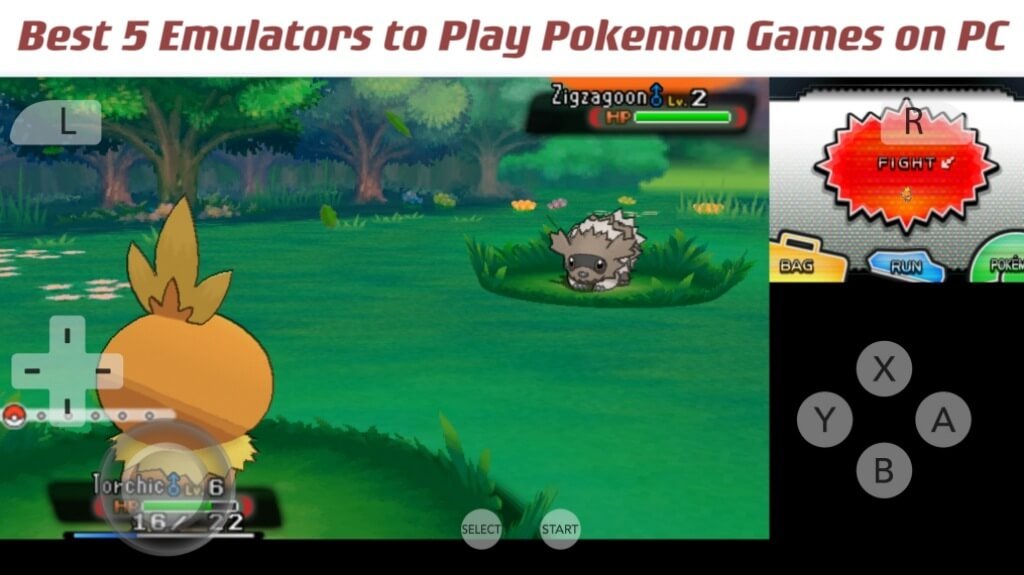
To get Pokemon games on PC, you will need to use emulators and ROMs, as official Pokemon titles are not directly released for PC.
Want to revisit your favorite Pokemon adventures on your computer? It’s definitely possible, though not through official channels. Many gamers are curious about how to get pokemon games on pc.
The process involves using emulators that mimic the hardware of Nintendo consoles and loading game files. This method allows you to play games like the old classics on your PC easily. We will guide you through the steps to enjoy pokemon games on your computer.

How to Get Pokemon Games on PC
Want to play your favorite Pokemon games on your computer? It’s a dream for many fans! While Nintendo consoles are where Pokemon games are officially released, there are ways to experience them on your PC. This guide will walk you through different methods, so you can start your Pokemon journey right from your desk.
Understanding the Options
Before we dive into the specifics, it’s important to know there are different paths you can take. Some methods are more straightforward, while others might be a bit more technical. Here’s a quick overview:
- Emulators: These are special programs that mimic the hardware of Nintendo consoles, allowing you to play their games on your PC. This is the most common way to play older Pokemon titles on a computer.
- Official PC Games: Nintendo has released a few Pokemon games directly for PC. These are usually spin-off titles and not the core, mainline series. We’ll check those out too.
- Cloud Gaming: With cloud services, you can sometimes stream Pokemon games. This option depends on the availability of the games and the service.
Emulating Pokemon Games
Emulation is the most popular way to play Pokemon games from older consoles, like the Game Boy Advance, Nintendo DS, and even some Nintendo 3DS games, on your computer. Here’s what you need to know:
What is an Emulator?
An emulator is a program that imitates the hardware of a gaming console. This makes it possible to run the games designed for that console on a completely different machine, like your PC. For Pokemon games, we’ll need emulators specific to the Nintendo consoles where the games were originally released. It’s like having a virtual Game Boy or DS on your computer.
Finding the Right Emulator
The emulator you need depends on the Pokemon game you want to play. Here are some of the most commonly used emulators for various Pokemon series:
- Game Boy & Game Boy Color: For the classics like Red, Blue, and Gold, you’ll want an emulator like VisualBoyAdvance (VBA) or mGBA.
- Game Boy Advance: For games such as Ruby, Sapphire, and FireRed, mGBA is often the preferred emulator.
- Nintendo DS: For Pokemon Diamond, Pearl, HeartGold, SoulSilver, and the Black/White series, DeSmuME and melonDS are good choices.
- Nintendo 3DS: Playing Pokemon X, Y, Sun, Moon, and Ultra versions requires a more powerful emulator, such as Citra, which is the most popular option.
Always make sure to get the emulator from a reputable source to avoid malware or viruses. Look for official websites or trusted download sites.
Obtaining Pokemon ROMs
Here’s where things can get a bit tricky. To play a Pokemon game on an emulator, you need its ROM file. A ROM file is essentially a digital copy of the game cartridge or disc. It’s crucial to understand that downloading ROMs of games you do not own is illegal, and you should only download ROMs of the games you have purchased legitimately.
If you own the physical game, you can create a ROM file yourself. You will need a special cartridge reader for the original hardware. However, this can be a bit challenging. If you’re unable to create ROM files on your own, you should find a physical copy of the game. Be mindful of copyright issues.
Setting Up the Emulator
Once you have the emulator and ROM file, setting up is usually pretty simple:
- Download and Install: Download the chosen emulator and follow the installation instructions.
- Open the Emulator: Start the emulator program on your computer.
- Load the ROM: Find the “Load ROM” or a similar option in the emulator menu. Browse to where you saved the Pokemon ROM file, and select it.
- Configure Settings (Optional): You can adjust graphic and sound settings to improve the gaming experience. These settings vary from one emulator to another.
Tips for a Smooth Emulation Experience
- System Requirements: Some emulators, especially those for 3DS games, need a relatively powerful computer. Check the requirements before downloading to ensure smooth gameplay.
- Controller Support: Emulators support various game controllers for a more comfortable playing experience.
- Save States: Emulators usually have a save state option. These are basically snapshots of the game you can return to instantly, which can be super helpful.
Official Pokemon PC Games
While not as expansive as the console libraries, Nintendo has officially released some Pokemon games for PC. These are usually spin-off or puzzle titles.
Pokemon Trading Card Game Online
This is a free-to-play game that allows you to play the Pokemon Trading Card Game online. You can build decks, battle other players, and collect digital cards. It’s a great way to play the trading card game if you don’t have physical cards.
Pokemon GO
Pokemon GO is another official Pokemon game available for mobile devices but can be playable on PC via emulators. You may require an emulator such as BlueStacks to run this game. Please know that playing this game via emulators may be prohibited by the game developer, and it could lead to account suspension.
Other Official Releases
From time to time, Nintendo might release other Pokemon games on PC, so it’s good to stay informed. These are usually announced on their official websites or on various gaming news outlets.
Cloud Gaming Services
Cloud gaming lets you play games on your computer via streaming. Instead of running the game on your computer, you play it remotely on a powerful server. Some cloud services may offer Pokemon games, although the availability can vary significantly based on the region and subscription. This means that you’re not actually downloading the game, rather just streaming the gameplay directly to your screen.
How Cloud Gaming Works
Here’s a quick look at how cloud gaming operates:
- Servers and Streaming: The game runs on a remote server, and the video and audio of the game are streamed to your computer.
- Controls Sent to Server: When you press a button or move a joystick, your input is sent back to the server for the game to respond.
- Fast Internet: Cloud gaming requires a solid internet connection with low latency to provide a seamless gaming experience.
Potential Pokemon Availability
Currently, direct streaming of main series Pokemon games isn’t a common practice on these services. However, this can change, so keep an eye on the game catalogs on cloud gaming services like Xbox Cloud Gaming, GeForce NOW, or Playstation Plus Premium. Sometimes these services add older games or spin-offs to their libraries.
Factors to Consider with Cloud Gaming
- Subscription Cost: Usually, cloud services require a monthly subscription fee.
- Internet Speed: You’ll need a fast and stable internet connection to stream games.
- Game Availability: The games offered on cloud services can change and not every Pokemon title will be available.
Legal and Ethical Considerations
It’s important to address the legal and ethical side of playing Pokemon games on PC. Copyright law protects video games. While emulation itself is not illegal, obtaining ROMs for games that you do not own is, generally, considered an act of copyright infringement. If you have physical copies of games, you may create a backup for your personal use. However, sharing or downloading ROMs of games you do not own is a violation of copyright law and can lead to legal consequences.
Always buy your games legally to support the creators. Enjoying games responsibly is part of being a gamer.
Playing Pokemon games on PC is certainly a lot more possible than you might imagine. By going through the ways described, which include emulation, official games, and the possibility of cloud gaming, you can definitely enjoy Pokemon on your PC. Emulation is the most popular way to play retro Pokemon games on your computer, but you always must ensure that you are following the law when you get your ROM files. Now go forth and have a fantastic time on your Pokemon adventure!
How to Play + Hack 3DS Games on PC (Citra)
Final Thoughts
To play Pokémon games on PC, you need an emulator and the corresponding ROM files. Finding reliable sources for ROMs requires research. Always prioritize legal options.
Downloading emulators is simple; many options exist online. Remember to install only from trusted websites to avoid malware. Remember that how to get pokemon games on pc often involves this process.
Enjoy playing your favorite Pokémon titles on your computer. It’s a great way to revisit classic games. Remember this method works for older titles.

