
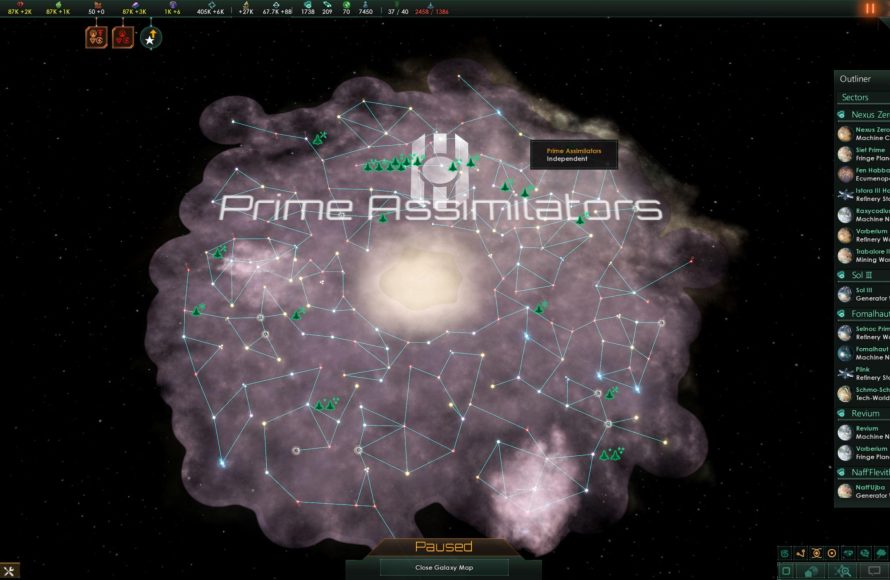
To get Stellaris to run better late game, reduce the number of pops and empires, limit galaxy size, and disable unnecessary graphical options.
Stellaris, a grand strategy game, can become quite demanding as you progress into the later stages. The game often slows down as the number of empires, pops, and ships increase. Many players struggle with this, wondering how to get Stellaris to run better late game. It is a common problem, that’s why many players start to search for tips to improve performance.
Late-game slowdowns can interrupt the strategic flow and overall fun of the experience. Fortunately, a few key actions can help boost your game’s performance significantly. These changes will allow for a smoother gameplay, even with huge galactic empires fighting for control.

How to Get Stellaris to Run Better Late Game
Stellaris, a game where you build galactic empires, can become a bit slow as your galaxy gets more populated. This happens mostly in the late game when there are many planets, spaceships, and civilizations. This slowdown can make the game less fun. But don’t worry! There are many things you can do to make the game run smoother, even when your galaxy is very big and busy. We’re going to talk about these things and explain them in a way that’s easy to understand.
Understanding Why Stellaris Slows Down
First, it’s good to know why Stellaris slows down as the game goes on. Think of it like a busy city. In the beginning, there are just a few people and buildings, so everything moves quickly. But as more people move in and more buildings are made, the city becomes crowded, and things start to slow down. Stellaris is kind of the same way. The game has to keep track of every ship, planet, and pop (which are like the people in the game). The more there are, the more work the game has to do. When the game has a lot of work, it can start to run slow. Here are a few big things that can make the game slow:
- Lots of Pops: Each pop on a planet does things, and the game has to keep track of them. The more pops there are, the more the game has to work.
- Huge Fleets: When you and other empires have many ships, the game has to track all of them. This can make the game slow, especially when there are big space battles.
- Many Planets and Systems: A galaxy with many planets and star systems means the game has to keep track of each of them. This takes a lot of work.
Optimizing Your Game Settings
One of the first and easiest things you can do to improve performance is to adjust your game settings. Stellaris has many options you can change to help it run better. Some of these settings can reduce how much work the game has to do, without making the game look much different.
Graphics Settings
The graphics settings control how good the game looks. The better the graphics, the more work the game has to do. If your game is running slow, try turning some of these settings down.
- Resolution: This is how sharp the game looks. Using a lower resolution can help the game run faster. Try choosing a lower resolution, such as 1600×900 or 1280×720.
- Graphics Quality: This setting lets you choose how good the game’s textures, shadows, and other effects look. Try setting this to medium or low to see if the game runs better.
- Anti-Aliasing: This makes edges look smoother but also takes up processing power. Turning this off or down can help.
- Shadows: Shadows can take up a lot of processing power. Try turning shadows to low or off.
- V-Sync: V-Sync helps prevent screen tearing, but it can make the game run slower. Try turning it off.
- Bloom and Lens Flare: These are visual effects that can be turned off to save some processing power.
Other Game Settings
Besides graphics, there are other game settings you can adjust.
- Galaxy Size: Smaller galaxies have fewer systems and planets. If you start a new game, consider using a smaller galaxy size for better performance.
- AI Empires: Fewer AI empires means the game has less to calculate. Try using fewer AI empires for your game.
- Habitable Planets: Fewer habitable planets can also help the game run faster.
Managing Your Empire Efficiently
How you manage your empire in Stellaris can also make a big difference in how well the game runs in the late game. Here’s what you can do:
Controlling Population Growth
Pops are the people in your empire, and the more you have, the harder the game has to work. Instead of letting your population grow everywhere, you need to think about managing it. Some ways you can do that include:
- Using Planetary Designations: Planets that specialize in certain things (like research or alloys) can be optimized for specific pop types. For example, try to avoid growing lots of workers on planets meant for research.
- Setting Pop Controls: You can set some laws and policies that can slow down population growth. Look into things like “Population Controls” on your planet settings.
- Relocating Populations: Move extra pops from very crowded planets to less crowded ones. This can keep any single planet from becoming overcrowded and very hard for the game to manage.
Optimizing Your Fleets
Large fleets with many ships are a big cause of late-game slowdown. Here’s how to manage them better:
- Avoid Large, Unnecessary Fleets: Don’t keep huge fleets that aren’t really doing anything. If you do not need a big fleet to protect a certain area, it is often better to combine small fleets into larger more effective groups.
- Use Efficient Ship Designs: Use effective ship designs. You can use designs that focus on firepower rather than just making the biggest fleets.
- Combine and Consolidate: Merge smaller fleets into larger, more manageable ones. Fewer fleets, even if they are stronger, mean less for the game to track.
- Utilize Jump Drives Carefully: Jump drives might look cool but they add lots of calculations for the game to do, because when many ships enter or exit a system through a jump, the game need to process the fleet moving in and out of system. Try to use only when necessary.
Streamlining Planet Management
As your empire grows, managing many planets can also make the game slow. Try these tips to keep your planets organized:
- Specialize Planets: Make some planets for research, some for resources, and some for alloys. This makes your empire more organized and reduces the number of buildings you have to manage on each planet.
- Use Automation: Use the game’s automation feature to let the game manage some basic building tasks. For example, if you choose for a planet to automatically produce resource, you can select the planetary designation that best optimizes the planet’s output.
- Prioritize Important Planets: Some planets are more important than others. Focus on making those planets very efficient, and don’t worry as much about the less important ones.
Using Mods to Improve Performance
Mods are like add-ons for the game. There are mods that can help the game run faster. Some of these change the game in big ways, but there are also ones that focus on performance without changing the way you play too much. Here are some different kinds of mods to think about:
Performance-Focused Mods
These mods are made to make the game run better. Here are some to look for:
- Performance Optimizers: Look for mods that clean up how the game works on the inside. These usually make the game run faster, without changing what you see.
- Pop Management Mods: Some mods help manage the pops in your empire better. They might reduce how many calculations the game has to do.
- Graphics Tweaks: Some mods reduce the graphic demands without impacting the game visual experience to much. These often remove unneeded graphical elements that make game more demanding.
Careful Mod Usage
Mods can help, but you need to use them carefully.
- Read Mod Descriptions: Make sure you understand what a mod does before using it. Some mods can cause problems if they don’t work well with the game or with other mods.
- Use One Mod At a Time: Try using only one mod at a time, especially at first, to see if it helps or causes problems.
- Update Mods: Make sure the mods you use are up-to-date. Outdated mods can cause problems.
General Tips for Better Performance
Here are some overall strategies that can help the game run better, especially in the late game of Stellaris.
Avoid Overexpansion
It’s tempting to grow as fast as possible, but it is often more effective to concentrate on having fewer planets that are very optimized. Instead of taking every single star system, try to get the best systems and focus on developing them.
Plan Your Research
How you research can impact your game’s performance. Some technologies can slow the game down by adding new things for the game to keep track of. For instance if you have many research stations or science ships in a system, the game need to work harder to process the research. Keep this in mind when making your selections.
Save Regularly
Saving your game often can help if the game crashes. Also, you can try loading older saves if the game is running badly after some events. Regular save files can be a good backup plan if things go wrong. You can use the ironman save function to do it automatically if you chose so, but it is better to make the save files yourself.
Restart Your Game
Sometimes, restarting the game can help it run faster. When the game has been running for a long time it can start to use more resources, and restarting it will help clear the game process. It can also help resolve glitches that might have caused any performance problem.
Computer Hardware
It’s important to remember that even with all these tips, Stellaris is a demanding game. If your computer isn’t powerful enough, the game might still be slow, especially in the late game. Here are a few important parts of your computer that matter for Stellaris performance:
- CPU (Central Processing Unit): The CPU does most of the work for Stellaris. A faster CPU will help the game run better, especially in the late game when there are a lot of calculations to do.
- RAM (Random Access Memory): Stellaris needs enough RAM to run smoothly. More RAM will help the game if you start to have lots of planets and ships. 16GB of RAM is often a good idea for Stellaris.
- SSD (Solid State Drive): If you have an SSD, the game should load faster and run more smoothly. The hard drive can make the loading process a lot more faster.
- GPU (Graphics Processing Unit): The GPU is important for how good the game looks. If you lower the graphics settings, a weaker GPU can often run the game fine but having a good GPU is still important.
By understanding these aspects of hardware and their connection to Stellaris, you can better equip yourself to make the needed adjustments and get the optimal play experience.
Improving Stellaris’ late-game performance can feel like a big job, but it’s totally doable. By making changes to your settings, managing your empire carefully, and using mods wisely, you can get the game to run much better. Remember to try these things one at a time to see what works best for your game and computer. With a bit of effort, you can continue to enjoy your galactic adventures without too much annoying slowdowns. Keep these ideas in mind and you’ll be conquering the galaxy smoothly in no time!
Stellaris: Game Settings Performance Optimisation
Final Thoughts
To improve late-game Stellaris performance, reduce pop count by resettling or exterminating. Limit the number of starbases and consider smaller galaxy sizes for new games. A powerful PC is a must, especially for complex simulations.
Also, purge excess unemployed pops or consider assimilation options that reduce specific species populations. These actions reduce calculations and improve game speed. You can make better choices and learn how to get stellaris to run better late game.

