
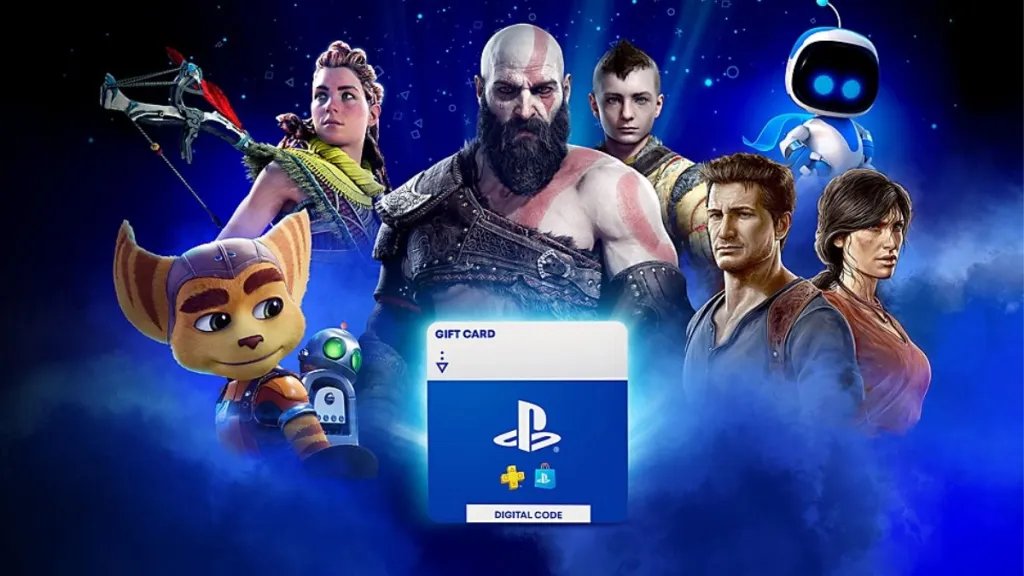
You can gift a digital game on PS5 by purchasing it from the PlayStation Store as a gift during checkout and sending it to your friend’s PlayStation Network account.
Want to surprise a friend with a new game? It’s easier than you might think. Gifting games digitally is a great way to show someone you care.
The PlayStation 5 makes it simple to gift games right from the console. We are here to guide you on exactly how to gift a digital game on ps5, ensuring you get the gift to the right person. This guide will walk you through the straightforward steps, so that your friend enjoys their new game quickly.

How to Gift a Digital Game on PS5
Want to surprise a friend or family member with a new PlayStation 5 game? Giving a digital game is a fantastic way to celebrate birthdays, holidays, or just because! It’s quick, convenient, and you don’t even have to leave your couch. This guide will walk you through everything you need to know about how to gift a digital game on PS5, so let’s jump right in!
Understanding Digital Game Gifting on PS5
Before we get started, it’s important to know a few things about gifting digital games on the PlayStation 5. Unlike physical games, you don’t buy a disc to give. Instead, you purchase a digital download code that the recipient can redeem on their own console. This means they can start playing immediately after redeeming the code. It’s super easy, but you need to do it right, so they don’t miss out on their gift. There are a couple of ways to make this happen and we’ll cover each method in detail, also note that you need to be in the same region as the recipient to use PSN gifting. For example, you cannot gift a game if you are in Europe and the recipient is in the United States, this is based on the PlayStation network region.
Who Can You Gift To?
You can gift a game to anyone who has a PlayStation Network (PSN) account and a PS5 console. This includes your friends on your PSN friend list, and also family members. It is always a good idea to confirm their PSN ID so you gift to the right person.
What Games Can You Gift?
Generally, most games available on the PlayStation Store can be gifted. This includes full games, add-ons, and even some in-game currency. However, there might be rare exceptions depending on the game or region, so always double-check on the PlayStation store. You can not gift physical copy of the game from PSN. You can only gift digital copies.
Method 1: Gifting Directly from the PlayStation Store
This is the most common method for gifting a game, and it is pretty straightforward. You can send game gifts directly from the Playstation store, following these steps:
Step-by-step Guide to Gifting via PS Store
- Turn on your PS5 and go to the PlayStation Store. You can find this by going to the PlayStation home screen and selecting the PlayStation Store icon. It looks like a shopping bag.
- Search for the game you want to gift. Use the search bar at the top of the screen and type in the name of the game.
- Select the game. Click on the game when you see it in the search results. This takes you to the game’s details page.
- Look for the “Add to Cart” button, or a Price Tag button. Most of the games directly have this option. Now you have to press on the button of the game that you want to gift.
- Choose the Gift Option. On the Game page, there is an option to gift the item. This may be hidden behind a … button, or a gift icon. It may be present right next to the “Add to Cart” button.
- Select the recipient. A list of your PSN friends will appear. Choose the friend or family member that you want to send the game to. If the person is not on your friend list, you may have to send the gift through the second method.
- Add a message (Optional). You can add a personal message to the gift before sending it. This is a nice touch, especially for special occasions.
- Confirm and Pay. After adding a message, or if you decide not to add one, confirm that the recipient is correct and then proceed to the payment section. You can use the method you have set up, or choose from another option that you have.
- Send the Gift. After payment is successful, the recipient will get a notification on their PS5. They will also get a notification on their PlayStation app, so they don’t miss it.
Important Things To Remember When Using This Method:
- Make sure you’ve added the person as a friend on PSN beforehand. You won’t be able to send a gift through the PS Store if they’re not your friend.
- Make sure you have an active payment method set up on your PSN account.
- The recipient’s region must be the same as yours, as mentioned previously.
Method 2: Gifting a PlayStation Store Gift Card
If you don’t know which game to gift, or if you want the recipient to choose their own game, you can give a PSN gift card instead. This works as prepaid money that they can use on the PS Store. This is a great option for picky gamers, or if you’re unsure of their favorite genres. You may have to use this method if your friend is not on your PSN friend list.
Where to Buy a PlayStation Store Gift Card
You can purchase these gift cards from various locations:
- Online Retailers: Many major online stores, like Amazon and Best Buy, sell digital PlayStation Store gift cards. You’ll receive a digital code that you can then send to your friend or family member.
- Physical Retailers: Stores that sell video games, like Walmart, Target, or GameStop usually carry physical gift cards for PSN. You can buy these in store and gift them as you would normally.
- PlayStation Direct: You can also buy digital gift cards directly from the official PlayStation website.
How to Gift a Gift Card
The process for gifting a gift card depends on whether you bought a digital code or a physical card.
If You Bought a Digital Code:
- You’ll get the code sent to you after purchase.
- You can then forward the code to the person you want to gift it to via text, email, or any other way you prefer.
If You Bought a Physical Gift Card:
- Give the physical card as a present, just like any other physical gift. The recipient will then scratch off the back to reveal the code.
How the Recipient Redeems a Gift Card
- The recipient needs to sign in to their PSN account on their PS5.
- Go to the PlayStation Store from the main screen.
- Scroll to the end of the left sidebar, and look for the “Redeem Codes” button.
- Input the 12-digit code that they received, and click on “Redeem”.
- The amount on the gift card will now be added to their PSN wallet, and they can use it to buy a game or any content they want.
Important Things To Remember When Using This Method:
- Gift cards can only be redeemed in the region they were purchased. So, if you buy a US gift card, it can only be redeemed on a US PSN account.
- Some gift cards have expiration dates, so make sure to let the recipient know if that’s the case.
Tips for Gifting Digital Games
Gifting games can be a very rewarding experience and these simple tips can help you make it even better.
Consider the Recipient’s Taste
Before you buy a game, think about the kind of games that the recipient enjoys. Do they like action games, role playing games, sports or racing games, or something else? If you don’t know what they like, you can ask around, or you can opt for a gift card so they can choose on their own.
Timing is Key
Consider the timing of your gift, especially if it’s for a special occasion. Sending the game a day or two before the actual event can add to the excitement, and is also a good idea if the game is about to be on discount. There is no need to wait for the day itself, you can also make the notification of the gift a surprise for the recipient.
Add a Personal Touch
When gifting through the PS Store, always add a personal message. Even a short note can show that you put some effort into the gift. If you gift a card, it’s always nice to include a physical card too with a message.
Check for Deals
The PlayStation Store often has sales and deals on games. Before you buy, check if the game you want is on sale, or if you can bundle any additional content with it. This can save you money and give your friend more to enjoy.
Troubleshooting Common Issues
Sometimes, things don’t go as planned. Here are some common issues and how to solve them:
Recipient Didn’t Receive the Gift
If the person you gifted to didn’t receive the game, first check if:
- They are on your friends list.
- You sent the gift to the correct account.
- They have checked their notifications on their PS5 or through the PlayStation App.
If everything looks good on your side and they are still not receiving the gift, they need to contact the PlayStation Support.
Error Redeeming the Code
If the recipient has issues with redeeming the code for the gift card, make sure:
- They have entered the code correctly. Double-check the code, making sure you have not confused similar looking characters such as 0 and O.
- That the region of the gift card matches their PlayStation account region.
- The code has not expired yet.
If the recipient still has issues, then they need to contact PlayStation support. Be careful to note that physical cards can sometimes have the code scraped off or damaged, in which case you may have to contact support to check if the gift card is still valid.
Payment Issues
If you have any issues with making a payment to gift a game through the PS store, try:
- Making sure you have funds in your account, or enough credit limit.
- Checking if your credit/debit card is still active.
- Try using a different payment method.
If your payment still fails, then you may have to contact your bank or PSN Support.
Gifting a digital game on PS5 is a simple yet thoughtful gesture that can bring lots of joy. Whether you choose to send a specific game or a gift card, the key is to personalize it and think about what the recipient will appreciate most. So go ahead, pick out that perfect game, and make someone’s day!
How To Buy a Game on Playstation Store as a Gift?
Final Thoughts
To gift a digital game on PS5, you need to use the PlayStation Store. Simply find the game you want, select “Add to Cart,” then choose “Purchase as Gift.” Enter your friend’s PlayStation Network ID.
Make sure your friend is on your friend list. They will receive a code to redeem the gifted game. This method covers exactly how to gift a digital game on ps5.
Gifting is convenient. Your friend can start playing right away with a few quick steps. Enjoy sharing awesome gaming experiences with friends through gifting.

