
To play an online game in College Football 25, you’ll need to navigate to the online multiplayer mode within the game’s menu and then either create or join a match.
Ready to get competitive? College Football 25 is here, and the excitement of online matchups is calling. Many players want to know how to play an online game in college football 25, and we’ll quickly explain.
Getting into an online game is actually quite easy, once you’re in the right area of the game. We will walk you through the basic steps. So, prepare to show off your skills on the virtual gridiron.

How to Play an Online Game in College Football 25
Getting ready to dive into the world of online college football with College Football 25? It’s super exciting to play against your friends (or even strangers!) and see who has the best skills on the virtual gridiron. But, if you’re new to online play, it might seem a little confusing at first. Don’t worry, we’ve got you covered! This guide will walk you through everything you need to know to get started and have a blast playing online. We’ll explore setting up your game, making the most of different game modes, and even tips to get better. Let’s get ready to play some football!
Getting Started: The Basics of Online Play
Before you can throw that perfect spiral or make an incredible interception, you need to get online. Here’s how to get the ball rolling:
Making Sure You’re Connected
First things first, your gaming console (like a PlayStation or Xbox) or your PC needs to be connected to the internet. Usually, this is done through Wi-Fi, but some people use an Ethernet cable (that’s like a special internet wire) for a faster, more reliable connection. If your console is already online, you’re good to go. If not, you will need to go through your console’s settings and connect it to your internet.
Finding the Online Mode
Once you’re connected, launch College Football 25. On the main menu, you’ll need to find the option for online play. This might be called “Online Mode,” “Multiplayer,” or something similar. It’s usually pretty easy to spot. It’s like looking for the start button, but for playing with others. Click that to go to the online part of the game.
Choosing Your Platform
College Football 25 is usually available on various platforms. If you are playing on a console (Playstation 5 or Xbox series X/S), make sure you are playing the same version of the game as your friend or opponent. This is important because players on different platforms usually cannot play against each other. If you are playing on PC, you will be able to play against other PC players. Double check that your friends are playing the same version of the game as you are to make sure you can play together.
Creating an Account (If Needed)
Some online games need you to have an account with their service (like Xbox Live or PlayStation Network). If you don’t have an account, you might need to create one. Usually, the game will walk you through this, and it’s like making an account for any other website. You will need to make a user name and password.
Understanding Game Modes
College Football 25 offers several ways to play online, each with its own flavor. Think of them as different ways to enjoy the game.
Play Now: A Quick Match
This is often the simplest way to get into a game online. It’s where you can quickly play against another person. You just pick your team and start playing. It’s a great option if you want a game fast and don’t want to mess with lots of extra settings. Just click “Play Now” and start playing.
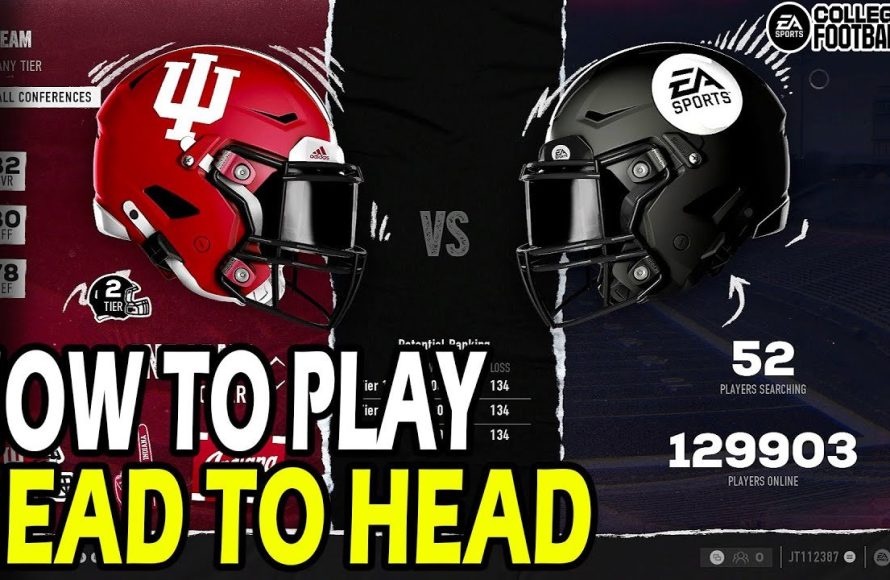
Head to Head Matchups
This mode will match you up with a random opponent online. This is great for getting a quick game and playing against an opponent. If you are new to the game, this will be a good way to test your skills. You can start a new matchup after your previous one has finished.
Online Leagues: Playing with Friends or a Group
Want to play with a set group of friends over time? This is where Online Leagues come in. Here, you can create a league with your pals and play against each other throughout a season. You can customize rules, track stats, and have a more ongoing experience. It’s like having your own little virtual football conference.
- Creating a League: The person who makes the league becomes the “commissioner” and gets to invite others.
- Joining a League: Look for the “join a league” button and enter the code or name the commissioner gives you.
- Playing Games: Schedule games with other members of your league and see who can come out on top.
Online Dynasty: Managing Your Own Team
If you like to play as the coach of a team, this game mode will be perfect for you. You can select a team, recruit new players, and build up a franchise to dominate in the college football world. You can select a team and then play that team online against another person who has their own team.
- Choosing Your School: Select a school and begin coaching as you build up your team.
- Recruiting Players: Search for new talent to bring to your school.
- Competing for Titles: Play your games and see if you can bring your college team a national championship.
Setting Up Your Game
Before you get on the field, you will want to get everything set up. This can include, choosing your team, picking the uniforms, and choosing the time of day for your game.
Choosing Your Team
Whether you’re a die-hard fan of a specific team or just want to play with the best, you’ll pick a team for your online game. This is usually done at the beginning of each game. Some people will pick their favorite team, while others want to play with the team that has the most talent. It is always up to you to decide which team you will want to play as.
Choosing Uniforms
Some players like to have their team look its best for online games. You can select a home or away uniform for your team, or you could select a different style uniform. Some teams even have specialty uniforms that you can use for your game. Do you want your players to look fancy? Then select your favorite uniforms for your team.
Game Settings
You might have the option to tweak a few game settings before starting. This can include things like game length, how hard the game is, and the type of weather. Play around and see what feels right for you. There are multiple difficulty levels to choose from. You should start off with an easier one and work your way up to the harder ones as you get better at the game.
Playing the Game Online
Now it’s time for the fun part: playing the game. Here are some things to remember while playing.
Being a Good Sport
When playing with others online, it’s important to be a good sport. That means being respectful to your opponents, even if you’re losing. Don’t say mean things or give up if things aren’t going your way. You can give a “good game” at the end of the match.
Using Voice Chat (Optional)
Some games offer voice chat, which lets you talk with your opponents using a microphone. This can be really fun, but also remember to be a good sport. If you’re playing with friends, voice chat can make the game even better. You can talk about your strategies and joke around with each other.
Understanding the Game Controls
Before you start playing, make sure you understand how to control your players. This includes how to pass, run, tackle, and make plays. It might be useful to practice in the “training” mode before jumping into an online game.
Tips for Getting Better at Online Play
Getting better at online play takes some time and practice, but these tips will help you.
Practice Makes Perfect
The more you play, the better you’ll get. Don’t get discouraged if you lose at first. Keep practicing and you’ll improve over time. Practice different plays and try out different strategies to find what works best for you.
Watch Experienced Players
Watching videos of other people playing can be a great way to learn new tips and tricks. See how they move, what plays they use, and learn from their techniques. You can search on YouTube for some videos that could help you.
Learn the Plays
Take the time to learn some different plays. Understand what they do and when to use them. Knowing different plays is a good way to surprise your opponent. Once you know the plays, you can start to call them like a real coach.
Adjust Your Strategy
What works against one player might not work against another. Be ready to change your game plan if you’re not doing well. You might need to be able to change your strategies to keep your opponent guessing. You don’t want to do the same thing over and over again.
Troubleshooting Common Issues
Sometimes, things don’t go smoothly. Here are some common problems and how to fix them:
Connection Issues
If your game keeps freezing or disconnecting, you might have a problem with your internet connection. Try restarting your router or moving closer to your Wi-Fi signal. It’s usually best to be as close to the Wi-Fi signal as possible. Make sure you don’t have too many other devices using the internet at the same time.
Game Freezing
Sometimes the game may freeze up or glitch. Try restarting the game. If that doesn’t work, you may have to restart your console and try again.
Game Not Starting
Make sure that your system meets all the requirements for the game. If not, your console may not be able to play the game. Make sure that the game is also updated to the latest version.
Additional Tips
- Use the practice mode: Spend some time in practice mode before playing online, so you can get used to the controls.
- Learn different plays: Know a variety of plays, so you can keep your opponents on their toes.
- Take a break: Don’t get frustrated if things aren’t going your way. Take a break, then come back fresh.
- Have Fun: Remember that games are meant to be fun, so relax and enjoy the experience!
Playing College Football 25 online is a great way to enjoy the game and compete with others. Remember to follow these steps and tips and you will be ready to have some great football games. Keep practicing, be a good sport, and most of all, have fun!
How to Play Head to Head Online Matches in College Football 25
Final Thoughts
To play an online game, navigate to the online mode within the main menu. Next, choose your desired match type and then invite friends or find a random opponent. Ensure you have a stable internet connection for the best experience.
The game features options for quick matches or more structured leagues. Setting up your team is key before you begin. The selection process lets you pick your school and customize your roster for ‘how to play an online game in college football 25’.

