
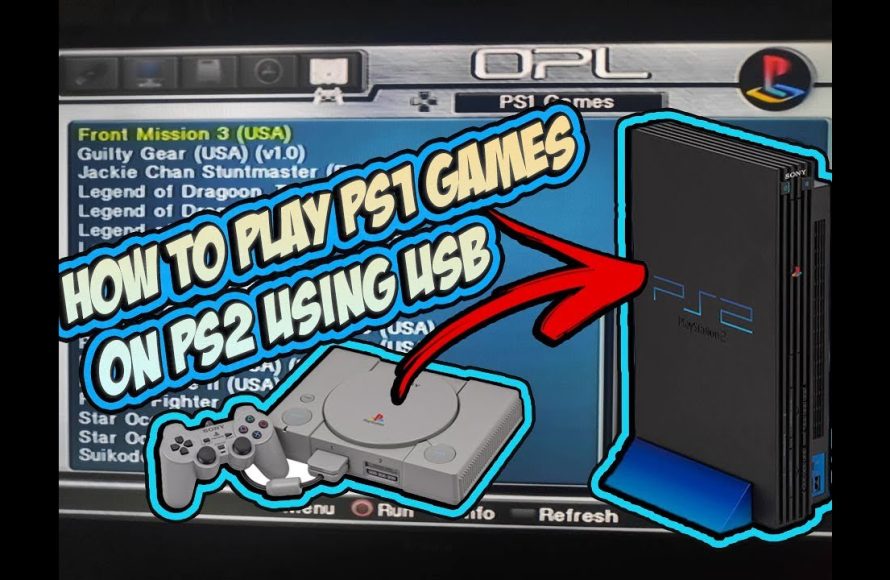
To play games on PS2, insert a compatible game disc into the console’s disc tray, power on the system, and use the controller to navigate the menu and start the game.
Dust off that old PlayStation 2 because it’s time for some retro gaming fun! You might be wondering exactly how to play games on PS2 after all this time. It’s simpler than you might remember.
The key is having your original console, a compatible controller, and of course, the game discs themselves. Once everything is plugged in, you are ready to start. It’s just like the old days!

How to Play Games on PS2: A Complete Guide
So, you’ve got a PlayStation 2, or maybe you’ve dusted off an old friend from the attic, and you’re itching to play some classic games. That’s fantastic! The PS2 is a legendary console, filled with amazing titles. But how exactly do you get those games running? Don’t worry; it’s easier than you might think. Let’s walk through everything you need to know to start playing your favorite games on your PS2.
Getting Started: What You’ll Need
Before you can dive into the gaming goodness, let’s make sure you have all the essentials. This isn’t a long list, but it’s important to check you have everything before you get too excited.
The PlayStation 2 Console
Obviously, you’ll need a PlayStation 2 console itself. There are a few different versions, like the original fat PS2 and the slim version, but they all play the same games. Make sure your console is in good working order and that all the necessary ports are free of any obstruction.
The Correct Power Cable and Video Cable
You’ll also need a power cable to plug your console into the wall and a video cable to connect it to your TV. The PS2 uses AV cables (the red, white, and yellow ones) or component cables (red, green, blue, white, and red). It can also work with HDMI if you have an adapter, but these are not standard and come separately. Make sure the cable type matches your TV’s ports, if your TV does not have the older AV inputs you’ll need to use an adapter.
A Controller
You will need a PS2 controller. You can use the standard wired controller, or if you have a wireless controller, you’ll also need its receiver that plugs into the console. It’s very important to have a controller that is functioning correctly to fully enjoy playing games on PS2.
PS2 Games
And of course, the most important thing – the game! PS2 games come on DVDs, and they are specific to this console, so you’ll need to make sure you have the right discs. These discs are different from movies on DVDs.
Optional: Memory Card
While not required to play some games, a PS2 memory card is definitely important for saving your game progress. Most games require you to have one to save the game. PS2 memory cards are specific to the PS2, so a memory card from another system will not work.
Setting Up Your PS2
Now that you’ve gathered all your gear, let’s get it all connected. This is a step-by-step guide to make it a breeze.
Connecting the Cables
First, plug in the power cable into the back of your PS2 and the other end into a power outlet. Next, connect your video cable. If you’re using AV cables, plug the yellow plug into the video input on your TV (usually colored yellow), the red into red, and the white into white for audio. If you’re using component cables, match up the colors on the console and your TV and connect them properly. Make sure they’re plugged in securely to ensure the picture and sound work correctly.
Powering On
Once everything is connected, press the power button on your PS2. The power button is normally located on the front of the console. If everything is connected properly, you should see the PlayStation logo on your TV screen. If the console powers on but you don’t get video on the screen, double check to ensure all the cables are connected securely and in the right ports on the TV.
Inserting a Game Disc
Now, you’re ready to insert a game. Open the disc tray by pressing the open button, which is typically on the front of the console. Carefully place your game disc onto the tray with the label facing up. Then, push the tray back in. Your PS2 will automatically read the disc, and then a screen showing the game logo or the game’s main menu will appear on your TV. It’s like magic, but it is simply technology!
Navigating the PS2 Menu
When you turn on your PS2 without a game, you’ll be in the main menu. Let’s look at what you can do from here.
The Main Menu
The main menu is where you control what the PS2 does. You’ll see different options like ‘Browser,’ ‘System Configuration,’ and ‘Memory Card’ utilities. The main menu’s icons are easy to understand, and navigating is very easy. You use the directional buttons (D-pad or analog sticks) to move the cursor, and press the ‘X’ button to choose the option you want.
Browser
The browser is a tool where you can see saved data on your memory cards, like how far you’ve progressed in the different games. You can manage your saves here, for example deleting save data or copying them. Select ‘Memory Card’ in the browser to view the contents of a memory card.
System Configuration
This is where you can change settings for your PS2, such as the screen output, system language, clock settings, and even the type of disc reading the system uses. It’s a good place to check if you’re having trouble with the video output, or want to change settings.
Memory Card Utility
You will also find this utility in browser or separately. This allows you to manage the saved data on the PS2 memory cards. You can copy, move, or delete save files. This is a good feature to use when you have multiple memory cards, or you want to create backup files for the game saves.
Playing Games: The Basics
Okay, the console is on, the game disc is in, and now the exciting part. Let’s learn the basics of how to actually play the game.
Starting a Game
Once you put in a game disc, the PS2 will read the game data and a title screen for the game will appear on your TV. Most games show an introduction or title screen before taking you to the main menu. From there, the game will typically show you options like ‘New Game’ or ‘Continue’. Select the option you like and the game will begin.
Game Controls
Every game has its own unique controls, but most games use the same general control layout. The D-pad and left analog stick are used for movement, the ‘X’ button is commonly used for selecting or doing an action like jumping, the ‘O’ button can be for canceling or returning, the ‘Square’ and ‘Triangle’ buttons have different functions depending on the game, and the shoulder buttons (L1, L2, R1, R2) are often used for camera control, secondary actions or special abilities. The start button is usually for bringing up a menu of in-game options and pause the game. The select button is also for menus in some games.
Saving Your Progress
Many games allow you to save your progress using memory cards. Usually, you save within the game’s menus or sometimes in certain points during the game. Be sure to save regularly! The PS2 needs a memory card to save a game, which is different from newer consoles. So if you plan on playing a game for some time, or if you want to continue playing on a different day, you will need to save the game to a memory card, as most games are not able to save the game on the console itself.
Advanced Tips and Troubleshooting
Sometimes, things might not go as smoothly as planned. Don’t panic; let’s look at some potential issues and how to address them.
No Video or Audio
If you’re getting no picture or sound, first double-check all your cable connections. Ensure they’re all securely plugged into both the PS2 and your TV. Also, make sure you have selected the correct input on your TV. Sometimes, a bad cable can cause these issues, so try using different cables if possible. Try also changing the video output settings of the PS2 in the System Configuration menu, in case the current video output setting is not compatible with your TV. In case of the console not being able to display video at all, then you need to get the console checked by a technician, or replace it with a console that works properly.
Game Disc Not Reading
If your PS2 is not reading the game disc, make sure there is no dust or smudges on the disc. Clean the disc gently with a soft cloth by wiping from the center of the disc outwards, and not in a circular motion. If the disc is badly scratched or damaged, the PS2 may have difficulty reading it. Try using other game discs, if other games work on the console then you know that particular disc might be faulty, otherwise if none of the disc works, it may be that your PS2’s laser reading mechanism needs to be repaired. The same can also be the case if your disc is reading but the game is showing errors, or if the game crashes in the middle. When there are issues like this, it is likely that the laser mechanism might need to be serviced.
Controller Issues
If your controller is not responding, ensure it is connected securely to the console. If you have a wireless controller, check the receiver, and make sure to change the batteries of the controller as well. Try using a different controller, if another controller works it means that the previous one is likely the faulty one, otherwise there might be some issue with the controller port of the console.
Memory Card Problems
If your memory card is not working, make sure to try and use another one, or test your memory card on another PS2. If other memory cards work on the same console, it means the memory card is likely faulty. If your memory card works on other console, then the problem might be the PS2 console’s memory card port, and it needs to be repaired. Sometimes, corrupted data on the memory card can cause problems, so try removing the files, or format the card. Make a backup of the data if you can before formatting.
Exploring the PS2 Game Library
The PS2 has a massive library of games that cover all genres. Let’s explore a little of what it has to offer.
Popular Games
Some of the most loved and popular games on the PS2 include titles like Grand Theft Auto: San Andreas, Final Fantasy X, Metal Gear Solid 3, Kingdom Hearts, God of War and Resident Evil 4. These are just a few examples of the great and diverse game library that is available for the PS2 console. You’ll find something interesting in every genre! These games are not only popular but also widely available to find if you want to collect them physically.
Game Genres
PS2 has games for everyone. There are action games, adventure games, role-playing games (RPGs), sports games, racing games, puzzle games, and many more. You can explore these genres to discover what you like the most, and you may find some new favorite genres. The PS2 game library has games that can appeal to players of all different ages.
Finding Games
You can find PS2 games online, in stores that sell used games, or even at local flea markets. It’s always exciting to discover old games that you may have missed. Some retro game stores might have titles that are very difficult to find nowadays, so be sure to check out the local game stores in your area. When buying used games, inspect the disc to make sure there are not many scratches or damages, as they can sometimes cause problems while playing.
Maintaining Your PS2 Console
To keep your PS2 running well for years, a bit of simple maintenance can go a long way.
Cleaning
Dust can be your PS2’s worst enemy. Be sure to clean your console regularly using a soft cloth and some isopropyl alcohol for removing tough stains. Clean the area around the disc tray, the ports, and the vents to ensure proper airflow and good performance. Clean the console gently and don’t let any moisture enter into the inside of the console. Don’t use a very wet cloth, only use a damp cloth when necessary.
Storage
When you’re not using your PS2, store it in a cool, dry place. Avoid placing it in direct sunlight or near sources of heat, such as heaters or direct sunlight. The PS2 should be stored horizontally as well, to prevent any damages while storing. Be sure to also store the controllers properly, so that they don’t get any damages.
Disc Care
Always handle game discs with care by holding them at the edges. Avoid touching the shiny part of the disc to prevent scratching it. When not using them store them in their boxes to keep them safe from scratches and dust.
Playing games on the PS2 is a great experience, thanks to a vast library of fun and enjoyable titles. Once you understand the basics, you’ll be able to explore many classic games. By following this guide, you should now have the knowledge to play on your PS2, troubleshoot minor issues and discover many games that this wonderful console has to offer. Happy gaming!
How can the PS2 play games without a disc?
Final Thoughts
To play games on your PS2, first insert a compatible disc. Turn on the console and select the game using the controller. The system will then load the game.
Make sure you have a functional controller for navigation. Also, a power source and video connection to a TV are must. ‘how to play games on ps2’ is quite straightforward with these steps.

