
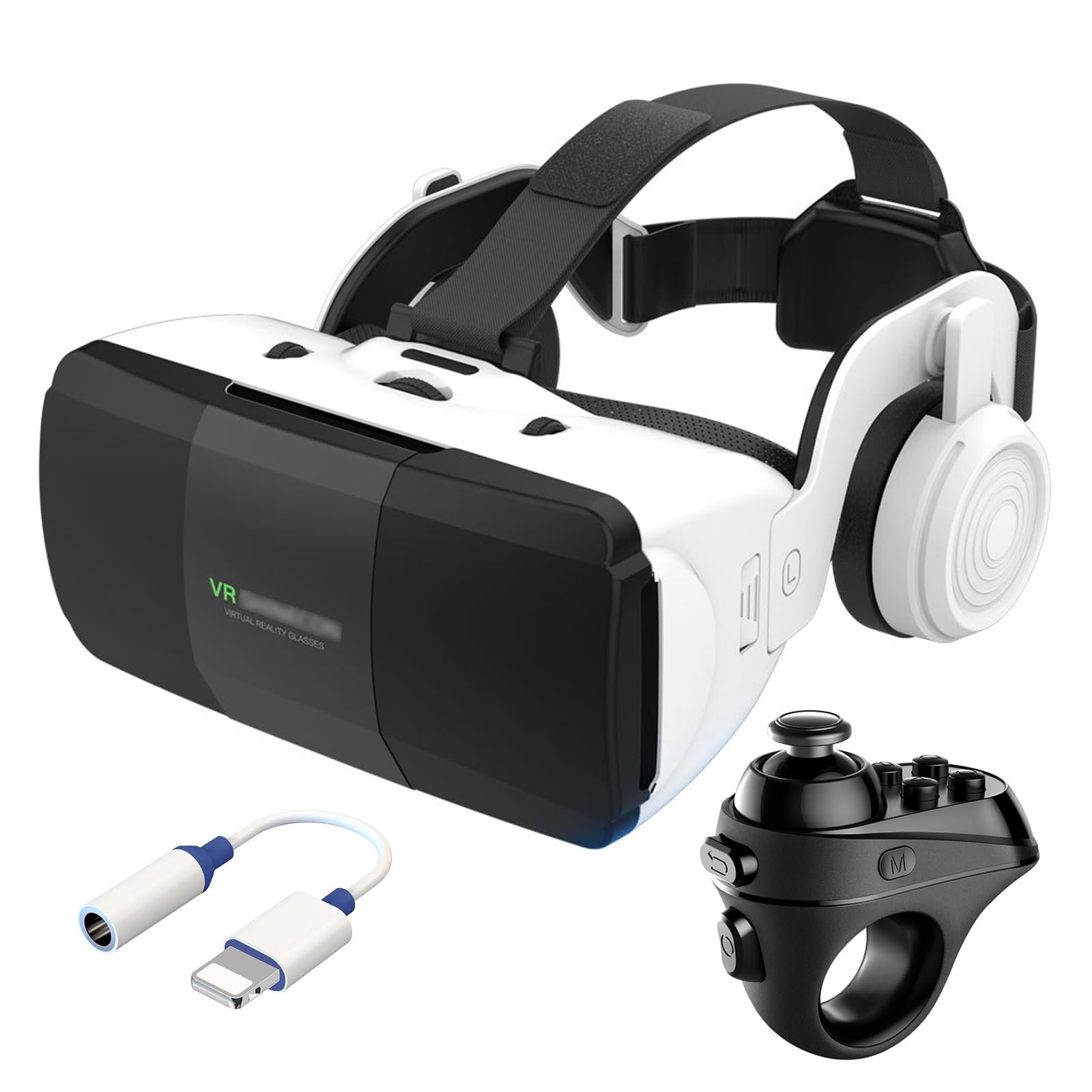
To play games with a VR headset, you typically need to connect the headset to a compatible device like a PC or console, launch a VR game, and then use the controllers to interact within the virtual environment.
Stepping into a virtual world is now easier than ever. You might be wondering how to play games with vr headset, and that is a great question. The process, while sometimes seeming complex, is quite straightforward once you grasp the fundamentals. Let’s delve into the exciting world of virtual reality gaming. You’ll be amazed by the immersion you get in those games.

How to Play Games with a VR Headset
Getting started with virtual reality (VR) gaming might seem a bit like stepping into a science fiction movie, but it’s actually quite easy and super fun! This guide will walk you through everything you need to know to start playing amazing VR games. We’ll cover choosing the right equipment, setting things up, navigating virtual worlds, and even tips to make your experience fantastic. So, let’s jump into the exciting world of VR gaming!
Understanding Your VR Equipment
Before you can start gaming, you need to know about the main parts of your VR setup. Think of it like putting together a puzzle, but the result is a world you can actually step into!
The VR Headset
The headset is the most important part. It’s like a big pair of goggles that you wear on your head. It has special screens inside that show you the virtual world, making it look like you’re really there. Different headsets have different features, so let’s break them down:
- Standalone Headsets: These are like all-in-one VR systems. They have everything built right in – the screen, computer, and battery. You don’t need to connect them to a PC or game console. These are great for beginners because they’re simple to use.
- PC-Powered Headsets: These headsets need to be connected to a computer that’s powerful enough to run VR games. They usually offer better graphics and more complex games, but require a bit more setup.
- Console-Powered Headsets: These connect to gaming consoles like PlayStation. They offer a mix of great graphics and an easy setup. These are a good choice if you already have a console.
VR Controllers
Your hands are your tools in VR. Controllers allow you to interact with the virtual world. They usually come in pairs and have buttons and joysticks for moving around, grabbing objects, and using items in the game. Some controllers also have finger tracking, allowing even more natural interactions. Some VR experiences do not need hand controllers, so make sure you check the game requirements before you buy it.
Tracking Systems
These systems help the headset and controllers know where you are in real life so that your movements are mirrored in the game. Here are two main types:
- Inside-Out Tracking: The headset has cameras that scan your surroundings, so no extra sensors are needed. This is common in standalone headsets and is very convenient.
- Outside-In Tracking: This uses external sensors that you place around the room. It’s generally more accurate but needs more setup, typical for PC-powered headsets.
Setting Up Your VR Space
Before you start a game, you must get your play area ready. Think of it as making a stage for your virtual adventure. Here’s how:
Clearing the Area
The most important thing is to clear the room of anything that might be in your way. Move any furniture, toys, or anything you could bump into. A clear space keeps you safe and allows for smooth movement.
Setting Boundaries
Most VR systems let you set up boundaries or play areas. When you get close to these, they’ll appear in the game to prevent you from walking into things in the real world. It’s like creating a virtual fence. You can set up a “guardian” or “chaperone” system within the headset settings. Follow the instructions that come with your headset for this setup process.
Charging Your Equipment
Make sure your headset and controllers are fully charged. Nothing is more frustrating than having your game cut short because the battery runs out! It’s a good habit to charge your equipment after every gaming session.
Starting Your First VR Game
Now that you’re all set up, let’s start playing! The first time can be a bit confusing, but don’t worry; you’ll get the hang of it quickly.
Putting on the Headset
Carefully put the headset on your head. Adjust the straps so it fits comfortably and the view is clear. There should be no blurry parts of the screen. Some headsets have a focus adjustment dial that you can turn to make the picture sharper. It’s important the headset is not too tight, as that will make your play uncomfortable. And too loose, because that will make the headset move around and ruin the VR experience.
Navigating the Menu
Once the headset is on, you’ll usually find yourself in a main menu or home environment. You will see icons, and you can use your controllers to point and select them. This is how you launch your games. Take your time to explore the different options. Some menus might look different depending on your headset or the VR platform (like SteamVR, Meta Quest Store, or PlayStation VR).
Launching a Game
Browse through the store and find your game of choice. Usually, you’ll have to download the game first. Once done, you will have the launch option. Select it to start the game. Sometimes, games might ask you to adjust the settings, like the language or how to move (teleportation or smooth movement). Take time to set it up the way you prefer.
Understanding Basic VR Controls
Moving around in VR is different than playing traditional games. Getting a good understanding of the control mechanics in VR is essential for a good gameplay experience. Here are some common control methods:
Movement and Navigation
There are mainly two ways to move around in VR:
- Teleportation: You point to a location in the game and instantly “teleport” there. This is a good way to avoid motion sickness. The only drawback is that it can break the immersion a little, since you are not walking around like you would in real life.
- Smooth Movement: You use the joystick on your controller to walk or run. This is more like how you move in traditional games, but it can sometimes cause motion sickness for new players. Starting with teleportation then gradually moving to smooth movement can help avoid that.
Interacting With Objects
Use your controllers to reach out and grab objects in the virtual world. It feels natural because it mirrors what you do in real life. Some games might require you to press a button on the controller to pick up or interact with objects. Experiment with different buttons to see what actions they perform.
Using In-Game Menus
Many VR games have in-game menus for changing settings or viewing maps. You usually open these with a button on your controller. Menus can appear in front of you, as a virtual screen, or floating on your wrist, like a virtual watch. Take the time to explore the menu to understand how it works and how you can change in-game settings.
Tips for a Better VR Experience
Here are some things to keep in mind so you have the best possible time while in VR.
Taking Breaks
VR can be very engaging, but it’s good to take breaks, especially when you first start out. Longer sessions can cause eye strain and fatigue, so short breaks will help you enjoy the game for longer overall. A 10-15 minute break every hour of gameplay is a good idea. This also helps prevent motion sickness.
Dealing With Motion Sickness
Motion sickness can be a problem for some people when using VR. This happens because your eyes see movement, but your body doesn’t feel it. Here are some tips:
- Start with games that have slow movement and smooth graphics.
- Try teleportation instead of smooth movement.
- Play for shorter periods and gradually increase the time.
- Make sure there is adequate fresh air in your room and a comfortable temperature.
- If you feel sick, take a break immediately.
Adjusting the Game Settings
VR games often have various settings you can adjust. This could include the brightness, the type of movement, or difficulty. Try tweaking the settings to make the game more comfortable and enjoyable for you. Don’t be afraid to explore and see what different combinations will do.
Cleaning Your Equipment
Keep your headset and controllers clean. Use a soft cloth to wipe the lenses and the outside of the headset after each use. It’s very important to make sure there are no smudges on the lenses, or it will be more difficult to see the game clearly. It also keeps your equipment in good condition for longer.
Exploring Different Types of VR Games
The VR gaming world has something for everyone. You’ll find many different types of games, from exploring fantasy worlds to battling in space. Here are some of the most popular genres:
Action and Adventure
These games get your heart pumping. You might find yourself battling monsters, solving mysteries, or exploring ancient ruins. These games are generally very immersive and can feel very exciting.
Puzzle and Strategy
If you like thinking, these games are for you. They challenge you to solve puzzles, plan your moves, and use your brain to beat the game. These are great to play at your own pace.
Simulation Games
You can try many different jobs with simulation games. You could be driving a truck, flying a plane, or even cooking in a kitchen. These offer realistic experiences in virtual environments.
Social and Multiplayer Games
VR is a very good way to socialize with people around the world. Multiplayer games let you play with friends and family, or even new people you meet online. You can work together or compete against each other in fun virtual worlds.
Creative and Artistic
Let your creative side shine in VR! You can create sculptures, paint in three dimensions, or design virtual environments. These games allow you to express yourself through art and design. These games are great for any age or skill level, so anyone can create something unique and enjoy it.
Safety and Responsible VR Gaming
While VR is a fantastic way to play games, there are some important safety guidelines you need to follow:
Proper Setup
Always make sure your play area is clear and safe before starting a game. This prevents you from tripping, bumping into things, or getting hurt while you are immersed in the virtual world.
Taking Breaks
It’s very important to take breaks every hour. This is not only for your physical comfort, but also for your mental health and well-being. Give your eyes and mind a rest from the virtual world.
Awareness of Your Surroundings
Even though you’re in VR, always be aware of the real world around you. Be mindful of any people, pets, or objects in the room with you. This will prevent any accidents or damage.
Age Appropriateness
Make sure that the games you are playing are appropriate for your age and skill level. Some games may have content that is not suitable for young players. Always check the game’s ratings and guidelines.
Health Considerations
If you have any health conditions, such as motion sickness or photosensitivity, talk to a doctor before you start playing VR games. This is especially important for anyone that has seizures or blackouts, as the flashing lights in a virtual environment could trigger a problem. Always read through all safety warnings and guides that come with the headset before starting any games.
Advanced Tips and Tricks
Once you’re comfortable with the basics, there are some things you can do to make your VR experience even better. Here are a few ideas:
Customizing Controls
Many games allow you to customize your controls to better fit your playstyle. If you don’t like how a certain button works, you can usually change it. Explore the settings menu to see if there are control customization options available.
Using Headphones
Wearing headphones while playing VR can greatly enhance immersion and the gaming experience. It makes the virtual soundscape seem more realistic, and helps you become fully engaged in the game.
Experimenting with Different Games
Don’t be afraid to try different types of games to see what you enjoy most. The VR world is full of great and exciting games, and with time you will find the ones that best fit your style. Explore new titles and genres, and you might find new games you love.
Joining Online Communities
There are many online communities where you can meet other VR gamers, share tips, and make friends. Participating in these communities can be a great way to find new games to play and get help if you encounter any issues.
VR gaming can be a very fun way to play games, and there are many things you can do in the virtual environment. The key is to take your time, learn the basic controls, and take breaks when you need to. Once you are comfortable with the basics, you will be ready to explore the amazing virtual worlds that VR has to offer. Be sure to always use your VR headset safely and responsibly, and you will enjoy a safe and fun journey into the world of VR gaming.
VR For Beginners | How to get started with Virtual Reality headsets
Final Thoughts
To play games with a VR headset, first, ensure your system meets the required specifications. Next, connect the headset to your computer or console. Then, launch the game you wish to play within the VR environment.
Follow the in-game prompts and use the controllers for movement and actions. Explore diverse virtual worlds, interact with objects, and play various game genres. The experience of how to play games with vr headset can truly immerse you.

