
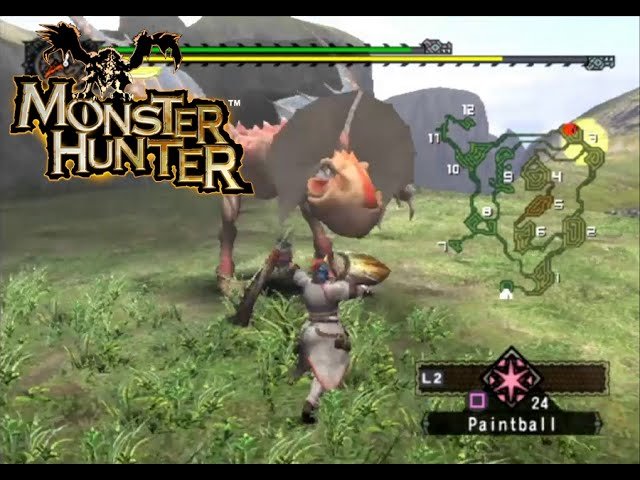
Playing old Monster Hunter games on PC typically requires emulation using software like PPSSPP for PSP titles, or Dolphin for Wii games. You’ll also need game ROMs.
Hunting beasts of old on your computer is now entirely possible! Many fans want to revisit classic Monster Hunter titles. Figuring out how to play old monster hunter games on pc can seem tricky at first.
These older games did not originally release on PC. However, with the right setup you can dive back into these adventures. We will guide you through the process.

How to Play Old Monster Hunter Games on PC
Want to go back in time and play the classic Monster Hunter games on your computer? You’re in the right place! Many older Monster Hunter titles didn’t originally come out on PC, but don’t worry, there are ways to experience these awesome games today. We’ll walk you through different methods, helping you understand how to play these older games. Let’s explore emulators, ports, and other ways to get your hunting fix!
Understanding Emulators: Your Gateway to Retro Hunting
Emulators are special computer programs that pretend to be another device, like a PlayStation 2 or a Nintendo Wii. They let your PC run games that were made for those older systems. This is a great way to play many classic Monster Hunter games that were never officially released for computers.
What is an Emulator?
Think of an emulator as a translator. It takes the game’s code, originally meant for a specific console, and translates it into instructions your computer understands. This allows you to play those older games on your modern PC. There are many different emulators, each designed for specific consoles. Some popular ones for Monster Hunter games are:
- PCSX2: For PlayStation 2 games, like Monster Hunter and Monster Hunter G.
- Dolphin: For Nintendo GameCube and Wii games, like Monster Hunter Tri.
- PPSSPP: For PlayStation Portable games, like Monster Hunter Freedom Unite and Monster Hunter Portable 3rd.
Finding the Correct Emulator for your Game
Choosing the correct emulator is the most important first step. Below is a table outlining which consoles have which games and the best emulator for that console:
| Monster Hunter Game | Original Console | Recommended Emulator |
|---|---|---|
| Monster Hunter | PlayStation 2 | PCSX2 |
| Monster Hunter G | PlayStation 2 | PCSX2 |
| Monster Hunter Freedom | PlayStation Portable | PPSSPP |
| Monster Hunter Freedom 2 | PlayStation Portable | PPSSPP |
| Monster Hunter Freedom Unite | PlayStation Portable | PPSSPP |
| Monster Hunter Tri | Nintendo Wii | Dolphin |
| Monster Hunter Portable 3rd | PlayStation Portable | PPSSPP |
Getting Started with Emulators: A Step-by-Step Guide
Let’s break down how to set up an emulator, using PCSX2 as an example, which is one of the common ones for Monster Hunter games:
- Download the Emulator: Go to the official PCSX2 website and download the program that matches your computer’s operating system (Windows, Mac, or Linux).
- Install the Emulator: Follow the installation instructions. It’s usually as simple as running the installer and clicking “next” a few times.
- Get a BIOS File: The BIOS (Basic Input/Output System) is like a system file needed by the emulator to function. You’ll have to find a Playstation 2 BIOS file yourself, as it’s not included with the emulator. It’s often something you must extract from your own Playstation 2. You might want to search on the Internet for “ps2 bios” to find the file and make sure it is safe before downloading it. Put it in the correct folder in your PCSX2 directory, normally inside the bios folder.
- Acquire Game Files: Now you need a copy of your game (the “ROM”). It is best to rip these files from your own purchased copies of the game. Ripping the games is a way for you to play a game you already own without needing to find the physical media. Be cautious when searching online for game files. Many downloads may be illegal or contain viruses. Do it at your own risk. The file format is often an .iso or .bin file and needs to be placed somewhere you can find it easily.
- Set up PCSX2: Start PCSX2. In the initial setup, point to your BIOS file. After that, you may need to adjust some settings. These are generally found in the configurations menu. Common things you might need to change include video and controller settings. You might want to change resolution settings, making your game look more crisp.
- Load the Game: Go to the “CDVD” menu and choose “ISO Selector” then “Browse” to find your downloaded game file (.iso or .bin). Click it, and then go back to the “CDVD” menu and select “Full” to load your game and begin playing!
The process is very similar for other emulators like Dolphin (for Wii games like Monster Hunter Tri) and PPSSPP (for PSP games like Monster Hunter Freedom Unite). There are many guides online that might help with your specific setup.
Dealing with Controller Support
Playing Monster Hunter with a keyboard and mouse can be tricky. Most of these games were designed for console controllers. You’ll likely want to connect a controller to your PC for a better experience. Here’s what you need to know:
Connecting a Controller
- USB Controllers: Many modern controllers, like PlayStation Dualshock or Xbox controllers, connect to your PC through USB. Your PC should recognize the controller automatically.
- Bluetooth Controllers: Some controllers connect via Bluetooth. You’ll need to pair your controller with your PC in your system settings.
Configuring Your Controller in the Emulator
Once your controller is connected, you need to set it up inside your emulator. Here’s how you generally do it:
- Open Settings: Look for a “Controller Settings” or similar option in the emulator’s menu.
- Map Buttons: You will see a menu where you can match up the buttons of your controller to the virtual buttons of the emulated console. For example, match “X” on your controller to “X” on the PS2 controller in the emulator’s settings.
- Test Your Setup: Most emulators have a test function to make sure all your buttons are working properly. Test thoroughly to make sure that all inputs work correctly.
Understanding ROMs and ISOs
As mentioned before, you need a game file, often called a ROM or ISO, to play games on an emulator. This is a copy of the game extracted from the original media such as a disc or cartridge. It’s like making a digital backup of your game.
Where to Find Game Files?
The most legal way is to rip them from your own physical copies. It is a process that allows you to play games that you purchased legally without needing to find your disc or cartridge. However, it can be complex. Another option is to search the internet. Remember downloading and using ROMs or ISOs that you do not own is illegal. Use them at your own discretion and risk.
Common Issues with ROMs/ISOs
- Corrupted Files: Sometimes files downloaded may be corrupted and won’t work. Try downloading from another source, or checking your file.
- File Formats: Make sure the emulator can read the file format you have downloaded. The most common file formats for emulators are .ISO or .BIN.
- Viruses: Be cautious when downloading files. Some may contain viruses or malware. Always make sure you have anti-virus protection and are cautious when downloading.
Exploring Ports and Remasters
Besides emulation, some older Monster Hunter games have received official ports or remasters. These are updated versions of the game that run natively on PC without needing an emulator. The PC ports are typically optimized with better graphics and performance.
Monster Hunter World and Monster Hunter Rise
While not exactly “old” in the classic sense, Monster Hunter World and Monster Hunter Rise are two recent Monster Hunter games that are available on PC. These are great games and they are very accessible, often recommended for new players to try the series. These games will also be a good way to get used to the general gameplay before attempting older titles. They also often go on sale, so try to get them during a discount.
No Direct Ports of Older Titles
Unfortunately, most of the classic games, like the PS2 and PSP games, have not received official PC ports. That is why emulating these titles is the only method to play on PC. This makes emulation the only way to experience them on PC. However, things can change. Check out official Monster Hunter pages to keep up-to-date with the series and get information on future ports or remasters.
Other Ways to Play
There are other methods of playing older games. These include:
- Remote Play: If you own the game on their original console, you may use a program such as remote play on PlayStation or Xbox to stream your games on PC.
- Steam Deck and Other Handheld PCs: There are a number of handheld PCs with enough power to run older emulators very well. These devices make it very easy to play classic games on the go with all the PC features available.
Ultimately, the method you choose will depend on what games you wish to play and your preference. Emulation is a great option when a direct port is unavailable. Remember that playing through emulation is legal if you own a copy of the original game. Downloading illegal ISO/ROM files may put you at risk of viruses or malware and may be illegal.
Playing the older Monster Hunter games on PC can be an amazing experience. With the right emulator, some game files, and a controller, you can go back and hunt all the classic monsters once again. Have fun hunting!
So You Want To Get Into Old School Monster Hunter
Final Thoughts
Playing older Monster Hunter titles on PC requires emulation. You’ll need specific emulators like PPSSPP for PSP games or Citra for 3DS ones. Then, you’ll also need the game ROMs.
Finding these ROMs requires some searching online. Make sure to check the laws about downloading game files in your area. Remember that playing these legacy titles can present compatibility challenges.
Therefore, to summarize, how to play old monster hunter games on pc primarily involves using emulation programs. Research emulators and obtain game files carefully for your older gaming fix. This method lets you experience classic monster hunter.

