
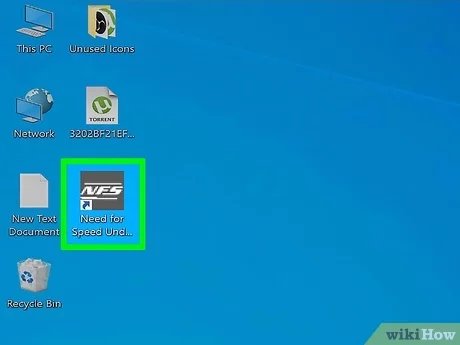
To play torrented games, you typically need to download the game files using a torrent client, then extract the files, and finally, follow specific installation instructions, often involving a ‘crack’ or patch.
Ever felt the allure of a game but the price tag stopped you? Many gamers face this dilemma. It leads some to explore alternative methods, and that is when they think about how to play torrented games. It’s a topic with many angles, so let’s delve into the process, with its potential risks and rewards. This might be something you’re curious about, and we’ll give a basic overview.

How to Play Torrented Games: A Detailed Guide
So, you’ve downloaded a game using a torrent, and now you’re wondering how to actually play it? It’s not as simple as clicking an icon, is it? Don’t worry, you’re not alone. Playing torrented games requires a few extra steps compared to installing games from official stores. This guide will walk you through everything you need to know, step-by-step, so you can get to gaming quickly and safely. This includes understanding the basics of torrents, handling common file types, and troubleshooting common problems you might encounter.
Understanding Torrents and Game Files
Before we jump into the how-to, let’s talk a bit about what torrents are and the kind of game files you might see. Think of a torrent like a recipe for downloading a file. Instead of getting the whole file from one place, you get little pieces from many different computers, and your torrent software puts them all together. This is known as peer-to-peer file sharing.
Common Game File Types
After downloading, you will usually find your game in one of these formats. It’s important to understand each type, because they require different actions to run.
- ISO Files: These are like digital copies of a CD or DVD. They contain everything needed to install the game. Imagine it as a complete package.
- RAR and ZIP Files: These are compressed folders that contain the game files. You’ll need to extract them first before you can play. Think of them as a tightly packed box that needs to be opened.
- Executable Files (.exe): These files are the actual programs that make the game run. Sometimes you will find this directly, but mostly these files are present in extracted folder after extracting RAR or Zip files.
- Setup Files: These files will install the game on your computer. Sometimes they are called “install.exe” or similar.
Pre-Installation Checklist
Before we start the installation process, let’s make sure you’re prepared. These are essential steps to protect your computer and ensure smooth gameplay.
Checking System Requirements
First, confirm that your computer is strong enough to run the game you downloaded. Every game needs a certain level of hardware, such as a specific processor, amount of RAM (memory) and a graphic card. Games will have minimum and recommended settings. You can usually find these specifications on websites that discuss the game, or on the game’s official page if available, even if you did not download the game from there.
To check what your computer has, follow these steps:
- Press the Windows key and type “System Information”
- Open the System Information app
- Look for things like Processor, RAM, and Graphics card.
Match these specs with the game’s required specs to see if your computer can run it.
Antivirus Considerations
It’s very important to be careful about malware and viruses. When downloading things from torrents, it’s possible to encounter these nasty things.
So, before you go any further, you’ve got to be really careful about your antivirus software. It’s really smart to temporarily turn it off before you try to install games from torrents. Just make sure you turn it back on afterwards.
Here’s how you usually do it:
- Find the antivirus icon in your system tray (usually in the bottom right corner of your screen).
- Right-click on the icon.
- Look for an option like “Disable Protection,” “Pause,” or similar.
- Choose a time duration to keep it off. Just remember to turn it back on later.
Where to Store Your Games
Think about where you want to store your game files. Creating a dedicated folder for games on a separate drive (if you have one) is a great idea. It helps you organize everything neatly.
A separate drive keeps your main drive free for your operating system and other important stuff. This helps your computer perform much faster.
Here’s how you can make a new folder :
- Go to the drive where you want to store your game files.
- Right-click, select “New,” and choose “Folder.”
- Give your folder a name (like “Torrented Games”)
Mounting ISO Files
If your game download is an ISO file, you will need to “mount” it. Mounting is like tricking your computer into thinking the ISO file is a real CD or DVD. Once mounted, you can then install the game. Here are two ways to do it:
Using Windows Explorer
Windows has a built-in tool for mounting ISO files. Here’s how you do it:
- Find the ISO file you downloaded.
- Right-click the file.
- Select “Mount” from the menu.
- A new virtual drive will appear in “This PC” with the mounted game files.
Using Virtual Drive Software
If the built-in option doesn’t work for you, you can use a third-party software like DAEMON Tools Lite or Virtual CloneDrive. These are free programs that help mount ISO files.
Here’s how to use it:
- Download and install a virtual drive software.
- Open the virtual drive software.
- Find the option to “Mount” or “Add Image”.
- Select the ISO file you want to mount.
- Now you will have a virtual drive with your game files.
Extracting RAR and ZIP Files
If your download is in RAR or ZIP files, you need to extract the files before you can install the game. For this, you’ll need file compression software like WinRAR, 7-Zip, or PeaZip. Here’s how you do it:
- Download and install a file extraction tool.
- Right-click on the downloaded RAR or ZIP file.
- Select “Extract Here” or “Extract to [folder name].”
- Wait while your files are extracted into a new folder.
Make sure you extract the game to the same folder you created earlier to keep things tidy.
Installing the Game
Now that you’ve handled the file types, it’s time to install the game! Inside the mounted ISO or extracted folder, you will find the game installation files.
Finding and Running the Setup
Look for a file named setup.exe, install.exe, or something similar. It’s sometimes in a folder called “Setup” or “Installer.”
Double-click the setup file to begin the installation process. Follow the instructions on the screen.
Choosing Installation Location
When the installer asks you where you would like to install the game, make sure you choose the folder you made before. This helps keep your files organised. It’s really important that you remember where you have installed the game for further steps.
Accepting Licenses and Agreements
During the installation, you might see license agreements and user agreements. Read them carefully and accept them to continue the installation. It’s very important that you read every single word of agreements carefully.
Optional Installations
Sometimes, the setup might ask if you want to install extra things like DirectX or Visual C++ redistributables. These are extra tools that help your computer to run the game smoothly. These are usually necessary, so it’s a good idea to install them if asked. Make sure you have installed these to play your game properly without problems.
Completing the Installation
Once the installation is complete, the installer will usually tell you. There will be a message of the completion of installation of your game.
Cracking the Game
Cracking is a really important step. When a game is made to be sold, it usually has some sort of protection to make sure that only people who have paid for the game can play it. A ‘crack’ is used to get around this protection, so you can play the game even though you didn’t buy it. Now listen carefully, this part is really important.
Finding the Crack Files
Crack files usually comes with game files. It’s very important to always check and download cracks only from trusted sources or the ones that comes with your game files. In the game folder which you have extracted, or in mounted ISO files, look for a folder called “Crack”, “CODEX”, “RELOADED”, or similar. These folders contain the files that you will need to play the game.
You will find the files which are usually named similar as game files. For example, if the game main executable file is named game.exe, crack file may be named similar.
Copying the Crack Files
Copy all the files from the “Crack” folder. Then paste them into the folder where you installed the game. This means copying the files from the crack folder and placing them in game installation folder. When your computer asks if you want to overwrite existing files, click “Yes” or “Replace”.
Troubleshooting Common Issues
Sometimes, things don’t go as planned. Here are a few common problems you might face and how to fix them.
Game Not Starting
If the game doesn’t start, check these things:
- Make sure you have installed all the extra requirements, like DirectX or Visual C++ redistributables.
- Make sure the crack files have been copied over to the game installation folder.
- Make sure your computer meets the game’s minimum requirements.
- Restart your computer and try again.
- Make sure that your anti-virus is completely turned off, as it sometimes deletes crack files.
Missing DLL Files
If you see an error that says a “.dll” file is missing, it means your computer is missing an important file that the game needs. You can search the name of the missing file on the internet and then install it or paste it in the appropriate folder to resolve the issue.
Graphics Issues
If the game looks weird, or it’s running slowly, try these:
- Update your graphics card drivers to the latest version. You can usually do this through your graphics card manufacturer’s website.
- Lower the graphic settings in the game. Sometimes, your graphics card can’t handle very high graphic settings.
Other Issues
- Run as administrator: Try right-clicking the game’s .exe file and choose “Run as administrator”.
- Check for updates: sometimes, there are patches and updates available that can fix some issues.
Staying Safe While Torrenint
It’s very important to download torrents carefully. Here are a few tips to stay safe:
- Use a reputable torrent site: Only use well-known torrent sites with positive reviews. Try to avoid unknown torrent sites.
- Read comments: Before downloading, read the comments on the torrent page. Other users might have posted if the torrent has any problems.
- Always use anti-virus: Always keep your anti-virus active, once you are done with installing games.
- Use a VPN: For extra security, you can use a VPN (Virtual Private Network). This can hide your internet activities.
- Be careful of fake links: Be aware of fake links or malicious files disguised as games. Always double-check the source.
Playing torrented games might seem a bit complicated at first, but once you understand the process, it’s very simple. Remember to always be safe, and have fun gaming!
New User Torrenting Guide 2024 – 100% SAFE!
Final Thoughts
Downloading and installing torrented games involve risks. You should use a VPN to hide your IP. Also, disable antivirus before the installation; it may flag the game files.
Next, mount the ISO file or extract the archive to a folder. You should then run the setup program and follow on-screen instructions to install the game. Copy any crack files to your game install directory, overwriting files.
Finally, run the game; if it works, then you know how to play torrented games. Remember to be careful and verify the source of torrent files before downloading.

