
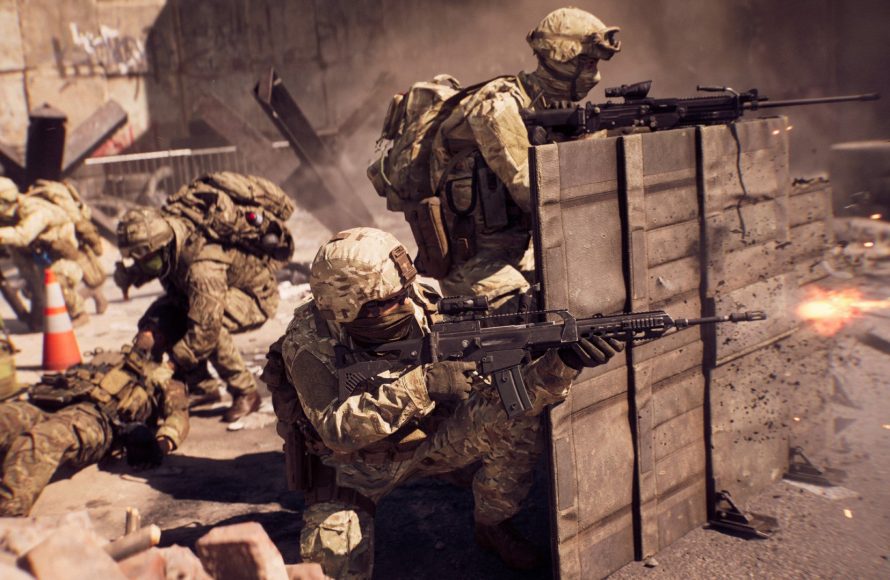
The Battlefield 6 Portal allows you to remake old maps by selecting classic map assets, setting game rules, and customizing weapon restrictions within its in-game editor.
Remember those classic Battlefield maps you loved? Wondering how to use the Battlefield 6 Portal to remake old maps and relive those moments?
Well, the Portal mode is your key! It provides tools to rebuild maps using assets from different Battlefield eras.
You can adjust everything from weapon availability to victory conditions. Recreate your favorite battles with your own unique twists using this powerful editor.

## How to Use the Battlefield 6 Portal to Remake Old Maps
The Battlefield Portal offered a fantastic way to revisit classic Battlefield experiences. It lets you create custom games using content from various Battlefield titles. The primary draw for many was the ability to essentially remake old maps.
This guide will walk you through the process of recreating classic Battlefield maps within the Portal. You will learn how to adjust settings, balance gameplay, and fine-tune the experience. This allows you to create nostalgic matches that capture the feel of the originals.
### Understanding the Battlefield Portal
Before diving into map remakes, you need to understand the Portal’s capabilities. The Portal is a community-driven platform offering extensive customization options. These customizations extend beyond just map selection.
You can modify weapon restrictions, vehicle availability, and even game rules. These options provide the tools needed to replicate older Battlefield titles. Familiarizing yourself with these options is crucial.
### Choosing Your Target Map
The first step is to select the classic map you want to recreate. Consider what made that map special. Think about its layout, popular engagement zones, and overall flow.
Some popular choices include Noshahr Canals from Battlefield 3, El Alamein from Battlefield 1942, and Valparaiso from Bad Company 2. Choose a map that is manageable to replicate with the Portal’s tools. Recreating a smaller map initially can help.
### Setting the Game Mode
The game mode is a core element that influences the map’s overall feel. Classic game modes like Conquest, Rush, and Team Deathmatch are available. Choose the mode that best reflects the original map’s gameplay.
Consider which objectives were important in the original map. Certain maps were defined by a particular game mode. Match the mode to the map for maximum authenticity.
### Selecting the Correct Battlefield Era
The Battlefield Portal allows you to blend eras. To accurately remake old maps, you will want to lock the era. This will ensure the proper weapons and vehicles.
Select the Battlefield title that the map originated from. This will limit weapon choices to the appropriate era. This is crucial for achieving the intended feel of the map.
### Implementing Weapon Restrictions
Weapon restrictions are key for balancing and authenticity. The Portal allows you to limit weapon availability based on class or globally. This ensures players can only access weapons available in the original game.
Go through each weapon category and restrict anything anachronistic. This will greatly improve the authenticity of the remake. Consider even limiting specific weapon attachments.
### Adjusting Vehicle Availability
Vehicle availability is another vital balancing factor. Classic maps often had specific vehicle spawns and limitations. You can recreate these using the Portal’s settings.
Limit the number of tanks, aircraft, and transport vehicles. Adjust the spawn locations to match the original map layout. Consider removing certain vehicles altogether.
### Modifying Player Count and Spawns
Player count directly affects the flow of combat. Adjust it to match the original map’s intended player density. Too many players can lead to chaotic gameplay.
Customize spawn locations to mirror the original game’s design. Ensure players spawn in strategic locations. Correct spawns contribute to fair and engaging gameplay.
### Tweaking Gameplay Rules
The Portal offers many gameplay rule tweaks. These can adjust movement speed, health regeneration, and weapon damage. Use these options to emulate the mechanics of older Battlefield titles.
Consider increasing weapon damage to match the older titles. Reduce health regeneration for faster-paced combat. Experiment with movement speed to achieve the desired feel.
### Utilizing Logic Editor for Advanced Customization
The Logic Editor is a powerful tool for advanced customization. It allows you to create custom events and triggers. This lets you mimic unique gameplay mechanics from older games.
You can use the Logic Editor to create custom scoring systems. You can even implement custom vehicle spawn rules. This allows for highly detailed and accurate remakes.
### Playtesting and Balancing
Playtesting is crucial for refining your map remake. Gather feedback from other players. Identify any imbalances or issues with the gameplay.
Adjust settings based on the playtest feedback. Fine-tune weapon restrictions, vehicle spawns, and gameplay rules. Iterative testing is essential for creating a polished experience.
### Specific Examples: Remaking Popular Maps
Let’s look at some specific examples of how to remake popular maps using the Battlefield Portal. These examples will show specific settings you can tweak. They offer detailed instructions to recreate the intended feel of classic maps.
#### Remaking Noshahr Canals (Battlefield 3)
To remake Noshahr Canals, you will want to focus on infantry combat. Noshahr Canals is a classic for close quarters engagements. Replicating that feeling is key.
Game Mode: Team Deathmatch or Conquest. Conquest replicates the flag capture points around the docks. Team Deathmatch recreates the frenetic infantry combat.
Battlefield Era: Battlefield 3. Selecting this limits the weapons and vehicles to Battlefield 3 assets. It ensures the correct arsenal is available.
Weapon Restrictions: Limit sniper rifles and long-range weapons. Emphasize close-quarters weapons like SMGs and shotguns. This focuses the gameplay on close-range encounters.
Vehicle Availability: Reduce vehicle spawns significantly. Noshahr Canals was predominantly an infantry map. Ensure that remains the case.
Gameplay Rules: Increase movement speed slightly. Battlefield 3 felt faster than some of the later titles. This helps capture the original feeling.
#### Remaking El Alamein (Battlefield 1942)
El Alamein is known for its vast desert landscape and tank battles. Recreating this map requires an emphasis on vehicles. The open spaces provided unique opportunities for vehicle combat.
Game Mode: Conquest. Conquest allows players to control strategic points across the large map. This is important for the tank battles.
Battlefield Era: Battlefield 1942. This limits the weapons and vehicles to World War II era equipment. This is essential for the map’s theme.
Weapon Restrictions: Allow access to bolt-action rifles and other World War II weapons. Restrict modern weapons completely. This keeps the theme authentic.
Vehicle Availability: Increase tank spawns. Allow access to aircraft like bombers and fighters. This replicates the vehicle-heavy gameplay.
Gameplay Rules: Reduce infantry health slightly. This makes them more vulnerable to tank fire. It emphasizes the role of vehicles on the battlefield.
#### Remaking Valparaiso (Bad Company 2)
Valparaiso’s defining feature is its Rush game mode. This mode had attackers pushing through a series of objectives. Recreating this accurately requires careful consideration.
Game Mode: Rush. Rush is the only option if you want a faithful Valparaiso remake. Other modes do not capture the map’s essence.
Battlefield Era: Bad Company 2. Select this to ensure the correct weapons and vehicles are available. This keeps the gameplay authentic.
Weapon Restrictions: Allow access to weapons popular in Bad Company 2. Limit access to advanced optics and attachments. This will help match the original gameplay experience.
Vehicle Availability: Limit the number of attack helicopters. They can easily dominate Rush objectives. Balanced vehicle spawns are crucial.
Gameplay Rules: Adjust the attacker/defender ticket count. This will balance the Rush mode for fair gameplay. This makes for a more balanced match.
### Tips for a Successful Map Remake
Here are some additional tips for creating high-quality map remakes. These tips will help you to fine-tune your recreation. This will result in a more polished and enjoyable experience for everyone.
Pay Attention to Detail: Recreate the map layout as accurately as possible. Small details can greatly enhance the overall experience. Consider the location of cover, buildings, and pathways.
Balance Weapon Availability: Carefully consider which weapons should be available to each class. Avoid creating imbalances that favor one side over another. Consider the strengths and weaknesses of different weapons.
Optimize Vehicle Spawns: Place vehicles in strategic locations. Ensure that they are accessible to both teams. Avoid creating situations where one team has a clear advantage.
Gather Community Feedback: Encourage other players to test your map remake. Collect feedback on gameplay, balance, and overall enjoyment. Use this feedback to make improvements.
Regularly Update and Improve: Continue to refine your map remake based on ongoing feedback. Keep an eye out for new features and updates in the Battlefield Portal. Stay engaged with the community and incorporate their suggestions.
By following these tips and guidelines, you can create compelling and authentic Battlefield map remakes within the Portal. The possibilities are truly endless. Enjoy bringing these classic maps back to life.
Battlefield 6 Maps, Modes & Portal
Final Thoughts
To remake classic Battlefield maps using Portal, select the desired map within the editor. Then, tweak settings like weapon restrictions and gameplay rules to match the original experience.
Experiment with different options. Players can also add modern Battlefield elements for a fresh take on older maps.
How to use the Battlefield 6 Portal to remake old maps comes down to experimentation. The key aspect is faithfully recreating the original layout and gameplay feel. The flexibility Portal offers means must-have experiences are within reach.

