
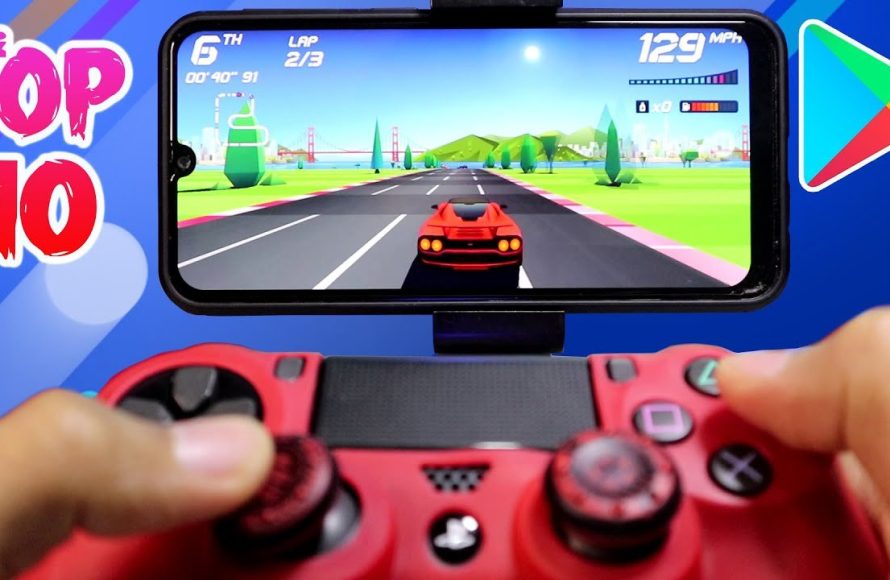
Many excellent mobile racing games offer controller support, providing a more precise and immersive gaming experience than using touch controls alone.
Tired of fumbling with on-screen controls while trying to take the lead in your favorite racing game? You are not alone! Many mobile gamers crave a more tactile and responsive way to play.
The good news is that many popular mobile racing games with controller support exist, allowing you to use Bluetooth controllers for a console-like experience on your phone or tablet. This adds a new layer of control and precision.
Ready to ditch the touch screen and grab a controller? Let’s dive into the world of mobile racing games with controller support.

Mobile Racing Games with Controller Support
Gaming on the go doesn’t have to mean sacrificing precision. Many mobile racing games now offer controller support, providing a console-like experience. This enhances control and immersion, appealing to serious racing fans.
Why Use a Controller for Mobile Racing?
Touchscreen controls can be limiting. A physical controller offers tactile feedback and greater accuracy. This can dramatically improve your performance in mobile racing games.
Improved Precision: Controllers provide analog input for steering and acceleration. This allows for finer adjustments compared to touch controls.
Enhanced Immersion: Holding a controller makes the experience feel more authentic. It connects you more deeply to the game.
Reduced Finger Fatigue: Prolonged touchscreen use can be uncomfortable. A controller allows you to game for longer periods without strain.
Popular Mobile Racing Games with Controller Support
Several high-quality mobile racing games support controllers. These games span different genres, from arcade racers to realistic simulators.
Asphalt 9: Legends
Asphalt 9: Legends is a popular arcade racer known for its stunning graphics. It also features an extensive car collection. Controller support makes this already engaging game even better.
Accessibility: It’s easily accessible on both Android and iOS.
Arcade Style: Offers over-the-top action and spectacular crashes.
GRID Autosport
GRID Autosport brings a full console racing experience to mobile. The game boasts realistic graphics and handling. Controller support is essential for mastering its challenging tracks.
Authentic Simulation: Provides a realistic driving model.
Extensive Content: Features a large number of cars and circuits.
Real Racing 3
Real Racing 3 is another popular racing simulator with a focus on realism. It features licensed cars and real-world tracks. Controller support allows for precise control in this demanding game.
Realism: The game focuses on realistic graphics and handling.
Licensed Content: Features officially licensed cars and tracks.
Gear.Club True Racing
Gear.Club True Racing delivers a visually appealing and customizable experience. The game offers a variety of cars and tuning options. Controller support makes it easier to fine-tune your performance.
Customization: Offers extensive car customization options.
Visual Fidelity: Features impressive graphics.
CSR Racing 2
CSR Racing 2 is a drag racing game with stunning visuals and a focus on car customization. While primarily designed for touch controls, controller support can offer a different level of precision for launching and shifting.
Drag Racing Focus: Specializes in drag racing gameplay.
Visual Appeal: Known for its high-quality graphics.
Connecting a Controller to Your Mobile Device
Connecting a controller to your phone or tablet is usually straightforward. The process generally involves Bluetooth or a wired connection.
Bluetooth Controllers
Bluetooth is the most common method for connecting controllers. Most modern controllers are compatible with mobile devices via Bluetooth.
Pairing Process: Put your controller in pairing mode. Then, search for it in your device’s Bluetooth settings and connect.
Compatibility: Most Bluetooth controllers are compatible with Android. iOS compatibility is more limited. Check controller specifications beforehand.
Wired Controllers
Wired connections offer a reliable and low-latency experience. They require a USB OTG (On-The-Go) adapter.
OTG Adapter: You need an OTG adapter to connect a USB controller. This converts your phone’s charging port into a USB port.
Wired Advantages: Wired connections offer lower latency than Bluetooth. This can be crucial for competitive racing.
Choosing the Right Controller
The best controller for mobile racing depends on your preferences. Consider factors like ergonomics, compatibility, and features.
Popular Controller Options
Several controllers are popular among mobile gamers. These controllers offer a combination of comfort, features, and compatibility.
Xbox Wireless Controller: The Xbox Wireless Controller is a popular choice. It is known for its comfort and compatibility with many devices.
PlayStation DualSense Controller: The DualSense offers unique features like haptic feedback. It also works well with mobile devices via Bluetooth.
Razer Kishi: The Razer Kishi is a mobile-specific controller. It physically attaches to your phone, offering a compact and integrated solution.
Factors to Consider
Before buying a controller, consider these important factors. These factors can significantly impact your gaming experience.
Ergonomics: Choose a controller that feels comfortable in your hands. Long gaming sessions can be uncomfortable with poorly designed controllers.
Compatibility: Ensure the controller is compatible with your device and the games you want to play. Check specifications and reviews before purchasing.
Battery Life: Consider the controller’s battery life. A controller with a long battery life will allow you to game for longer periods without interruption.
Controller Mapping and Configuration
Some games automatically recognize and configure controllers. Others may require manual mapping of buttons and axes.
In-Game Settings
Most games with controller support have dedicated settings menus. These menus allow you to customize the controller layout.
Button Mapping: You can typically remap buttons to your preference. This allows you to create a control scheme that feels natural.
Sensitivity Adjustment: Adjust the sensitivity of the analog sticks. This fine-tunes the steering and acceleration response.
Third-Party Apps
If a game lacks native controller support, consider using third-party apps. These apps can map controller inputs to touchscreen actions.
Button Mapper: Button Mapper is a popular app for customizing controller inputs. It allows you to map controller buttons to specific touchscreen actions.
Octopus: Octopus is another popular app that provides keymapping functionality. It supports a wide range of controllers and games.
Tips for Optimal Mobile Racing with a Controller
Maximize your mobile racing experience with these helpful tips. These tips can improve your performance and enjoyment.
Find the Right Grip: Experiment with different grips to find what’s comfortable. A comfortable grip improves control and reduces fatigue.
Adjust Sensitivity: Fine-tune the controller sensitivity in the game settings. This ensures precise control over steering and acceleration.
Practice Regularly: Practice makes perfect. The more you play with a controller, the better you will become.
The Future of Mobile Racing with Controllers
Mobile gaming technology continues to advance rapidly. Expect even greater controller integration and more immersive racing experiences in the future.
Improved Controller Support: More mobile games will likely add controller support. This will enhance the gaming experience for a wider audience.
Advanced Controller Features: Future controllers may incorporate advanced features. These could include haptic feedback and adaptive triggers.
Cloud Gaming Integration: Cloud gaming services will further blur the lines between mobile and console gaming. This enables access to console-quality racing games on mobile devices with controllers.
Controller Comparison Table for Mobile Racing
A table comparing the features of popular controllers for mobile racing is helpful. This enables readers to easily compare the characteristics of each option.
| Controller | Compatibility | Ergonomics | Features | Battery Life |
|—|—|—|—|—|
| Xbox Wireless Controller | Android, iOS (Limited) | Excellent | Wireless, Customizable Buttons | Up to 40 Hours |
| PlayStation DualSense | Android, iOS | Good | Wireless, Haptic Feedback, Adaptive Triggers | 6-12 Hours |
| Razer Kishi | Android, iOS (Specific Models) | Good (Compact) | Wired (Low Latency), Integrated Design | N/A (Powered by Device) |
| SteelSeries Nimbus+ | iOS | Good | Wireless, Dedicated iOS Support | Up to 50 Hours |
Specific Game Settings for Controllers
The settings within specific games need to be adjusted properly. This ensures optimal performance and control when using a controller.
Asphalt 9: Legends Controller Settings
Asphalt 9 allows customizable controls. Adjusting these settings is vital for competitive driving.
Steering Sensitivity: Lowering steering sensitivity allows for finer turns. This helps prevent oversteering in tight corners.
Throttle Mapping: Experiment with different throttle mappings. Some players prefer linear throttle, while others prefer a more progressive response.
Brake Assist: Adjust brake assist to match your driving style. Turning it off provides maximum control but requires more skill.
GRID Autosport Controller Settings
GRID Autosport is a simulation racer. The correct controller setup is critical.
Force Feedback: If your controller supports force feedback, enable it. Adjust the intensity to your liking. This provides more realistic feedback.
Steering Linearity: Adjust steering linearity to match your controller. This affects how much the in-game steering wheel turns in response to your controller input.
Throttle and Brake Sensitivity: Adjust throttle and brake sensitivity to control acceleration and deceleration. This is vital for precise control.
Real Racing 3 Controller Settings
Real Racing 3 requires precise handling. Tailoring controller settings is important.
Steering Assist: Reduce or disable steering assist. This gives you more control over the car’s direction.
Traction Control: Adjust traction control to match the track conditions. Less traction control allows for faster cornering but increases the risk of spinning out.
ABS (Anti-lock Braking System): ABS prevents the wheels from locking up under braking. Adjusting this ensures optimized performance.
Troubleshooting Controller Connection Issues
Sometimes connecting a controller to a mobile device presents issues. Troubleshooting these issues can get you back to gaming quickly.
Bluetooth Connection Problems
Bluetooth connection issues are common. Here are solutions.
Controller Pairing: Ensure your controller is in pairing mode. Refer to the controller’s manual for instructions.
Device Visibility: Make sure your mobile device is discoverable. Check your Bluetooth settings.
Interference: Bluetooth signals can be affected by interference. Move away from other electronic devices.
Restart: Restarting both your device and the controller can often resolve connectivity issues.
Wired Connection Problems
Wired connections are often more stable. Issues can still arise.
OTG Adapter: Ensure your OTG adapter is properly connected. Try a different adapter if possible.
USB Port: Try a different USB port on your controller or adapter.
Controller Drivers: Some controllers may require drivers. Check if any drivers need to be installed.
Alternatives to Traditional Controllers
Traditional controllers are a popular choice. Other options exist.
Mobile Gamepads: Mobile gamepads, like the Razer Kishi, attach directly to your phone. This provides an integrated gaming experience.
Touchscreen Mapping Apps: Apps like Octopus allow you to create custom touchscreen layouts.
Impact of Controller Support on Game Ranking and Engagement
Adding controller support can significantly impact game ranking. This also boosts player engagement.
Improved User Experience: Controller support enhances the user experience. This results in higher ratings and positive reviews.
Wider Audience: Controller support can attract a wider audience. This includes gamers who prefer traditional controls.
Increased Engagement: Players are likely to spend more time in a game. The game offers controller support they are comfortable with.
Future Trends in Mobile Racing Game Development
Mobile racing game development continues to innovate. Emerging trends will shape the future of mobile racing.
More Realistic Graphics: Mobile graphics continue to improve. This leads to more immersive and realistic racing experiences.
Advanced Physics Engines: Advanced physics engines enable more realistic car handling. The game also simulates environmental effects.
Cross-Platform Play: Cross-platform play is becoming more common. Players can compete with others on different devices.
Mobile Racing Game Editions and Feature Comparisons
Different editions of mobile racing games offer varied features. Understanding these distinctions helps players make informed choices.
Asphalt 9: Legends Editions
Asphalt 9 has different versions and bundles. Each offers unique content.
Standard Edition: This includes the base game. It has access to the standard car roster.
Deluxe Edition: This offers additional cars and in-game currency. This gives players a head start.
Starter Packs: These packs provide a collection of cars and resources. They boost progression.
Real Racing 3 Editions
Real Racing 3 is frequently updated.
Base Game (Free-to-Play): The base game is free to download. It offers a vast amount of content and cars to unlock.
In-App Purchases: The game relies heavily on in-app purchases. These allow players to accelerate their progress and acquire premium cars.
Top 22 High Graphic Offline Racing Games with Controller Support for Android & iOS 2024
Final Thoughts
Ultimately, mobile racing games with controller support offer a superior gaming experience. Playing with a controller gives you finer control and precision compared to touch controls.
It is a must-try for racing enthusiasts who want a more immersive experience.
Mobile racing games with controller support bridge the gap between console-quality gaming and mobile convenience. So, grab your controller and get ready to race!

