
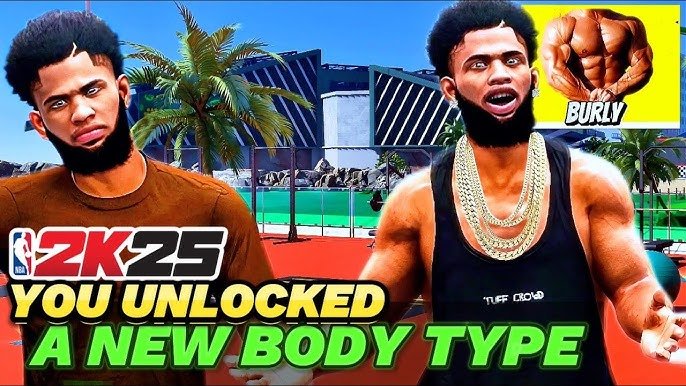
NBA 2K25 visual customization lets you modify player appearance, clothing, accessories, and court designs.
Want to make your in-game avatar truly your own? The options for personalizing your basketball experience are extensive. This NBA 2K25 visual customization guide will get you started. We will cover different options to personalize the game.
From hairstyles and tattoos to branded gear and court layouts, the game offers a great suite of modification tools. You have a good degree of control over how you and your team appear. This is a fun way to make your mark on the digital court.

NBA 2K25 Visual Customization Guide
Hey there, hoop fans! Ready to make your mark in NBA 2K25? One of the coolest parts of this game is how much you can change the way your player looks. It’s not just about choosing a jersey; it’s about creating a character that’s totally you. We’re diving deep into all the visual goodies you can tweak, from your player’s face to their flashy gear. Let’s get started and make your virtual baller stand out!
Getting Started with MyPLAYER Customization
Before you hit the court, you need to create your MyPLAYER. This is where the visual customization fun begins! Don’t rush this step—it’s like building your dream player from scratch. You’ll pick everything from their height and weight to their basic appearance.
Choosing Your Base Appearance
The first thing you’ll do is pick your player’s base look. This includes their:
- Height and Weight: These choices affect how your player moves and performs on the court, so choose wisely! A taller player might be great for rebounding, while a smaller one might be faster.
- Skin Tone: Select the skin tone that fits your vision of your player.
- Head Preset: There are lots of preset faces to choose from, so you can find one that’s pretty close to what you have in mind.
Fine-Tuning Your Facial Features
Once you’ve chosen a base, it’s time to get into the details! This is where you make your player truly unique. You can adjust:
- Eyes: Change the shape, color, and size of your player’s eyes. You can even adjust how far apart they are.
- Nose: Make your player’s nose wide or narrow, long or short, and tweak the shape of the bridge and tip.
- Mouth: Adjust the size and shape of your player’s lips, how wide or small their mouth is, and even the position of their mouth corners.
- Ears: Choose the size and shape of your player’s ears, adjust their position on the head and how much they stick out.
- Eyebrows: Customize the shape, thickness, and arch of the eyebrows, and even adjust their placement.
- Chin and Jawline: Give your player a strong or gentle jawline. You can control how pointy or rounded it is.
- Facial Hair: From stubble to a full beard, there are tons of facial hair options. Pick one that fits your style!
Adding the Finishing Touches
Don’t forget the little details! You can add:
- Hairstyle: Choose from a variety of haircuts and styles. From a clean fade to long braids, there is something for everyone.
- Hair Color: Go for a natural shade or something totally wild!
- Tattoos: If your player is into ink, decorate their arms, back, and more with a wide selection of designs.
Customizing Your On-Court Appearance
Your player’s look isn’t just about their face; it’s also about what they wear on the court. NBA 2K25 lets you customize your gear, so your player looks fantastic while dominating the game.
Jerseys and Apparel
You have tons of options for jerseys and other clothing:
- Team Jerseys: You can choose from all the NBA teams, classic throwbacks, and custom designs in MyTEAM. You can wear authentic jerseys of your favorite teams or create something unique with custom designs and colors.
- Shorts: Pair your jersey with shorts that match, or go for a different color.
- Compression Gear: If your player wears arm sleeves, leggings, or headbands, you can choose the colors.
- Headbands and Accessories: Make your player unique with different headbands, wristbands, and other accessories.
Remember, some gear can be bought with in-game currency (VC), while others you may earn by playing the game and accomplishing tasks.
Shoes and Footwear
Shoes are a big part of the NBA style. In NBA 2K25, you can pick from many different kinds of sneakers.
- Brand Choices: Pick from top brands like Nike, Adidas, Under Armour, and more.
- Style Variety: Choose high-tops, low-tops, or mid-tops depending on your preference.
- Color Customization: Change the colors of your shoes to match your style, you can also pick from a variety of colors and patterns to create a pair of shoes that is completely unique.
Getting the perfect pair of kicks is all about both looks and on-court performance. Check out the stats of the shoes, too, because some sneakers can boost your player’s skills.
Animating Your Player’s Style
Visual customization goes beyond just looks, though. Your player’s animation style impacts how they appear on the court. NBA 2K25 has different animation styles you can pick from.
Movement and Stance
How your player moves is part of their personality. You can select:
- Dribbling Style: Pick the way your player moves with the ball. You can pick from different moves that can affect how your player handles the ball, like quick crossovers or slow methodical ones.
- Shooting Stance: Customize how your player holds the ball when they shoot. You can pick from a variety of shooting stances, from a simple form to elaborate and unique ones.
- Running Style: Decide how your player moves up and down the court, which determines how quick and agile they are on the court.
Celebrations and Gestures
Make a statement when your player scores or makes a great play! NBA 2K25 allows you to:
- Choose Celebrations: Select from many different celebrations, from simple fist pumps to more exciting dances.
- Pick Gestures: Customize the gestures your player does during the game, like how they high-five teammates or taunt opponents.
Advanced Customization Options
For those who want to take their customization to the next level, NBA 2K25 offers some advanced features.
Body Sculpting and Proportions
You’re not stuck with just presets. You can fine-tune your player’s body even more!
- Adjust Muscle Definition: Pick how much muscle you want your player to have, this lets you to adjust your player’s muscular definition and build your dream player.
- Tweak Body Proportions: Alter the length of your limbs, the size of your shoulders, or the width of your chest, to give your player unique and realistic proportions.
These options give you even more control to make your player look just right.
Custom Logos and Designs
You are not limited to the standard designs! Create your own logos to customize your gear:
- Logo Creator: Use the in-game logo editor to make custom logos that you can put on your jerseys, shorts, and other apparel.
- Design Tools: Utilize the tools to make simple or complex logos for your team or player, and then share your amazing creations with the 2K community.
This allows you to express your creativity and make your gear truly unique.
Tips for Perfect Visual Customization
Making a great-looking player is easy once you get the hang of it! Here are some tips to keep in mind:
Plan Your Look
Before you get into the customization menus, think about the style you are aiming for. Do you want your player to look like a real-life player, a superhero, or something entirely new? Having a plan helps you make the best choices.
Experiment and Play
Don’t be afraid to try new things! You can always change your player’s appearance, so feel free to mix things up and see what looks good. Try different hairstyles, accessories, and combinations to see what works best for you.
Consider Performance
Remember, some customization choices can affect how your player performs. Your height and weight affect your player’s speed and strength. Pick gear that boosts the areas you want to improve.
Use the Preview Feature
Use the preview tools in the game to see how your changes look on your player before you lock in your choices. This is especially helpful when using different lighting and different courts.
Be Original
With so many choices, the goal is to make your player stand out. Don’t be scared to try unique looks and styles that are all your own.
Engage with the Community
See what other players are doing! You can find great ideas and inspiration by checking out videos, or other players creations online. You can learn new tips, and maybe even get ideas you haven’t tried yet.
Troubleshooting Common Customization Issues
Sometimes, things don’t go as planned. Here are some common issues you might run into and how to fix them:
Player Appearance Not Saving
If your changes aren’t saving, make sure you have a good internet connection. Sometimes the game needs a stable connection to save your customizations. If the problem persists, try saving your changes in a different mode, such as offline MyCAREER, then check if the changes are in online mode. If this does not work, reach out to 2K’s support.
In-Game Glitches
If you see your player’s appearance is showing weirdly during the game, or the clothing or hair is behaving oddly, try restarting the game. Most times, these are temporary glitches that can be fixed by doing this. Ensure you have the latest game update too, and check to see if your graphics drivers are up-to-date if you play on PC.
Limited Customization Options
Certain items or styles may be locked behind in-game progress or purchases. Keep playing, do your daily and weekly tasks, and buy with VC to unlock more customization options.
Can’t Share Custom Designs
If you are having trouble sharing a custom logo, double-check that it follows the 2K community guidelines. You cannot share designs that are inappropriate, contain copyrighted material, or are offensive.
The visual customization in NBA 2K25 is huge, and allows you to express yourself through your MyPLAYER. From face features to clothes, shoes, and celebrations, you can make a character that you love to play as. Don’t rush this part of the game; try out different ideas and styles, and create a player you can be proud to put on the court. Enjoy the process, have fun, and stand out from the crowd!
NBA 2K25 Shooting Tips: Best Controller Settings Visual Cues #nba2k25 #2k25
Final Thoughts
In short, NBA 2K25 offers many options to personalize your player. You can tweak appearance, clothing, and accessories to your liking. This deep visual customization allows for a truly unique in-game presence.
The game lets you create a player that reflects your style. This guide to NBA 2K25 visual customization helps you navigate the system easily. Remember to experiment with different combinations.

