
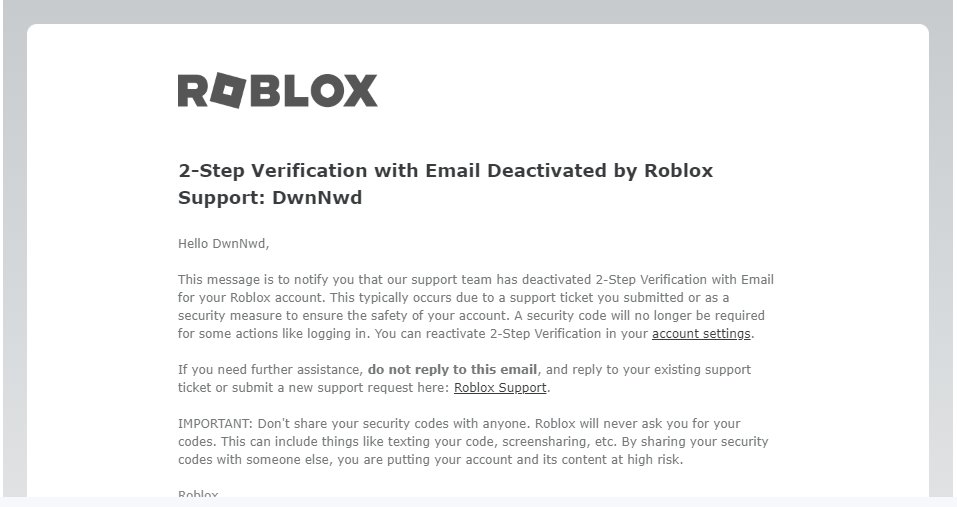
Maintaining strong passwords, enabling two-step verification, and being wary of suspicious links are crucial for effective Roblox account security measures.
Is your Roblox account feeling a bit vulnerable? It’s important we take protecting our digital playgrounds seriously. Many users often wonder how to ensure their virtual adventures remain safe and secure. Thankfully, many things contribute to excellent roblox account security measures.
You need to know these key steps. Protecting your in-game progress and virtual items requires effort and an understanding of best practices. Following simple instructions will greatly improve your experience. Let’s get into how you do it.

Roblox Account Security Measures: Keeping Your Digital Adventures Safe
Let’s dive deep into how to keep your Roblox account super safe! It’s like having a secret hideout online, and you want to make sure no sneaky intruders can get in. We’ll talk about all the important things you can do to protect your account, so you can keep playing your favorite games without any worries.
Understanding the Threats: Why Account Security Matters
Before we talk about how to stay safe, it’s good to know what kind of problems we’re trying to avoid. Imagine someone getting into your account. They could:
- Steal your Robux: That’s like someone taking all your hard-earned in-game money!
- Trade away your cool items: Think of your favorite hats, pets, and other goodies – they could disappear!
- Pretend to be you: They could say mean things to your friends or play games in a way you wouldn’t.
- Delete your creations: If you’ve made awesome games, someone could erase all your hard work.
These things can be a real bummer, so it’s important to learn how to keep your account safe and sound. It’s all about being a smart Roblox player!
Strong Passwords: Your First Line of Defense
Think of your password as the key to your Roblox house. You want to make it super tricky for anyone else to guess. A good password is like a secret code that only you know! So, what makes a password “strong”? It’s not just about picking a random word. Let’s break it down:
What Makes a Password Strong?
- Longer is Better: Try to make your password at least 12 characters long. Think of it like building a really tall fence, the taller it is the harder it is to climb over.
- Mix It Up: Use a mix of uppercase and lowercase letters (A, a), numbers (1, 2, 3), and symbols (!, @, #, $, %, ^, &, ).
- Avoid Easy Things: Don’t use your name, birthday, pet’s name, or common words like “password” or “123456”.
- Unique Passwords: Never use the same password for Roblox that you use for any other websites or games.
Here are some examples of passwords, showing which are good and which are bad:
| Password | Good or Bad? | Why? |
|---|---|---|
| MyName123 | Bad | Too short, uses name and numbers only |
| Password123! | Bad | Contains a commonly used word and is easily guessable. |
| ILoveCats!2 | Okay | It is more complex than previous passwords. However, it is still relatively short and uses a very common phrase, making it still prone to being guessed. |
| r#7H@t_!x9^yZ! | Good | Long, includes uppercase and lowercase letters, symbols, and numbers. Very hard to guess! |
| MyDogSpot2023 | Bad | Uses a pet’s name and year, making it easily guessable. |
| Blue!BaLL#87 | Good | Long enough, includes a mix of characters, and not a common phrase or word. |
Remember to create a strong, unique password. Think of it as the key to your awesome digital world. Change your password regularly to keep your account protected.
How to Change Your Roblox Password
Changing your password every once in a while is like giving your key a new design, just to be extra sure! Here’s how to do it:
- Log in to your Roblox account.
- Click on the gear icon at the top right of the screen, which opens the settings menu.
- Go to “Settings” option in the menu.
- Look for the “Account Info” tab or section.
- Find the “Password” area, usually there will be a button or a link to change your password.
- Type in your current password, then type in your new password.
- Confirm your new password. Make sure you save the changes.
Two-Step Verification: Adding an Extra Lock
Two-step verification, also sometimes called 2FA, is like having a second lock on your door. Even if someone figures out your password, they’ll need another code to get in. Here’s how it works:
How Two-Step Verification Works
When you turn on two-step verification:
- After you enter your password, Roblox will send a special code to your email address or your phone (depending on how you set it up).
- You’ll need to type in that special code before you can log into your account.
- It’s like having a secret knock after you’ve used your key!
Turning On Two-Step Verification
- Go to your account settings in Roblox, just like when you changed your password.
- Look for the “Security” tab.
- Find the “2-Step Verification” option and click to turn it on.
- You’ll be asked to choose if you want to use email verification or phone verification. Pick the one you like.
- Follow the instructions on the screen to set it up. Usually, this means typing in your email address or phone number and confirming it.
- Roblox will send you a special code that you need to type in to confirm you set everything up correctly.
Now, even if someone gets your password, they can’t log in without that special code from your phone or email!
Email Verification: Keeping Your Account Connected
Verifying your email address with Roblox is very important. It’s like putting your address on a letter, so that if something goes wrong, Roblox can get in touch with you. It helps with:
- Recovering your account if you forget your password.
- Getting important updates from Roblox.
- Turning on two-step verification.
How to Verify Your Email Address
- Go to your Account Settings.
- Look for the section that says “Email”.
- If you haven’t verified it yet, you’ll see a button to “Add Email”.
- Type in your email address. Make sure you type it correctly.
- Roblox will send an email to your inbox.
- Open the email and click on the link inside to verify it.
If you don’t verify your email, you will have difficulty changing your password or getting back into your account if you get locked out, so it’s an important step to complete.
Phone Number Verification: An Extra Layer of Security
Just like verifying your email address, adding your phone number provides an extra layer of security. You can:
- Recover your account if you can’t get into your email.
- Set up phone-based two-step verification.
- Get important updates or security notifications from Roblox.
How to Add Your Phone Number
- Go to your account settings again.
- Look for a section that says “Phone number” or “Add phone”.
- Type in your phone number.
- Roblox will send a text message with a special code.
- Type the code into the website to confirm that it’s really your phone number.
By verifying your email and phone number, you provide many ways to get help and get your account back if something goes wrong.
Avoiding Phishing Scams: Spotting Fake Sites
Phishing is when someone tries to trick you into giving them your password or personal information by making a fake website or email that looks real. It’s like a sneaky trick to get your keys. Here’s how to avoid it:
How Phishing Works
- Phishers create fake login pages that look like the real Roblox website.
- They send you messages or links pretending to be Roblox asking you to log in.
- If you log in on these fake sites, they steal your password and get access to your account.
How to Stay Safe From Phishing
- Always double check the website address. The real Roblox site is roblox.com, not something else.
- Never click on links sent by someone in a message. If someone tells you to log in, go to the official Roblox website yourself.
- Don’t give your password to anyone, even if they say they are from Roblox. Roblox will never ask for your password in a message.
- Be careful of messages offering free Robux. These are often a scam, and will likely try to steal your account information.
- If something looks suspicious, it probably is. It’s always better to be safe than sorry!
Be Careful with Third-Party Apps and Websites
Sometimes you might see websites or apps that promise free Robux or offer other special things for Roblox. Be very cautious of these. They might be trying to trick you.
- Only use the official Roblox app and website.
- Never enter your Roblox username or password on other websites or apps.
- Avoid downloading unverified apps or files that promise to give you free Robux.
Remember, if something sounds too good to be true, it’s probably a trick!
Account Monitoring: Checking Your Security Regularly
Just like checking to see if your windows are closed, you should regularly check your account settings to make sure everything is safe and secure. Doing this often helps you spot potential problems quickly.
How to Monitor Your Account
- Check your recent activity. Roblox shows you where you have logged in from. If you see a place you don’t know, it could be a sign someone else got into your account.
- Check your password and make sure it’s still strong.
- Make sure your email and phone number are still correctly listed.
- Keep an eye out for changes you didn’t make. For example, items that were traded away that you don’t remember, or changes to your friends list.
By taking these steps, you’ll be able to see if anyone has done something sneaky in your account.
Reporting Suspicious Activity: Helping Keep Roblox Safe
If you see anything that looks suspicious, you can report it to Roblox. It’s like being a detective for the Roblox community. Roblox takes reports seriously and will investigate if needed.
How to Report Issues
- If you see someone doing something mean or breaking the rules, click on the flag or report button next to their name.
- If you think you’ve been scammed or that someone is trying to steal your information, report it to Roblox through the website.
Reporting helps Roblox stay a safe and fun place for everyone.
Parental Controls: Setting Limits and Guidelines
If you are a younger player, it’s a good idea to have your parents involved with your account security. They can set limits and rules for how you play Roblox and who you can interact with, and it can help keep your account more secure.
How Parental Controls Can Help
- Parents can set chat limits to prevent you from talking to strangers.
- They can control who you can add as friends.
- They can see your spending activity in the game.
If you are unsure how to set up parental controls, ask your parents for help. They can set up these features on your account to help keep you safe.
Keeping Your Computer Secure: Protecting Your Device
Your computer is like your basecamp, so it needs to be secure too. It won’t help to make your account secure if your computer is infected with a virus.
Ways to Secure Your Computer
- Use a good antivirus program.
- Keep your computer software up to date.
- Do not download files from sites that you don’t trust.
Being Aware of Scams and Hacks: Staying Informed
Learning more about how scams and hacks work helps you protect yourself better. It’s like having a superhero’s awareness!
Staying Updated
- Read updates from Roblox about security issues.
- Talk to your parents or trusted adults about online safety.
- Stay aware of the common tricks that bad guys use to steal your accounts.
By doing all these things, you can become a pro at keeping your Roblox account safe, and you will have a lot more fun when you play because you know your account is protected. Always remember to use a strong password, set up two-step verification, verify your email, and stay aware of any scams. Keep your digital adventures safe and enjoyable!
How To Make Your Roblox Account UNHACKABLE…
Final Thoughts
To summarize, consistently using strong passwords and enabling two-step verification provides vital layers of protection. Regularly checking your account settings for unauthorized changes is crucial. These proactive steps significantly improve your Roblox account security measures.
Remember to avoid suspicious links and never share your login details with anyone. Implementing these precautions helps you maintain a safe and enjoyable gaming experience.

