
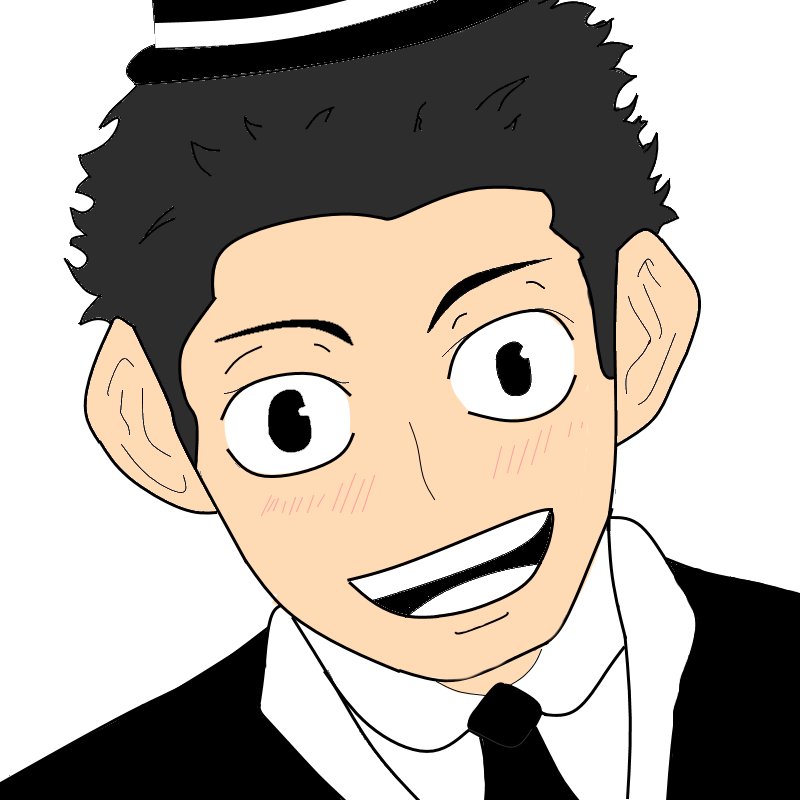
Creating Roblox digital art typically involves using drawing software or image editors to make graphics that you can use in Roblox experiences or to show off on the platform.
Have you ever wanted to make your own unique designs for your Roblox games or profile? Many creative players are diving into Roblox digital art creation to express themselves. It’s a fun and engaging way to make personalized assets.
From character avatars to custom game logos, the possibilities are endless. You can build skills in design and share your creativity with other players. It opens a whole new world of possibilities inside of the platform.

Roblox Digital Art Creation: Painting Your Virtual World
Have you ever looked at a cool Roblox game and wondered how all those awesome designs were made? From the characters to the backgrounds, it’s all thanks to digital art! Roblox isn’t just about playing games; it’s also a fantastic place to be creative and make your own art. Let’s dive into the world of Roblox digital art and see how you can start creating your own masterpieces!
What is Roblox Digital Art?
Roblox digital art is basically any kind of drawing, painting, or design that you make using a computer or tablet and that is used within the Roblox platform. This can include:
- Avatar clothing: Designing shirts, pants, and accessories for your Roblox avatar.
- Game assets: Creating objects, characters, and environment details for Roblox games.
- Profile pictures and banners: Making cool images to represent yourself or your game.
- Texture creation: Designing the surfaces of 3D objects, giving them the look of wood, metal, or anything you imagine.
- Concept art: Sketching ideas and designs for future Roblox projects.
Instead of using pencils and paper, you use digital tools like drawing tablets and software to bring your ideas to life inside the Roblox universe. It’s a lot of fun, and anyone can learn!
Getting Started with Roblox Digital Art
The good thing is, you don’t need to be an expert artist to make cool things in Roblox. You just need a bit of patience and the right tools! Let’s look at what you need:
The Essential Tools
- A Computer or Tablet: Most digital art is made on a computer, but some tablets work well too.
- Drawing Software: There are many free or affordable drawing programs out there. Some popular ones include:
- Krita: A free, powerful program with lots of tools.
- MediBang Paint Pro: Another free program, great for both beginners and advanced artists.
- Paint.NET: A simple, free option for basic image editing and painting.
- Adobe Photoshop or Clip Studio Paint: These are more advanced (and often paid), but they offer the most features if you want to get really serious about your art.
- Drawing Tablet (Optional but Recommended): A drawing tablet lets you draw directly onto your computer screen. This makes it easier to get the precise lines you want. You can find some great tablets that are perfect for beginners.
Setting up your workspace
Once you have your tools, setting up your workspace is important. Here are a few tips:
- Choose a comfortable space: Make sure you have a comfortable place to sit and work. Good lighting is also really important!
- Organize your files: Keep your art files organized in folders on your computer. This way, they’re easy to find when you need them.
- Practice with basic shapes: Start by drawing simple shapes, like circles, squares, and triangles. Practicing these basics will help you create more complex shapes later.
Designing Roblox Clothing
One of the most popular ways to make digital art in Roblox is by designing clothing for avatars. It’s really cool to see other players wearing the clothes that you made! Here is how you can start designing your very own avatar clothes:
Understanding the Template
Roblox clothing uses a special kind of template, which is like a pattern for clothes. It’s basically a flat image that wraps around the 3D character. You can get these templates from the Roblox website or from online resources. You will want to familiarize yourself with the different parts of this template:
- Front: This is the main part of the shirt or pants.
- Back: This is the part that covers the character’s back.
- Sides: These parts wrap around the character’s sides.
- Arms and Legs: These are for sleeves and pants legs.
It may seem a little tricky at first but it’s very straightforward once you get a good understanding of the template.
Designing Your Clothes
Now for the fun part! Use your drawing software to start drawing on the template. Here are a few tips for designing your own clothes:
- Start with a sketch: First, draw a sketch of your design on a piece of paper or digitally. This will help you plan out how your clothes will look before you start working on the template.
- Use layers: Drawing software lets you use layers, like sheets of paper stacked on top of each other. This lets you change or remove certain parts of your design without messing up everything else.
- Experiment with colors and patterns: Try out different colors and patterns to make your clothes unique. Don’t be afraid to try things out – that is how you will find what you really like!
- Keep it simple: Don’t try to make things too complicated at first. Simple designs can look just as great as complex ones.
Uploading Your Clothing
Once you’ve finished designing your clothes, you can upload them to Roblox. Here is how:
- Save as a PNG: Save your design as a PNG file so that the images are clear.
- Go to the Roblox “Create” page: Log into Roblox and go to the “Create” page.
- Choose “Shirts”, “Pants”, or “T-Shirts”: Depending on the clothing you designed, select the corresponding category.
- Upload your design: Upload your PNG file and fill out the required information.
It costs a small amount of Robux (Roblox’s currency) to upload clothing. Once approved, your clothes will be available for sale to other players!
Creating Game Assets for Roblox
Beyond clothing, you can also make all sorts of assets that are used inside of Roblox games. These assets can be anything from buildings and trees to special weapons and unique characters.
Basic 3D Modeling
To create game assets, you will need to understand how to work with 3D models. These are like digital sculptures, and you will need a 3D modeling program to design them. Some of the best and free programs include:
- Blender: A really powerful free program that professional game developers use, as well as beginners.
- TinkerCAD: A very simple free program for making basic 3D shapes.
Here’s a quick rundown of how 3D modeling works:
- Start with simple shapes: Start by using simple 3D shapes, like cubes, spheres, and cylinders, as your base.
- Add more shapes and combine: Add more shapes to your base, combine them, and reshape them to get the design you want.
- Extrude and Sculpt: Use tools in the program to stretch shapes or sculpt the base model like you are working with clay.
- Add detail: Once you are happy with the basic shape, add detail, like curves, grooves, or ridges.
Texturing and Materials
3D models in games need textures to make them look like real objects. For example, a wooden table needs a texture that looks like wood. Some of the best ways to add textures include:
- Using pre-made textures: Many websites offer free textures you can use.
- Create your own textures: Use your drawing software to create custom textures and add them to your 3D models.
- Materials: Think about how you want your object to look and feel. Is it metallic, smooth, or bumpy? Assigning the correct material helps make your objects look better in Roblox.
Importing Assets into Roblox Studio
Once your model is done, it’s time to import it into Roblox Studio which is Roblox’s game development tool.
- Export your model: In your 3D program, export your model in the correct file format, such as FBX or OBJ.
- Open Roblox Studio: Start Roblox Studio and open the game you want to add the object to.
- Import your model: Use the import tool in Roblox Studio to bring your model into the game.
- Place and adjust your object: Position your model where you want it in the game and adjust the size and look until it’s perfect.
Making Profile Pictures and Banners
Roblox profiles are a great place to show off your unique style. Creating your own profile pictures and banners lets you show off your art and creativity.
Designing Profile Pictures
Profile pictures are small, square images that represent you on Roblox. Here are some tips for making eye-catching profile pictures:
- Keep it simple: Use simple designs, so they are easy to see and understand.
- Use bright colors: Bright colors help your profile picture stand out.
- Add your avatar: It’s always a good idea to include your Roblox avatar or character in the image.
- Use a good background: Choose a background that fits the vibe you are going for.
Designing Banners
Banners are larger, horizontal images that appear at the top of your profile. They are a great way to showcase more complex art.
- Tell a story: Try to create a banner that tells a story or shows off what your Roblox presence is about.
- Use high quality images: Make sure that your images are clear and of good quality.
- Add a theme: A theme like your favorite game, movie, or art style can make your banner look very creative.
- Add a custom background: A custom-made background can really make your banner pop.
Using Drawing Software for Profile Images
Use the same drawing software you use for clothing to design profile pictures and banners. Some tips include:
- Use the correct size: Make sure your images are the right size for Roblox profile pictures and banners.
- Use layers: Like with clothing design, using layers will allow you to easily edit.
- Add text: You can add your username or game’s name to your profile banners.
Tips for Improving Your Roblox Digital Art
Like any skill, getting better at Roblox digital art takes time and practice. Here are some tips to help you improve:
Practice Regularly
The more you practice, the better you will get! Try to draw something every day, even if it’s just a small doodle.
Try Different Styles
Don’t be afraid to try different art styles. Experiment with different types of lines, colors, and shapes.
Look at Other Artists
Look at the work of other artists in the Roblox community. See what you like, and try to incorporate that into your own artwork. Don’t copy but use inspiration to learn.
Join Online Communities
There are many online communities where you can share your artwork and get feedback from other artists. Look for groups on platforms like Discord, or social media platforms like Reddit.
Take Online Courses
There are many free online courses that can help you learn how to draw. Sites like YouTube, Skillshare, and Udemy are great resources.
Don’t Give Up
Everyone makes mistakes when they are starting out. Don’t get discouraged! Just keep practicing, and you will improve over time!
The Future of Roblox Digital Art
Roblox is always growing and evolving and the world of digital art in Roblox is also growing! This is becoming a very important part of the Roblox world and it’s an amazing time to be a part of it. With all the new technology, new tools are always being released so that you can create even better art. This includes:
- New drawing software features: New features and tools in drawing software are being added all the time.
- More sophisticated 3D modeling tools: 3D modeling software is becoming easier to use with more features.
- AI art generation: Artificial intelligence (AI) is also starting to influence how digital art is being created and this could be a huge change to the way you make art.
By learning digital art in Roblox now, you’re preparing yourself for all of these cool new advancements. You will be at the front of the line to help make amazing new experiences for everyone in Roblox!
Creating digital art in Roblox is a lot of fun and it is a great way to show off your creativity and make your mark in the Roblox world. Remember, the most important thing is to enjoy the creative process. So grab your tools, let your creativity flow, and start creating your own Roblox digital art masterpieces! You might be surprised at what you can come up with!
Art Speed Draw ROBLOX ✨ #art #roblox #speeddraw
Final Thoughts
Ultimately, roblox digital art creation offers accessible tools for anyone to express creativity. Players can easily design unique avatars and game elements. The platform allows for experimentation with various styles and techniques.
This user-friendly environment fosters artistic development. It allows both beginners and experienced artists to produce amazing content. roblox digital art creation continues to evolve, making it an exciting space for digital artists.

