
Roblox networking optimization involves reducing data sent over the network by using techniques like client-side prediction, filtering unnecessary updates, and compressing data.
Lag is the enemy, right? In Roblox, that’s certainly true for players and developers alike. We all want a smooth, responsive experience. That’s why understanding Roblox networking optimization is key for creating engaging games.
Good networking practices directly affect how well your game performs for everyone involved. It can make the difference between a fun experience and a frustrating one. Let’s dive into some key ideas to help your Roblox game shine.

Roblox Networking Optimization: Making Your Games Run Smoothly
Have you ever played a Roblox game and noticed it was a little laggy? Maybe your character seemed to teleport, or things didn’t happen when they were supposed to? That’s often because of network issues. Think of it like trying to talk to a friend across a crowded room – sometimes the message gets lost, delayed, or mixed up. In Roblox, that “room” is the internet, and the messages are all the information your game needs to run smoothly. This is where Roblox networking optimization comes in. It’s about making sure the messages get to where they need to go quickly and efficiently. It’s like having a super-fast, reliable messenger service for your game! Let’s dive into how you can make your Roblox games super smooth with great networking.
Understanding the Basics of Roblox Networking
Before we jump into the fixes, let’s understand the basic structure of Roblox networking. Roblox uses a client-server model, which means there are two main parts to every game: the server and the clients.
- The Server: This is the brain of the game. It’s like the referee, making sure everything is fair and keeping track of all the important stuff, like player positions, health, and game events. The server has authority, meaning that changes it makes, the clients listen to.
- The Clients: These are the individual players’ computers or devices. They send their actions to the server (like moving or jumping), and the server sends back updates about what’s happening in the game.
Think of it like a post office. The clients (players) write a letter (their actions) and send it to the server (the post office). The server then reads the letter and delivers information back to all the other players. The better that post office runs, the smoother and more fun the game is. Now, lets see how the network communication works:
How Network Communication Works in Roblox
The network communication in Roblox is based on the concept of replication, and it uses the concept of properties. Here’s a breakdown:
- Property Changes: The server stores information about everything in the game as “properties,” like a part’s position or a player’s name. When something changes (like a player moves), the server updates the property.
- Replication: The server then sends these changed properties to the clients. This process is called “replication.” The clients update their local game based on these replicated properties.
- Client-Server Interaction: When a player does something like move their character, the client sends an event to the server saying “I moved”. The server then checks this action and updates the character’s position property and then replicates the changes to all other connected players.
The goal of network optimization is to make sure this process of property changes and replication works efficiently and without delay. If the server sends too many updates or the clients get overloaded with information, it will start making the game laggy.
Common Causes of Network Lag in Roblox
Network lag is a big headache, and it can ruin a game. So, let’s go through some of the common things that cause it:
Too Much Data
Sending too much information at once can choke the network. Imagine trying to send a giant book over a tiny phone line – it just doesn’t work well. In Roblox, this can be caused by:
- Many Parts: If your game has lots and lots of parts that are constantly changing, the server has to send all those changes to every player. This takes up bandwidth and slows things down.
- Unnecessary Replicated Properties: Sometimes, we try to update properties that we don’t really need, like properties that only the server is using. This creates a lot of wasted data.
- Complex Animations: If you’re constantly running animations or making properties change rapidly, you’re also sending more data.
Inefficient Scripting
Sometimes, it’s not just the amount of data, but how the data is sent and handled that causes lag. Poorly written scripts can create performance problems:
- Firing Events Too Often: If you’re rapidly firing events to the server in every single frame, it can get overloaded. Imagine sending a letter to the post office every second – that would get pretty overwhelming.
- Poor Use of Remote Functions: If you call remote functions constantly, it can cause the network to get clogged. It is better to use remote events when it is not necessary to get data back from the server.
- Unnecessary Work on Clients: If the server pushes too much work onto the clients instead of doing it itself, it can make their computers work harder and cause lag.
Network Limitations
Sometimes, the problem isn’t even with your game, but it is the limitation of network.
- Slow Connections: Players with slow internet connections will naturally experience more lag.
- Distance: The farther a player is from the server, the more lag they might see. Imagine that the post office is very far away from your house. The letter may take longer to be delivered.
- Server Overload: If the server is working very hard, it can slow down the replication process.
Now that we understand the causes of network issues, lets see how to reduce the lags.
Techniques for Roblox Networking Optimization
Now, let’s explore some practical ways to improve your Roblox game’s network performance. Remember, the goal is to send as little data as possible, as efficiently as possible, and as often as necessary. Below are the things you should be doing to improve the network performance.
Minimize Data Replication
The first big step is to send less data. Try these strategies:
- Local Changes When Possible: If something only affects a single player, handle it on their local client. For example, if you have an effect like a color change, that only the player who triggered the action see. The server do not need to replicate that to everyone.
- Only Replicate What’s Necessary: Avoid replicating properties if they don’t need to be sent to other clients. Sometimes you may be sending unnecessary properties, so make sure to analyze all the properties before setting their values.
- Use Region-Based Updates: If possible, only update players who are close to a change. For example, if someone has picked up an item, there is no need to update the clients that are far away. That will reduce the bandwidth.
Optimize Scripting Practices
Well-written scripts make a huge difference. Here are some key practices:
- Throttle Events: Don’t fire events every frame. Use a time-based system to send events at a reasonable rate. For example, when a player is moving, only send a move update every, say, 0.1 seconds, instead of every frame. This can significantly cut down on network traffic.
- Use Debouncing: If an event might be triggered rapidly, use a debounce to make sure it only happens once within a certain time. For example, if a button is being clicked multiple times, there is no need to register all of those clicks, we just need to register the click action and trigger the function once.
- Do Server-Side Work on the Server: Do as much processing as possible on the server. Don’t push too much onto the clients. The server has a better and more consistent connection.
- Use Remote Events for Actions: Use Remote Events when you’re not waiting for a response from the server. Only use Remote Functions if you need data back from the server. Using Remote events reduces the network load.
Optimize Data Structures
How you organize and send data can also impact your network performance. You can use techniques like:
- Compress Data: If you are sending large amounts of text or numbers, try to compress them before sending, and decompress them after receiving them.
- Using String Values Instead of Complex Tables: Sometimes sending string values are much more faster than sending a table data. Instead of sending complex tables, you can create your table values to a string values and send it to server/client.
- Use Bitpacking: You can also try bitpacking the data into integers to reduce the size of the properties.
Optimizing Instances
The instances that you use in Roblox also impact the network. Things like too many parts, instances can impact network performances.
- Reduce Part Count: Use unions, meshes, or models to group parts together and reduce the overall count. Too many parts can impact the server performance because the server have to manage these part positions and replicate them.
- Use StreamingEnabled: The StreamingEnabled property can be used to help with the large maps and instances. When a player joins the game, the map will load in the player’s visual range and when the player moves, the next area is loaded and the area that is not in the visual range will be unloaded, this helps to reduce the network and client/server load.
- Use LOD (Level of Details): Implement level of details for your 3D objects. When the player is far away, use a low-poly model, and when the player is close, use a high-poly model.
Tools for Network Optimization
Roblox gives some awesome tools that helps us to find network related issues, and fix them. Here are some tools you can use to find what is the cause of network issues:
Roblox Developer Console
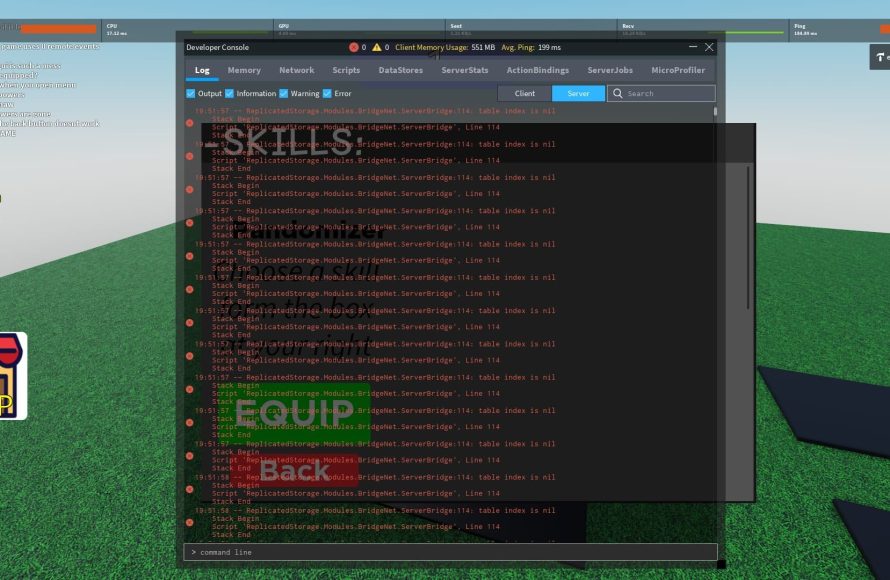
The developer console shows you network statistics, like latency and bandwidth usage. You can open the developer console in game by pressing “F9”. This lets you see if you are having any network problems, how long it takes the server to respond to the client.
Roblox Profiler
The profiler helps you pinpoint the scripts that use too much processing power. You can find it by clicking the “View” tab, and then selecting the “Performance” and “Script Profiler”. With the profiler you can see which scripts are taking too much time to complete. With the help of this, you can identify and fix any inefficient code.
Network Debugger
The network debugger allows you to inspect which properties are being replicated, and how frequently. It will help you identify if there are any unnecessary properties being replicated. You can use this tool by adding the “Network Debugger” in plugins. By using this plugin, you can find which property changes takes too much time to replicate. If the client and server ping is high, then it will also tell you about that.
Best Practices for Consistent Performance
Optimizing your game’s network performance isn’t a one-time task. It’s about following good practices throughout your development process. Here are some general best practices to keep in mind:
Start Early, Stay Vigilant
- Plan Ahead: Think about networking from the start of your project. Design your game to minimize data transfer. It is easy to start with a good game structure and maintain them throughout the project.
- Monitor Regularly: Keep checking your game’s performance during development. Use the Roblox tools frequently to find any problems early.
- Test Thoroughly: Test your game on different devices and network conditions to find any potential problems that only appear on specific platforms and configurations.
Collaborate and Communicate
- Teamwork: Share networking practices with your teammates. Make sure everyone knows how to write network-friendly scripts.
- Community Feedback: Listen to what players say about lag. Player feedback is a very important part of game development. Players may give you better ideas, or they can identify things that you don’t know.
Continuous Improvement
- Keep Learning: Roblox’s tools and capabilities change, so keep learning about the new ways to optimize. There are many other techniques that you can try to reduce the network traffic.
- Refactor Regularly: Don’t be afraid to rewrite old scripts if you find a better way to do things. Keep trying new methods to optimize the network performances.
By using these strategies, you can make sure that your game is running efficiently, and will make your players happy. Remember that optimizing network performance is a key to having a good game experience. Good luck and have fun optimizing your Roblox games!
This Is POWERFUL (Optimize & Stop Hackers!) | Roblox Studio
Final Thoughts
Effective techniques for handling remote events and data replication improve game performance. Prioritizing essential data transfers reduces lag and keeps gameplay smooth. Optimizing your code’s network usage results in a better user experience.
Implementing data compression and smart data caching strategies will also boost efficiency. Therefore, understanding these elements is vital to create a successful multiplayer experience. This knowledge of roblox networking optimization is key.

