
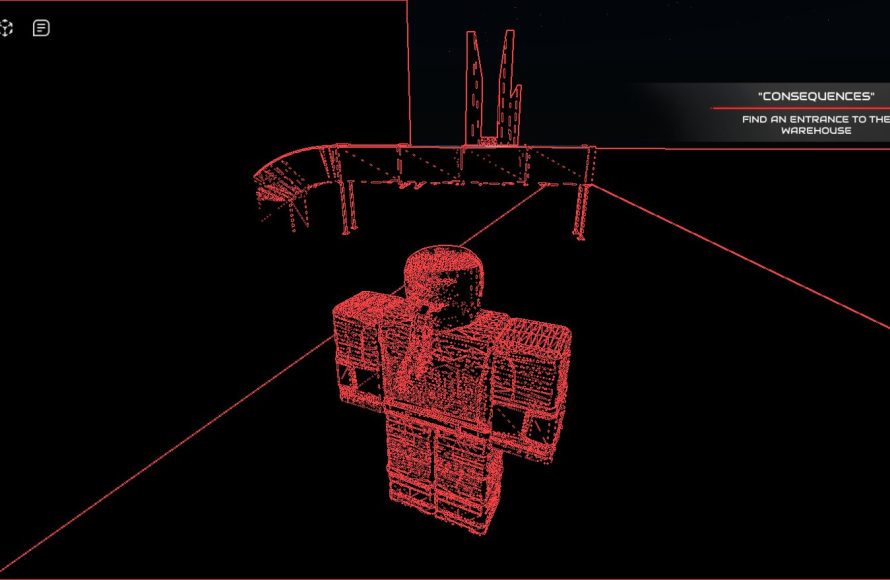
Roblox wireframing techniques involve creating simple, skeletal outlines of your game’s user interface and level layouts using tools like pencil and paper or digital design software to plan functionality and user flow before detailed development.
Ever find yourself lost in the maze of a Roblox game you’re building? It happens to the best of us. Planning is key, and that’s where roblox wireframing techniques can be a real game changer. It allows you to visually map out your game’s core structure.
Think of it as the blueprint for your masterpiece. Instead of diving headfirst into coding and complex details, wireframing focuses on the basic layout and function. You’ll save time and effort by having a solid plan to guide your development journey.

Roblox Wireframing Techniques
Okay, imagine you’re building the coolest race car ever in Roblox. You wouldn’t just start sticking blocks together randomly, right? You’d probably have a plan, maybe a drawing or a sketch. That’s what wireframing is like for game development in Roblox. It’s like creating a blueprint for your game before you start building the actual parts. Wireframing helps you organize your ideas and design how players will move around and interact with your world. It’s a super important step, and we’re going to explore different ways to do it!
Why is Wireframing Important in Roblox Game Development?
Before we dive into the “how,” let’s talk about the “why.” Why is wireframing so crucial in Roblox game development? Well, think of it as the foundation of your game. Without a solid wireframe, your game might end up messy, confusing, and not very fun. Here are some key reasons why wireframing is your friend:
- Clear Vision: Wireframes help you visualize the whole game, from the main menu to the different areas players can explore. It gives you a clear picture of how everything will fit together.
- Better Organization: When you plan with wireframes, you are organizing your game’s structure. It helps you figure out the best placement of things like buttons, obstacles, and important locations.
- Saves Time: It might seem like it takes extra time at the start, but trust me, it saves a lot of time in the long run. By planning things out beforehand, you’ll avoid making big changes later on.
- Easier Collaboration: If you are working with other developers, a wireframe gives everyone a clear idea of how the game should look, making it easier to build together.
- Testing and Iteration: Wireframes make it easy to test ideas quickly. If something doesn’t seem right, it’s much simpler to adjust a wireframe than to rebuild whole sections of your game.
Different Types of Wireframes for Roblox
Just like there are different ways to draw, there are different ways to create wireframes. Here are a few common types you might use in your Roblox projects:
Low-Fidelity Wireframes
These are like quick sketches. They are simple, basic, and don’t need to be perfect. Think of them as a rough draft of your game layout. They often use boxes, lines, and simple shapes to represent game elements. You might use these to plan out the basic areas and flows. You might even use a pencil and paper to draw these wireframes.
Here’s what low-fidelity wireframes might include:
- Basic shapes to show platforms and walls
- Simple outlines for menus and user interface elements
- Arrows to indicate player movement and transitions
- Text labels to identify areas or buttons
Low-fidelity wireframes are great for early stages because they allow for rapid adjustments and encourage brainstorming.
High-Fidelity Wireframes
These wireframes go into more detail. They have more specific shapes, sizes, and placements. They still don’t use colors or actual game assets, but they get closer to the final look. You can create high-fidelity wireframes using drawing programs or even using blocks within Roblox Studio.
A high-fidelity wireframe might show you:
- More accurate representations of game assets
- Detailed menu layouts
- Precise positioning of elements within the game world
- More specific labels and descriptions
High-fidelity wireframes are helpful when you need a more detailed plan. They make it easier to see exactly how the game will look and feel.
Interactive Wireframes
Sometimes a static picture just isn’t enough. Interactive wireframes let you simulate some of the game’s functions. You can click on buttons, move between areas, and experience the gameplay flow. You will need special software to build interactive wireframes.
These wireframes help you test how users will experience the game and can reveal potential problems early in the process. For example:
- Clickable buttons that lead to other pages
- Transition between different gameplay screens
- Simulated player movement
Interactive wireframes are very useful in the later stages when you want to test your design thoroughly.
Tools for Roblox Wireframing
Now that you know about different types of wireframes, let’s look at the tools you can use to create them. You don’t need fancy software to get started!
Good Old Pencil and Paper
This is the most basic way to wireframe, and it works perfectly fine for low-fidelity ideas. Just grab a pencil and some paper and start sketching. This method is great for quickly getting your ideas down and is very accessible.
Pros: Very quick, easy to use, no cost involved.
Cons: Not as precise, difficult to modify significantly.
Digital Drawing Software
Programs like Paint (included in Windows), GIMP (a free program), or even paid tools like Photoshop are all good options for creating digital wireframes. These tools offer more control than pen and paper.
Pros: Clean lines, easy to modify, easy to share.
Cons: May have a learning curve, requires access to a computer.
Roblox Studio
Believe it or not, you can actually create wireframes directly within Roblox Studio! Use simple parts to represent your game’s layout. It’s super easy to test your designs in the actual game engine. This is especially good for creating high-fidelity and interactive wireframes because you will be working with actual Roblox elements.
Pros: Allows quick testing in Roblox, familiar environment for developers.
Cons: May not be as quick for low-fidelity sketches, limited options.
Dedicated Wireframing Tools
Some tools are specifically made for wireframing. They often have drag-and-drop interfaces and premade templates. These tools like Balsamiq, Figma, and Adobe XD can make your wireframing experience much easier and more professional, but some may have a cost.
Pros: Specific tools for wireframing, easy to collaborate, advanced features.
Cons: May require a purchase, may be overkill for simple projects.
The best tool depends on your budget, your comfort level, and the type of wireframe you want to create. For simple ideas, a pencil and paper is perfect. As your game becomes more complex, you might consider using more specialized software.
Roblox-Specific Wireframing Considerations
When creating wireframes for Roblox, you have to think about some elements specific to the platform.
Player Movement and Navigation
Roblox games have unique movement systems, including character jumps, walking, and climbing. Your wireframes should consider how the player moves through the world.
- Are there lots of obstacles?
- Do players need to jump over things?
- How will they get from one area to another?
Make sure your design considers these specific movements.
User Interface (UI) Elements
User interface elements like buttons, menus, and scoreboards are key to player interaction. Plan the locations and appearance of these elements carefully in your wireframes.
When you are designing the UI, ask:
- Where will the important information go?
- How big should buttons be?
- How can I make the UI clear and easy to use?
Camera Angles
The camera angle can have a huge effect on the player’s view. Will it be first-person, third-person, or maybe even a fixed position? Wireframes can help test out how the camera should behave in different areas. You can think about:
- Should the camera follow the player directly?
- Should the camera stay in a specific location?
- Will it change when the player is moving through different areas?
Gameplay Mechanics
Plan how the game’s core mechanics will be presented. Are you making an obstacle course, a role-playing game, or something else? Wireframes can help you show the flow of the game.
- How do the players win?
- What challenges will they face?
- How does interaction with the game world work?
A Step-by-Step Guide to Creating a Roblox Wireframe
Okay, let’s break it down step by step. Here’s how you can create a basic wireframe for a Roblox game:
Step 1: Define your Goals
First, ask yourself, what’s your game about? What do you want players to do? What kind of experience are you trying to create? This is crucial to make sure you are not going on a wrong path.
Step 2: Choose your Method
Will you use paper and pencil, digital software, or Roblox Studio? Pick the tool that feels right for you.
Step 3: Start with Basic Shapes
Create the basic shapes of your game environment. Use squares and rectangles to represent platforms, walls, or buildings.
Step 4: Add Key Elements
Place in key elements such as the starting point, goals, and obstacles. Use simple shapes or labels to represent these.
Step 5: Plan the Flow
Use arrows to show how you want players to move through the game. Show how they get from one point to the next.
Step 6: Sketch the User Interface
Outline where buttons, menus, and other UI elements will go. Keep it basic for now.
Step 7: Review and Adjust
Take a good look at your wireframe. Does everything make sense? Can players get through the game easily? Make changes as needed.
Step 8: Get Feedback
Show your wireframe to your friends or other game developers. Ask for their suggestions. It is good to receive feedback on your work.
Step 9: Iterate
Use the feedback you got to adjust your wireframe. Keep refining your design until you feel confident with the plan.
Remember, wireframing is a process. Don’t be afraid to make changes and try new things.
Advanced Wireframing Tips
Once you’ve got the basics down, you might want to take your wireframing skills to the next level.
Use a Grid System
Implementing a grid system can help you maintain consistency and make the placement of elements very precise. This way you will be avoiding cluttered environments.
Plan User Flows
Think about how the players will navigate through the game’s menus and sections. Will it be easy for users to understand where they are going.
Add Notes and Annotations
Sometimes a picture is not enough. Add notes to your wireframes to explain why certain things are placed in a specific way.
Think About Different Devices
Roblox can be played on different devices. Make sure your wireframes account for how your game will look on different screen sizes. Try to make your UI responsive so it adjusts to each device.
Test Early and Often
Don’t wait until your game is almost finished. Get feedback on your wireframes as soon as possible. Early testing lets you catch and correct errors easily.
Examples of Good Wireframing in Roblox Games
Let’s look at some successful Roblox games and see how they might use wireframing techniques.
Example 1: An Obstacle Course Game
Imagine a very popular obby. A good wireframe for this kind of game would show:
- A clear path from start to finish
- Varied obstacles and challenges
- The UI clearly displays player progress and completion times
The goal of the wireframe is to make sure players don’t get stuck and know how to proceed.
Example 2: A Role-Playing Game
A role-playing game needs different levels and places to explore. The wireframe might show:
- Different towns and areas for exploration
- Places for important NPCs to stand
- A system for players to make choices
The wireframe needs to consider how players will interact with the world and with other characters.
Example 3: A Simulation Game
A simulation game usually has a lot of systems and elements to keep the player busy. A wireframe here would show:
- Clear layouts for different parts of the simulation
- UI for managing game resources
- Ways for players to interact with the game’s world
The main goal is to create a game world that is easy to use and that all systems make sense together.
These examples should give you an idea of how different games benefit from a strong wireframe.
Wireframing is a helpful skill for anyone who wants to make games in Roblox. By creating clear and organized plans, you can create fun and easy-to-use games. Remember, it’s okay to start with simple ideas and then build up to more detailed plans. With a bit of practice, you’ll be creating very good game designs in no time. Keep practicing and have fun creating!
Can you make a living off of roblox?
Final Thoughts
Effective Roblox wireframing techniques involve using simple shapes to plan layouts. This helps in visualizing the game’s structure. Wireframes prioritize functionality over aesthetics.
Planning with wireframes saves development time. It allows for easy adjustments to design ideas. Using these techniques means building a better user experience.
Therefore, applying practical Roblox wireframing techniques is vital for efficient development. These methods ensure clear planning and a solid base for any Roblox project.

