
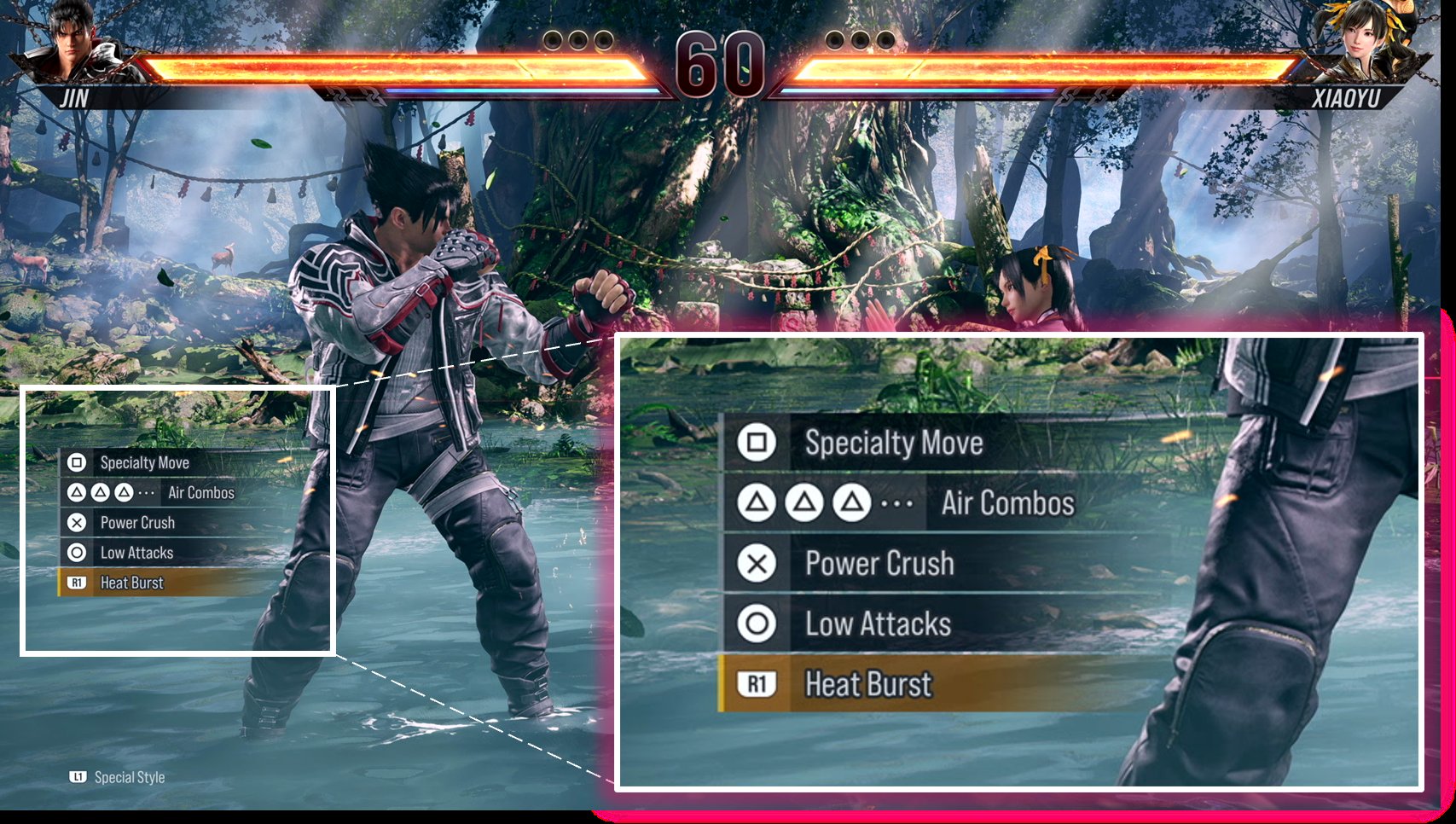
Tekken 8 special move inputs generally involve a combination of directional commands (forward, back, down, up) and button presses (square, triangle, circle, cross/X) executed in specific sequences. These combinations vary greatly between characters.
Getting started with Tekken 8 can feel overwhelming when facing the extensive move list each character possesses. Understanding the specific inputs needed to perform special moves is key to taking your gameplay to the next level. Tekken 8 special move inputs differ from character to character.
Learning these inputs takes time and practice, but it is essential for mastering the game and your favorite fighters. With enough dedication, you will be pulling off impressive combos and specials in no time.

Tekken 8 Special Move Inputs
Hey there, Tekken fans! Getting into Tekken 8 can feel like stepping into a whole new world of awesome moves and combos. But how do you actually do those crazy cool attacks? That’s where understanding special move inputs comes in. It’s like learning a secret language, but instead of words, it’s all about button presses and joystick directions. Don’t worry, it might seem tricky at first, but we’ll break it down so you can start pulling off awesome moves in no time. This guide will walk you through everything you need to know about how to perform special moves in Tekken 8, making sure you understand the core concepts, the different input types, and how to practice like a pro. Get ready to level up your Tekken game!
Understanding Tekken Notation
Before we dive into specific moves, let’s talk about the Tekken language: notation. This is how players write down moves, so everyone understands what to do. It might look like a bunch of weird symbols at first, but once you know what they mean, it’s super easy. Think of it like a code!
Basic Directions
- Forward (f): Move the joystick forward.
- Back (b): Move the joystick backward.
- Down (d): Move the joystick down.
- Up (u): Move the joystick up.
- Down-Forward (df): Move the joystick diagonally down and forward.
- Down-Back (db): Move the joystick diagonally down and backward.
- Up-Forward (uf): Move the joystick diagonally up and forward.
- Up-Back (ub): Move the joystick diagonally up and backward.
Button Mappings
Tekken uses a four-button setup, which are often labeled with numbers:
- 1: Left Punch
- 2: Right Punch
- 3: Left Kick
- 4: Right Kick
Sometimes, you’ll see combinations like “1+2” or “3+4”. This means you press both buttons at the same time. Pretty simple, right?
Special Symbols
Besides directions and buttons, you’ll see special symbols:
- ~ (Tilde): Means “immediately after.” For example, f,f~1 means “forward, forward, then immediately press 1”
- , (Comma): Means “then.” For example, 1,2 means “press 1 then press 2”
- + (Plus): Means “at the same time.” For example, 1+2 means “press 1 and 2 together”.
- (W!): Wall splat.
- [ ] : Indicates that move is performed during a specific animation.
- WR : Means While running.
- SS : Means Side step.
- WS : Means While Standing up.
- FC: Means Full Crouch
- CH: Means Counter Hit
- cd: Means Crouching Dash.
- BT: Means Back Turned.
- _ : Means Or.
Let’s say you see a move input like “df+2”. That means you need to move the joystick diagonally down-forward and press the right punch button at the same time.
Types of Special Moves
Tekken 8 has a variety of move types, and each has its own input characteristics. Understanding these can help you perform the actions you want, when you want.
Basic Moves
These moves are very simple to do and usually involve one or two button presses along with direction. For example, a simple jab, or a kick. These are the bread and butter of your fighting style.
Command Throws
These are special throws that require specific inputs. They often involve a direction, and a button or button combo like (1+3) or (2+4), for example. Command throws can be a great way to break an opponent’s guard and deal good damage.
Special Moves
Special moves are character-specific attacks that are more complicated than basic moves. They often involve more complex joystick movements, followed by button presses. These moves are the core of most characters’ gameplay and require some dedicated practice to perform consistently.
Power Moves
Power moves are slower, more powerful attacks that often have some special effects. They may have different properties if they are performed as a Counter Hit. Power moves can change the flow of combat when used strategically, but they have risk involved. Power moves often use heavier button presses or longer chains of inputs than standard special moves.
Heat Moves
Heat moves are very powerful attacks that can be performed during a character’s Heat state. These moves usually require a specific input, which may include button combinations and forward movements. Heat moves change the game and can lead to massive damage.
Rage Arts
Rage Arts are super attacks that become available when your character’s health is low. These moves have very unique inputs, typically involving forward directions and buttons like 1+2+3 or 2+3+4, and they deal massive damage. Using Rage Art at the right time can change a losing battle into a victory.
Unblockable Moves
Unblockable moves are powerful attacks that cannot be blocked by the standard guard. These moves require special conditions for use and often involve unique and specific inputs, but can put your opponent in a tricky situation. Unblockable moves are very powerful tools in your arsenal if used at the right time.
Common Input Patterns
Let’s explore some common input patterns you’ll see in Tekken 8. These patterns are fundamental to almost every character, so understanding them will go a long way in mastering your character.
Quarter Circle Forward (qcf)
The Quarter Circle Forward motion is done by moving the joystick down, then down-forward, and then forward. It looks like a quarter of a circle on the joystick. You usually follow this input with a punch or kick button. (For example: qcf+1)
Quarter Circle Back (qcb)
The Quarter Circle Back motion is the opposite of qcf. It is done by moving the joystick down, then down-back, and then back. Like qcf, you’ll usually follow this input with a punch or kick button. (For example: qcb+2)
Half Circle Forward (hcf)
The Half Circle Forward motion involves moving the joystick backward, down-back, down, down-forward, and then forward. It looks like a half of a circle. This input is used for powerful moves and can be tricky at first, but practice makes perfect. (For example: hcf+3)
Half Circle Back (hcb)
The Half Circle Back motion is the reverse of hcf. It is done by moving the joystick forward, down-forward, down, down-back, and then back. It is also used for special moves and throws. (For example: hcb+4)
Forward, Forward (f,f)
This means to push the joystick forward twice quickly. It’s often used for a dash or to move quickly into an attack or a mix up. (For example: f,f+1)
Back, Back (b,b)
This is the opposite of f,f, push the joystick backward quickly twice. This action is used to quickly move backwards or initiate a back-dash. It’s often used to dodge an attack or to create some space. (For example: b,b+2)
Forward then Back (f,b)
This is when you move the joystick forward quickly and then immediately move it backwards. These are common inputs for special moves.
While Standing (WS)
These moves are performed from a standing position, usually after your character crouches and is starting to stand back up. The input will typically have WS at the beginning of the command, followed by a button or combo (For example: WS+1).
While Crouching (FC)
These moves are performed while your character is in a full crouch state. The input will typically have FC at the beginning of the command, followed by buttons (For example FC+df+1). These moves are often low attacks and can be used to open up your opponent.
Practicing Your Inputs
Now that you know the notation and common input patterns, let’s talk about how to get better at executing them consistently. Practice is key! You can’t learn to play Tekken by just reading, you have to be doing.
Training Mode is Your Friend
The Training mode in Tekken 8 is the best place to practice and learn. You can slow the game down, practice unlimited times, and see your inputs on screen. Use the practice mode to get comfortable with the different directions and button presses. Try to execute special moves multiple times in a row until you can do them consistently without thinking too hard.
Start Slow
Don’t try to do everything at once! Pick one character, and start with the basic moves, gradually adding more difficult inputs into your playstyle. It’s always better to learn one thing at a time instead of trying to be an expert all at once.
Focus on Timing
Many moves in Tekken require precise timing. Pay close attention to the timing required for each input. For example, qcf, 1 means you need to quickly move the joystick down, then down-forward, then forward, and then hit the 1 button quickly, making sure you do each action in right way.
Practice Makes Perfect
Like any skill, mastering Tekken inputs takes time and practice. Don’t get discouraged if you don’t get it right away. Keep practicing, and eventually, these inputs will become second nature. Try to set aside dedicated time each day to practice your inputs. You will improve each time you play.
Common Mistakes and How to Avoid Them
Let’s discuss some common mistakes that new players often make when learning Tekken inputs and how you can avoid them.
Incorrect Directional Inputs
One of the most common mistakes is not getting the joystick directions exactly right. This usually leads to your character doing something you didn’t expect, or doing the move incorrectly. To fix this, pay extra attention to the angle of the stick when you do diagonal moves like df, db, uf and ub. Start by practicing the basic directionals separately, then add in the button presses.
Rushing Inputs
Sometimes, players tend to rush the inputs. You think that you have to do everything as fast as possible. But, rushing can cause your inputs to not register. The best approach is to try and execute the input smoothly, rather than just doing it as fast as possible. In the training mode, slow down the gameplay speed to practice your inputs with care.
Not Using the Training Mode
Many new players jump straight into online matches, without spending time in the training mode. Training mode is an important part of learning Tekken. Try to learn all the important inputs for your character, learn your character’s combos, and learn the different types of moves.
Ignoring Notation
Trying to learn Tekken without knowing the notation can be tricky, which will make it hard for you to understand what your opponent or other players are doing. Learning the notation of each input will make your Tekken journey much easier. So, you should learn all the notations before trying to learn more advanced inputs.
Not Understanding Properties
Understanding that some inputs will have different properties, is very important. For example, a move may launch the opponent into the air on a normal hit, but on a counter hit, it may lead into a combo. This information is important to understand and will lead to much more optimized gameplay.
Advanced Input Techniques
Once you have the basic inputs down, you can explore some more advanced techniques. These will help you take your game to the next level.
Just Frame Inputs
Just frame inputs are difficult to execute as they require incredibly precise timing (within one frame of animation), but they can greatly enhance a character’s playstyle. If done correctly, these inputs can give a move a lot more power or different properties. These inputs require lots of practice, but it is very rewarding when they are executed correctly.
Korean Back Dash(KBD)
The Korean Backdash is a movement technique used to quickly move backwards in Tekken, it involves precise timings and inputs which are hard to get consistent. KBD is done by doing (b, db, b) repeatedly. This is one of the most popular techniques that Tekken players use.
Canceling Moves
Canceling moves refers to stopping certain moves halfway and performing a different action instead. This technique is difficult to master, but allows for many mix ups and fast combinations.
Using Buffer
A buffer is a period where the game stores input. This is a part of the game’s design, and is very important to know as it enables you to do certain moves more consistently. You can use this input buffer to your advantage to chain moves together.
Learning special move inputs in Tekken 8 is a journey that requires patience, practice, and a good understanding of the game’s notation. Start with the basics, and slowly move up to the more advanced techniques. The more you practice, the more naturally the inputs will come to you, and before you know it, you will be pulling off impressive combos and moves!
Tekken 8 All Characters Unblockable Super Moves #tekken8
Final Thoughts
Tekken 8 special move inputs demand practice for successful execution. Players must memorize complex sequences of directional commands and button presses. This game offers many variations of special moves, providing strategic depth.
Understanding specific timing and spacing is essential. Consistent training with each character’s move list will benefit players greatly. This will lead to more wins and enjoyment in the matches. Tekken 8 special move inputs require precise control.

