
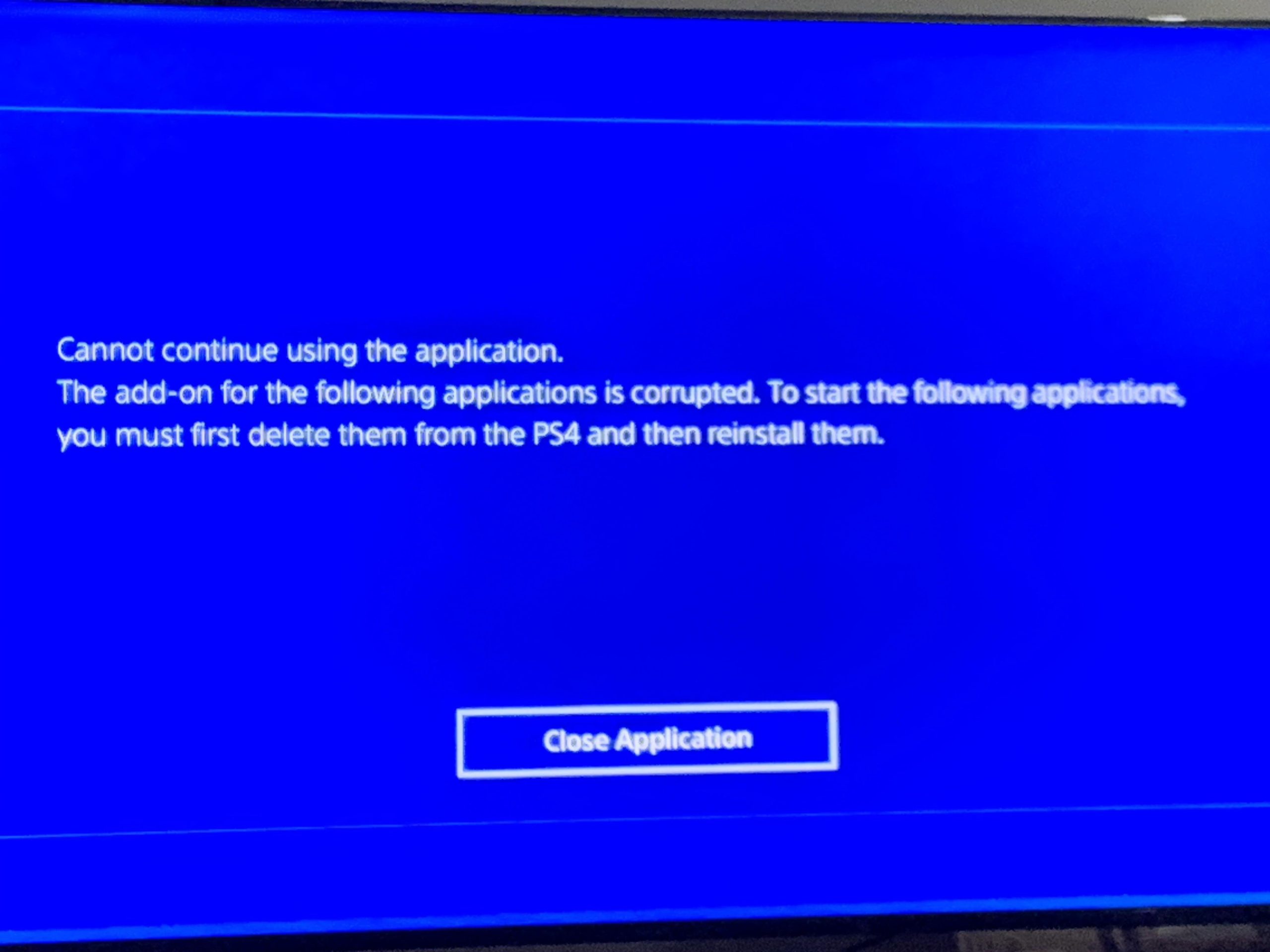
The corruption of all your PS4 games usually stems from issues with the hard drive, software glitches, or problems during the game installation/update process.
It’s incredibly frustrating when you settle in for a gaming session, only to find that all your PS4 games are corrupted. This situation, of course, prompts the question: why are all my ps4 games corrupted? It feels like a digital disaster, and figuring out what went wrong can be quite confusing.
This problem can arise from a number of different places. Maybe your hard drive is failing, or there was an unexpected interruption during an update. You might even have software conflicts.

Why Are All My PS4 Games Corrupted?
It’s super frustrating, right? You just want to relax and play your favorite game, but instead, your PS4 tells you it’s corrupted. It’s like a big, digital “game over” before you even start. You’re not alone; many PS4 owners have experienced this annoying problem. Let’s explore why this happens and what you can do about it. Think of it like being a detective trying to solve a mystery – the case of the corrupted game data!
Understanding Game Corruption
Before we dive into the specifics of why your games are getting messed up, let’s understand what game corruption actually means. When we say a game is corrupted, it means that the game’s files have been damaged or altered in some way. It’s like a book with some pages ripped out or with scribbles all over. The PS4 can’t read the game properly, causing it to not work. This can lead to crashes, freezes, or the dreaded error message telling you the game is corrupted. So, it’s not about your console having “bad luck,” but instead something went wrong with the data or its storage.
Common Causes of PS4 Game Corruption
Now, let’s look at some of the usual suspects behind game corruption. These are the things that most commonly cause this headache:
Hard Drive Issues
Your PS4’s hard drive is like a filing cabinet that keeps all your games, saves, and other important data. If this cabinet starts to have problems, it can definitely cause corruption. Here’s what can go wrong:
- Bad Sectors: Think of your hard drive as having tiny, tiny building blocks. If some of these blocks get damaged, they become “bad sectors.” Data stored in these bad sectors can become unreadable, leading to corruption. It is like a damaged tile in a large wall, making part of the wall unusable.
- Hard Drive Failure: Sometimes, hard drives simply start to wear out. Like an old car, it can start to have trouble storing and accessing information correctly. This can make your game data go wonky.
- Loose Connections: If the hard drive connection is not secure, it can cause issues. A loose connection is like a lamp with a wire that is not plugged in well – it’s not going to work right.
Software Problems
Software problems on your PS4 can be another reason for game corruption. This is about the operating system and how it runs your games. Think of your PS4 as a computer that needs its software to work correctly.
- System Software Bugs: The PS4 operating system, like any software, can have bugs. These bugs can sometimes interfere with how games are saved or loaded, leading to corruption. It is like having a misspelling in a recipe that makes the cake not turn out right.
- Interrupted Updates: During a game or system update, the data gets changed. If this process gets stopped, like losing power mid-update, the data may not update completely or correctly. This can cause the games to become corrupted.
- Conflict with Other Software: Sometimes, different programs can conflict with each other, kind of like siblings squabbling over toys. This conflict can corrupt the game data.
Power Problems
Power problems are like a surprise power outage in your home—it can cause problems. Here’s how it impacts your PS4 and the game data:
- Power Surges: A sudden surge of electricity, like during a lightning storm, can harm your PS4 and damage the files. It’s like a big wave hitting a sandcastle and destroying it.
- Sudden Power Loss: If the power goes out while your PS4 is saving, the process stops abruptly. This can cause incomplete or incorrect saves, making the game data corrupted.
- Unstable Power Supply: If your power supply is fluctuating and not steady, it can cause problems with how your PS4 is storing and accessing information. It’s like trying to keep a drawing steady when someone keeps jiggling the table.
Download and Installation Issues
The process of downloading and installing games is delicate, and if something goes wrong here, it can lead to corrupt game files.
- Interrupted Downloads: If you lose your internet connection or if the download is interrupted for some other reason, this can cause the game data to not download completely, leading to corruption. It’s like missing pieces of a jigsaw puzzle – the puzzle is incomplete.
- Installation Errors: Errors during installation can also cause game corruption. Sometimes, it might be due to the game files being damaged during transfer, or the installation process itself having issues.
Physical Damage
Though less common, physical damage to your console can, unfortunately, lead to game corruption. Here’s what can happen:
- Overheating: If your PS4 gets too hot, it can cause internal damage that affects how it reads and writes data. Think of it as your laptop running too hot and freezing.
- Accidental Damage: Dropping your PS4 or exposing it to liquid can cause damage that leads to data corruption. These accidental damages can harm your PS4.
Troubleshooting Corrupted Game Data
Okay, so now we know the most common causes of game corruption. But, what can you actually do about it? Don’t worry; we’re not out of options yet! Let’s go through some troubleshooting steps. Think of this as using your problem-solving skills to fix the corrupted games.
Restart Your PS4
Sometimes, a simple restart can fix a lot of problems. Restarting your PS4 is like giving it a fresh start. Turn it off and then back on again. Check if the game works after that. Don’t just put it in rest mode; make sure you turn it off completely.
Check for System Updates
Keeping your PS4’s system software up to date is really important. Updates often include bug fixes that can resolve corruption issues.
To check for updates:
- Go to the Settings menu.
- Select “System Software Update.”
- Follow the instructions to install any available updates.
Rebuild the PS4 Database
The PS4 database keeps track of all the files and data. If it gets messy, it can cause problems. Rebuilding the database can help fix this. Here’s how to do it (don’t worry, this won’t delete your saved game data):
- Turn off your PS4 completely.
- Press and hold the power button until you hear two beeps. This will boot the PS4 into safe mode.
- Connect your Dualshock controller with a USB cable and press the PS button.
- Select “Rebuild Database” from the Safe Mode menu.
- Follow the on-screen instructions to rebuild the database. This might take a while.
Reinstall the Game
If the game is still corrupted, you can try uninstalling it and then reinstalling it. This ensures you have a fresh, clean copy of the game. Think of it like starting the game from scratch.
To Reinstall the game, first delete the game from your PS4 library then reinstall it from the PSN store or the disk.
Clean the Game Disc (if applicable)
If you are playing a game from a disc, check it for scratches, smudges, or dirt. Clean the game disc with a soft, lint-free cloth. Wipe the disc from the center outwards in a straight line. This can help to ensure that the PS4 is reading the game data correctly.
Check Your Hard Drive
If you still face issues, your hard drive might have problems. You could try using another hard drive, if you have one available, and test the game on it. If the games work fine on another drive, your main drive might need replacement. There is no hard drive checker available on PS4, so you need to do the testing yourself.
Check for Hardware Issues
If none of the software fixes work, then it might be a hardware problem. In this case, you might need professional help. You could either take your PS4 to a repair shop or if it’s still under warranty, contact Sony for support.
Tips to Prevent Game Corruption
Instead of just fixing the problem, it’s way better to try and avoid it in the first place! Here are some things you can do to reduce the chances of your games becoming corrupted.
- Keep your PS4 in a well-ventilated area: Make sure your PS4 has enough space around it so that it doesn’t overheat. Don’t put it in a cabinet or a place where it gets really hot.
- Always shut down your PS4 properly: Never unplug it or turn off the power while the system is saving data. Always shut it down using the proper menu option.
- Use a surge protector: Plug your PS4 into a surge protector to protect it from power surges. This is like having an extra layer of protection for your console.
- Keep your software updated: Always install the latest system updates. These updates often include fixes that can prevent corruption issues.
- Check your internet connection: Make sure you have a stable internet connection while downloading or updating a game.
Dealing with corrupted game data on your PS4 can be annoying, but it’s often fixable. By understanding the most common causes and following the troubleshooting steps we’ve discussed, you can get back to enjoying your games. Remember to take preventive steps to avoid this issue from happening again.
How To Fix Corrupted Data On PS4 – Full Guide
Final Thoughts
Ultimately, multiple factors can cause your PS4 game corruption. System software glitches, hard drive problems, and even interrupted downloads are must-investigate causes. Therefore, addressing these root issues is critical.
If troubleshooting steps fail, a faulty hard drive might be the culprit. Hence, replacing it could resolve the “why are all my PS4 games corrupted” issue. Backing up data regularly also is crucial in preventing future game loss.

