
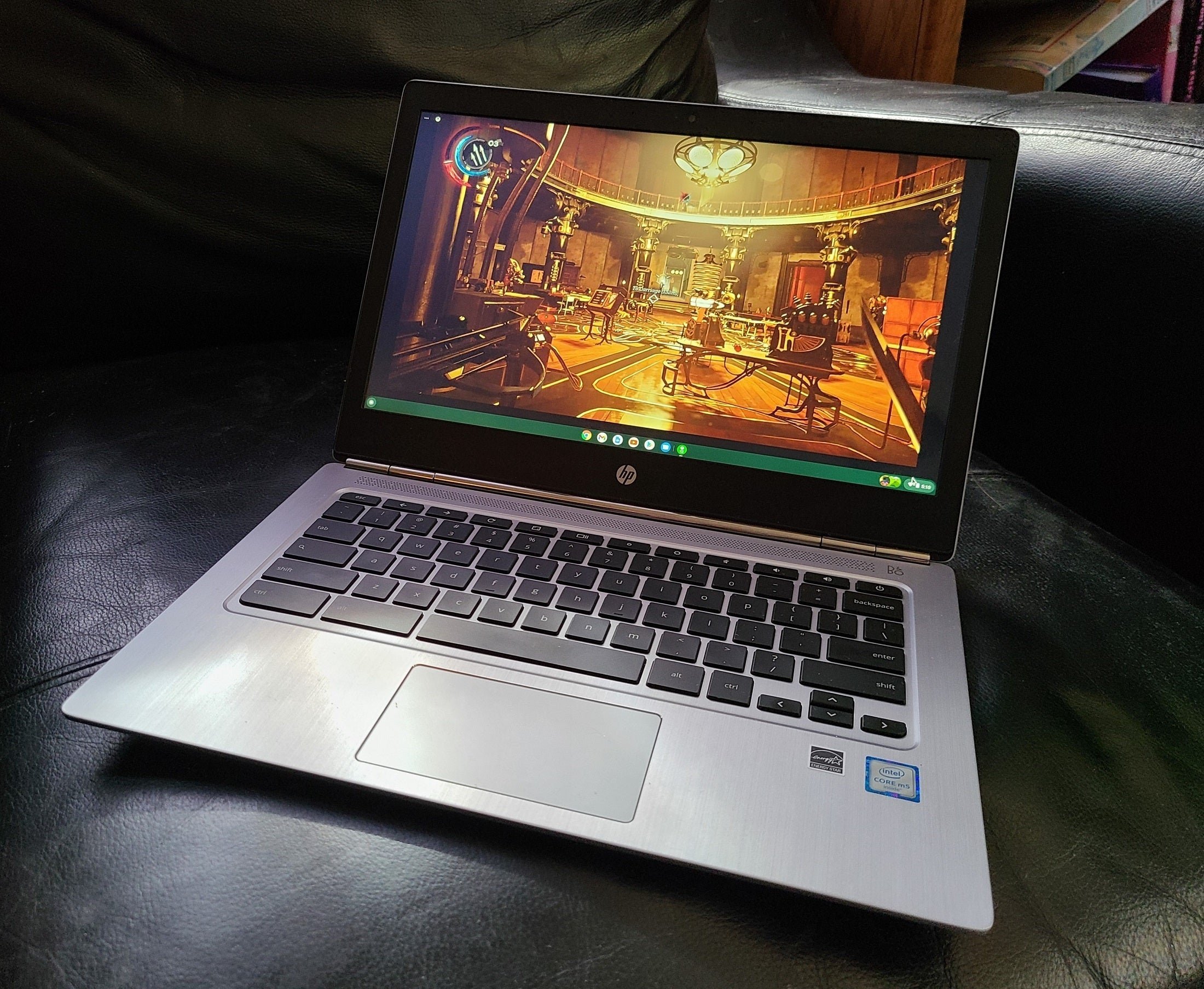
Many Chromebooks can’t play certain games due to limited hardware, reliance on web-based apps, and lack of compatibility with some game engines.
Ever wondered why you can’t dive into your favourite high-end games on your Chromebook? It’s a common frustration! Many users ask “why cant i play games on chromebook” and the answer isn’t always straightforward. Chromebooks are designed for specific tasks like browsing and productivity, which affects their gaming capabilities.
While some games do work well on Chromebooks, the hardware often isn’t designed to handle complex graphics. This is why you might encounter issues running some titles you find on other devices.

Why Can’t I Play Games on Chromebook?
Ever tried to fire up your favorite game on your Chromebook, only to be met with frustration? You’re not alone! Chromebooks are awesome for lots of things – schoolwork, browsing the internet, and watching videos – but gaming can sometimes feel like a different story. Let’s dive into why this is the case and what options you have.
Understanding Chromebook Basics
Before we talk games, let’s get a quick overview of what makes a Chromebook a Chromebook. Unlike Windows PCs or Macs, Chromebooks run on Chrome OS, an operating system made by Google. This operating system is designed to be lightweight, fast, and focused on web-based applications. This design choice has a big impact on their gaming capabilities.
The Power of Chrome OS
Chrome OS is very different from Windows or macOS. It’s built around the Google Chrome browser, which means it focuses on web apps and cloud services. Think of it like this: instead of installing software directly onto your computer like you do on a PC, most of what you do on a Chromebook happens within a web page. This is why you can often use things like Google Docs and Gmail directly from your browser.
This approach keeps things simple and fast. However, it also means Chromebooks are not always compatible with many of the games that you might play on other types of computers or gaming consoles.
Hardware Differences
Another key aspect is the hardware found inside Chromebooks. Typically, Chromebooks are equipped with less powerful processors and graphics cards compared to gaming laptops or desktops. While this design helps them be energy-efficient and affordable, it limits their ability to run graphically demanding games.
Why Some Games Don’t Work
Now, let’s explore the core reasons why you might struggle to play certain games on your Chromebook:
Operating System Limitations
The biggest reason many games don’t work on a Chromebook is because of Chrome OS. Many popular games are specifically made for Windows, macOS, or other operating systems. These games are built using technology that Chromebooks don’t fully support. The software needed to run those games simply isn’t there on a Chrome OS device, making it impossible to directly install and play them.
Native Game Support
Think of your favorite PC game, it may be something like Fortnite or Call of Duty, for example. These games are usually built to run on Windows, so they need a way to access the computer’s internal parts (CPU, graphics card etc) and they communicate through something called the “DirectX” API. Chromebooks just don’t have this. They use a different method to get things done, and the game has not been written to understand this method. That is why those games cannot natively work on a Chromebook. This is a very common challenge. The game needs to be created, or re-created for Chromebooks.
Graphics Power
Modern games need a powerful graphics processing unit (GPU) to display the complex images and animations that make them look great. Many Chromebooks have integrated graphics, meaning the graphics processor is part of the main processor, not a separate dedicated card. This kind of graphics solution is great for day-to-day use and videos, but it doesn’t have the power needed for demanding games. Imagine trying to draw detailed pictures with a crayon instead of a high-quality pen, that’s kind of the difference in graphical power.
Installation Challenges
Many games are installed using setup files (like .exe files for Windows), but Chromebooks don’t work with these files. Instead, they use apps from the Google Play Store (similar to how phones work) or web-based applications. This limits the kinds of games that you can install. You can’t just download a Windows game and run it on a Chromebook. The game would need to come as a web-based game or an Android app.
Types of Games You Can Play on a Chromebook
While you might not be able to play every game, there are still plenty of fun gaming options available for your Chromebook. The key is to understand what types of games work well with the Chrome OS environment:
Web-Based Games
Many games are designed to be played directly within your web browser. These are called web-based games and they work great on Chromebooks. These games do not need to be installed, you can just use them through your browser. They range from simple puzzles and classic arcade games to more complex strategy and multiplayer experiences.
Examples of web-based games include:
- Agar.io
- Slither.io
- Various puzzle games on websites like Pogo or Kongregate
- Many browser-based RPGs
Android Games from the Google Play Store
One of the coolest things about many newer Chromebooks is that they can run Android apps from the Google Play Store. This opens up a big library of mobile games that you can play on your Chromebook. However, it’s important to note that not all Android games run perfectly on a Chromebook due to compatibility issues or the fact that the game may be built for touch screens. Many games play nicely, but be prepared to adjust some games, or accept that some will just not work well.
Examples of popular games in Google Play Store:
- Minecraft (mobile version)
- Among Us
- PUBG Mobile
- Clash of Clans
- Call of Duty: Mobile
Cloud Gaming Services
Cloud gaming is a fantastic way to play many of the high-powered games that you cannot install directly onto your Chromebook. Cloud gaming services stream a game from a very powerful server and send it to you over the internet. You are actually controlling a game that is running somewhere else, not on your Chromebook. This means that your Chromebook does not need a powerful graphics card, it just needs a fast internet connection. You get to enjoy demanding games even on devices with less powerful hardware.
Popular cloud gaming services include:
- NVIDIA GeForce NOW
- Xbox Cloud Gaming
- Google Stadia (though Google has ended its own service, some developers provide games through cloud streaming.)
How it works
When you use cloud gaming, your controls are sent over the internet to the gaming service’s servers. The game runs there, and the video feed of the game is streamed back to your screen. It’s like watching a live video, but you’re controlling it. It is really important to have a strong and fast internet connection for cloud gaming as your experience will heavily depend on the connection speed.
Cloud gaming can be a game changer for Chromebook users because you get to access high quality, graphically demanding games which is not normally possible on a device with limited processing power, this means there are more possibilities for games for Chromebook users.
Linux Games (Advanced)
For more tech-savvy users, Chromebooks also support Linux, an operating system which is popular among developers. Linux is another operating system that can be installed on a Chromebook, usually by changing a setting and following the instructions that come up. There are a variety of Linux games that can be installed on a Chromebook. This is more for the advanced users, and is generally not that simple to setup.
How it works
Linux is like an additional system that runs alongside Chrome OS, when you enable it, you can use Linux software, that you otherwise could not. There are many different versions of Linux (called distributions) but the popular distributions provide methods to easily install software, including games. This allows you to install some games that are not available via the Play Store. However, this is not as simple as installing a standard app and is more targeted at advanced users.
Important Considerations
Enabling Linux on a Chromebook does require some extra technical knowledge, and there may be limitations on which games will be compatible with your specific hardware.
Examples of games that could be installed on a Chromebook that has Linux enabled:
- OpenTTD
- Stardew Valley
- Dota 2
Tips for Better Gaming on a Chromebook
Even with the limitations, here are some tips to improve your gaming experience on a Chromebook:
Check Compatibility
Before getting excited about a new game, double-check if it will run on your Chromebook. Look at the system requirements for games to see if they’re compatible with Chrome OS. You can also search online to see if other people have gotten it to work on a Chromebook.
Use a Stable Internet Connection
For cloud gaming and online web-based games, a fast and stable internet connection is key. If your Wi-Fi signal is weak, try moving closer to your router or using an Ethernet cable for a more reliable connection. Sometimes a simple fix like a reset of your modem/router will help a lot if you have problems with your connection.
Keep Chrome OS Updated
Google regularly releases updates for Chrome OS. These updates often include performance improvements and bug fixes that can help your games run smoother, so make sure your Chromebook stays up to date.
Close Unnecessary Tabs and Apps
When you are using a Chromebook, you have limited resources to work with, so you will need to do some housekeeping. Having too many browser tabs or apps open can slow down your Chromebook, especially when running games. Close any programs you are not using to free up processing power.
Experiment with Different Games
There are many different types of games available on Chromebooks. Don’t be afraid to explore web-based games, Android games, or cloud gaming services to find new fun options that you enjoy.
Adjust Game Settings
If you do have a game that is running slowly, try playing with the game’s settings. Lowering the graphic settings of a game may make it run smoother. You can also adjust the resolution in most games, and sometimes using a lower screen resolution will make the game much more playable. Some games also allow you to choose the frame rate, and lowering this will also help the game play more smoothly.
The Future of Gaming on Chromebooks
While gaming on a Chromebook might not be perfect right now, it’s constantly improving. Google and game developers are working on ways to bring more games to Chromebooks. This is not a static space, with newer hardware and better software being developed that allows for better game play.
More Powerful Chromebooks
Manufacturers are beginning to produce Chromebooks that have better graphics and processors. This means that in the future some higher end games may work better than they do now. This is a positive step for Chromebook users, and more of these models are being released.
Growing Support for Cloud Gaming
As more people start using cloud gaming services, more game developers will look to support this technology. Cloud gaming removes some of the limitations of the hardware, and could make the Chromebook a far more attractive gaming platform. This also allows you to play games that you could not play on your computer. The future looks bright for cloud gaming.
Better Android App Integration
Android games are already a great option for Chromebooks. As the Android operating system is further optimized to work with Chrome OS, game compatibility and performance on Chromebooks will improve. This could mean that more and more people choose a Chromebook over other devices as an alternative.
Ultimately, Chromebooks may not be the best option if you are wanting to play the latest high end games, but they still provide some great gaming possibilities. The best thing to do is to understand the limitations, and see what kind of games will work best on the Chromebook.
It is important to understand that Chromebooks are designed to be lightweight, fast and focus on web based applications, which is very different to a Windows computer or a game console. Chromebooks have their own unique requirements and limitations, but they still give you the ability to play many games, especially if you use the cloud gaming services. With advancements in hardware and software, and better Android game integration, the future for gaming on a Chromebook is definitely more exciting.
Can you play games on a Chromebook?
Final Thoughts
Ultimately, limited hardware and the ChromeOS design often restrict gaming capabilities. Chromebooks prioritize web browsing and cloud-based tasks. Therefore, demanding games with intense graphics struggle to run.
This answers the core issue: ‘why cant i play games on chromebook’ is mostly due to its inherent limitations. The focus on lightweight operation means some popular game titles are not supported by many models. Compatibility issues and processing power are the main reasons.

