
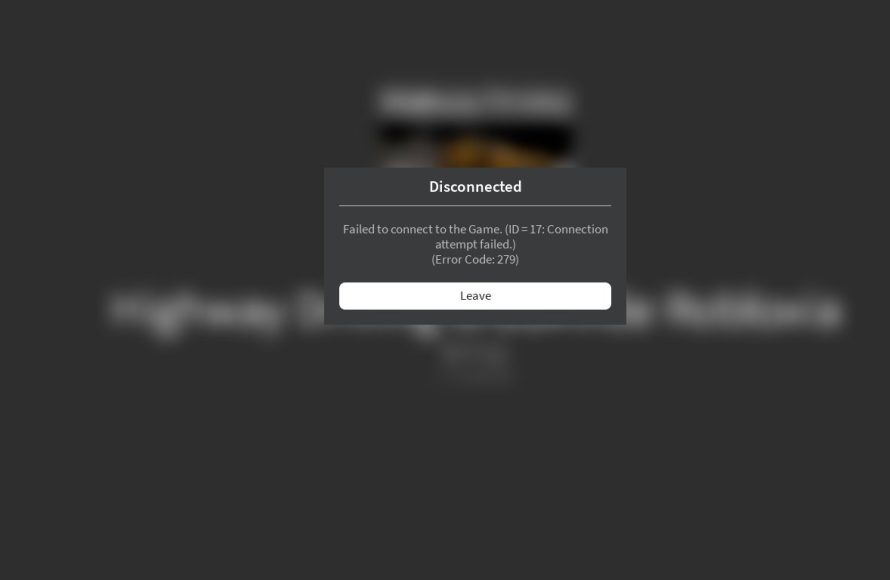
Your game likely keeps kicking you out due to unstable internet connection, outdated game files, server issues, or insufficient device resources.
Frustration mounts when your game abruptly closes, leaving you staring at your screen. You might wonder, why does my game keep kicking me out? This is a common problem with several potential causes. Sometimes, it’s a simple fix, and other times, it requires a deeper dive into your system and network.
These recurring disconnections interrupt gameplay and affect the overall enjoyment of your game. We will explore the usual suspects behind these annoying interruptions. By understanding these reasons, you can get back into the game with fewer interruptions.

Why Does My Game Keep Kicking Me Out?
It’s super frustrating, isn’t it? You’re right in the middle of an exciting game, maybe you’re about to win, and then bam – you’re kicked back to the main menu or even worse, your computer’s desktop. You might be asking yourself, “why does my game keep kicking me out?” Well, you’re not alone, and thankfully, there are usually reasons behind this annoying problem. Let’s go through all the common reasons and how to fix them, so you can get back to gaming!
Internet Connection Issues
One of the most frequent culprits behind game disconnects is your internet connection. Games today, especially online multiplayer ones, need a steady and reliable internet signal to work correctly. If your connection is shaky, you’re likely to experience lag, and in some cases, you’ll get booted from the game.
Weak Wi-Fi Signal
Think of your Wi-Fi signal like a water hose. If the water pressure is low, you won’t get a good stream. Similarly, if your Wi-Fi signal is weak, your game will have trouble communicating with the game server. This can lead to disconnects. Here are some things to consider:
- Distance from Router: Are you very far from your Wi-Fi router? Walls and other obstacles can weaken the signal. Try moving closer to your router to see if that improves your connection.
- Too many devices: Are lots of other people in your house using the internet at the same time? This can put a strain on your Wi-Fi, making it slower for everyone. Ask others to temporarily limit their use while you game or consider getting a better router.
- Router Problems: Your router itself might need a break. Try turning it off and then on again. This is sometimes called a “power cycle,” and it can solve many issues.
Unstable Connection
Even if your Wi-Fi signal seems strong, your internet connection can still be unstable. This means that the connection might be dropping out briefly or fluctuating a lot. Here’s what can cause this:
- ISP Problems: Your Internet Service Provider (ISP) might be having problems. You can check their website or social media for outages.
- Old Equipment: If your modem or router are very old, they may not be working efficiently. Consider upgrading to newer models.
- Background downloads: Even if you are not doing any active downloads, your computer may be downloading game updates or other software in the background, this can also cause unstable connection.
Troubleshooting Internet Connection
To fix internet connection issues try these things:
- Restart your Modem and Router: Turn off both your modem and router. Wait about 30 seconds, then turn the modem back on. Once the modem is fully on, turn the router back on.
- Use an Ethernet Cable: Instead of using Wi-Fi, try plugging your computer or console directly into your router using an Ethernet cable. This usually provides a more stable connection.
- Run an Internet Speed Test: Go to a website like speedtest.net and check your internet speed. Compare the results to the speed you pay for. If your speed is much lower, contact your ISP.
Game Server Problems
Sometimes, the problem isn’t your internet, but rather the game’s servers. Game servers are like the central hubs that handle all the online activity for a game. If these servers are having problems, it can affect everyone who is playing that game.
Server Overload
When many people try to play the game at the same time, the servers can get overloaded. This is very common when a new game is released or during big gaming events. The overload can lead to slow performance, lag, and disconnections.
- Peak Hours: During evenings and weekends, there are often more people online. This puts more stress on the servers.
- New Releases: When a new game is released everyone wants to try it out. This big rush can strain servers leading to disconnects.
Server Maintenance
Game developers need to do maintenance to fix bugs, add new features, and make sure the game is running smoothly. During maintenance, the servers may need to be taken offline, which will kick everyone out of the game. This is usually scheduled and announced in advance, but sometimes unplanned server maintenance does occur due to server errors.
- Scheduled Downtime: Sometimes the game developer makes the decision to perform some regular maintenance and for that they announce this beforehand.
- Unexpected Downtime: Some server maintenance might not be planned, these events might be caused due to bugs in the game or sudden crashes.
How to Check Server Status
If you suspect a server problem, here are some ways to check:
- Game’s Official Website: Look for a server status page on the game’s website.
- Social Media: Check the game’s official social media accounts (like Twitter) for updates.
- Community Forums: Other players might be reporting the same issue on community forums like Reddit.
Computer or Console Issues
Sometimes the problem isn’t the internet or the game server, but something going on with your computer or console itself. These issues can cause the game to crash and kick you out.
Outdated Hardware
If your computer or console is very old, it might not be able to handle the game’s requirements. Here’s what could be the issue:
- Not Enough RAM: RAM is like your computer’s short-term memory. If you don’t have enough, the game will struggle to run smoothly. Check the game’s minimum system requirements to see how much RAM is needed.
- Slow Processor: The processor is the brain of your computer, if it is too old or slow it can cause lag or even crash the game.
- Old Graphics Card: The graphics card handles the visuals in the game. An old one can cause problems. Again, see the minimum requirements of the game and compare it with your graphics card.
Software Conflicts
Sometimes, other programs running on your computer can clash with the game. These are the common reasons for such issues:
- Antivirus Interference: Sometimes, antivirus programs might falsely identify the game as a threat, leading to performance issues or game crashes. Try adding the game to your antivirus’s exception list, or just temporarily turn off the antivirus to see if that helps.
- Overlays: Programs that display in-game overlays (like Discord, Steam or other voice chat apps) can sometimes cause issues. Try turning them off to see if that fixes the issue.
- Background Apps: Some apps running in the background can use up resources that your game needs, causing lag and crashes. Close any unnecessary apps before starting the game.
Outdated Drivers
Drivers are special pieces of software that let your computer’s hardware (like your graphics card) work with the game. If these drivers are out-of-date, they may not work with your game correctly, and you might get kicked out.
- Graphics Card Drivers: Outdated graphics drivers are a common cause of game problems. Make sure you update them regularly from the graphics card manufacturer’s website (like Nvidia or AMD).
- Sound Drivers: While not as common as graphics drivers, outdated sound drivers can also cause problems. Make sure to update them too.
Overheating
When your computer or console gets too hot, it can cause the game to crash. This is the primary reason for overheating:
- Poor Ventilation: Make sure the vents on your computer or console aren’t blocked. Ensure there is enough space for heat to escape.
- Dust Buildup: Dust can accumulate inside your computer or console, making it hard for heat to escape. Regularly clean the inside with compressed air (be careful not to damage internal parts).
Game Settings Issues
Sometimes the game settings themselves can cause problems. If the settings are too high for your computer, the game might not run well, or you might experience crashes.
Graphics Settings
If your graphics settings are set too high, your computer might not be able to handle them. Try lowering some of the options. Start with these:
- Resolution: Lowering the screen resolution can significantly improve performance.
- Texture Quality: Reduce texture quality to make the game less demanding.
- Shadow Quality: Lower shadow quality can have a big impact on performance.
- Effects: Turn off unnecessary effects, such as ambient occlusion or motion blur.
Game Files Corruption
Sometimes, the files for your game might get corrupted or damaged. This can cause the game to crash or kick you out. Here’s how to check and fix this problem:
- Verify Game Files: Most game platforms (like Steam or Epic Games) have a feature to check for and fix corrupted game files. Follow their steps.
- Reinstall the Game: If verifying files doesn’t help, try uninstalling and then reinstalling the game.
Software Bugs
Every game has a chance of having some bugs or software glitches. If you think the problem is not on your end, it could be a bug in the game itself. Here’s how to deal with it:
- Look for Game Patches: Game developers often release patches to fix bugs. Make sure your game is updated to the latest version.
- Report the Bug: If you find a bug, report it to the game developer. This will help them fix it for everyone.
- Community Forums: Check community forums to see if other players are experiencing the same bug. They may have found a temporary workaround.
Account Issues
Sometimes, the problem is not with the game itself but with your gaming account.
- Account Security: If someone else is trying to access your account, the game may kick you out as a security measure. Make sure you have a strong password and have enabled two-factor authentication if it is available.
- License Issues: If your game license is not valid, then you won’t be able to play the game. Ensure that your purchase is not refunded and your subscription is still active.
Dealing with game crashes and disconnects can be a big hassle. However, going through these steps can often point you in the direction of the problem and then help you fix it. Remember to start with the easiest fixes like restarting your internet, and then move on to more complex solutions. With a little bit of effort, you should be back to gaming in no time!
it keeps kicking me out 😍
Final Thoughts
Ultimately, ‘why does my game keep kicking me out’ often boils down to unstable internet, outdated software, or insufficient hardware. You must verify your connection’s reliability first, and update all game and system files.
Also, confirm your device meets the game’s minimum spec requirements. Addressing these areas greatly improves game stability. If issues persist, contact the game’s support team.

