
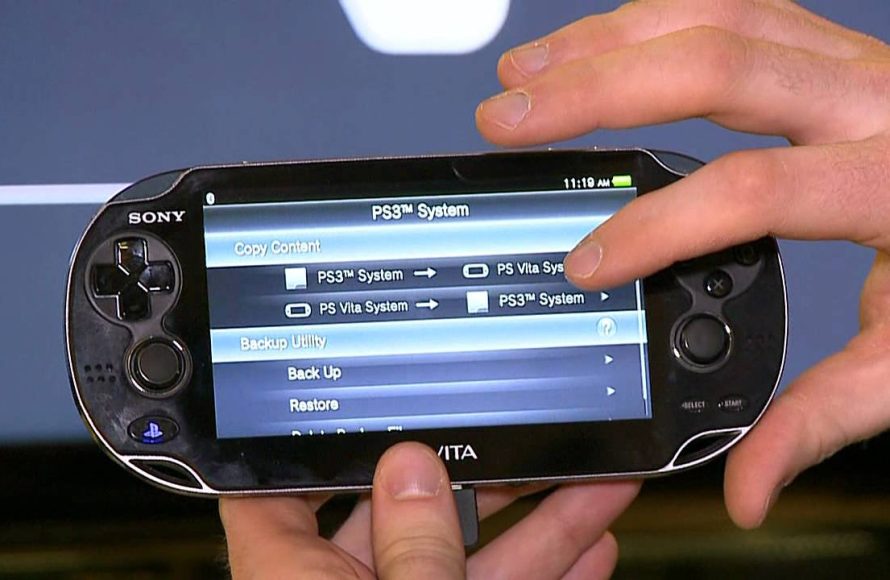
Yes, the PS Vita can play PSP games, mostly through digital downloads from the PlayStation Store.
So, you’re wondering, will PS Vita play PSP games? It’s a common question for those diving into the world of handheld gaming. Many people want to revisit their favorite PSP titles on the Vita’s bright screen.
The good news is that Sony designed the PS Vita to be backwards compatible with PSP games. You can access them digitally through the Playstation store, offering a library of classics readily available.

Will PS Vita Play PSP Games? A Deep Dive
So, you’re curious if your shiny PS Vita can play those awesome PSP games you remember? The short answer is yes, but it’s not quite as simple as just popping in a UMD. Let’s explore all the details about how your Vita handles PSP games, the different methods you can use, and any hiccups you might encounter. Get ready for a trip down memory lane, mixed with a bit of modern tech talk!
The Wonderful World of Digital PSP Games on Vita
The primary way your PS Vita plays PSP games is through the PlayStation Store. These aren’t the physical UMD discs you might have from your old PSP. Instead, you’ll be purchasing and downloading digital versions of PSP games directly onto your Vita. Sony made a ton of classic PSP titles available for purchase this way, giving you a huge library to explore.
Finding Your Favorite PSP Games
Navigating the PlayStation Store on your PS Vita is pretty straightforward. Here’s what you typically do:
- Make sure your PS Vita is connected to the internet.
- Open the PlayStation Store app. It’s the one that looks like a shopping bag.
- Use the search function and look up the titles of the PSP games you would like to play.
- Browse through the list to see if your game is available
- If you see it, go ahead and purchase it.
- Once the purchase is complete, the game will start downloading.
- After the download, you can find the game on the PS Vita home screen.
Keep in mind that not every single PSP game ever made is available on the PlayStation Store. Some less popular ones didn’t make the jump to digital. But, you’ll still have a wide variety to choose from, including many big hits like “God of War: Chains of Olympus,” “Final Fantasy VII: Crisis Core,” and “Metal Gear Solid: Peace Walker.”
The beautiful thing about digital games is that you don’t have to worry about scratched discs or lost game cartridges. Everything is safely stored on your PS Vita’s memory card. This means you can have a big collection of games ready to play at any time!
The Absence of the UMD Drive
Here’s where we touch on a key difference between the PSP and the PS Vita: The PS Vita doesn’t have a UMD drive. That’s right – that slot on the side of your old PSP where you popped in the discs? The Vita doesn’t have one at all. This means you can’t just insert your old PSP game discs and expect them to play.
This can be a little sad for people who have big collections of physical PSP games. Unfortunately, there’s no official way to use those physical copies on your PS Vita. So, if you want to play your favorite old games, the digital PlayStation Store versions are the way to go.
This is why it’s important to plan, as some games can be costly and may not be a good experience for your specific preference. Sometimes, a good search and comparison of games will lead you to buying the games that match your tastes, and you won’t regret them!
Emulating PSP Games on PS Vita: A More Complex Path
Now, let’s talk about emulation. For the tech-savvy folks out there, there’s another route to play PSP games on your Vita: using emulation. This method allows your Vita to essentially mimic a PSP, so it can play PSP games that aren’t available on the PlayStation Store.
However, it’s important to understand that this isn’t officially supported by Sony. It involves a process called “homebrewing,” which changes the software on your Vita to allow it to run different programs. This method has some risks involved and can affect your device if not done correctly, so that it’s important to be cautious if you choose to go down this route.
What is Homebrewing?
Homebrewing is basically like “hacking” your PS Vita to be able to run software that Sony didn’t originally intend it to run. This includes running custom apps and, in this context, PSP emulators.
Here are some things to consider if you’re thinking about homebrewing:
- It can void your warranty. Messing around with your Vita’s software might mean Sony won’t fix it if something goes wrong.
- It requires some technical knowledge. You’ll need to follow detailed instructions, and it can be confusing if you’re not used to doing these kinds of things.
- It carries the risk of bricking your device. Bricking means your PS Vita could stop working completely if the process goes wrong.
If you’re comfortable with the risks and technical aspects, there are guides and forums online where you can learn how to set up a PSP emulator on your PS Vita. But, if you are not feeling comfortable, we recommend that you stick to the official method of buying and playing games from the PlayStation Store.
PSP Remasters and Enhanced Ports on PS Vita
Sometimes, game developers will take a popular PSP game and give it a bit of a makeover for the PS Vita. This is called a remaster or a port. These versions of games often have improved graphics, sometimes new features, and may even take advantage of the PS Vita’s touch screen controls. This can give your favorite PSP games a brand-new feel and a more enjoyable experience on the PS Vita.
These remasters and ports provide a great way to experience classic titles with better visual presentation and enhancements. If you are keen on a particular title, it’s worth checking to see if a enhanced version exists on the PS Vita.
Examples of Remastered Games
Some examples of PSP titles that received remasters or ports to PS Vita include:
- “Final Fantasy X/X-2 HD Remaster”
- “Metal Gear Solid HD Collection”
- “God of War Collection”
These are just a few examples, and there are many more. These remasters often present a big improvement over their original PSP counterparts, so they are a great way to get the feel of the old titles, but with a shiny and improved experience.
PS Vita System Software and PSP Compatibility
The PS Vita’s system software also has an effect on how well PSP games work. In the beginning, not all PSP games worked perfectly on the Vita. But as Sony has provided updates to the Vita system software over the years, many of these issues were addressed. They worked to improve compatibility and fix glitches. It is important to keep your PS Vita updated so that you have the best experience with your PSP games.
You should also keep an eye out for any game-specific updates that are released for PSP games on the PS Vita. Game developers sometimes fix bugs or make changes to their games, and keeping your games updated makes for a better game playing experience.
Updating your system software and your games will ensure that you are playing the most stable and reliable version of your desired game. It is generally a good practice to do this whenever the updates are available.
The User Experience: Playing PSP Games on the PS Vita
Playing PSP games on the Vita is generally a smooth and comfortable experience. The PS Vita’s screen is bigger and sharper than the PSP’s screen, which means that PSP games look better and feel great to play. The improved resolution and brightness bring these older titles to life in a fresh way.
The controls are also usually fine. The PS Vita doesn’t have the slide button that was present in the original PSP, but the games are reconfigured to use the buttons and the analog sticks instead. Most games are easy to get to grips with. If there are a few touch screen features in the re-mastered versions, you will be able to use them without much difficulty.
However, because the Vita’s screen is a different size than the PSP’s, some games may not fill the entire screen. You may see black bars around the edges of the picture. This doesn’t affect the gameplay much, but it might look a little odd at first. Also, some games may not run at their perfect rate. It’s not very often that this happens, and you shouldn’t worry much about it.
Memory Card Space for PSP Games
One important thing to keep in mind when downloading PSP games on your PS Vita is the size of your memory card. PSP games, like other digital games, take up space. As you begin to collect a large collection of PSP titles, you’ll need a memory card with enough space for all of the games, your game saves, and any other content you want to keep on your Vita.
PS Vita memory cards are more expensive compared to normal memory cards that you use on phones and other devices. If you plan to keep a lot of games in your system, keep in mind the cost of the PS Vita memory card as well.
Region Compatibility for PSP Games on PS Vita
Here’s a detail that might be important for some: PS Vita, just like the original PSP, is region-locked. This means if you have a PSP game from a different region, that specific game may not work on your PS Vita. For example, if you have a game purchased in Japan, it may not work on a PS Vita that was purchased in America.
This is usually not a problem if you stick to buying and downloading games from your specific country’s PlayStation Store. But if you plan on buying used games from other parts of the world, you may find you need to do some research beforehand to ensure that the game will work with your device.
Troubleshooting Common Issues
Sometimes, you might run into minor problems when playing PSP games on your Vita. For example:
- Game Glitches: The game might glitch sometimes or have small visual bugs.
- Game Freezes: Sometimes, a game could freeze in the middle of playing.
- Game Crashes: The game might crash at some point and kick you out of the game.
If you experience these issues, here are a few things you can try:
- Restart the game. Sometimes, the problem is resolved just by restarting the game.
- Restart your PS Vita. Turning your system completely off and back on may resolve some technical hiccups.
- Check for game updates. Often, updates include fixes for common problems.
- Re-install the game. This can sometimes clear up any problems or corrupted files.
If you are still having issues, you should go online and research other players who are having similar issues. This way you will learn how to fix a problem by learning from other people’s experiences.
Playing PSP games on the PS Vita brings back the nostalgic experience of gaming from the early days, but now with a fresh feeling. With a wide array of games that have been made available in the PS Store, it is a great platform for classic gaming.
Does PS Vita Play PSP Games? 🎮 #psvita #retrogaming
Final Thoughts
The PS Vita can play many PSP games. You must purchase them digitally from the PlayStation Store. These games are often emulated.
However, not every single PSP title is available on the Vita. Some physical PSP games won’t work. Therefore, ‘will ps vita play psp games’ is mostly answered with a yes, but with caveats about digital availability.

