
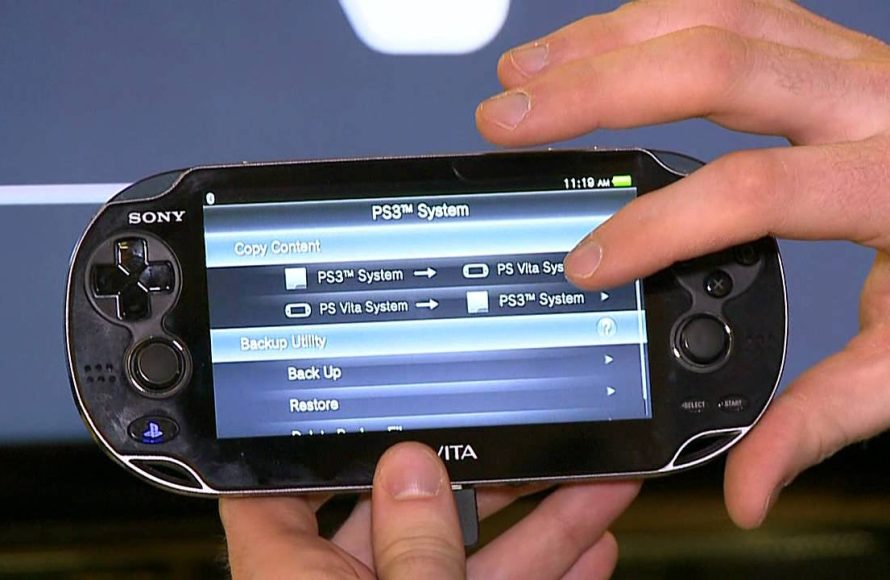
Yes, many PSP games will play on a PS Vita, thanks to its backwards compatibility with digital PSP titles.
Wondering if your old PSP library can find a new home on the PS Vita? Many folks are curious about the compatibility between these handheld consoles. The question, “will psp games play on ps vita,” is a common one for those with a collection of digital PSP games.
The good news is that the Vita does support a significant number of downloadable PSP games. Sony made it possible to access many titles via the PlayStation Network, allowing you to enjoy them on the Vita’s better screen.

Will PSP Games Play on PS Vita?
So, you’ve got a shiny new (or maybe a gently used) PlayStation Vita, and you’re itching to play some of your old favorites from your PSP? That’s a great question many gamers have! The short answer is: mostly, yes, but with some important things to know. Let’s dive into all the details about playing those classic PSP games on your Vita.
How Does the PS Vita Play PSP Games?
The PS Vita doesn’t play PSP games by directly reading the old UMD discs. Instead, it uses a clever system. It uses emulation software. This software is like a translator. It allows the Vita to understand and play the digital versions of PSP games. These digital copies need to be purchased from the PlayStation Store. Think of it like this: a translator helps someone understand a language, and emulation helps the Vita understand how to run PSP games. This means you can’t just pop a PSP disc into your Vita.
The PlayStation Store: Your Gateway to PSP Games on Vita
The key to playing PSP games on the PS Vita is the PlayStation Store. This is like a big online shop where you can buy and download games. Here’s what you need to know:
- Digital Downloads: You buy and download games directly to your Vita. There’s no need for physical game cartridges.
- PSP Game Selection: The PlayStation Store has a good selection of PSP games. It includes many popular titles, but not every single game made for PSP is available for download. You might not find every game you are looking for.
- Purchase Options: You must buy the games digitally; you cannot use PSP game discs.
- Account Required: To access the PlayStation Store, you need a PlayStation Network (PSN) account. This is the same account you might use for your PlayStation console.
- Storage Space: Make sure you have enough space on your Vita memory card, as PSP games, like any games, need space to be installed.
The PlayStation Store makes it easy to find and download the games. When you buy a game, it is saved on your system, and you can play it whenever you want, without worrying about finding the physical copy.
Key Things to Consider: Not All PSP Games Are Available
It’s fantastic that so many PSP games can be played on the Vita, but it is important to remember that not all games are available. Here’s why:
Licensing and Distribution
- Publishing Rights: Some game publishers might not want to sell a game digitally again, or they don’t have the rights anymore.
- Game-Specific Issues: Sometimes technical reasons, like how a game was made, make it hard to get it working perfectly on the Vita.
- Popularity: The most popular games are more likely to be available.
Checking Availability
How can you know if your favorite game is ready to play? It’s best to use the store on the Vita itself or through a web browser.
- PS Store Search: Go to the PlayStation Store on your Vita and type the game’s name in the search box.
- Web Browsing: You can also check the PlayStation Store website, usually by filtering to “PSP” games to see what is available.
- User Communities: Check websites and forums dedicated to gaming, because gamers often share what games are available.
Advantages of Playing PSP Games on Vita
Playing PSP games on your Vita is not just about reliving the past. There are some real benefits you might enjoy.
Improved Visuals and Controls
- Sharper Display: The Vita screen is much better than the PSP screen. So, even old games can look better.
- Dual Analog Sticks: The Vita’s two sticks give you better control in games that need them.
Convenience
- Digital Library: No need to carry around lots of game discs. Your games are all on your Vita.
- Play Anywhere: The Vita is portable so you can play on the go.
Additional Features
- Save States: You can save your progress at almost any time in some emulated PSP games, which is very useful.
- Remote Play: Some PSP games can even be played on a PS3 or PS4 through the Vita’s Remote Play function (note: this is not available for all PSP games).
The Important Role of Emulation
As we noted earlier, emulation is key to running PSP games on the Vita. Let’s go a bit deeper into what it is.
What Is Emulation?
Emulation is essentially creating a way for one type of hardware to pretend to be another type. It’s like a computer acting like another kind of computer.
- Software Trickery: The Vita uses special software to act like a PSP.
- Translating Code: The emulator takes the instructions written for the PSP and “translates” them into instructions that the Vita can understand.
How Well Does It Work?
The Vita’s emulation is quite good. Most PSP games run very smoothly. However, there might be occasional differences from the original PSP experience.
- Performance: Most games work just as good, and they can sometimes look better than the originals because of the better screen.
- Compatibility: While most games work, there could be a few that have issues or won’t run.
- Minor Differences: There might be small differences in controls or display. These are usually very minor, but they are something to be aware of.
Finding and Downloading PSP Games from the PlayStation Store
Now that you know you need the PlayStation Store, let’s walk through how to actually find and download these games.
Accessing the Store
Here’s how to get started:
- Turn on your PS Vita: Make sure it’s charged and ready to go.
- Connect to Wi-Fi: Your Vita will need to be connected to the internet.
- Find the PlayStation Store App: It looks like a shopping bag with a PlayStation logo on it.
- Tap the PlayStation Store App: This will open the store app.
Navigating the Store
Once you’re in the store, finding PSP games is pretty easy:
- The Search Box: This is the quickest way to find a specific game. Type in the title, and press search.
- Browse Categories: Look for a “PSP” or “Classics” category to see a list of available games.
- Filters: You can often sort by genre, price, and other factors to help you find what you’re looking for.
Buying and Downloading
When you find a game you want:
- Select the Game: This will take you to the game’s page, which will show you information, the price, and some pictures.
- Add to Cart: Add the game to your shopping cart.
- Checkout: Go to your shopping cart and check out. This will usually involve using a credit card or pre-loaded PlayStation Store funds.
- Confirm Purchase: Make sure to confirm your purchase.
- Download: After buying the game, it will start downloading to your Vita.
- Install: It will install automatically, and then you will be able to play!
Tips for a Smooth Experience
- Memory Card Space: Check your storage before downloading to make sure you have enough space.
- Wi-Fi Speed: Use a good Wi-Fi connection for faster download times.
- Be Patient: Large games can take a while to download and install.
Specific PSP Games and How They Play on PS Vita
Now, let’s get into specific games. Some of the most popular PSP titles are available on the Vita. How do they play?
Metal Gear Solid: Peace Walker
- Controls: The dual analog sticks of the Vita really change the game. It makes it easier to control the camera and move Snake around.
- Graphics: The game looks nice on the Vita’s screen.
- Overall Experience: This is usually a great experience on the Vita.
Final Fantasy Series
- Graphics: The beautiful worlds in these games look even better on the Vita’s sharper display.
- Gameplay: The turn-based combat system is well-suited for the Vita.
- Overall Experience: Playing these games on the Vita is usually smooth and fun.
God of War: Chains of Olympus and Ghost of Sparta
- Visuals: You can see how much better the action of these games looks on the better Vita display.
- Controls: Combat is easy with the Vita’s controls.
- Overall Experience: A lot of action on a small screen, and everything looks and feels smooth.
Other Titles
There are many other titles to explore on the PS Vita. From racing games to puzzle games and everything in between.
- Racing Games: Games like Gran Turismo usually play and look great.
- Puzzle Games: Patapon and other games in the category will work well on the system.
Potential Issues and Troubleshooting
Even though the Vita does a good job of playing PSP games, sometimes you may run into some issues. Here are a few common problems and how to fix them:
Game Not Downloading
- Check Storage: Make sure you have space for the game.
- Wi-Fi: Make sure you have a steady Wi-Fi signal.
- Restart: Try restarting your Vita and the download again.
Game Not Running Properly
- Update: Make sure your Vita system software is up to date.
- Emulation: The emulator is usually very stable, but there might be a problem with a specific game.
- Research: Check online forums to see if anyone else has had the same problem, and what fixes they used.
Game Sound Problems
- Volume: Make sure the volume on your Vita is turned up.
- Headphones: Try using headphones and see if that fixes things.
- Restart Game: Sometimes restarting the game will fix sound issues.
Don’t worry if you run into any issues! Most issues are easy to fix with a little bit of troubleshooting.
In conclusion, the PlayStation Vita is a great way to enjoy many classic PSP games. With digital downloads, a sharp screen, and better controls, the Vita gives new life to these older titles. While you can’t use your old PSP discs, the convenience of digital downloads from the PlayStation Store is a good trade-off. And though not every single PSP game is available, there are a lot of great titles to explore. So, fire up your Vita, explore the PlayStation Store, and have fun with all the great PSP games!
Play PSP & PS1 Games On Your Vita With Adrenaline
Final Thoughts
Yes, most PSP games work on the PS Vita. You can download many digital PSP titles from the PlayStation Store directly onto your Vita. This provides an excellent way to enjoy your older games.
The Vita’s compatibility allows you to experience a huge library. The specific question, ‘will psp games play on ps vita’, has a largely positive answer. This makes the Vita an attractive device for those with a fondness for the PSP era.

