
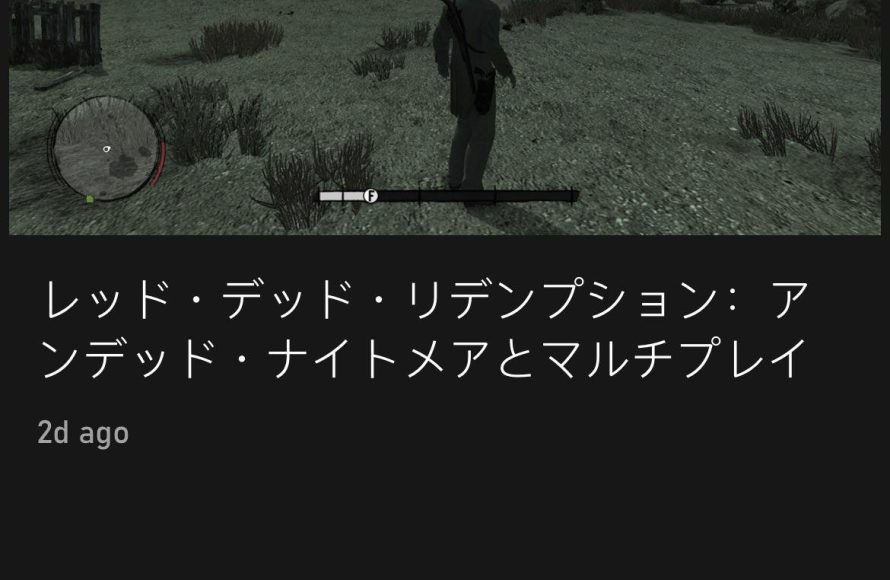
Xbox gaming across different languages means players can typically adjust in-game text, audio, and subtitles to their preferred language, offering a more accessible and immersive experience globally.
Have you ever wondered how players around the world enjoy the same Xbox games despite speaking different languages? It’s a fascinating aspect of global gaming. Xbox gaming across different languages is possible thanks to language options built into the console and individual games.
These features allow you to change the displayed text, audio, and even subtitles to your native language. It enhances your overall gaming experience by removing language barriers. So you can focus on the gameplay and enjoy the story.

Xbox Gaming Across Different Languages
Have you ever wondered how your favorite Xbox games work in different languages? It’s a pretty cool thing to think about! When you play a game, the words and even the voices you hear might be different depending on where you are and what language you speak. This is because game developers work hard to make sure that everyone can enjoy their games, no matter where they live. Let’s dive into the exciting world of Xbox gaming across different languages.
Why Language Support Matters in Xbox Games
Imagine playing a game where you can’t understand what anyone is saying. It would be super hard to know what to do, right? That’s why language support is a big deal. It helps players from all over the globe connect with games in a way that feels natural and easy. This means more people can have fun playing, and that’s what it’s all about. When games are available in lots of languages, it opens up a whole new world of gaming to lots more players.
Reaching a Global Audience
Xbox games are loved by people all around the world. From the United States to Japan, from Brazil to Germany, there are players everywhere who love jumping into a new adventure on their consoles. Providing games in different languages is how developers make sure that their games can be enjoyed in all of these places. It’s about making the game available to as many people as possible.
Enhancing the Gaming Experience
Playing a game in your own language makes it so much easier and enjoyable. You don’t have to struggle with words you don’t understand. You can focus on the fun parts – the story, the challenges, and the amazing graphics. It’s all about making the experience as smooth and enjoyable as possible. When you understand the story, the characters, and what they are saying, it makes a huge difference.
How Xbox Games Handle Multiple Languages
So, how do games actually do this language magic? It’s not as hard as you might think, but it does take a lot of work. Game developers use different methods to make sure the games can be played in many languages.
Text Translation
One of the main ways they do it is by translating all the text in the game. This includes things like menus, subtitles, and in-game instructions. Imagine all the words in your favorite game being changed into another language – that’s what translation does. This process is very important because players need to be able to read what’s going on, understand the story, and get instructions to play the game.
The Process of Text Translation
Translating game text is not just about swapping words from one language to another. Game developers often work with professional translators who are not only skilled in languages but also understand the culture behind each language. They make sure the text sounds natural and is true to the game’s original intention. This often involves:
- Understanding Context: Translators need to get the overall story and world of the game to make sure the words fit.
- Keeping Tone and Style: The words need to fit the style of the game and the characters.
- Cultural Nuances: Some phrases and jokes might not make sense in another culture, so they must be adapted.
Voice Acting and Dubbing
Sometimes games have characters who talk. If a game is very popular, it might get voice actors to record all their lines in another language. This is called dubbing. It’s like watching a movie that’s been dubbed in a different language. This makes the game feel even more immersive, as you are not just reading subtitles but hearing the characters speak the new language.
The Art of Dubbing
Dubbing requires actors who can match the original emotion and intent of the characters. It’s not just about reading the lines; it’s about bringing the character to life in another language. Often:
- Lip Sync: Actors have to match their speech with the character’s lip movement on the screen, making it appear natural.
- Emotional Delivery: The emotions conveyed in the original language need to be captured in the new language.
- Character Voice: The new voice actors must suit the persona of the in-game character.
Subtitles
Subtitles are another way to experience games in a different language. They appear at the bottom of the screen and show you what the characters are saying. Even when there isn’t a full voice dub in your language, subtitles help you follow the story.
Benefits of Subtitles
- Accessibility: Subtitles are helpful for players who are deaf or hard of hearing, ensuring everyone can enjoy the game.
- Learning Languages: Players can use subtitles to learn a new language while they play.
- Following the Story: Subtitles help players understand all the dialogue when dubbing isn’t available.
Interface Localization
This means that things like the buttons on the screen, the game settings, and the menus are also changed to fit each language. All the text and images have to fit correctly on the screen for different languages, which sometimes means resizing and moving things around.
Elements of Interface Localization
- Menu Design: The layout of menus might change based on text length for the language.
- Button Prompts: Buttons shown on screen are changed to match the localized text.
- User Experience: Everything should still make sense and be easy to use in the new language.
Challenges of Localizing Xbox Games
Although it’s super cool to have games in different languages, it’s also a lot of work. There are some challenges that game developers have to overcome.
Text Expansion
Some languages use more words than others to say the same thing. When translating a sentence, sometimes the translated text is much longer. This can make it hard to fit the text in the spaces that are available on the screen. Developers have to figure out how to show all the words while keeping the screen looking good.
Managing Text Expansion
Developers use a few strategies to handle the text expansion issues:
- Font Adjustments: Use smaller fonts to fit more text within the same space.
- Text Boxes: Re-design the layout to make the text boxes bigger.
- Rewriting Text: Sometimes the translated text must be rephrased to be shorter without losing the original meaning.
Cultural Differences
What might be funny or normal in one culture could be confusing or even offensive in another. Game developers have to make sure the games are respectful and fun for people from all different cultures. They need to be very aware of these differences and make sure that the game is suited for everyone.
Addressing Cultural Differences
- Sensitivity Readers: Developers work with experts who know about different cultures and can make sure that the game is not offensive.
- Contextual Adaptation: Making changes to specific parts of the game to fit different cultural norms.
- Testing: They test the game in the new languages with people from those cultures to make sure it works well.
Technical Complexities
Making a game work in lots of languages also involves a lot of technical work. The text, sounds, and graphics must all work correctly in the new language. This can take time and effort. Often, developers have to modify how the game stores language files and displays characters to support other writing systems.
Technical Considerations
- Character Encoding: The coding system must support all characters used in different languages.
- Audio Files: Different sound files for each language need to be managed correctly.
- Testing: The game needs thorough testing in every new language to ensure no glitches or issues arise.
Benefits of Playing Xbox Games in Your Language
Playing games in your native language has many perks, making your gaming sessions more enjoyable and meaningful. Let’s take a look at some great reasons to play in a language you are comfortable with.
Better Story Immersion
When you understand all the dialogue, you connect more with the game’s story. You can feel the emotions of the characters and be more invested in the game. This enhances your overall experience and makes the game even more engaging. You are also more likely to catch the subtle hints and details of the plot when there is no language barrier.
Improved Gameplay
Understanding the instructions and objectives clearly can lead to improved gameplay. You can navigate the game better, make smarter decisions, and learn new skills faster. This allows you to focus on playing well, rather than just trying to figure out what you are supposed to do.
Enhanced Social Interaction
If you play online with others, understanding what your teammates and opponents are saying makes the whole experience smoother. You can communicate more clearly and coordinate better. This teamwork element is essential for many types of multiplayer games.
Exploring Different Language Options on Xbox
Xbox has some pretty neat ways to change the language of your games. Let’s see how you can switch up the language settings on your console and individual games.
Changing Console Language
Your Xbox console’s interface and menus can be displayed in the language of your choice. This change affects the appearance of the entire system. It’s super simple to adjust this setting; here’s how:
- Go to Settings on your Xbox home screen.
- Select ‘System’.
- Click on ‘Language & location’.
- Select ‘Language’ and pick the one you want.
- You may need to restart your console to make the changes effective.
Changing Game Languages
Many Xbox games allow you to change the language of the game itself separately from your system settings. Here’s how this usually works:
In-game Settings: You can often find language options in the game settings or the options menu. Sometimes, a game automatically uses your console’s language, but not always. Look for “language” or “audio” settings inside the game’s options menu.
Xbox Game Settings: Some games allow you to change the language directly from the console’s menu. To access this, highlight the game on your dashboard, press the menu button on your controller, and select “Manage game and add-ons,” then look for the “Language” option. If it’s there, you can pick the language you want to use for the game.
Language Availability
Not every game is available in every language. However, more and more games are being made with many language options. The languages included in each game depend on the developer and where the game is being sold.
How to Check Language Availability
- Game Box: Check the game box to see which languages are listed.
- Game Details: Look at the game’s description on the Xbox store or the game’s official website.
- Reviews: Read reviews or check online forums, where players often list the languages a game supports.
The Future of Gaming and Language
As technology gets better and better, it’s likely that we’ll see even more awesome ways that Xbox games handle language. New tools could make translation faster and easier, meaning that games can be available in even more languages. Also, voice recognition tech might help to make live translations possible so gamers can talk to each other, no matter the language. This will help players form lasting friendships, no matter where they are from.
Technology keeps changing how we play games, and languages will always be a vital part of making sure everyone can join in the fun. It is so important to continue to make sure that Xbox games are enjoyable to all players, regardless of where they are from or which languages they speak.
In conclusion, language support in Xbox gaming is not just a nice-to-have feature, it is fundamental to inclusivity and overall player satisfaction. It ensures that everyone can have the best gaming experience possible, making the gaming world a more diverse and accessible place. The work done by developers and translators to bridge language gaps allows for broader engagement with rich stories and exciting adventures, and it is something to continue to look forward to as the industry moves into the future.
Xbox Series X/S: How to Change Language (Also Change to English is Stuck in Another Language)
Final Thoughts
Xbox gaming across different languages presents exciting opportunities. Gamers can connect globally, breaking down barriers. This improves communication and understanding through interactive entertainment.
Players must navigate language settings to fully enjoy their gaming experience. Localization impacts gameplay. Subtitles, voiceovers, and in-game text must align for smooth gaming.
Ultimately, Xbox gaming across different languages enriches the overall gaming community. It promotes inclusivity and provides diverse cultural perspectives. This helps connect players who share a passion for games.

