
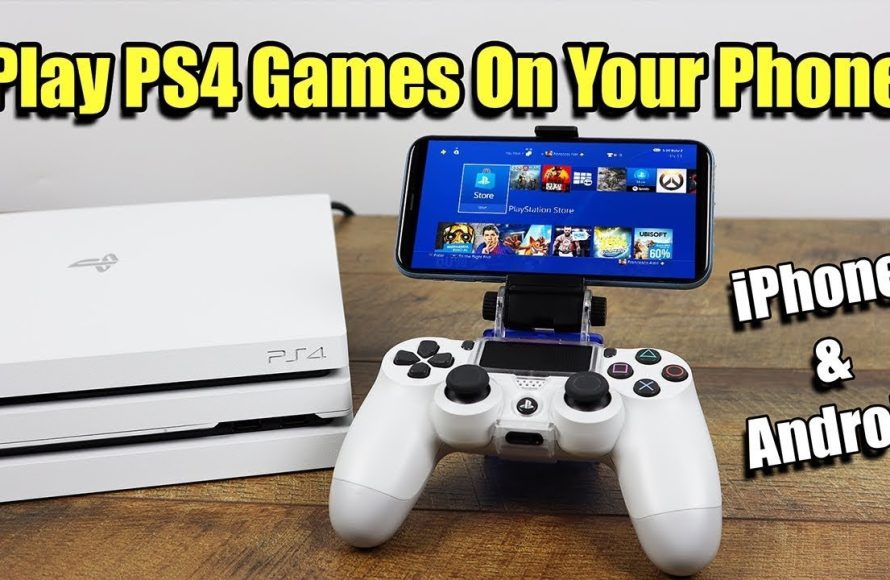
Yes, you can play your PlayStation games on your phone using Remote Play. You will need a PlayStation console, a compatible mobile device, and a stable internet connection.
Here’s the blog content:
Ever wondered if you could take your PlayStation adventures on the go? The question, “can i play my playstation games on my phone,” pops up often for gamers seeking ultimate flexibility.
The good news is, you actually can enjoy many of your favorite PlayStation titles right on your mobile device. You just need to understand the basics.

Can I Play My PlayStation Games On My Phone?
Yes, you can play your PlayStation games on your phone! Several methods allow you to enjoy your favorite titles on your mobile device. Let’s explore how this is possible.
PlayStation offers various options for mobile gaming. Each method has its own requirements and benefits. Let’s dive into them.
PlayStation Remote Play
PlayStation Remote Play is a feature that lets you stream games from your PlayStation console to your smartphone. It requires a stable internet connection and a compatible device.
Remote Play essentially mirrors your PlayStation screen on your phone. You control the game using on-screen controls or a connected controller.
Setting Up Remote Play
First, you need to enable Remote Play on your PlayStation console. Go to Settings > Remote Play Connection Settings and check the “Enable Remote Play” box.
Next, download the PlayStation Remote Play app on your phone. The app is available on both Android and iOS.
Open the app and sign in with your PlayStation Network account. Make sure it’s the same account used on your console.
The app will search for your PlayStation console. Ensure your console is turned on or in rest mode.
Once the app finds your console, you can start streaming games. You can now play your PlayStation games on your phone!
Remote Play Requirements
PlayStation Console: You’ll need a PlayStation 4 or PlayStation 5 console.
PlayStation Network Account: You need an active PSN account.
Smartphone: An Android or iOS smartphone that meets the minimum system requirements.
Stable Internet Connection: A fast and stable internet connection is crucial for smooth streaming. Sony recommends at least 5 Mbps for both upload and download speeds.
PlayStation Remote Play App: Download and install the app from the App Store or Google Play Store.
Using a Controller with Remote Play
While you can use on-screen controls, a controller offers a much better gaming experience. The DualShock 4 (PS4) and DualSense (PS5) controllers are compatible with Remote Play.
You can connect your controller to your phone via Bluetooth. Put your controller into pairing mode and connect it through your phone’s Bluetooth settings.
Some games may require a controller for proper gameplay. Check the game’s compatibility before starting.
Troubleshooting Remote Play
If you encounter issues, try restarting your PlayStation console and your phone. Ensure your internet connection is stable.
Check the PlayStation Network status to see if there are any known issues. Sometimes server problems can affect Remote Play.
Make sure your PlayStation console and Remote Play app are updated to the latest versions. Outdated software can cause compatibility issues.
Cloud Gaming Services
Cloud gaming services allow you to play games on your phone without needing a PlayStation console. These services stream games directly to your device.
PlayStation offers its own cloud gaming service called PlayStation Plus Premium. It grants access to a library of games that can be streamed to your phone.
PlayStation Plus Premium
PlayStation Plus Premium is the highest tier of PlayStation Plus. It includes all the benefits of the Essential and Extra tiers, plus cloud streaming access.
With Premium, you can stream PS5, PS4, PS3, and classic PlayStation games to your phone. The game processing happens on Sony’s servers, so you don’t need a powerful device.
PlayStation Plus Premium Requirements
PlayStation Plus Premium Subscription: An active subscription is required.
Smartphone: An Android or iOS smartphone that meets the minimum system requirements.
Stable Internet Connection: A fast and stable internet connection is crucial for smooth streaming. Sony recommends at least 5 Mbps for both upload and download speeds.
PlayStation App: Use the PlayStation app on your phone to access cloud streaming features.
How to Stream Games with PlayStation Plus Premium
First, ensure you have a PlayStation Plus Premium subscription. Open the PlayStation app on your phone.
Navigate to the Game Catalog and browse the selection of streamable games. Choose a game you want to play.
Select the “Stream” option to start the game. The game will launch on Sony’s servers and be streamed to your phone.
You can use on-screen controls or connect a compatible controller via Bluetooth. Enjoy playing PlayStation games on your phone!
Other Cloud Gaming Services
While PlayStation Plus Premium is the primary option for PlayStation games, other cloud gaming services also exist. These services may offer a broader range of games, but may not include every PlayStation exclusive title.
Some popular cloud gaming services include Xbox Cloud Gaming, GeForce Now, and Google Stadia (although Stadia is no longer available). These services usually require a subscription fee.
Each service has its own library of games. Check the game selection to see if it includes any PlayStation titles you’re interested in.
Using Emulators (Not Officially Supported)
Emulators are software programs that allow you to play games from one platform on another. While emulators exist for older PlayStation consoles, using them to play modern PlayStation games on your phone is generally not feasible or legal.
Emulating modern PlayStation games requires significant processing power. Most smartphones lack the necessary hardware to run these emulators smoothly.
Furthermore, downloading and playing ROMs of copyrighted games is illegal in many countries. It’s best to stick to official methods like Remote Play or cloud gaming.
Game Compatibility and Performance
Not all PlayStation games are ideal for playing on your phone. Games that require precise controls or fast reflexes may be difficult to play with on-screen controls.
Games with complex graphics may also experience performance issues on less powerful devices. Experiment with different games to find what works best for you.
Factors Affecting Performance
Internet Connection Speed: A faster internet connection results in smoother streaming and less lag.
Smartphone Hardware: The processing power and RAM of your phone affect the game’s performance.
Game Graphics Settings: Lowering the graphics settings can improve performance on less powerful devices.
Server Load: High server load can cause lag and connection issues. Try playing during off-peak hours.
Optimizing Your Gaming Experience
Close any unnecessary apps running in the background to free up resources. This can improve game performance.
Use a stable Wi-Fi connection instead of mobile data. Wi-Fi generally provides a more reliable and faster connection.
Adjust the streaming quality settings in the Remote Play app or cloud gaming service. Lowering the resolution can reduce lag.
Consider using a game controller for a more comfortable and precise gaming experience. A controller can significantly improve your gameplay.
Alternatives to Playing PlayStation Games on Your Phone
If playing PlayStation games on your phone isn’t working out, consider alternative gaming options. Many great mobile games are designed specifically for smartphones.
Mobile games offer a unique gaming experience tailored for touchscreens. They can be just as engaging and enjoyable as console games.
Another option is to invest in a dedicated handheld gaming device. Devices like the Nintendo Switch offer a portable gaming experience with console-quality games.
Mobile Game Recommendations
Genshin Impact: A popular open-world RPG with stunning graphics and engaging gameplay.
Call of Duty: Mobile: A fast-paced first-person shooter with multiple game modes and customizable loadouts.
League of Legends: Wild Rift: A mobile version of the popular MOBA game, League of Legends.
PUBG Mobile: A battle royale game where players fight to be the last one standing.
Monument Valley: A puzzle game with beautiful visuals and innovative gameplay.
The Future of Mobile PlayStation Gaming
The future of mobile PlayStation gaming looks promising. As technology advances, cloud gaming services will become more reliable and accessible.
Sony is continually improving its Remote Play and cloud gaming offerings. Expect to see even better performance and more features in the future.
The increasing power of smartphones will also make it easier to emulate older PlayStation games. However, remember to respect copyright laws when using emulators.
Ultimately, playing PlayStation games on your phone offers a convenient way to enjoy your favorite titles on the go. With the right setup and a stable internet connection, you can experience console-quality gaming on your mobile device.
The PS5 Smart Phone!
Final Thoughts
In short, you must own a PlayStation and subscribe to PlayStation Plus Premium to remotely play some games on your phone. You also need a compatible phone and fast internet.
With PlayStation Plus Premium, you can use the Remote Play app. This app connects your phone to your console, allowing you to play compatible games.
So, can i play my playstation games on my phone? Yes, but it requires specific hardware, a subscription, and a reliable internet connection for a playable experience.

