
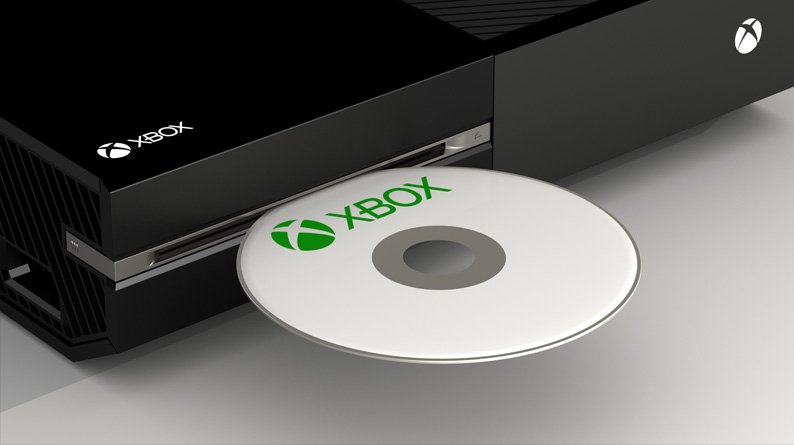
No, you cannot directly play Xbox One disk games on PC.
Want to revisit some old favorites from your Xbox One collection but on your computer? The question “can i play xbox 1 disk games on pc” is something many gamers ask. Unfortunately, physical Xbox One discs do not work directly with a PC’s optical drive.
Microsoft has a system to play digital Xbox games on PC. You need to buy digital copies through the Microsoft store or Xbox app on PC. Game Pass subscription also enables play on both platforms.

Can I Play Xbox One Disk Games on PC?
So, you’ve got a pile of awesome Xbox One games sitting there, and you’re wondering if you can play them on your computer? It’s a question many gamers ask, and the answer isn’t as straightforward as a simple yes or no. Let’s dive deep into this topic and find out what’s what when it comes to using those Xbox One disks on your PC.
The Short Answer: Not Directly
Okay, let’s get the main point out of the way first. You can’t just pop an Xbox One game disc into your PC’s disk drive and expect it to work. It’s not like inserting a DVD movie. The way Xbox One games are built and the way PC games work are very different. Think of it like trying to fit a square peg in a round hole. They simply aren’t made for each other. This is due to a variety of technical reasons, which we will explore below.
Understanding the Differences: Why Disks Don’t Work Directly
Operating Systems
First off, Xbox One consoles and PCs use different operating systems (OS). Xbox One runs on a modified version of Windows specifically designed for its hardware. Your PC, on the other hand, likely runs on a full version of Windows, or perhaps even a different OS like Linux or macOS. Games are built to work with the specific OS they are intended for. This means that the Xbox games have code in them designed to work with the Xbox OS, not the OS on your PC. The game’s instructions are not understood by a different OS. It is like speaking two different languages.
File Systems
Beyond just different operating systems, the way data is stored and read on each device is also different. Xbox One uses a specific file system, which is different from what your PC uses. This means even if your computer recognized the disc (which it may not), it would not know how to properly read the data. It’s like trying to read a book written in a different code. The computer and the Xbox handle files differently, preventing any straightforward compatibility.
Hardware Architecture
Furthermore, the internal parts of an Xbox One (the hardware) and a PC are not the same. The Xbox One uses an architecture (how it’s built) that’s different from your computer. Games are developed for these specific architectures and often rely on specialized hardware and instructions not present in a standard PC setup. Think of it like trying to run a program built for a specific type of engine on a different engine completely. It just won’t work. Therefore, even if the file system and OS was the same, the hardware differences would still prevent the game from running. This difference in hardware components, like the graphics processing units and the central processing units, means that the game does not know how to communicate with your computer’s hardware.
What About Digital Versions?
The picture changes when we talk about digital versions of Xbox One games. Microsoft has been making an effort to bridge the gap between Xbox and PC. This is mostly done through Xbox Play Anywhere. Let’s explore it further:
Xbox Play Anywhere
Xbox Play Anywhere is a program from Microsoft. It’s pretty great for gamers. With this program, if you buy a digital game that is “Play Anywhere” title, you can play it on both your Xbox One and your Windows 10/11 PC without having to buy two copies. It is like getting two games for the price of one! This program provides some great advantages:
- One Purchase, Two Platforms: You only need to buy the game once from the Microsoft Store.
- Progress Syncing: Your game progress, achievements, and saved data sync between your Xbox One and PC. This allows you to continue the game where you left off on either platform.
- Digital Only: Xbox Play Anywhere titles are only available as digital downloads. You will not find it with physical game discs.
How to Use Xbox Play Anywhere
Here’s how Xbox Play Anywhere typically works:
- Purchase a Play Anywhere Title: Buy a digital copy of a game that participates in the Xbox Play Anywhere program from the Microsoft Store or Xbox Store.
- Log In: Log in with the same Microsoft account on both your Xbox console and your PC where you want to play the game.
- Download: Download the game on both platforms. This will usually be available under your owned game section of the store.
- Play: Start playing the game! Your progress will be synced across devices.
Finding Play Anywhere Games
Finding which games are Play Anywhere titles is usually simple:
- Microsoft Store: Check the game description in the Microsoft Store. If it is a Play Anywhere title, it will say so clearly.
- Xbox Website: You can also usually find this information on the game’s page on the official Xbox website.
Limitations of Play Anywhere
While Xbox Play Anywhere is fantastic, it is not perfect:
- Not All Games Participate: Not every Xbox game is part of the Xbox Play Anywhere program. A lot of the games from the older generations of Xbox, even if they are available in the store, do not participate in the Play Anywhere program.
- Digital Only: Remember, you still cannot use your physical Xbox game disc on your computer. Even if the game is a Play Anywhere game.
- Windows Only: Games can only be played on Windows PC. They don’t work on Mac or Linux computers through this program.
Xbox Game Pass: Another Way to Play on PC
Another great option for playing Xbox games on your PC is Xbox Game Pass. This service provides you with a huge library of games that you can download and play. Let’s see how it works:
What is Xbox Game Pass?
Xbox Game Pass is a subscription service for both Xbox consoles and PC, and it’s like a Netflix but for video games. It offers a large selection of games that you can download and play for a monthly fee. Some games available in this program are Xbox One games, and you can play on PC. You will not need to purchase the games individually.
Game Pass on PC
The PC version of Game Pass gives you access to a growing library of PC games. You can download and play all of them as long as you have an active subscription.
- Different Tiers: There are a couple of different subscription options for PC, including ones that also include the console and online features.
- Wide Selection: A vast range of games, including many that were previously Xbox One exclusives, are now available on PC through Game Pass.
How to Use Xbox Game Pass on PC
- Subscribe: Sign up for Xbox Game Pass for PC through the Microsoft Store or Xbox website.
- Download the Xbox App: Download and install the Xbox app on your PC. This is how you will access and download the games.
- Browse and Download: Open the Xbox app, browse the game library, and download the games you want to play.
- Play: Start playing any game you’ve downloaded!
Are There Emulators?
Emulators are programs designed to mimic the hardware and software of a different system. People sometimes wonder if emulators can run Xbox One games on a PC. The answer is tricky.
What are Emulators?
Emulators basically recreate the software and hardware environments of a certain system. You might have seen emulators for older consoles before. They make it possible to play the older games on the newer systems. The Xbox one has not been successfully emulated on the PC due to its complex hardware.
The Reality of Xbox One Emulation
Unfortunately, creating an Xbox One emulator is very difficult. Here are some reasons for this difficulty:
- Complexity: Xbox One’s hardware is complex and not easy to mimic. It is difficult to recreate the hardware perfectly.
- Performance Demands: Even if a basic emulator exists, it would require a very high-powered computer to even attempt to run an Xbox One game smoothly.
- Development Time: It takes a massive amount of time, resources, and skill to develop a working emulator. As of now, there is not a complete functional version.
Should You Rely on Emulators?
For the time being, don’t rely on Xbox One emulators if you want to play games. They do not provide a good way to play the games, and sometimes they can contain viruses. Focus on other legitimate ways of playing Xbox games on PC. The best ways to play games that are originally on Xbox on a PC are through Play Anywhere or through Xbox Game Pass, as stated above.
Game Streaming: Another Option
Another method to play Xbox games on PC is through game streaming. Microsoft has its own game streaming service called Xbox Cloud Gaming.
What is Xbox Cloud Gaming?
Xbox Cloud Gaming, often called xCloud, allows you to play games directly from the cloud to your device. It is like watching a movie on Netflix. Instead of the game running on your computer, it runs on Microsoft’s servers, and you are playing it remotely via the internet. This service is available on many devices, including PC.
How Cloud Gaming Works
Here is a quick rundown of how Cloud Gaming works on PC:
- Subscription: You’ll need an Xbox Game Pass Ultimate subscription.
- Xbox App: The same app you use for Game Pass downloads is used for game streaming.
- Internet Connection: A good internet connection is important for smooth gameplay. Games rely on a strong and stable internet connection.
- Controller: You can usually use a controller connected to your PC via a USB or Bluetooth.
- Play: Select a game from the cloud library and play instantly!
Advantages of Cloud Gaming
- No Downloads: You don’t need to download the games on your computer. You can play right away.
- Play Anywhere: You can play on many different types of devices.
- Hardware Isn’t As Important: You do not need a powerful computer to stream games.
Disadvantages of Cloud Gaming
- Internet Dependent: Requires a very stable and fast internet connection.
- May Experience Lag: Lag or delay is a possibility due to internet. It is not as smooth as local gameplay.
- Specific Titles: Only specific titles are available to stream. It is not the complete library.
Summary of Options
Let’s recap the key points to get the perfect answer for the prompt “can i play xbox 1 disk games on pc?”.
Here is a quick recap:
- No Direct Disc Support: You cannot insert an Xbox One disc and play it directly on your PC.
- Xbox Play Anywhere: Allows you to play certain digital games on both Xbox One and PC with one purchase.
- Xbox Game Pass: Gives you access to a huge game library on PC for a monthly fee.
- Emulation: Xbox One emulation is very difficult and does not work well currently. Don’t rely on it.
- Xbox Cloud Gaming: Allows you to stream and play games directly from the cloud to your PC without downloading.
In conclusion, while you cannot directly use your Xbox One game discs on your PC, there are many ways to still play those titles, especially if they are digital. Xbox Play Anywhere, Game Pass, and Cloud Gaming offer some exciting ways to play Xbox games on your PC. The best choice for you will depend on your preferences. Consider using game streaming if you have a good internet connection and a smaller budget, or use Game Pass or Play Anywhere if you want to own and download the game. With a variety of different methods to play these games on PC, there is something for everyone.
How to Play Xbox One Games Disc on PC and Laptop | Play Xbox Games On PC
Final Thoughts
In short, you cannot directly play Xbox One disc games on your PC. Microsoft designed the Xbox console and PC as separate gaming ecosystems. While some Xbox games have PC versions available, disc-based copies will not function with your computer’s hardware.
Therefore, the straightforward answer to ‘can i play xbox 1 disk games on pc’ is a resounding no. You will need to purchase a digital PC version of a game if you want to play it on a computer.

