
Yes, the PlayStation 2 can play PS1 games.
Do you have a stack of old PlayStation 1 games gathering dust? You may be wondering if you can revisit those classics on your trusty PlayStation 2. The good news is that the console was designed with backward compatibility in mind.
So, can Playstation 2 play ps1 games? It absolutely can! This means you don’t need to dig out your original console to enjoy your favourite PS1 titles. The PS2 will play most PS1 games without issue.

Can PlayStation 2 Play PS1 Games?
Let’s dive into one of the most exciting features of the PlayStation 2: its ability to play games from the original PlayStation! Many gamers who grew up with the PS1 and then moved to the PS2 wondered if they could keep playing their old favorites. The good news is, for the most part, the answer is a big YES! The PlayStation 2 was designed to be backward compatible with PlayStation games, meaning you can usually pop in your old PS1 discs and start playing. But, there are some important details to keep in mind, so let’s get into it.
The Magic of Backward Compatibility
The PlayStation 2’s ability to play PS1 games is called “backward compatibility.” This feature was a big deal when the PS2 came out. It meant that gamers didn’t have to keep their old PS1 consoles hooked up to play their older game collection. Think of it like having a super-powered version of the original Playstation built right into the PS2! This feature helped a lot of players transition to the new console without missing out on their classic game library. It also made the PS2 a more attractive option for new buyers. Imagine having not one, but two great console libraries available to you through one machine!
How Does it Work?
The PS2 actually has parts inside that are similar to what’s in the PS1. This lets the console understand how the PS1 games work. When you put a PS1 game disc into a PS2, the system recognizes that it’s not a PS2 game. The console then switches into a PS1 emulation mode. This mode allows it to process the game data in the same way the original PlayStation did. This emulation is how the console can display the graphics and sound of PS1 games as they were meant to be played.
The Hardware Inside
The PS2’s internal architecture includes a dedicated CPU (Central Processing Unit) and GPU (Graphics Processing Unit). These work together to provide a suitable environment for running both PlayStation and PlayStation 2 games. It is essentially a dual-console in one machine. The PS2’s components, especially the Emotion Engine and Graphics Synthesizer, were powerful for their time. They allowed for a lot more processing power for the PS2 games and still had enough power to handle the older PS1 games.
Types of PlayStation 2 Consoles and Compatibility
It’s important to know that not all PlayStation 2 consoles are exactly the same. While the vast majority of PS2 consoles offer backwards compatibility, there can be differences.
Original Fat PlayStation 2 Models
The very first PlayStation 2 models, sometimes called “fat” models, were all designed to play PS1 games. These are the larger, older models with the disc tray that slides out. These versions generally have very good compatibility with PS1 games. They set the stage for future versions. The different regional versions, like North American, European, and Japanese consoles, also are backwards compatible. This means games purchased in one region will play on a PlayStation 2 console from the same region.
Slim PlayStation 2 Models
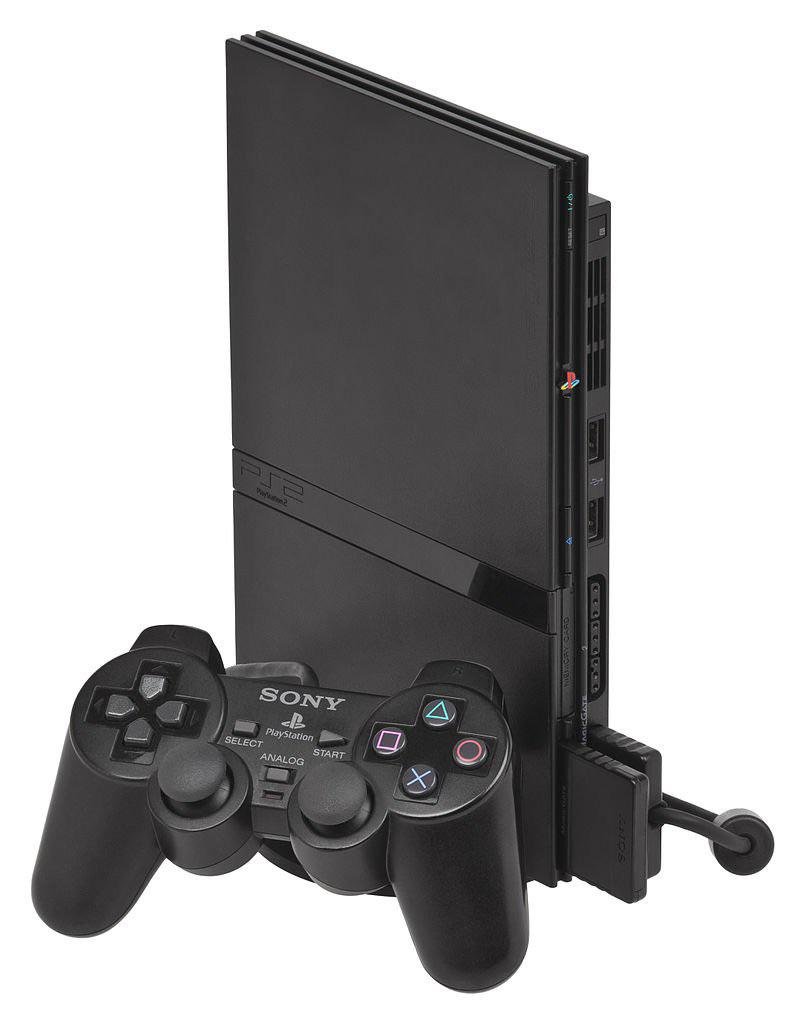
Later, Sony made smaller and lighter versions of the PlayStation 2, called “slim” models. These models also support playing PS1 games. There are several iterations of the slim PS2, but almost all of them are fully compatible with PS1 games. The switch to a smaller design did not remove the backwards compatibility feature. They still have all of the hardware needed to run the PS1 emulation.
Special Note: Very Late Slim Models and Compatibility
There were very late slim PS2 models manufactured towards the end of the system’s life cycle. There have been some rare reports of compatibility issues with specific PS1 games on these late model slim consoles. However, these are the exception rather than the rule. For the vast majority of players using the slim model, they shouldn’t expect problems with backwards compatibility.
Benefits of Playing PS1 Games on a PS2
There are several advantages to using your PS2 to enjoy your old PS1 games. Here are some reasons why this feature is so handy:
- One Console, Two Libraries: The biggest benefit is that you don’t need two separate consoles. You have a single place to play both PS1 and PS2 games. This is great for saving space and keeping your entertainment area tidy.
- Improved Loading Times: For some PS1 games, you might experience slightly faster loading times compared to the original console. This is thanks to the PS2’s generally more powerful processing. It may not be a large difference, but it can improve some gaming experiences.
- Better Visual Quality (Sometimes): While not drastically different, some players report seeing slightly improved visuals on PS1 games when played on the PS2. The PS2 may offer very minor enhancements in terms of video output.
- Simpler Setup: You just need to switch the disc and keep playing. You don’t need to unplug and replug different consoles. This is convenient if you’re switching between games often.
- Avoids wear and tear on an older PS1 Console: By using your PS2, you can save wear and tear on your original PS1 console. It keeps your older console safe. This is particularly important if you’re a collector of old consoles and don’t want to risk damage.
Possible Issues and How to Handle Them
While the PS2’s backward compatibility works very well, it isn’t 100% perfect. Here are a few potential issues that you might encounter when playing PS1 games on your PS2:
Compatibility with Some Specific Titles
Although most PS1 games play just fine on the PS2, there are a handful of titles that have problems. These might have glitches or not work at all. This is usually due to the complexity of these specific games and how they interact with the PS2’s emulation system.
A lot of dedicated websites and forums exist where users discuss these issues. If you happen to have a particular PS1 game and are unsure if it will work, it is a good idea to perform a quick online search. Doing that should give you the answers you’re looking for. If you’re having a lot of issues with multiple games, you might consider cleaning the game disc or the console’s disc laser with a soft cloth.
Audio and Video Glitches
Sometimes, you might see some small glitches in the sound or picture when playing PS1 games on your PS2. These are not super common, but they do happen. These could include occasional sound skipping or visual artifacts on the screen. These are typically temporary and usually don’t affect the overall gaming experience.
Controller Issues
While the PS2 controller is usually compatible with PS1 games, a small amount of older PS1 games might require you to use the original Dual Shock PlayStation controller. Most of the time, you won’t face this problem. The PS2 controllers have the necessary buttons for the PS1 games, but some very early titles have special control schemes that might not be fully compatible.
Disc Read Errors
Disc read errors can occur in both PS1 and PS2 games, and this issue will not mean the game is not supported. This error often occurs due to scratches or dust on the game disc or the laser lens of your console. Keeping your game discs clean is essential. If these errors occur more frequently, your PS2 may require some maintenance of the laser lens.
Tips for Smooth PS1 Gameplay on Your PS2
Here are a few easy tips to ensure you have a great gaming experience when playing your PS1 games on your PS2:
- Clean your discs: A simple cleaning with a soft, dry cloth can often fix a game that won’t load. Use a microfiber cloth and gently wipe the disc from the center outwards. Do not wipe in circular motions.
- Keep your PS2 clean: Make sure there isn’t a lot of dust or dirt inside the console. Keep the console in a well-ventilated area.
- Check for Compatibility: Before getting started, take a look online to see if the specific game you’re trying to play has any known compatibility issues. This can save you a lot of frustration.
- Use original controllers: If you are experiencing any controller issues with a specific game, try the original PlayStation controller. You may be surprised.
- Be Patient: If a game seems to have small issues, try not to worry. For the most part, the vast majority of PS1 games work fine.
Emulation vs Native
It’s worth noting that the PS2 doesn’t play PS1 games using a perfect reproduction, called native hardware. Instead, it uses “emulation.” It’s like having a computer program inside your PS2 that makes it behave like a PS1. It is different than simply running an old game on an old piece of hardware.
Emulation is a very clever trick that allows older games to run on new hardware. It is not a perfect process, and this accounts for minor issues that might sometimes occur. But for most players, the emulation is so good that you won’t notice any big differences.
The Legacy of Backwards Compatibility
The PlayStation 2’s ability to play PS1 games is one of the reasons it is considered such a great console. It allowed players to enjoy all of their PlayStation libraries all on one machine. This feature is a testament to the forward-thinking design of the PS2. The backwards compatibility made it appealing to a huge audience. It also helped cement PlayStation as a leader in the video game industry.
The fact that the PS2 included this feature meant players did not have to throw out their old library of games. This simple feature also allowed players to revisit and experience their old favorites for many years after the original PlayStation went out of production.
A Final Look Back
The PlayStation 2 successfully brought the past to the present. By letting players play PS1 games, it created a unique experience. Players got to play some of their favorite games on a newer system with little to no issues. In short, this feature is definitely one of the greatest achievements of the PlayStation 2.
So, to conclude, if you’re looking to revisit those classic PS1 titles, your PS2 is ready and waiting. Go ahead and dust off those old game discs and get playing. You’ll get to relive some unforgettable gaming memories!
Does PS2 play PS1 games
Final Thoughts
Yes, the PlayStation 2 can play PlayStation 1 games. This backwards compatibility was a key feature. Players enjoyed their old PS1 titles on the new console.
This means you don’t need two consoles to enjoy both libraries. The ability to play PS1 games on PS2 expanded its value. It increased the PlayStation 2’s popularity significantly. So, ‘can playstation 2 play ps1 games’? Yes, it can.

