
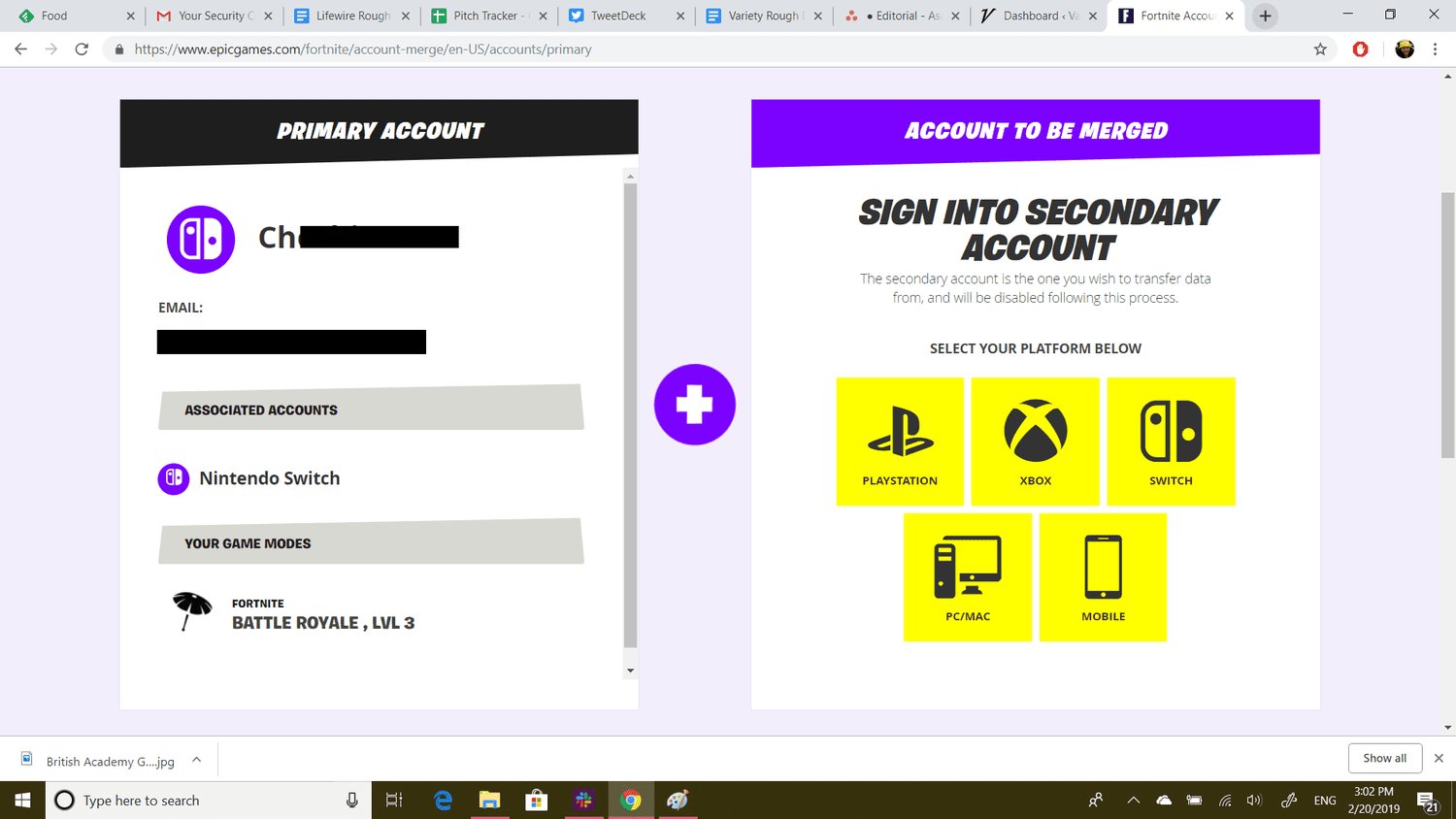
Unfortunately, you cannot directly merge two Epic Games accounts.
Have you ever wondered, can you merge two epic games accounts? It’s a common question for gamers who might have accidentally created multiple accounts, or perhaps have one with more progress than the other. It can be frustrating to have your game library or progress scattered across different profiles.
Many players would like a simple way to bring everything together. Imagine having all your games, friends lists, and achievements in a single place. Sadly, the platform currently does not support that feature.

Can You Merge Two Epic Games Accounts? The Complete Guide
So, you’ve got two Epic Games accounts, maybe from different times or devices, and you’re wondering if you can combine them into one super account. It’s a common question among gamers, and the answer isn’t as straightforward as we might hope. Let’s dive into why merging accounts isn’t a simple click of a button and what options you have when dealing with multiple accounts.
The Reality: Why Merging Isn’t Directly Possible
Epic Games, the company behind Fortnite, Rocket League, and many other titles, doesn’t offer a direct account merging feature. This means you can’t just press a “merge” button and combine all your games, progress, and items from two separate accounts. There are a few key reasons for this design choice.
Security Concerns
Allowing the merging of accounts could introduce significant security risks. It could become a method for malicious actors to gain access to user accounts by tricking or forcing users to merge their accounts with theirs. This would expose user data and make accounts vulnerable. Imagine the chaos if someone could merge their account with yours without your consent! Epic Games prioritizes user safety, and this is a major reason they’ve avoided creating a tool that could be exploited.
Complex Data Management
Each Epic Games account is tied to a complex web of data, including game licenses, progress, in-game purchases, friend lists, and personal settings. Merging all this data from two distinct sources into one would be a huge technical undertaking. It would require careful handling to ensure no data is lost, duplicated, or corrupted. Epic Games would need to develop and maintain a system to manage that complexity, which is a challenge.
Potential for Abuse
If merging were allowed, players might try to exploit it to gain an unfair advantage. For example, imagine someone merging an account with a rare skin with a main account that was not meant to obtain such skins through regular gameplay. These actions could disrupt the game and create an unlevel playing field. The integrity of the gaming experience is important, and Epic Games wants to prevent any potential abuse of account merging.
What You CAN Do: Alternative Solutions
While a direct merge is off the table, there are still things you can do to manage your games and items across multiple accounts. It may not be a perfect solution, but it will still work if you want to use and play your games with different accounts.
Account Linking
One of the most important ways to connect your accounts is through account linking. This feature lets you link your Epic Games account with your accounts on other platforms, such as PlayStation Network, Xbox Live, Nintendo Switch, and Steam. This means your progress and items (where applicable) can be shared when playing games on different devices.
How Account Linking Works
To link your accounts, you need to go into your Epic Games account settings, generally through their website. From there, you will find options to connect your accounts on different platforms. Once linked, your in-game purchases and items can often be accessed when you play the game through any connected account. However, remember it doesn’t merge the accounts, it only allows the games to be accessed in one account.
Important Notes About Account Linking
- Not all games support cross-progression. This means the items may not transfer between the account.
- Be careful when linking accounts, as linking to the wrong account could cause confusion.
- Some games might have their own separate account-linking methods in addition to the standard Epic Games account link.
Using a Primary Account
If you can’t merge your accounts, you can choose one to be your main, primary account. You can then decide to play on that account. After that, you can use the methods to link your other accounts to your primary one and then you can access games on the primary account. Here’s how you can make this work:
Choose a Main Account
Select the Epic Games account that you want to use most frequently. This could be the account with the most progress, most favorite items, or the one that’s linked to other platforms you use.
Focus Your Playtime
Try playing games on your primary account as much as possible. This way, you’ll continue to build up your progress on your primary account instead of spreading it across multiple accounts.
Purchase Games on Primary Account
When buying new games, try to buy them using your primary account to keep all of your games in one place. This ensures that you can easily play them all from a single account.
Transferring Games: Is It Possible?
One common desire is to transfer games from one account to another, which is understandable. You have your games scattered, and you want to put them all into a single account. Unfortunately, Epic Games does not allow game transfers between accounts. A game license purchased for one account is tied to that account permanently.
Why Game Transfers Are Not Allowed
Similar to the issues with merging accounts, transferring games introduces many problems, including the following:
- It could make it easy for players to resell game licenses, and this goes against the business model of Epic Games.
- Managing game licenses is a complicated job for game developers.
- It can create confusion with content rights and other complex issues.
Dealing with Multiple Accounts
Many players find themselves with multiple accounts for various reasons, maybe they have different accounts on different platforms, maybe they have a primary account and other for other purposes. Let’s take a look at why this happens and how you can manage this.
Reasons for Having Multiple Accounts
- Different Platforms: Some players have one account for PC and another for a console, like PlayStation or Xbox. They might not know about account linking.
- Old Accounts: You may have created an account a long time ago and just started a new one later. You may have forgotten the login credentials of old account.
- Accidental Creation: Sometimes, you might unintentionally create another account instead of logging into the existing one.
Tips for Managing Multiple Accounts
Even if you can’t merge or transfer games, you can still manage multiple accounts.
- Keep Track of Your Accounts: Make a list of all your Epic Games accounts and the associated email addresses and passwords. This helps avoid confusion when logging in.
- Choose a Primary Account: Pick one account that you will focus on using. Link the other accounts to the main one so you can continue accessing the games.
- Use Account Linking: Link your Epic Games accounts to the relevant platform accounts to take advantage of cross-progression features.
- Be Careful with Purchases: Always double-check the account that you’re logged in to before purchasing games. Make sure that you are in your primary account so that you do not have to be confused about multiple games scattered across multiple accounts.
Future Possibilities
While a direct account merge is not currently available, there’s always a chance that Epic Games might introduce changes in the future. As the platform evolves, Epic might find methods to make the system more user-friendly. However, that is just speculation for now, and there is no such method as of now.
Following Epic Games Updates
To stay informed, you should always pay attention to the official Epic Games news. They usually share big changes or announcements on their website, social media, and through official channels.
User Feedback
Epic Games often takes user feedback into account. You can share your opinions and request account merging features with them. This might help make them think about the possibility of this feature.
In Summary
Merging Epic Games accounts is not possible right now. However, there are many ways to manage your gaming accounts by using account linking. It’s important to always track your accounts, pick a primary account and be mindful of which account you use when you buy games. While waiting for any possible changes in future, make the most of the ways available right now, and you will have no problems enjoying your games. Remember, account safety is important and this is why there is no direct merging of accounts.
Can you merge two EPIC GAMES accounts?
Final Thoughts
Unfortunately, you cannot directly merge two Epic Games accounts. The platform does not offer a feature to combine game libraries or progress from separate profiles. This limitation means you must use each account individually.
The lack of a merge option presents a challenge for players with multiple profiles. Therefore, carefully consider the account you want to actively use. Ultimately, the answer to “can you merge two epic games accounts” is a no.

