
Yes, you can play many PSP games on the PS Vita through digital download from the PlayStation Store.
Ever wondered can you play psp games on ps vita? The answer might surprise you! The PS Vita, despite being the successor to the PSP, has a library that overlaps with its predecessor. This means you can access and enjoy quite a few classic titles.
Digital downloads make it possible for many PSP games to work on the Vita. It’s a great way to relive some favorite portable adventures.

Can You Play PSP Games on PS Vita?
So, you’ve got a shiny PlayStation Vita and you’re wondering if you can dive back into those awesome PSP games you loved? The short answer is, yes, mostly! But, like with most things, there’s a bit more to it than a simple yes or no. Let’s explore how it all works.
The Magic of Digital Downloads
The main way you can play PSP games on your PS Vita is through the PlayStation Store. Sony made a lot of PSP titles available digitally, so you can download them directly onto your Vita. Think of it like getting apps on your phone, but for games! These games are designed to work perfectly on the Vita’s screen and controls.
How to Find PSP Games on the PlayStation Store
It’s pretty easy to find the games once you know where to look. Here’s how:
- Turn on your PlayStation Vita.
- Go to the PlayStation Store icon. It looks like a shopping bag with the PlayStation logo on it.
- Use the search bar and type in “PSP” or the name of the game you’re looking for.
- Browse the results. You’ll see a list of PSP games that are available for purchase and download.
Once you’ve found a game you want, you can buy it just like any other digital game. After the purchase, the game will download and appear on your Vita’s home screen.
PSP Classics: What Games Are Available?
You’ll find many popular PSP games on the PlayStation Store. We’re talking big names like:
- Final Fantasy series games like Crisis Core and Dissidia.
- God of War titles like Chains of Olympus and Ghost of Sparta.
- Metal Gear Solid: Peace Walker.
- Monster Hunter Freedom Unite.
- Many Grand Theft Auto stories.
- Lots of fun puzzle and strategy games.
This is just a small selection. The library is pretty big, and there are different kinds of games for everyone. If you had a favorite PSP game, chances are, it might be waiting for you on the Vita!
Not Every PSP Game is Available
It’s important to remember that not every single PSP game ever made is available on the PlayStation Store. Some games might not be there because of licensing issues or other reasons. So, always check the store first to see if your specific favorite is there.
The Magic of Emulation: Running PSP Games on the PS Vita
The Vita doesn’t actually “play” PSP games directly. Instead, it uses something called “emulation.” Think of it like a translator. The Vita reads the PSP game’s code and translates it into something it can understand. This is why some older games can run on newer systems. The PS Vita is programmed to emulate the PSP’s hardware, letting the older games run without much difficulty.
Performance and Gameplay
Generally, PSP games run very well on the PS Vita through emulation. They often look even better because the Vita has a sharper screen. The controls usually feel good because the Vita is designed to handle PSP game inputs. Some players might find that the original PSP’s smaller buttons felt a little different, but overall, playing PSP games on the Vita provides a very good experience.
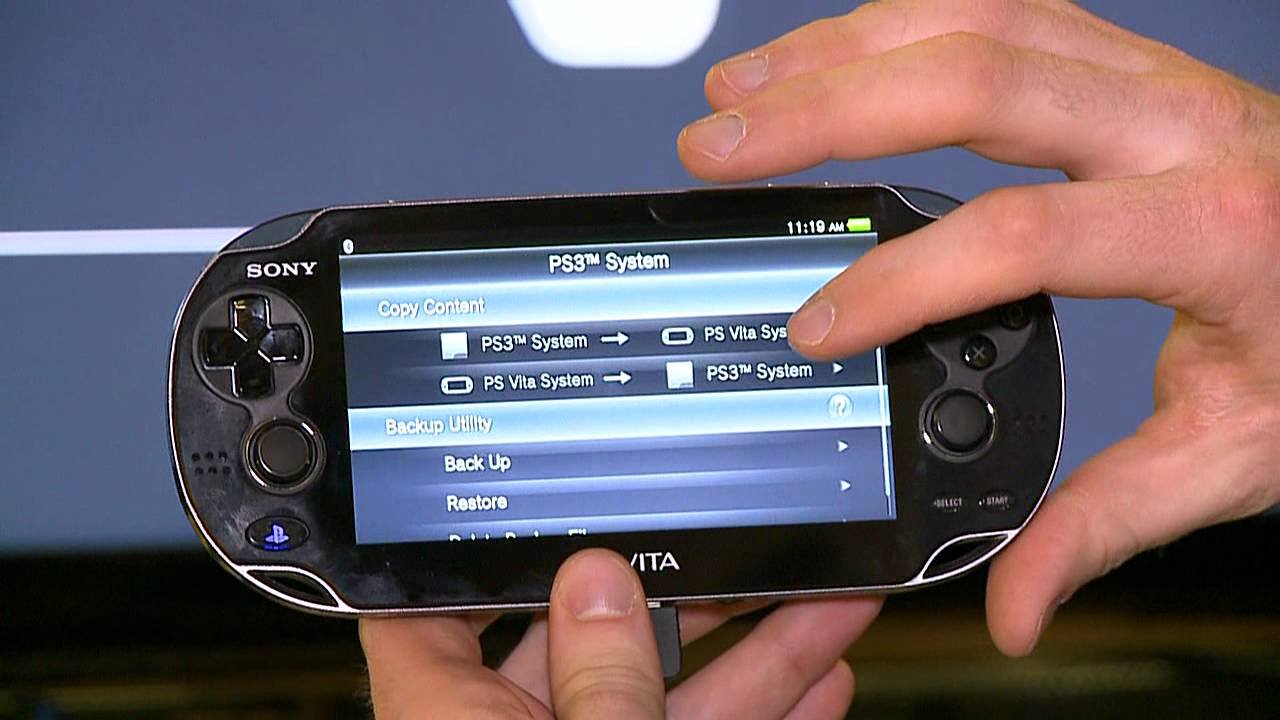
Transferring PSP Games from a PS3 (A Little Complicated)
There used to be a way to transfer PSP games you owned on your PlayStation 3 to your Vita. However, this method is no longer officially supported by Sony. This means you cannot use the PS3 to move PSP games to your Vita as of now.
Why This Isn’t an Option Anymore
Sony changed its system, and the ability to transfer PSP games through PS3 is no longer available. It’s something many players wish were still available, but it’s not currently possible.
What about UMDs? (The Physical Discs)
If you have a collection of old PSP games on UMD discs, sadly you can’t use them directly with the PS Vita. The Vita doesn’t have a UMD drive, so it can’t read those discs. This means that if you want to play a specific PSP game on the Vita, you mostly need to buy it digitally from the PlayStation Store, if available.
The Digital-Only Era for PSP Games on Vita
Since the Vita can’t use UMDs, it’s all about digital downloads when it comes to playing PSP games. It might mean repurchasing games that you already own on UMD, but that’s how it works.
PSP Mini Games: Small Fun, Big Potential
The PlayStation Store also has PSP mini-games. These are smaller, simpler games that are often priced lower. They’re a great way to discover fun little titles you might have missed. Think of them as small fun apps that are great to play in short bursts.
Examples of PSP Mini-Games
Some popular PSP Minis include:
- Angry Birds (classic bird-flinging fun)
- Aces of Galaxy (a shoot ‘em up)
- Doodle God (a puzzle game)
- Many other bite-sized adventures
These games are easily accessible on the PlayStation Store and are great to play on the go.
The Importance of a Memory Card
To download and play any games on your PS Vita, whether they’re Vita games or PSP games, you will need a memory card. The PS Vita uses proprietary memory cards, meaning standard SD cards won’t work. It’s vital that you have a memory card with enough space to hold the games you want to download.
How Memory Cards Work on the PS Vita
The memory card is how your Vita saves game data, downloaded games, and other information. Without a memory card, you can’t download anything from the store. When choosing a memory card, think about how many games you want to have and how much space they use. Some games are much bigger than others.
Finding and Managing Your Downloaded PSP Games
Once you download your PSP games, you’ll find them on your Vita’s Live Area, the main screen with all your game icons. They’ll appear just like any other Vita game, but the icon will show the PSP logo on the game’s icon. This means they are PSP games. Managing these games is simple:
- Tap on the game icon to start the game.
- If you want to remove a game to free up space, you can delete it (but you can always download it again from the store if you bought it)
The PlayStation Vita’s menu system makes it very simple to manage your game collection, even when it has both Vita and PSP titles.
Tips for Enjoying PSP Games on Your Vita
Here are some tips to make your experience playing PSP games on the PS Vita even better:
- Update your Vita’s software: Make sure your Vita has the latest system software. This often includes fixes that improve game performance.
- Use headphones: Enjoy the immersive sound by using headphones. This will help you get really into the game.
- Adjust the screen brightness: Depending on the game and where you are playing, adjusting the screen brightness can help your experience.
- Check for game updates: Sometimes there are updates for PSP games, so check before playing to make sure they are up to date.
The Benefits of Playing on Vita
Playing PSP games on the Vita can actually enhance the experience. The Vita’s bigger, brighter screen and comfortable design can make the games feel fresh and new. The Vita’s improved controls also add to the enjoyment.
Can You Use PSP Game Saves on Vita?
This is an interesting question for those who have save data from their original PSP. If you have a digital copy of a PSP game that you previously owned on a PSP, you may be able to transfer your save data using a PS3, if you have one. This process involves connecting your PSP and Vita to the PS3 and transferring the data using Sony’s transfer application. However, as we mentioned, if you have the game on a UMD disc, you cannot transfer it over.
Cloud Saving
Some PSP games on the Vita might support cloud saving through PlayStation Plus. If you subscribe to this service, you can store your game saves online and access them on other devices. This is convenient and helps protect your save data in case something happens to your console.
What about Remote Play?
Remote Play is a cool feature on the Vita that can allow you to play some PS3 and PS4 games on your Vita. But, unfortunately, you cannot use Remote Play to play PSP games through a PS3 or PS4, because these consoles cannot directly play PSP games. Remote Play is not a tool you can use for PSP games on the Vita. You must buy the PSP games digitally through the PlayStation Store.
The PS Vita as a Portable PSP Machine
In many ways, the PS Vita is like the perfect portable PSP. It’s able to play many of the classic PSP games with improved visuals, a bigger screen, and better controls. The Vita brings the PSP experience into a more modern age, making it an excellent way to revisit these games or to discover them for the first time. Even though the PS Vita has its own game library, its compatibility with PSP games adds a lot of extra value.
What If a Game Isn’t Available on the PlayStation Store?
You might discover that a specific game you love isn’t available on the PlayStation Store. This can be disappointing, but unfortunately, it’s usually the case that the rights to that game aren’t available for the PlayStation Store. In these instances, you might not be able to play the game on your Vita. Always make sure to check the PlayStation Store before getting your hopes up to see if your game is listed.
Community Support
There’s a huge community of PS Vita and PSP fans online. You can find forums, subreddits, and other online groups where people share tips, tricks, and information about playing PSP games on the Vita. This community can be very helpful when you have questions or are looking for recommendations on the best PSP games to play on your Vita.
You can learn more about game compatibility, get help with technical issues, and share your love of these fantastic games with other fans. If you are having some problems, you can reach out to community groups and the people there can assist you in figuring out solutions to your problems.
It’s absolutely true that the PlayStation Vita provides a fantastic way to enjoy a large number of PSP games. The combination of digital availability through the PlayStation Store, the Vita’s enhanced screen and controls, and the emulation technology make for a great experience. Although there may be some limitations, such as the lack of UMD support and the absence of some titles on the store, the overall ability to play PSP games on the Vita is a big win for retro gaming fans. So, if you have a PS Vita and a love for PSP games, get ready to dive back into some great portable gaming experiences.
Play PSP & PS1 Games On Your Vita With Adrenaline
Final Thoughts
Yes, you can play many PSP games on PS Vita. The PS Vita boasts excellent backward compatibility with PSP titles. You can download compatible games from the PlayStation Store.
The Vita’s digital store offers a wide selection. Enjoy your favorite PSP classics with enhanced visuals on the Vita.
So, can you play psp games on ps vita? Absolutely, it is a feature readily available. The Vita is a great way to experience PSP games.

