
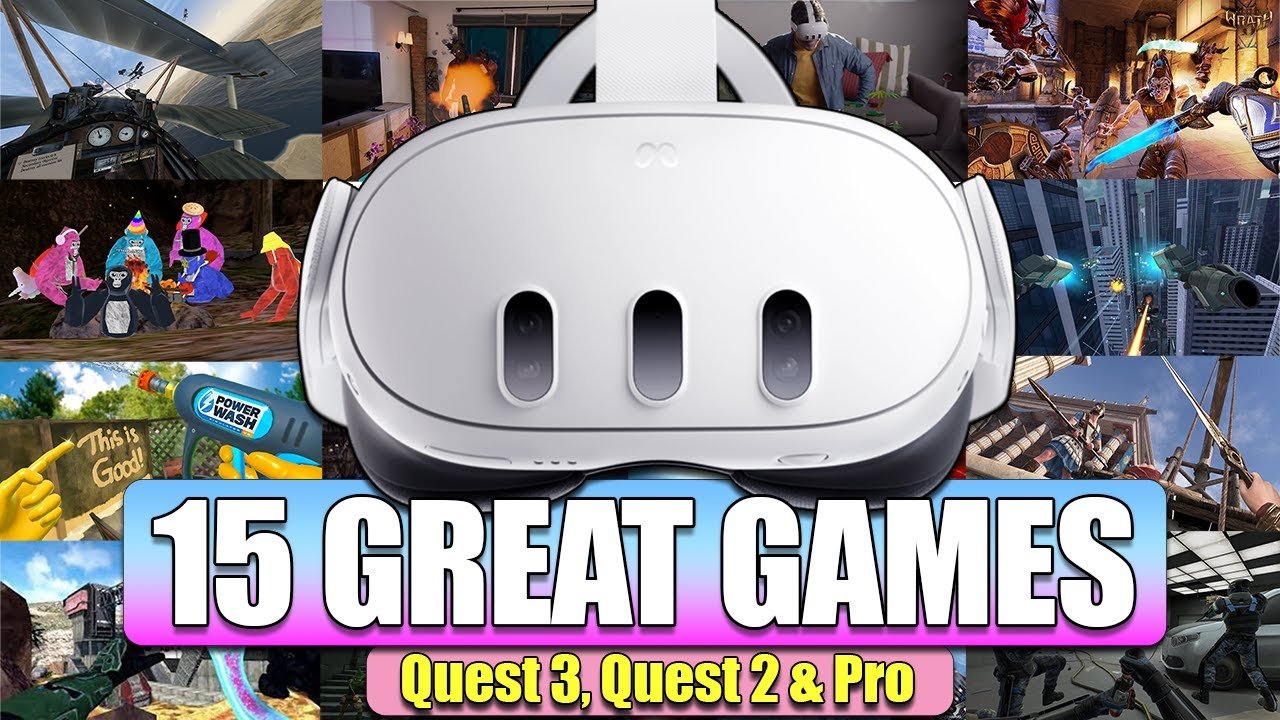
Yes, you can play Quest 2 games on Quest 3.
Upgrading to the Quest 3 is exciting, but what about all those games you already own? The big question on everyone’s mind is, can you play Quest 2 games on Quest 3? Fortunately, the answer is a resounding yes.
Meta designed the Quest 3 with backward compatibility. This means your existing library of Quest 2 games will work seamlessly on the newer device. You can enjoy your favorite titles with improved visuals and performance.

Can You Play Quest 2 Games on Quest 3?
Okay, let’s get right to it! If you’re thinking about getting a Meta Quest 3, or maybe you already have one, you’re probably wondering if all those fun games you have for your Quest 2 will still work. The short and happy answer is: Yes! Almost all of the games you love on your Quest 2 will play perfectly well on your new Quest 3. Think of it like moving your video games from an older console to a newer one – they generally still work! But, of course, there’s more to the story than just a simple “yes,” so let’s take a closer look.
The Magic of Backward Compatibility
The reason your Quest 2 games work on the Quest 3 is thanks to something called “backward compatibility.” This fancy term just means that the Quest 3 was designed to play games made for older systems, specifically the Quest 2. Meta made sure that the Quest 3 could understand and run the game software created for the Quest 2, so you don’t lose all your virtual adventures when you upgrade. It’s like when your new phone can still play the songs you downloaded on your old phone. It’s all about making sure you can keep enjoying the stuff you already own.
This is a big deal because it means you won’t have to buy all your games again! You get to jump right into the familiar worlds and continue your progress. No starting from scratch. That’s why backward compatibility is such a great feature for gamers.
Why Does it Work? Hardware and Software Compatibility
So, how does the Quest 3 make this happen? It’s all about how the hardware and software work together. Even though the Quest 3 has more power and advanced features, it still uses the same basic technology to play games that the Quest 2 uses. Here is how it works:
Shared Platform
The Meta Quest 2 and Meta Quest 3 are both built on the same basic Android operating system. This helps a lot, because apps and games are generally developed to work with specific operating systems, just like how apps on your phone are made for Android or Apple phones. This common platform is the first step in making games from one system work on the other.
Software Compatibility
The Meta software is also designed to be forward-compatible. This means that the core software that runs on the Quest 3 knows how to handle the code from Quest 2 games. When a game is made for the Quest 2, it follows certain rules that the Quest 3 understands. It’s like how a universal adapter allows you to plug devices from different countries into your wall socket. The software on your Quest 3 handles the older game code and helps it play correctly.
Hardware Considerations
Even though the Quest 3 has faster processors and a sharper display, it still includes the basic hardware parts that Quest 2 games need. Think of it like having the same basic ingredients in a cake recipe, but with some extra sprinkles on top. The extra power of the Quest 3 will only help the Quest 2 games play better, faster, and more smoothly in some cases.
What About Enhanced Graphics?
Now, this is where things get interesting! While your Quest 2 games work on Quest 3, they don’t magically become totally new, top-of-the-line experiences with upgraded graphics and textures all the time. The Quest 3 has significantly improved processing power, so the game can run much better, with fewer lags and overall smoother gameplay. But some developers are working on updates to their existing Quest 2 games to make them better on the Quest 3.
Here’s the breakdown:
- Basic Compatibility: All of your Quest 2 games will still play on your Quest 3. Think of it like playing an old video game cartridge in an older game console.
- Performance Boost: Many games will experience a general improvement in performance simply because of the Quest 3’s more powerful hardware.
- Enhanced Graphics (Potential): Some developers are updating their Quest 2 games to take advantage of the Quest 3’s improved graphics. This could mean higher resolution, improved textures, and overall better visual quality.
- Not All Games Will Be Updated: Not all developers have decided to release special updated versions of their Quest 2 games. So, some games may still look the same as they did on the Quest 2, but they may perform better.
The Benefits of Playing Quest 2 Games on the Quest 3
Playing your old games on the Quest 3 isn’t just about having them available, there are real benefits too. It’s more than just convenience, you get a generally upgraded experience for your old favorites.
Improved Performance
The Quest 3 has a much more powerful chip than the Quest 2. This means that even games that weren’t designed to take advantage of the Quest 3 will still run smoother. Think of it like driving a car with a new engine – even if the roads are the same, the ride feels much better. You’ll likely notice less stuttering, faster load times, and overall a more enjoyable gaming experience. Here are some specific things you might see:
- Faster Loading Times: Get into games quicker than ever.
- Smoother Gameplay: No more stuttering, especially in fast-action games.
- Reduced Lag: Less waiting and better response.
- Better Overall Performance: Your games run like they were meant to!
More Comfortable Gaming
The Quest 3 is often described as more comfortable to wear, which can enhance your experience with games. It’s designed to fit better and feel lighter, which means you can play your favorite games for longer without getting uncomfortable.
- More Ergonomic Design: Less pressure points on your face.
- Lighter Weight: Can play for longer stretches.
- Improved Weight Distribution: Feels balanced.
A Bridge to New Experiences
While you’re enjoying your old games, the Quest 3 also gives you a bridge to explore new, more advanced virtual reality experiences. It provides a seamless connection between the games you already know and love and the new generation of content that are being made for the Quest 3.
How to Play Your Quest 2 Games on Quest 3
The good news is that playing your existing Quest 2 games on your Quest 3 is straightforward. It doesn’t need some extra steps or complicated technical adjustments. Your games just need to exist in the same Meta account you have been using.
Using Your Meta Account
When you set up your Quest 3, you will use the same Meta (Facebook) account that you used with your Quest 2. This is how your games and settings transfer over to your new device. All of the games you have purchased are linked to your account, not to the physical Quest 2 headset.
Automatic Transfer
Once you’ve logged into your Quest 3 with your Meta account, all the games you own will appear in your library, ready to play. You can then download them just like you did on the Quest 2, and then start playing, like nothing changed. Your old saves and progress will still be there!
How to Download Your Games Again
If for some reason your games don’t automatically show up in your library, you can always go into the Meta Store on your Quest 3 and download them again. You won’t have to purchase them again. You can just download and install them. To do this, go to your games library, find the games you are trying to find, and re-download them. It’s the same process as getting them on your Quest 2. If you’re ever unsure, there are guides available in the Quest 3’s help menu, as well as online.
Are there any exceptions to backward compatibility?
While backward compatibility covers almost all games, it’s important to know that there are always some exceptions, no matter how hard companies try to make it work perfectly every time. Here are a few situations where you might run into issues.
Very Old or Unmaintained Games
Some of the oldest games or those that aren’t updated by developers might have minor issues. This isn’t very common, but it’s something to be aware of. If a game isn’t maintained or updated by its developers, it may not play as perfectly as newer games, or games that are still being updated.
Games Requiring Specific Accessories
If you have games that required specific Quest 2 accessories to play, you may have to check if those accessories also work with the Quest 3. For example, some unique controllers or add-ons might be an exception. Though most of the standard accessories, such as controllers, work just fine.
Rare Cases of Technical Glitches
Like with any technology, there’s a chance you could run into minor glitches while playing some older games on the Quest 3. While this is rare, there may be times when a game doesn’t perform as well. Usually this is easily corrected with simple actions such as closing the game and re-opening it. And if the issues persist, there are resources to help you solve most problems.
Will Game Developers Update Older Games?
Many game developers are definitely planning to update their older games. This is great news, because it means that many games you already own and love could be updated with better textures, higher resolutions, and even entirely new features. This will certainly happen with the more popular games, because they have a larger audience and can benefit from the extra polish.
How to Know if a Game is Updated
The good thing is that the Meta Store will usually tell you when a game has received updates and enhancements, especially for the Quest 3. You can often see these updates in the game’s details, and they sometimes appear as messages when you start the game. Most of the time it all happens automatically, in the background, so you may not even have to do anything to enjoy updated game graphics and performance.
What if a game won’t update?
If a game doesn’t get an update, it will still play just fine, it just may not have those special visual improvements. You will still be able to play the game like before, and in some cases it may still play better because of the new, more powerful hardware in the Quest 3.
A Quick Recap: Can You Play Quest 2 Games on Quest 3?
Yes! The vast majority of your Quest 2 games will work seamlessly on the Quest 3, thanks to something called backward compatibility. That means you get to keep the games you love and may even experience them in an enhanced way on your new VR headset! While some games may have enhancements, all games will be playable.
What Does This Mean For You?
This means that if you’re thinking of getting a Quest 3, you can do so knowing you won’t be leaving your old game library behind. You can dive into brand new experiences while also enjoying your beloved classic VR adventures. It’s like getting an upgrade that makes all your virtual fun even more enjoyable!
So, go ahead and jump into your new VR headset and enjoy!
Do ALL Quest 2 Games WORK on Quest 3? 128 or 512?
Final Thoughts
Absolutely, you can play Quest 2 games on Quest 3. The new headset maintains full backward compatibility. This means your existing library of titles will work flawlessly, allowing for immediate enjoyment.
The improved processing power of Quest 3 enhances the experience. It must be noted that visual fidelity and performance for your old games improve.

