
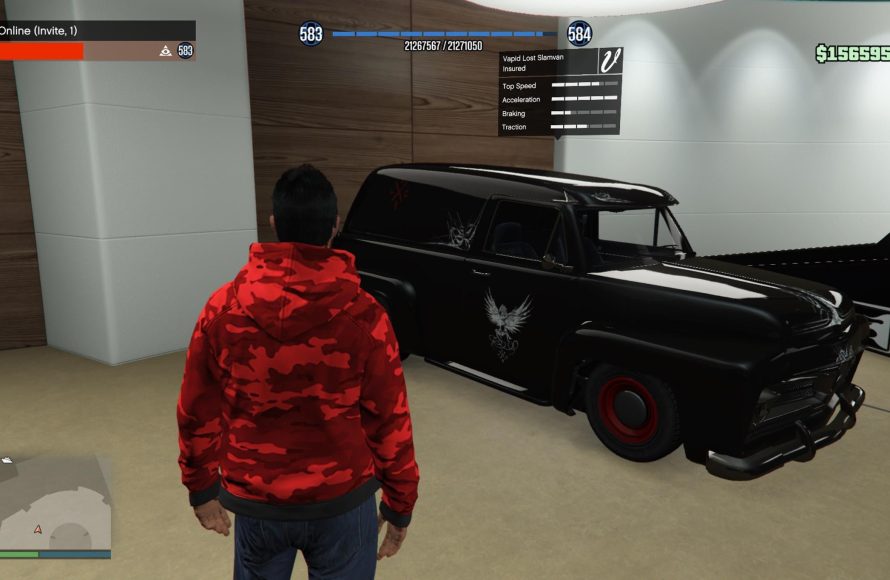
The GTA 5 online invite system allows players to quickly join friends or crew members in a game session, or receive invites for specific activities.
Navigating the social world of Los Santos can sometimes feel like a maze, right? Especially when you just want to jump into some action with your buddies. The gta 5 online invite system, at first glance, can seem a little confusing.
But it is actually quite straightforward once you understand the basics. It facilitates grouping up with your friends in the game. This is also an important tool for starting specific missions or heists together.

GTA 5 Online Invite System: Your Guide to Playing with Friends
Getting your crew together in Los Santos can sometimes feel like herding cats, especially with the chaotic world of GTA Online. But fear not, the game offers a bunch of ways to invite your friends and other players to join you in all sorts of adventures. Let’s break down how the invite system works and how you can use it to have the most fun.
Understanding the Basics of Invites
The core of getting together with others in GTA Online is the invite system. This feature allows you to bring people into your session, your property, or your current job. Think of it as your personal way of saying, “Hey, wanna play?”. There are different types of invites, each designed for specific situations. Let’s go through them:
Types of Invites
- Game Invites: These are your bread-and-butter invites. You send these to invite people directly to your current online session. Think of it as a general call to join your world. If you’re cruising around and want some company, this is what you need.
- Job Invites: Want help with a heist setup? A race? Maybe a contact mission? Job invites are your go-to. These get people straight into the action with you.
- Property Invites: Got a cool clubhouse, a fancy penthouse, or a secret bunker? Property invites allow friends to come hang out at your pad. Perfect for showing off your hard-earned GTA Online digs.
- Organization/MC Invites: Are you a CEO or a Motorcycle Club President? You can send invites for people to join your organization or MC, bringing them under your command.
Sending Invites: Step-by-Step
Sending invites isn’t rocket science, but there are a few ways to go about it. We will be covering the most useful ones.
Using the Interaction Menu
The Interaction Menu is where a lot of things happen in GTA Online, and sending invites is one of them. Here’s how:
- Open the Interaction Menu. On PlayStation, press and hold the Touchpad. On Xbox, press and hold the View button (the one with the two overlapping squares). On PC, press the ‘M’ key.
- Navigate to “Friends”. This will usually show you a list of your friends currently online playing GTA Online.
- Select the friend you want to invite.
- Choose the type of invite you want to send (Game Invite, Job Invite, etc).
- Send the invite! Your friend will receive a notification and can choose to join you.
Using the Phone
Your in-game phone is another way to send invites. It’s especially handy if you want to invite someone who isn’t necessarily on your friends list.
- Open your in-game phone using the Up arrow on the D-pad on PlayStation or Xbox, or by pressing the Up arrow key on PC.
- Go to “Contacts.”
- Find the player you want to invite (you may need to search for them if they are not in your contacts).
- Select the player and then choose ‘Invite to Session’ or, if available, ‘Invite to [Current Job/Activity]’.
- Send the invite and they will receive a notification.
Inviting Through the Pause Menu
The pause menu also offers a direct way to send invites to people you have recently played with.
- Open the Pause Menu. On PlayStation or Xbox, press the Start/Options button. On PC press the ‘Esc’ key.
- Navigate to the ‘Online’ tab.
- Select ‘Players’. This will show a list of the players currently in your session.
- Click on a name, then select the option you want to invite them to.
Accepting Invites
Getting invited is cool, but you need to know how to accept them. Here’s how:
- On Screen Notifications: When you receive an invite, you will get a notification popup on your screen. You can typically accept it by pressing the ‘X’ or ‘A’ button on your controller (or clicking on the notification with your mouse on PC).
- Phone Notifications: The invite might also show up as a notification on your in-game phone. Open your phone and look for the notification.
Invite Etiquette: Dos and Don’ts
Even though it is just a game, it’s still good to have some manners and common sense about invites in GTA Online. Here are some helpful tips:
Dos
- Be Specific: When inviting, clarify what you plan to do with the group. “Want to do a heist?” is better than “Join me!”.
- Be Patient: Not everyone accepts invites right away. Give people time to decide. If they don’t accept, it is okay, try another player.
- Respect People’s Time: If a friend joins you, try not to leave them sitting around and waiting. Get into the action quickly.
- Ask First: Before inviting someone repeatedly, ask them if they want to be invited. They might be busy or not wanting to play your type of game at that moment.
Don’ts
- Spam Invites: Nobody likes getting invites constantly. If someone refuses, don’t keep sending them.
- Invite to Bad/Unsafe Sessions: If your session is full of griefers and chaos, it might be best to play alone until you get into a more peaceful one.
- Forget to Invite: if you say that you will invite a friend, please remember to invite them or they may feel bad.
- Leave Immediately after being invited: try to communicate why you are leaving the game. Some people may take it personally if you leave after you join them.
Troubleshooting Invite Issues
Sometimes, the invite system doesn’t work as smoothly as it should. Here are some common issues and how to fix them:
Common Invite Problems
- Invites Not Going Through: Sometimes, network issues can prevent invites from sending or arriving.
- Not Showing Up on Friend List: If a friend doesn’t show up on your in-game friends list, try restarting your game or console.
- Unable to Join Session: Some servers might be full, or network connection problems can sometimes prevent you from joining an invite.
- Session is Full: Sometimes, you can’t join a session simply because it is at maximum capacity.
Solutions
- Restart Your Game: Sometimes, a simple restart can clear up many issues.
- Check your Network Connection: Make sure you have a stable internet connection. If you are on Wi-Fi, try moving closer to the router.
- Check NAT Type: A “Strict” or “Moderate” NAT type can cause problems. Change it to “Open” if possible.
- Try Different Session: if the error keeps occurring on a specific session, try joining a new one and ask your friends to join you.
- Ask the Invited to Do the Same: If you have an issue with not being able to accept an invite, it is possible that the person that has sent the invite has some networking issues.
Advanced Invite Techniques
Once you’ve got the basics down, you can start using some more advanced techniques to get the most out of the invite system.
Public vs. Private Sessions
GTA Online lets you play in public or private sessions. Public sessions are where you find a lot of random players, and can be a bit chaotic with griefers. Private sessions, like invite-only or friend-only sessions, let you play with only your chosen group of people. Here’s how to make a private session:
- Go to the Pause Menu.
- Navigate to the ‘Online’ Tab.
- Select ‘Choose Session’.
- Pick the Session type you desire (Invite Only, Friends Only, etc.).
Using the ‘Looking For Group’ Feature
If you don’t have friends online, there is a good way to find players looking for a group. Depending on your platform, it’s either in a built in menu or in the community hubs. You can check the Looking for Group feature, search for players, or post your own ad so that other players can join your session.
Utilizing the Quick Job Feature
If you are looking to do a specific type of mission (like a race, deathmatch, or other jobs), you can use the “Quick Job” option on the in-game phone. It helps to find other players looking for the same activity.
The GTA Online invite system is an important tool for playing together with friends and other players. Understanding how it works, sending invites effectively, and using some advanced techniques can make your GTA Online experience a lot more fun and less frustrating. Experiment with the different features and see what works best for you and your crew!
How to Join Friends Game Lobby in GTA 5 Online {Xbox, PS5, Xbox)
Final Thoughts
In short, the gta 5 online invite system allows players to quickly join friends or crew sessions, bypassing public lobbies. It’s a key method for playing together, especially with specific groups. Understanding how it functions makes playing with friends far simpler. It’s essential for coordinating heists or events.

