
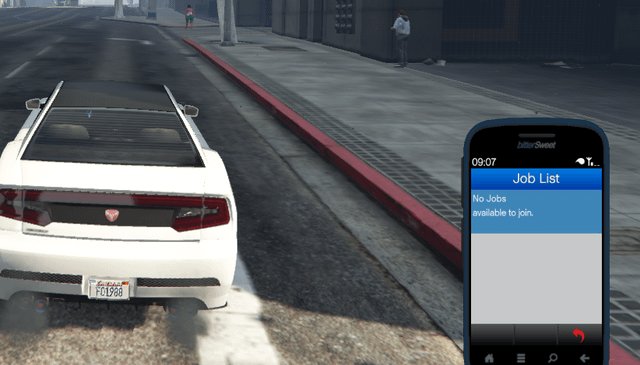
Common GTA 5 Online known issues include connection problems, server instability, and occasional glitches that can impact gameplay.
Frustration mounts when your carefully planned heist hits a snag due to technical problems. Many players regularly experience GTA 5 Online known issues, disrupting their gaming sessions. These problems range from simple disconnects to more complex in-game glitches. It is a problem for everyone playing the game.
Dealing with these issues can be annoying and we aim to help you. Knowing what problems to expect and how to work around them will enhance your time in Los Santos. This will allow you to enjoy the game in a much better way.

GTA 5 Online Known Issues
Okay, let’s dive deep into the sometimes-bumpy world of GTA 5 Online. It’s a fantastic game, no doubt, but like any big online playground, it has its fair share of hiccups. We’re going to talk about all the known issues, big and small, so you know what to expect and maybe even how to work around them.
Connection and Server Problems
One of the most frustrating things in any online game is having trouble connecting. GTA 5 Online is no exception. Here are some connection issues players often face:
Lag and Rubberbanding
Have you ever been driving along, and then suddenly your car jumps back a few feet? That’s rubberbanding, and it’s caused by lag. Lag happens when the connection between your game and the Rockstar servers is slow or inconsistent. This can make driving, shooting, and just about everything else feel clunky and unresponsive.
What Causes It? Sometimes it’s your internet connection being slow or unstable. Other times, it can be server issues on Rockstar’s end, especially during peak playtime.
What Can You Do? Try restarting your router, closing other apps using your internet, or checking your internet speed. If the problem persists, it might be the servers. In that case, waiting it out is often the only solution.
Disconnections and Server Errors
Getting kicked out of a session in the middle of a heist is incredibly annoying. Server errors and disconnections can pop up for various reasons. Sometimes it’s a generic error code, and other times, you’re just booted back to the single-player mode or the loading screen.
Common Error Codes: You might see codes like “Error Code: 2102” or “Error Code: 50000”. These usually mean that the game had trouble connecting to the Rockstar servers.
Troubleshooting: Again, checking your internet connection is always a good first step. Make sure your platform’s software and GTA V are updated. If you continue to have problems, you may have to contact Rockstar support to see if there’s a server issue in your region.
Unable to Join Friends
Trying to play with your buddies and hitting the “unable to join” wall is a classic GTA Online problem. This can happen for a lot of reasons:
Different Game Versions: Make sure all players have the same version of the game and any updates installed.
Network Problems: Firewalls, NAT types, and other network settings can make it difficult to connect with specific players.
Full Sessions: If a session is full, you won’t be able to join.
Troubleshooting:
Restart the Game: Sometimes, just restarting GTA 5 Online can fix the issue.
Check Network Settings: Look at your router settings and make sure they aren’t blocking anything.
Invite Only Sessions: Try joining an invite-only session. This limits the number of players and can often improve connection stability between friends.
Gameplay Glitches and Bugs
Let’s talk about some of the stranger things that can happen within the game itself. These are the glitches and bugs that can make you scratch your head.
Invisible Players and Objects
Imagine trying to shoot someone who isn’t there or driving through a car that looks like it is made of air. This occurs when the game fails to properly load player models or objects in the world.
Causes: This issue often relates to problems loading data from the servers. It might also happen when your console or PC is having trouble processing the game quickly enough.
Solutions: Sometimes, restarting your game can make the invisible objects visible again.
Falling Through the Map
Falling through the map is one of those classic GTA bugs. You could be walking along, and suddenly, you’re falling into the void below the game world.
Where It Happens: This glitch can occur in many places, often in areas that haven’t been thoroughly tested or in spots near newly added content.
Getting Out: Usually, respawning is the only way to get back into the game world when this happens.
Inability to Interact with Objects
Have you ever been trying to buy something, start a mission, or pick up a package but nothing is working? Sometimes the game just won’t let you interact with things.
Causes: It could be an issue loading the relevant game scripts. The problem could also be linked to server latency, where the game is slow to recognize your actions.
Fixes: Switching sessions or restarting the game might solve this problem.
Mission Breaking Bugs
GTA 5 Online missions are great, but they can sometimes break down. You may see objectives not completing correctly, NPCs acting bizarrely, or cut scenes freezing.
Types of Issues: Some missions simply get stuck, preventing you from completing them. Other times, AI characters glitch out, making it impossible to progress.
Solutions: Sometimes restarting the mission can fix the issue.
Vehicle and Property Issues
Cars and houses are central to the GTA Online experience, but there are common glitches and problems that can happen with them.
Vehicle Storage and Retrieval Problems
Imagine you buy your dream car, customize it, and then it vanishes from your garage. Vehicle storage problems can be truly heartbreaking.
Vanishing Vehicles: Sometimes, cars disappear from garages or are replaced with a different model.
Garage Glitches: Sometimes, you can’t access your garage or find cars that you know should be in there.
Solutions: Contacting Rockstar Support may be necessary in these cases, as they may need to restore vehicles or offer some form of compensation.
Property and Business Bugs
Buying businesses is a big part of GTA 5 Online, but bugs can get in the way. You might encounter problems with the businesses’ earnings or their functionality.
Business Glitches: Sometimes, businesses don’t produce goods as expected, or missions associated with them fail to work correctly.
Property Issues: You might find that your properties sometimes load incorrectly or that some features aren’t working.
Troubleshooting: Make sure the game is updated and sometimes, restarting helps. If the glitch continues, contact Rockstar Support.
Cheaters and Exploits
Unfortunately, like many online games, GTA Online attracts cheaters. These players try to gain an unfair advantage by using mods and exploits.
Modded Money and Rank
Cheaters sometimes use modifications that give them unlimited money or rank very quickly. These actions can create an imbalanced game.
Effects: These issues can make the game less fun for everyone, as the balance of progression is ruined by cheating.
How to Avoid: Report suspected cheaters using the in-game reporting tools. Rockstar often bans these players, but it can take time.
Exploiting Glitches
Some players find ways to exploit game bugs and glitches for their own gain. This could involve duplicating vehicles, getting unlimited money, or finding other ways to take advantage of errors in the game’s programming.
Rockstar’s Response: Rockstar is usually quick to patch these exploits but there is always a cat and mouse game between developers and exploiters.
Audio and Visual Problems
Sometimes, the problems with GTA Online aren’t just about gameplay; they can also affect the sound and the way the game looks.
Sound Issues
Sound glitches can range from missing audio to music playing where it shouldn’t.
Missing Audio: The game may fail to play certain sound effects or dialogue.
Distorted Sounds: You may notice that sounds are distorted or cut out completely.
Solutions: Check your audio settings within the game and on your gaming device. A full system restart is a good idea.
Graphical Glitches
Graphical problems can range from minor annoyances to game-breaking visual errors.
Texture Problems: Textures may not load correctly, causing objects to appear low-resolution or weirdly deformed.
Flickering and Screen Tearing: These issues can cause annoying visual interruptions during gameplay.
Troubleshooting: Ensure your graphics drivers are up to date (if you’re on PC), and ensure your system can handle the game.
Other Annoyances and Minor Issues
Here are some of the smaller, but still annoying, problems that you might face.
Slow Loading Times
GTA 5 Online can take a long time to load, especially on older consoles or PCs.
Causes: This may be due to the game’s size and complexity, but outdated hardware can also contribute.
Possible Fixes: Make sure the game is installed on a fast drive. You can try clearing your console or PC’s cache, which may speed up the loading process.
User Interface Problems
Sometimes the menus and interface within the game can glitch out or behave strangely.
Menu Stutter: Menus might not respond correctly or scroll smoothly.
Missing Text: Sometimes text labels can disappear from menus, making it hard to know what you’re choosing.
Solutions: Usually, a quick restart can fix these UI problems.
GTA 5 Online has its challenges, but being aware of these issues will help you navigate the game more easily. From connection issues to bizarre glitches, knowing what to expect can make the experience more enjoyable. While these problems can be frustrating, most of them can be resolved with a little troubleshooting or patience. Remember to report major bugs to Rockstar Games. This helps them to make the game better for everyone.
GTA Online Has MAJOR ISSUES.. The New GTA Online UPDATE! Huge Fixes REVEALED! (New GTA5 Update)
Final Thoughts
In short, persistent glitches continue to plague players. Connection problems and server instability remain frequent complaints. These issues disrupt gameplay and frustrate many users.
Rockstar actively works to fix these problems but solutions are slow. ‘gta 5 online known issues’ persist, impacting the overall experience. Players hope for consistent improvements to enhance their time in Los Santos.

