
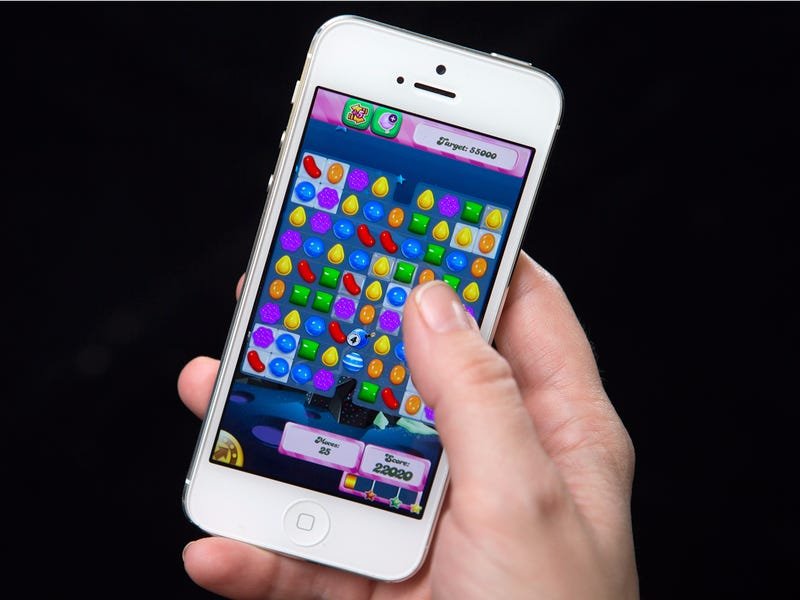
To get your games back on your phone, you should typically check your app store’s “My Apps” or “Library” section to reinstall them.
Ever felt that sinking feeling when your favorite game suddenly vanishes from your phone? It’s frustrating, but thankfully, recovering those lost digital treasures is often quite simple. You might be wondering, ‘how do i get my games back on my phone?’, especially if you’ve recently changed devices or accidentally deleted something.
The good news is, most game apps aren’t truly gone forever when you delete them, and are linked to your account. The app store typically keeps a record of what you’ve downloaded or purchased. So, with a few easy steps, you should be back in the game quickly.

How Do I Get My Games Back On My Phone?
Losing your favorite games on your phone can feel like a real bummer! One minute you’re battling dragons or solving puzzles, and the next, they’re gone. It’s frustrating, but don’t worry; in most cases, getting your games back is totally doable. This guide will walk you through the common reasons why your games might disappear and how to get them back on your Android or iPhone.
Why Did My Games Vanish?
Before we jump into solutions, let’s figure out why your games might have gone missing. Knowing the reason can help you prevent it from happening again.
Accidental Deletion
This is the most common culprit. Sometimes, our fingers slip, or we accidentally tap the wrong icon while organizing our home screen. It’s super easy to mistakenly delete an app, games included.
Phone Reset or Update
If you’ve recently reset your phone to factory settings or installed a major system update, there’s a good chance your apps were wiped in the process. Updates can sometimes remove apps that aren’t compatible with the newest software version.
Memory Issues
When your phone gets really full, it might try to clear out space automatically. This can sometimes lead to apps, including games, being removed. Phones need enough space to work properly and sometimes clear apps to free space.
Software Glitches
Sometimes, phones just act a little weird. A software glitch might cause an app to disappear. This is less common, but it does happen.
Changing Accounts
If you switched to a different Google account on Android or a different Apple ID on iPhone, you might not see the games you previously installed. These games are tied to your specific account.
Getting Your Games Back on Android Phones
If you have an Android phone, retrieving your lost games is usually straightforward. The Google Play Store makes it easy to find and reinstall apps you’ve previously used. Here’s how to do it:
Using the Google Play Store
The Play Store keeps track of all the apps you’ve ever downloaded. This makes it your go-to place for getting your games back.
- Open the Google Play Store app on your phone.
- Tap your profile icon in the top-right corner. It might be your picture or a letter.
- Select Manage apps & device.
- Tap on Manage. This will show you a list of all the apps currently installed on your phone.
- Tap on the drop-down menu labeled Installed and select Not Installed.
- Now, you’ll see a list of all apps, including games, that you’ve downloaded but aren’t currently on your phone.
- Find the game you want to get back and tap the install button next to it.
That’s it! Your game will start downloading and should reappear on your home screen.
Checking Your Google Account
Sometimes, if you’re having trouble, making sure you are logged into correct Google account might solve the problem:
- Open the Play Store.
- Tap your profile icon.
- Look at the email address listed at the top. This should be the same email you used when you originally downloaded the game.
- If it isn’t, tap on the drop down arrow near the email to select different email address.
Restoring from Backup
If you had a backup enabled on your phone, it’s possible to restore your apps and settings from there. This method can bring back not just your games, but other apps too. If you performed a recent phone reset, this method is highly recommended. Here’s how:
- Go to your phone’s Settings app.
- Scroll down and tap on Google.
- Select Backup.
- If you see a backup, you might be able to restore from it. Remember that restoring a backup might take a little while.
- Tap on Back up now if you want to perform a new backup before restoration.
Getting Your Games Back on iPhones
Apple makes it pretty easy to restore your games as well. Just like the Play Store, the App Store keeps a history of your downloads. Here’s how to get your games back on your iPhone:
Using the App Store
The App Store is your primary source for apps, and it’s easy to find previous downloads there.
- Open the App Store app on your iPhone.
- Tap your profile icon in the top-right corner. It might be your picture or a letter.
- Tap on Purchased or My Purchases.
- Select Not on This iPhone.
- You’ll see a list of all the apps, including games, you have previously downloaded but aren’t currently installed.
- Find the game you want to reinstall and tap the cloud with a downward arrow icon next to it.
The game will download and be available on your home screen once it’s finished.
Checking Your Apple ID
If you can’t find your games, double-check that you’re using the correct Apple ID:
- Go to your phone’s Settings app.
- Tap your name at the top.
- Make sure the email address shown here is the same one you used when you first got the games.
- If you have different email, tap to switch Apple ID.
Restoring from iCloud Backup
If you have iCloud backup enabled, restoring from a previous backup can bring back your games and other data.
Here’s how you can do that:
- Go to your phone’s Settings app.
- Tap your name at the top.
- Select iCloud.
- Tap iCloud Backup.
- If you see a backup, it can be used to restore the phone, including games and other apps.
- You might also need to reset your phone to restore from the backup, so be sure to follow instructions in your phone.
Specific Game Login and Progress
Sometimes, even when you reinstall a game, your saved progress might not be there. This usually happens when you’re playing games that are saved locally. However, many games use cloud saving, which is great for protecting your progress! Here is what you should know:
Cloud Saving
Many modern games use cloud saves to store your game progress online. If the game has cloud saving, your progress should be there even if you change phones.
- Make sure to log into the game using the same method you used before. Often that is your Game Center account (on iOS), Google Play Games (on Android) or the game’s own account system.
- Make sure your device is connected to internet as the game progress is stored on the cloud.
Local Saving
Some older games save their data only on your phone. If you delete these games and did not make a backup, your progress is likely lost. However, if you did have a backup, you can restore the backup to regain your progress. Local saving has it’s limitations and it is less reliable than cloud saving.
- If your game stores data locally, restoring it from a backup might help. Follow the restore from backup procedure for your phone mentioned earlier to try to recover game progress.
Connecting with Social Media
Many games allow you to connect with social media accounts. This is another method that many games use to save progress. Connect your game with any social media accounts, such as Facebook, that you used previously. This can potentially help recover game progress.
In-game Support
If you’ve tried all of these steps and are still having trouble, consider contacting the game developer’s support team. They often have specific solutions and can help with game-related problems.
Tips to Prevent Losing Your Games Again
Prevention is key! Here are some simple things you can do to help keep your games safe:
- Avoid Accidental Deletions: Be careful when moving and organizing app icons, and avoid accidental deletions.
- Regular Backups: Turn on automatic backups to Google Drive or iCloud. This way, if anything happens to your phone, you can easily restore your apps and data.
- Keep your Phone Updated: Make sure your phone’s software is up to date to avoid potential compatibility issues.
- Manage Storage: Keep an eye on your phone’s storage space. Free up some space if it starts getting too full.
- Use Cloud Saving: Where possible, use cloud saving features in your games.
Getting your games back on your phone shouldn’t be a stressful task. Usually the game is tied to a particular account and once you log into the correct account, you can find all your games on your phone. By using the steps listed above you can confidently recover your lost games, and with the preventative measures you can reduce chances of having to go through this in future.
How To Remove Games From Game Launcher/Game Hub & Back Onto Home Screen On Samsung Galaxy! (2024)
Final Thoughts
To quickly get your games back, check your app store’s download history. Usually, re-downloading previous apps is straightforward. Remember to verify that your account information matches your original setup. You must have backed up your phone data for this process to work effectively.
If your game is no longer in the store, you might need to restore from a backup. This could involve using cloud services or a computer backup. Remember that this method depends on your backup setup. So, how do I get my games back on my phone? It depends on whether you previously backed them up.

