
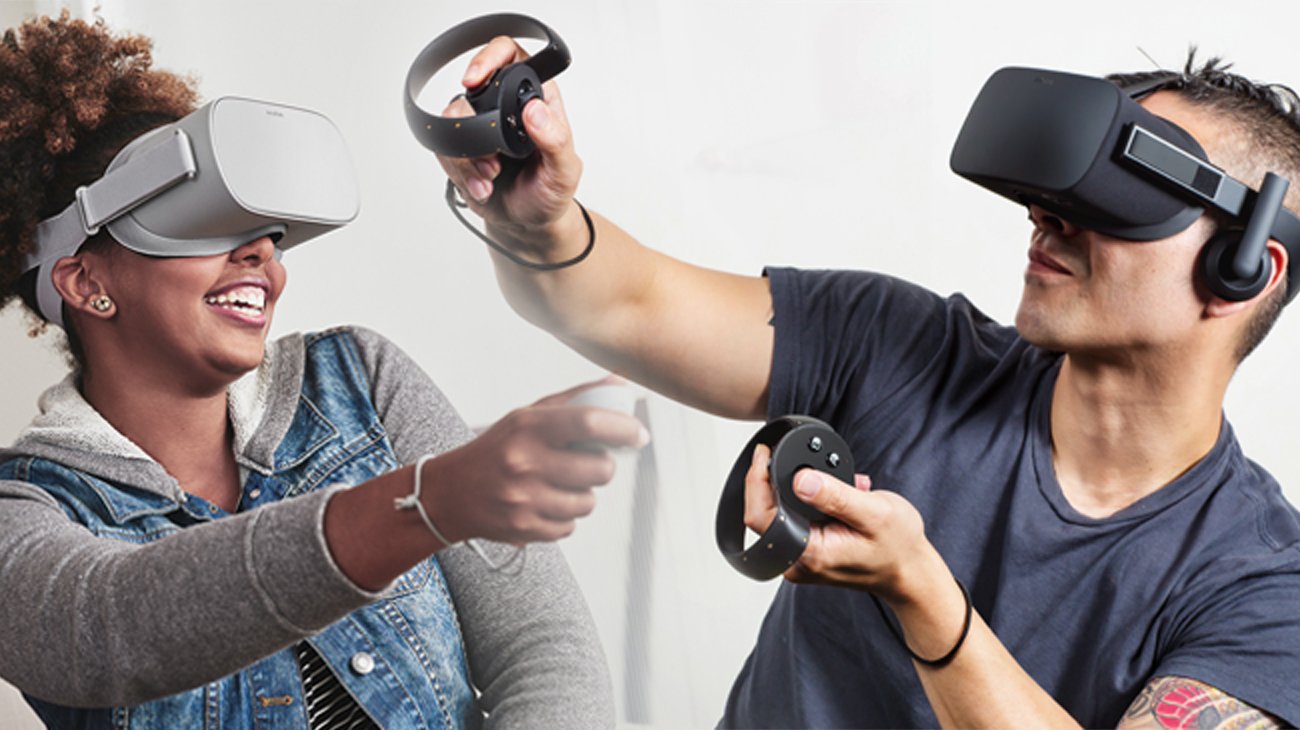
To play VR games, you typically wear a VR headset, use hand controllers for interaction, and move within a designated play area, immersing yourself in a virtual environment.
Ever wondered how do you play VR games? It’s actually quite simple once you get the hang of it. You put on a special headset that shows you a virtual world.
These headsets track your movements, and hand controllers allow you to interact with the virtual environment. The whole experience is designed to make you feel like you are actually there, within the game.

How Do You Play VR Games?
Alright, let’s dive into the exciting world of virtual reality gaming! It might seem a little mysterious at first, like stepping into a science fiction movie. But trust me, it’s much easier and more fun than you think. Playing VR games is all about putting on a special headset, grabbing some controllers, and getting ready to be transported to a whole new world. Ready to learn the ropes?
Getting Started: The VR Gear You’ll Need
Before you can jump into a VR game, you’ll need the right equipment. Think of it like getting your sports gear before a big game. Here’s what you typically need:
The VR Headset
This is the main piece of equipment. It looks like a big pair of goggles. It has special screens inside that show you the virtual world. Some of the popular brands are Oculus (now Meta), HTC Vive, and PlayStation VR. Each headset works a little differently, but they all do the same thing: put a virtual world right in front of your eyes. The headset also tracks your head movements so when you look around in real life, you can look around in the game world too. It’s like magic!
VR Controllers
These are like the joysticks of the VR world. They let you interact with things in the game. You use them to move your hands in the game, grab items, shoot things, and more! They have buttons, triggers, and sometimes even joysticks, giving you lots of ways to control your virtual self.
A Powerful Computer or Game Console
Most VR headsets need a computer or game console to run the games. For PC-based headsets like Oculus Rift or HTC Vive, you’ll need a computer that’s pretty powerful. It needs a good graphics card, lots of memory, and a fast processor. The PlayStation VR, on the other hand, works with a PlayStation console, so you don’t need a PC. Some newer VR headsets like the Meta Quest are standalone, meaning they don’t need a separate computer or console to play. This is great because you can play pretty much anywhere!
Enough Play Space
You’ll need enough space to move around in. Make sure the area is clear of furniture and toys! Some games require you to move around quite a bit, while others let you sit or stand in one spot. The games will usually tell you how much space you need before you begin.
Optional Accessories
You can also get other fun VR accessories, like wireless headphones for better sound, special gloves for more realistic hand movements, or a racing wheel for driving games. These extras can make your VR experience even more exciting, but they’re not usually required to get started.
Setting Up Your VR Gear
Once you have all your gear, it’s time to set it up. Don’t worry, it’s easier than building a Lego castle! Here’s a general overview of what you need to do:
Connecting the Headset
If your headset requires a PC or console connection, you’ll need to plug it in according to the instructions that came with your specific VR gear. Usually, this will involve connecting cables to a specific port on your PC or console. Make sure everything is plugged in securely.
Installing Necessary Software
You will most likely have to install some sort of software on your computer or console so the headset can work with games. For example, if you’re using an Oculus Rift, you’ll need to install the Oculus software. Follow the step by step instructions during the software installation carefully.
Setting up the Play Area
Before jumping into the game, you need to set up your play area, so you don’t run into something in real life while in the virtual world! The VR system will guide you through this process, usually involving tracing the edges of your play space with a controller. This makes sure the system knows where you are and will prevent you from moving too far.
Adjusting the Headset for Comfort
It’s important to make sure the headset fits comfortably on your head. Most headsets have straps that you can adjust. You want it to feel snug but not too tight. Also make sure that the view is clear. You don’t want to be in a virtual world with a blurry picture!
Navigating the Virtual World
Now for the fun part: getting into the game! Moving and interacting in VR is different than just using a keyboard or controller, because you are doing it with your body and hands.
Movement in VR
Moving in a VR game can feel very different than moving in a regular game. Here are some ways that movement in VR works:
- Physical Movement: In some games, you move by walking around in your play space. If you move forward in real life, your character moves forward in the game.
- Using the Controllers: Most of the time, you will be using your VR controllers to move around. Usually, you will use a joystick or button on your controller to move your character. You can also use it to jump or crouch.
- Teleportation: Some games use teleportation. Instead of walking, you aim at a spot in the game and “teleport” to that location. It might seem strange at first, but it can help prevent motion sickness.
Interacting with Objects
VR controllers allow you to reach out and touch things in the game, just as if you are there yourself!
- Grabbing: Most controllers have triggers or grip buttons that you press to grab things. If you see an object, you can reach out, press the button, and pick it up.
- Using Tools and Weapons: You can hold a virtual sword, gun, or paintbrush. You will use your controllers to point, swing, shoot and do other fun actions with these items.
- Pushing Buttons and Levers: Just like in real life, you can push buttons and pull levers in VR.
Looking Around
Looking around in VR is as easy as moving your head. If you turn your head to the left, your view in the game will move to the left. It’s a very natural experience and one of the coolest things about VR. This allows you to check out all the details in your virtual surroundings. You might turn your head around to see someone sneaking up behind you, just like in real life.
Understanding VR Game Types
There are lots of different types of VR games to enjoy, each providing a unique experience. Here are some of the most common genres:
Action Games
Action VR games are filled with excitement and fast-paced action. You could be battling enemies with a sword, shooting robots with a laser gun, or dodging obstacles in a high-speed chase. These games often use a lot of motion and can make you feel really immersed in the action. These games really show the magic of how you can become a character in the virtual world.
Adventure Games
Adventure games take you on a journey with a story and lots of puzzles to solve. You might find yourself exploring ancient ruins, solving mysteries in a haunted house, or traveling through space to save the world. They often use a lot of exploration and critical thinking. These games are a good way to go into a whole new world.
Puzzle Games
Puzzle games challenge your mind. You will be working to solve tricky riddles or find out how to put different objects together to move forward. These games range from simple brain teasers to complex challenges. They are great for practicing logic, spatial reasoning, and problem-solving skills.
Sports Games
Sports games allow you to play your favorite sports or even try new ones from the comfort of your own home. You could play golf, baseball, ping-pong or even go rock climbing! VR sports games really make you feel like you are part of the action. You have to throw, swing, or move your body to play.
Simulation Games
Simulation games put you in a real-world situation. You can become a pilot and fly a plane, cook in a busy restaurant, or even work on a farm. These games offer a different experience and allow you to try new experiences without the risk. You might be able to fix a car or be a detective for a day.
Social VR
Social VR experiences let you meet and hang out with other people online in a virtual world. You can have a virtual party or play games together. It’s a good way to make new friends, chat and have fun in a virtual space.
Educational Games
Educational VR games can help you learn new things in fun and exciting ways. You could go on a virtual field trip to a museum or see a human cell from the inside out. These games make learning fun and immersive.
Tips for a Great VR Experience
Here are some helpful tips to get the most out of your virtual reality experience:
- Take Breaks: VR can be very immersive, so it’s important to take breaks every now and then. This helps prevent eye strain and motion sickness, and it will make your VR sessions more enjoyable.
- Start Simple: If you’re new to VR, start with games that are easy to play. Don’t dive into a super complicated action game on your first try! This can help you get comfortable with using the controllers and moving in the virtual world.
- Adjust the Settings: Most VR games allow you to adjust things like the picture clarity and how fast you move in the game. Play around with those settings so the game is comfortable for you.
- Experiment with Different Games: Try out different types of games to see which ones you like best. You might be surprised by what you enjoy the most! There are hundreds of different VR experiences to discover.
- Keep the Play Area Clear: It is important to keep your play area clear of obstacles. Make sure that there are no toys or things you can trip on, before beginning. This can help prevent accidents while you are playing.
- Use Headphones: Using headphones will make the VR experience more immersive. The sound will be better and it will really make you feel like you are in the game.
- Have Fun! The most important thing is to relax and have fun! VR gaming is a fun and unique way to play games.
So there you have it! That’s how you play virtual reality games. Now that you know the basics, it’s time to grab a headset, pick a game, and step into a whole new world. Get ready for some incredible adventures!
VR For Beginners | How to get started with Virtual Reality headsets
Final Thoughts
Playing VR games involves putting on a headset and using controllers. The headset displays the virtual world, and the controllers allow you to interact. Movement often includes physical motion or using controller buttons.
You explore environments and complete objectives like you would in any video game. The immersion is significantly higher, making it a unique experience. You really feel part of the game world. How do you play VR games? You simply follow the on-screen instructions and enjoy.

