
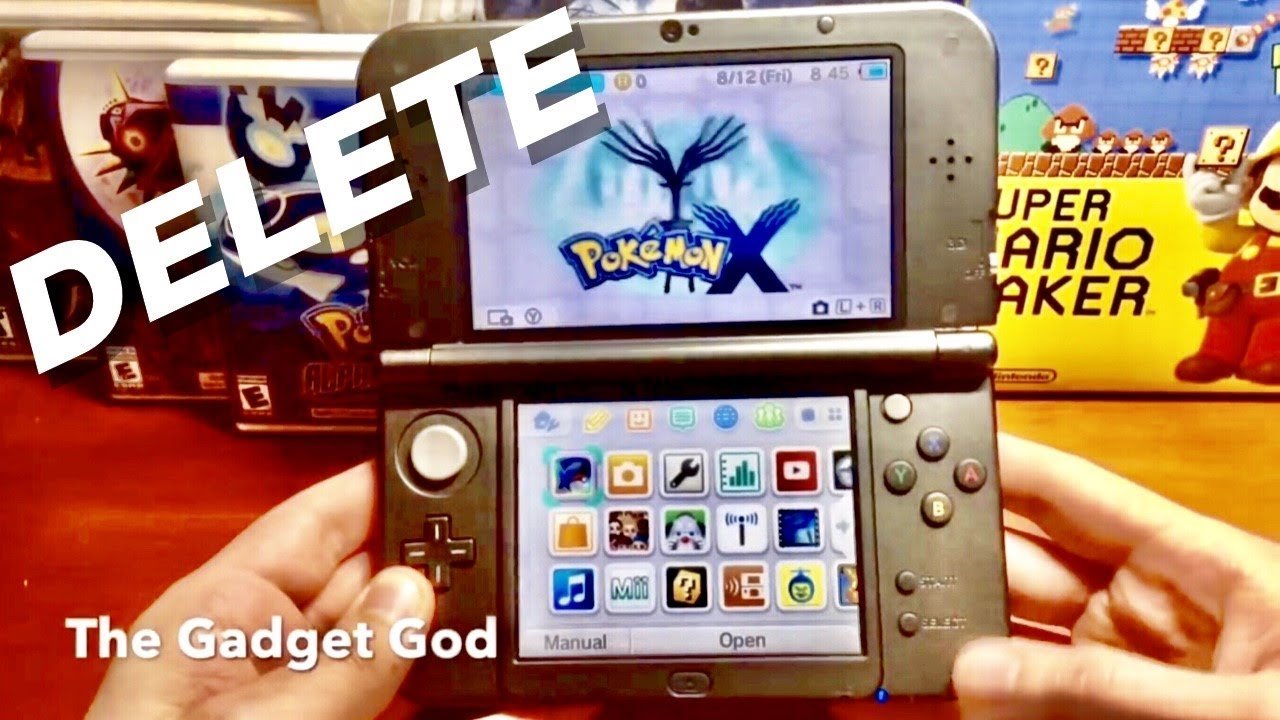
To restart the game in Pokemon X, you must press Up + B + X on the title screen.
Ever felt the urge to begin your Pokémon adventure anew in Kalos? Maybe you want to try a different starter, or simply relive the excitement of the early game. It’s a common feeling, and many players often ask, how do you restart the game in Pokemon X?
It’s actually quite simple, once you know the button combination. No need to navigate complex menus or settings. This simple step lets you experience the joy of a fresh start in Pokemon X.

How Do You Restart the Game in Pokemon X?
So, you’ve been having a grand adventure in the Kalos region with your Pokemon in Pokemon X, but maybe you’re thinking of starting fresh? Perhaps you want to try a different starter Pokemon, go for a challenge run, or simply relive the magic from the beginning. Whatever your reason, restarting your Pokemon X game is totally doable, and I’m here to guide you through it. It might feel a little different than some other games, but don’t worry, it’s quite easy once you know the steps.
Understanding the Save System in Pokemon X
Before diving into the actual restart process, it’s helpful to understand how Pokemon X saves your progress. Unlike some older games where you could have multiple save files, Pokemon X only uses one save file per game cartridge. This means that when you restart, you’ll be completely wiping away all of your progress – your team, your items, your Pokédex, everything. So, make sure you’re absolutely sure about starting over! If you have valuable Pokemon you’ve worked hard to train or shiny Pokemon, you might want to trade them to a friend, or use the Pokemon Bank service to store them before you wipe your save. This is an important thing to think about to not lose something that is important to you.
Understanding the save system is crucial for avoiding accidental data loss. Unlike modern games that may have autosaves and cloud backups, Pokemon X solely relies on a single save slot within the game cartridge or digital copy’s data. This means that the process of wiping that save file will be an immediate and permanent action. This is why it is so important to be extra careful.
The Simple Steps to Restarting Your Pokemon X Game
Now, for the moment you’ve been waiting for! Here’s how to restart your Pokemon X game:
- Power off your Nintendo 3DS: Completely close your 3DS and make sure it’s turned off. Don’t just put it in sleep mode. Make sure it is off.
- Power on your 3DS and go to the Pokemon X game icon: Power on your 3DS again and locate the Pokemon X icon on the HOME Menu. Don’t start the game just yet!
- Press and hold these buttons: Before pressing ‘A’ to launch the game, press and hold the following buttons simultaneously: ‘Up’ on the D-Pad, ‘B’ button and ‘X’ button.
- Hold the buttons until you get confirmation: Keep holding these three buttons together. While still holding them, press the ‘A’ button to launch the Pokemon X game. You should then be presented with a confirmation message. The message will ask if you wish to delete your saved game data.
- Confirm your decision: The game will show you a warning. This warning will clearly tell you that you are going to erase all of the current progress. This is the game’s last chance to confirm that you want to restart. Carefully read the warning! If you are certain you want to restart, tap “Yes”.
- Enjoy the new beginning: After confirming “Yes,” your game will restart. You’ll be greeted with the opening scenes of the game, just like when you first got it! You can now start your new adventure in the Kalos region.
That’s it! By following these steps, you’ll have successfully restarted your Pokemon X game and be ready to experience it all over again.
What Happens When You Restart Pokemon X?
It’s important to know exactly what happens when you wipe your save data. Here’s a detailed breakdown:
- All saved progress is erased: This includes your current team of Pokemon, their levels, the moves they’ve learned, and their held items. All Pokemon in the PC boxes will also be wiped. It’s as if you’re starting the game for the very first time.
- Your Pokédex is reset: All the Pokemon that you have caught will no longer be registered in the Pokedex. You’ll have to catch all Pokemon again.
- Your Bag is emptied: Every single item that you have stored will be wiped. This includes potions, TMs, key items, and everything else. You’ll start with the basic items again.
- The in-game clock is reset: All events tied to the in-game clock, such as daily events and berry growth, will reset. This could be an advantage if you’re trying to get a specific item from a daily event.
- Your character customization is reset: If you changed your character’s appearance like hair or clothing, they will all revert to default.
- Progress on side quests is reset: Any side quests or optional objectives that you’ve worked on will need to be started again.
Basically, restarting completely reverts the game to its initial state. It’s a true fresh start and it’s a big decision so it’s important to know everything that is going to happen.
Reasons Why Players Restart Pokemon X
There are many valid reasons why someone might want to restart their Pokemon X game. Here are some of the most common:
Trying a Different Starter Pokemon
One of the biggest reasons players restart is to pick a different starter Pokemon. Maybe you chose Chespin the first time and now you want to experience the game with Froakie or Fennekin, or vice versa. Choosing your starter is a big moment and starting over can allow you to experience the start of the game in a whole different way.
Challenge Runs and Self-Imposed Restrictions
Many experienced players enjoy adding challenges to the game for a more engaging experience. These might include Nuzlocke runs, where rules like catching only the first Pokemon in each area and releasing Pokemon when they faint make the game much more difficult. Or maybe you want to use only specific Pokemon types. Or maybe you have another challenge that you have in mind.
Experiencing the Story Again
Sometimes you just want to enjoy the Kalos region story one more time. Replaying the story allows you to notice things you might have missed before or appreciate the details of the game.
Re-Exploration and Shiny Hunting
Some players restart to re-experience exploring the world, visit areas they might have missed, or even specifically to search for Shiny Pokemon with a new save. The start of the game with a different starter Pokemon can make you see the beginning with a new pair of eyes.
A Fresh Start After a Long Break
If you haven’t played the game in a long time, restarting can be a great way to get back into things without feeling overwhelmed by your previous save.
Alternatives to Restarting Your Game
Before you commit to restarting, it’s worth considering if there are other ways to achieve what you want. If you want to have different Pokemon, you could always breed them and start training a new team that way. Here are a few alternatives to restarting your game:
Trading with Others
If you’re mainly interested in experiencing the game with specific Pokemon, consider trading with friends or other players using online features. That way, you can build your desired team without having to wipe out your entire save.
Using Pokemon Bank
The Pokemon Bank (or its successor, Pokemon Home) can be used to store your current Pokemon. This will allow you to start over with a clean save while retaining your favorite Pokemon in storage. This is very useful for keeping those important shiny Pokemon and other Pokemon that you don’t want to get rid of. However, it needs a subscription to Pokemon Home.
Creating a New Profile on Your 3DS
While this doesn’t restart the game itself, creating a new user profile on your Nintendo 3DS allows you to start a new game from the very beginning, but all on the same system. This is useful if you still want to play on the old save as well. It allows you to keep your old save while having a separate experience of the game. To do this, you have to go to the 3DS settings and create a new profile, and then simply open the game on the new profile. It is an option that some people might find useful for some reason.
Think carefully about your options before starting the game over. Make sure that restarting is truly what you want to do!
Tips for a Successful Restart in Pokemon X
So, you’ve made the decision to restart? Great! Here are some tips to make your new adventure in the Kalos region even better:
Planning Your Team
Before you get into the game, plan which Pokemon you will aim to catch. Do you want a balanced team? A team of powerful Pokemon? Or do you want to try a specific type of Pokemon for a fun challenge?
Take Your Time Exploring
Use your second playthrough as a way to see the world in new ways, visiting places that you didn’t spend too much time at on your first playthrough. Look for hidden items, new Pokemon, and maybe even different paths that you didn’t take the first time.
Enjoy the Story
Even if you’ve seen the story before, take the time to fully enjoy it once again. Appreciate the characters, the dialogue, and the overall experience in the Kalos region.
Don’t Rush
It’s tempting to try and rush back to where you were before, but don’t rush! Try to enjoy the experience, try out different things and see what you might not have noticed on the first playthrough. This is a new beginning and it can be fun to see it with a new perspective.
Things To Keep In Mind Before Restarting
Before starting your adventure over, keep these things in mind:
- Once you restart, all your data is gone: There is no going back. Always double check that you really want to reset the game. Once you are sure, go for it, but make sure you are 100% sure!
- Consider transferring any special Pokemon: If you have shiny Pokemon, or other rare ones, it might be worth trading them away so that you don’t lose them completely.
- There’s no way to recover a deleted save: Once your saved data is gone, it is gone. You will not be able to recover it. This is the most important thing to keep in mind!
Restarting Pokemon X can be a good way to start your journey over for various reasons. By understanding how to restart, and knowing what is wiped, you will be able to make a fully informed decision. It can be a fresh way to enjoy the Kalos region.
How to Delete / Restart Pokemon X, Y, Sun, Moon, Alpha Sapphire & Omega Ruby!
Final Thoughts
To restart Pokémon X, you need to press A, B, X, and Y simultaneously on the title screen. The game will ask for confirmation before erasing your save data. This is the only method to begin a new playthrough.
Remember this is a permanent action so all your progress will be lost. “how do you restart the game in pokemon x” is answered with this button combination. This method is straightforward and ensures you can start fresh.

