
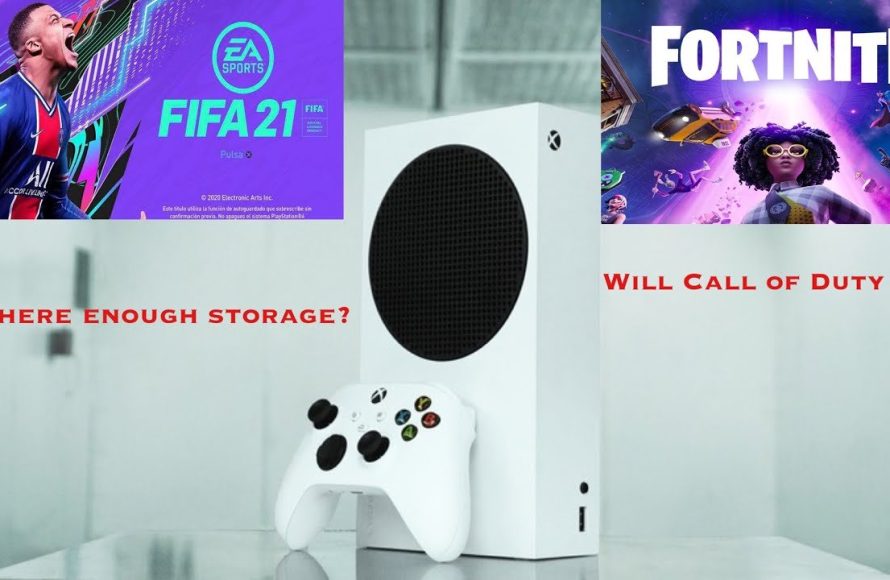
Typically, the 512GB Xbox Series S can hold between 5 to 20 games, depending on individual game file sizes.
Figuring out how many games can 512gb hold xbox series s is a common question for new console owners. The reality is that game sizes vary greatly these days. A simple indie title might take up only a few gigabytes while a AAA game can easily exceed 100GB.
This means the number of games you can keep installed is not a fixed amount. Some users may find room for many smaller titles. Others might need to uninstall games regularly to make space for large ones.

How Many Games Can 512GB Hold Xbox Series S?
Figuring out how many games fit on your Xbox Series S can feel like a puzzle. The console comes with a 512GB solid-state drive (SSD), but that doesn’t mean you have 512GB ready for games. Let’s dive deep into the details and see how many adventures you can actually store.
The Reality of Usable Storage Space
Okay, first thing’s first: the 512GB on the Xbox Series S isn’t entirely free space. Just like your phone or computer, the console needs some space to run its own software. This includes the operating system and other important files. So, after the system takes its share, you’re left with a smaller space for your games. Usually, you will have around 364 GB of usable storage. This is the amount you actually see when you go into the storage settings on your console.
Why is Some Storage Used By the System?
The system needs space for a few key reasons:
- Operating System: This is the software that makes your Xbox work. It’s like the brain of the console. It needs space to store all its information and run smoothly.
- System Files: These are smaller files that help the console function properly. They ensure that all features are working perfectly.
- Quick Resume Data: Xbox Series S has a cool feature called Quick Resume. It lets you jump back into your games quickly. The console needs some space to save this resume data.
Game Sizes: A Big Factor
Now that we know about the available space, let’s talk about the games themselves. Game sizes vary greatly, which will impact how many you can keep stored on the 512 GB Xbox series s. Some games are small and don’t take up much space, while others are huge and need a lot of storage. This difference is mainly because of how games are designed, how many detailed graphics they use, how much audio and video content they include, and the game world’s size.
Small, Medium, and Large Games
To give you a better understanding, here’s a breakdown of approximate game sizes:
- Small Games: These are usually indie titles or older games. They might be around 5GB to 15GB. Think of games like smaller platformers or puzzle games.
- Medium Games: These often fall between 20GB and 50GB. You might find action-adventure games, some sports games, or mid-range RPGs in this category.
- Large Games: AAA titles are often in the 60GB to 100GB+ range. These include big open-world adventures, graphically intense games, and games with lots of content. Some games, particularly after updates, can even go past 100GB.
Estimating How Many Games
Okay, so let’s do some quick maths. We know that the average size of game is around 40 – 50 GB in 2024. If we consider the average game size to be about 40GB and you have 364 GB usable storage space, then you can keep around 9 games on your device. However, it is not always that simple since the sizes of the games vary greatly, and some might even reach 100 GB. So, you might have less than 9 or more than 9 games on your console. It all depends on the size of the games you like to play.
Here’s a more visual way to think about it:
| Game Size Category | Approximate Size Range | Estimated Number of Games on 364GB |
|---|---|---|
| Small Games | 5GB – 15GB | 24 to 72 games |
| Medium Games | 20GB – 50GB | 7 to 18 games |
| Large Games | 60GB – 100GB+ | 3 to 6 games (or even fewer for games larger than 100 GB) |
These are just estimates, of course. The actual number of games you can fit will change based on the specific game sizes. Also, some games, especially online ones get frequent updates and these updates add to the storage used by games.
Game Pass and Storage
Microsoft’s Xbox Game Pass is a popular choice for many players. With Game Pass, you get access to a library of games for a monthly fee. This can be great, but it can also cause problems with your storage. Because you have access to so many games, you might be tempted to download many of them. This can quickly fill up your 512GB. It’s useful to plan ahead and manage your storage when using Game Pass. Only download games you’re playing or are going to play shortly.
Managing Your Storage
Since the 512GB storage can get full quickly, it is a good idea to be smart about managing the storage. Let’s explore some tips for managing your storage.
Deleting Games You’re Not Playing
One of the most basic and effective ways to free up space is to remove games you no longer play. If you have finished a game and don’t think you will play it again, delete it. You can always re-download the game later if you want to play it again. This can help you free up space for new games.
Using External Storage
If you plan to keep a large collection of games or you don’t want to delete games often, you need external storage. You can plug a USB hard drive into your Xbox Series S. The console supports external USB hard drives. If you want to play the games installed on an external drive, you would need to transfer the game to the internal drive, but if you only want to store the games on the external drive, then you can do so as well.
Types of External Storage
Here are a few options to consider for external storage:
- USB Hard Drives: These are generally more affordable and come in larger sizes. USB hard drives are good for storing games and are compatible with Xbox Series S. However, they might be slower than SSDs when loading games.
- External SSDs: Solid state drives (SSDs) are faster than traditional hard drives. They will make your games load quicker and provide a better experience. However, SSDs are usually more expensive than hard drives. For the best performance, you should go for an external SSD.
- Xbox Storage Expansion Card: This is a special SSD made by Microsoft. The storage expansion card is the same as the internal storage of the console. You can enjoy the same fast loading times, but it’s usually more expensive than a normal external SSD.
Moving Games Between Storage Devices
If you have an external drive, you can move games between your internal and external storage. This helps you quickly switch between games that you want to play, and games you want to keep saved. To do this, you have to go to the storage settings of your Xbox. You can move games from the internal storage to the external one, and vice versa.
Optimizing Game Installs
Sometimes games have extra install options that you can turn off. For example, a game might come with an option to install multiple language packs. If you only need one language, you can save a little space by not installing the others. You may also find that a game comes with both multiplayer and single-player modes. If you only intend to play one of these, you may not need to install both. This won’t make a huge difference, but every little bit helps to free up space. Make sure to check the install options for the games and adjust them based on your requirement.
The Future of Storage
Game sizes are likely to increase even more in the future. Graphics are getting better, games are becoming more complex, and developers are using more data to provide detailed game experiences. This will further impact the storage capacity of your console. It’s a good idea to have storage management as a regular habit. And if you do find the need to get more storage, external storage is a good option for it.
A Quick Recap on How Many Games
So, to answer the question again, how many games can 512GB hold Xbox Series S? If you have a good mix of games, you might get between 5-10 games installed, with a few small games thrown in as well. Some may only have 2-3 triple A games installed, with a few other smaller games. It all depends on the games you play. To make the most of your storage space, you should:
- Delete games you’re not playing.
- Use external storage when your storage is full.
- Install only the needed elements of games.
- Carefully manage your game installs, especially on Game Pass.
By being smart about your storage, you can make the most of your Xbox Series S and enjoy many different games.
Ultimately, while the 512GB of the Xbox Series S might seem limited initially, with smart management and some extra storage, you can enjoy a huge array of gaming adventures. Keeping your console organized will help make the experience even better and more fun!
How Many Games Fit on an Xbox Series S?
Final Thoughts
Ultimately, the number of games a 512GB Xbox Series S can hold varies greatly based on game size. Larger AAA titles consume significant storage, while smaller indie games take up less space. On average, expect to install around 5 to 10 bigger games.
Therefore, a precise answer to ‘how many games can 512gb hold xbox series s’ is challenging. The types of games you choose make a big impact on storage space. You must consider this when planning your gaming library.

